
What is Agentation
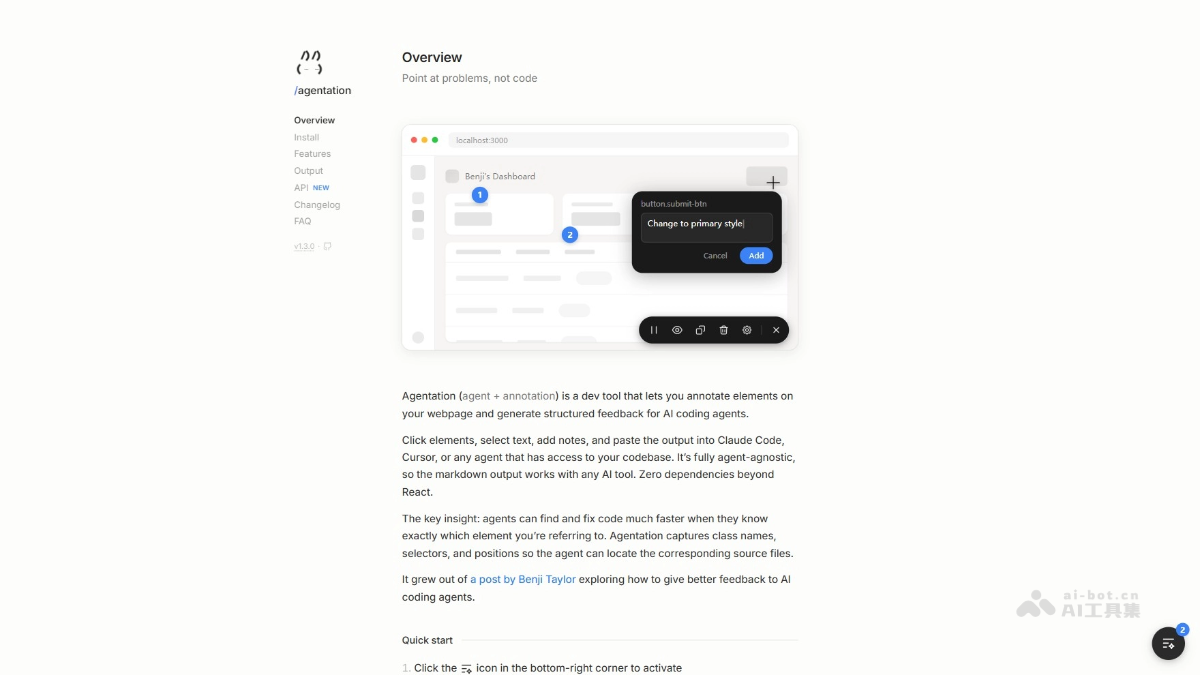
Agentation is an open-source AI programming collaboration tool that solves the problem of low communication efficiency between developers and AI programming assistants. The tool allows users to directly annotate issues on web pages, converting visual feedback into code-readable information and generating structured Markdown text for AI use. Agentation simplifies the problem description process, avoiding the ambiguity of developers' textual explanations and enabling AI to complete code modification tasks more efficiently.
Main Features of Agentation
-
Visual Annotation: Users can directly click elements on web pages and add notes, clearly pointing out where the problem is.
-
Information Capture: Supports automatic capture of elements' CSS selectors, class names, position coordinates, and context information, ensuring precise positioning.
-
Generate Structured Feedback: Organizes annotation information into Markdown format, making it easy for developers to copy and pass to AI programming assistants.
-
Efficient Code Modification: AI parses the element information in Markdown to quickly find the corresponding location in the code and make modifications.
-
Development Environment Integration: Embedded as a React plugin in the local development environment, running only in development mode without affecting the production environment.
How to Use Agentation
-
Install the tool: In a React project, install the Agentation dependency package via
npm、yarn、pnpmorbun. -
Integrate the component: Embed the Agentation component into the root component of the React application, ensuring it is enabled only in development mode.
-
Start the project: Run the local development server, access the development environment (e.g.,
localhost:3000)。 -
Activate annotation: Click the Agentation icon in the bottom right corner of the page to enter annotation mode.
-
Annotate elements: Hover and click on the web page element that needs feedback, and fill in the specific problem description.
-
Generate feedback: Agentation automatically generates structured Markdown-format feedback content.
-
Copy and paste: Copy the generated Markdown text and paste it into an AI programming assistant (e.g., Claude Code or Cursor)。
-
AI fix: AI will precisely locate the code and complete the modification based on the element information in the Markdown.
Agentation Project Address
- GitHub Repository:https://github.com/benjitaylor/agentation
- Online Experience:https://agentation.dev/
Agentation Application Scenarios
-
Front-end development debugging: Developers directly annotate issues on web pages during development, and Agentation converts the issues into structured feedback, helping quickly locate code for modification.
-
Design-development handoff: Designers annotate element adjustment requirements on web prototypes, and Agentation passes the feedback to the development team or AI, ensuring design intent is accurately implemented.
-
Testing and optimization: Testers use Agentation to annotate functional errors or user experience issues and generate detailed feedback information, facilitating rapid fixes by the development team.
-
Responsive design adjustments: When developers test web pages on different devices, they annotate layout or display issues, and Agentation provides detailed information to optimize responsive design.
-
Cross-team collaboration: Different roles use Agentation to annotate issues and generate feedback in a unified format, promoting efficient team communication and reducing misunderstandings and rework.