
What is AEE
AEE (Auto Excel Editor) is anonline AI Excel editor, based on AI technology, it automates Excel spreadsheet editing and management tasks. Users only need to input simple prompts, and AEE automatically executes logical operations such as data add, delete, modify, and query. AEE supports intelligent entry, automatic formula insertion, style modification, data generation, template generation, etc., greatly improving work efficiency. AEE simplifies complex Excel operations, enabling non-professionals to easily handle data, and is suitable for various user groups such as data analysts, finance personnel, and market researchers.
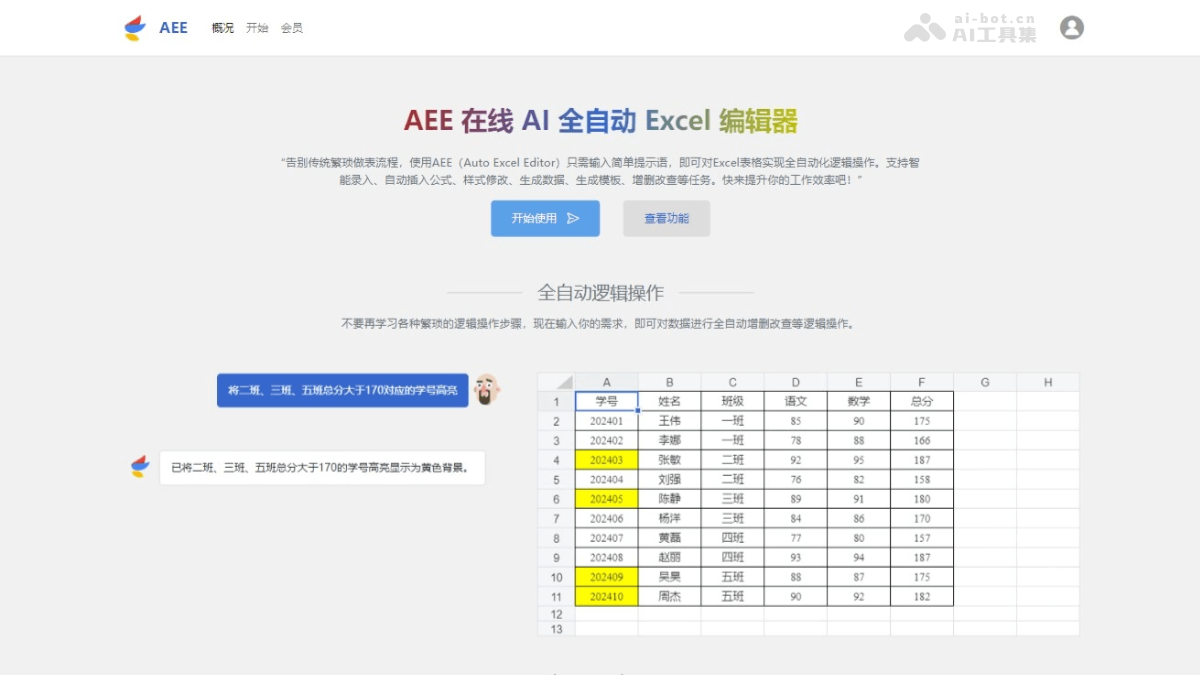
Main Features of AEE
- Fully Automatic Logical Operations: Users input simple instructions, and AEE automatically executes operations such as adding, deleting, modifying, and querying data.
- Automatic Formula Insertion: According to user needs, AEE automatically inserts appropriate formulas into Excel, simplifying complex calculation tasks.
- Intelligent Entry: AEE automatically recognizes data types and enters them into the correct positions in Excel, reducing the workload of manual input.
- Style Modification: Users can easily adjust the style of Excel spreadsheets, including fonts, colors, borders, etc., improving the readability and aesthetics of the spreadsheet.
- Generate Data and Templates: AEE quickly generates data and templates, helping users quickly create new Excel spreadsheets.
- Irregular Data Organization and Entry: AEE can handle irregular data and enter it into Excel after organization.
How to Use AEE
- Visit the Official Website: Open a browser and visit AEE's official website, register an account and log in.
- Create or Upload a File: Choose to create a new Excel spreadsheet or upload an existing Excel file.
- Input Instructions: On the AEE platform, directly input the operation instructions to execute, such as "calculate this month's sales" or "generate a sales report template".
- Execute Operations: After inputting instructions, AEE parses the instructions and automatically executes the corresponding operations, such as automatically filling data, inserting formulas, modifying styles, etc.
- View Results: After the operations are completed, view the results automatically generated by AEE to ensure they meet the requirements.
- Manual Adjustment(if needed): Make manual adjustments.
- Save or Export: After completing the editing, save the work, or export the file as Excel format for easy use on other platforms.
AEE Product Pricing
- Regular User: Free, 1-300 computing power trial per day, 800 single byte input
- Trial Experience Package: 9.9 yuan / 3 days, 6000 computing power, 20k single byte input
- Monthly Membership: 39.0 yuan / month, 50000 computing power, 20k single byte input
- Custom Development: 1200.0 yuan / starting from, ∞ computing power / day, ∞ single byte input
Computing power is associated with the number and complexity of operations executed by users.

AEE Application Scenarios
- Data Analysis: Data analysts use AEE to quickly organize and analyze large amounts of data, and automatically generate reports and charts.
- Financial Reporting: Finance personnel use AEE to automatically generate financial reports, such as balance sheets, income statements, and cash flow statements.
- Marketing: Marketing teams use AEE to organize and analyze sales data and automatically generate sales forecasts and market trend reports.
- Human Resource Management: The human resources department uses AEE to manage employee information, such as payroll calculation, attendance records, and performance evaluations.
- Inventory Management: Inventory management personnel use AEE to track inventory levels, automatically update inventory data, and generate inventory reports.