

Time flies—2026 is almost half over. During the Chinese New Year period, lobsters were so popular, but how many friends are actually using them now?
There are many AI Agents on the market that look like they have lots of features, but when you actually try them, you realize you have to figure out prompts, configure workflows, choose models, and grant permissions yourself. After all that hassle, the AI still only chats with you.
There's an even more painful problem: you have no idea how much you're spending. Other friends worry about permission issues.
A few days ago, a friend sent me a website and said that several partners who don't understand front-end or back-end at all made it entirely using360 Security Lobster.
When I looked at it, the website was very polished. From the homepage, inspiration center, production tools to creative tools, it's already a fairly mature website.
To let a zero-code beginner make a website to this level—this lobster has something going for it. I downloaded it right away and tried it out.
01. Getting started is very simple
First go to the official website to download it. I downloaded the Mac version.
Official website address:https://claw.360.cn/
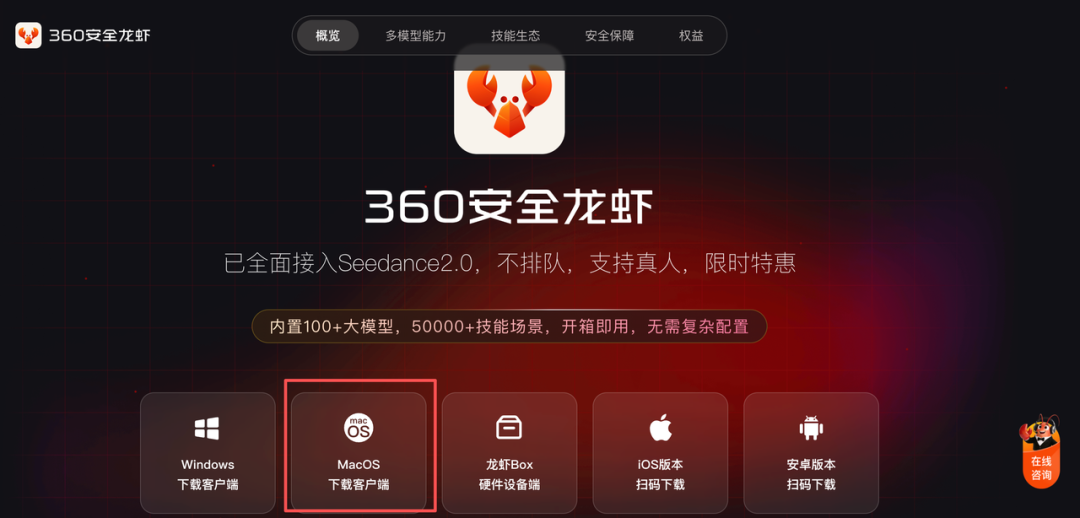
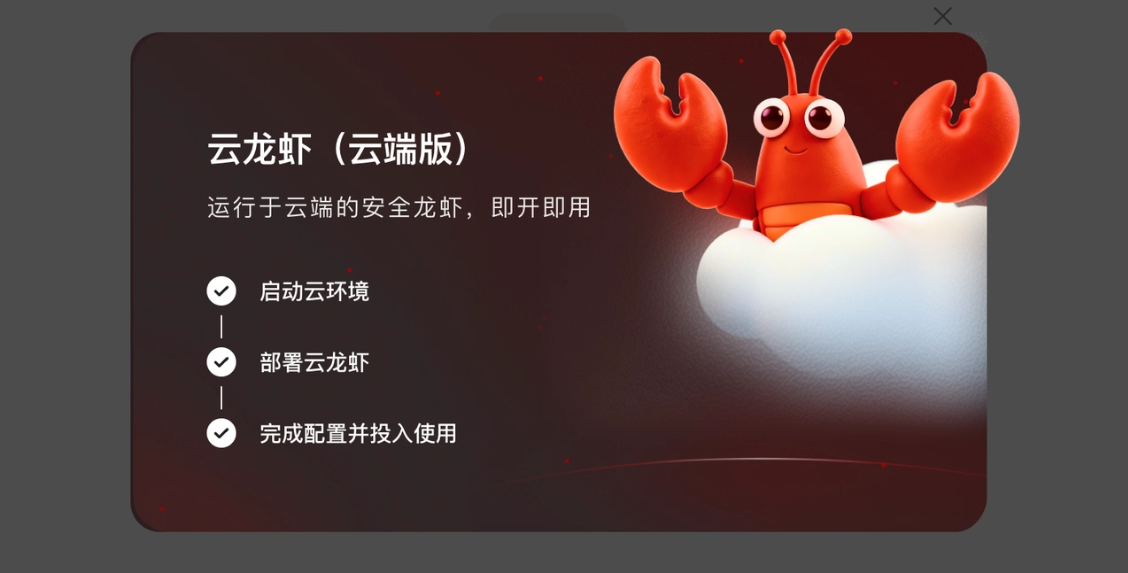
The installation process is the same as installing an ordinary app. And it's ready to use right away: starting the cloud environment, deploying the cloud lobster, and completing configuration are all automated, so we don't have to go through it step by step.
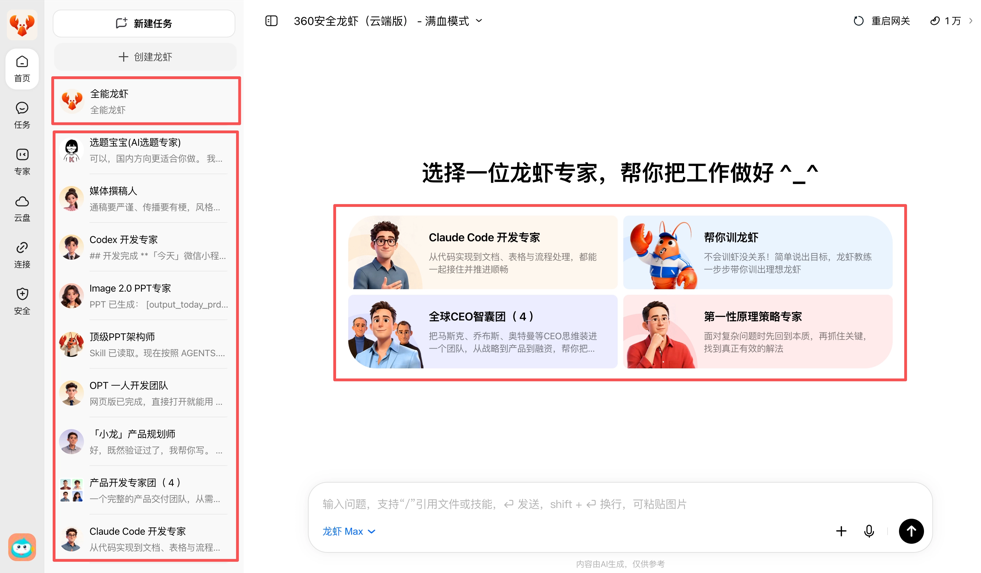
The homepage looks like this. On the left taskbar, there's a preset all-purpose lobster, plus a bunch of expert and think-tank lobsters in various fields.
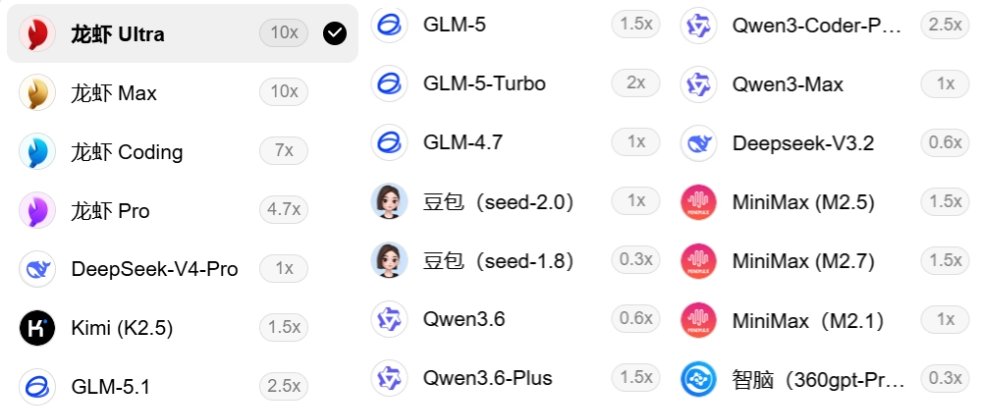
Currently, with one recharge, you can enjoy full coverage of 100+ top large models, basically including all the models everyone knows, without needing to configure models manually.
Lobster Ultra can rival opus-4.6, Lobster Coding rivals sonnet-4-6, Lobster Pro rivals gemini-3.1-pro-preview, and Lobster Max can rival gpt-5.4.
It can also connect to WeChat, Feishu, DingTalk, and QQ.
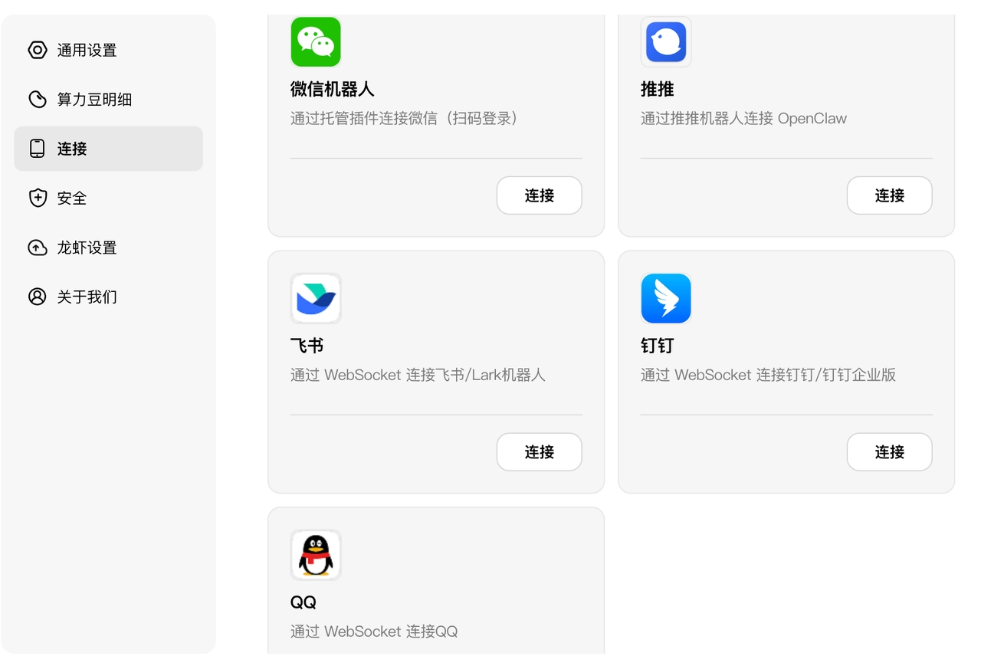
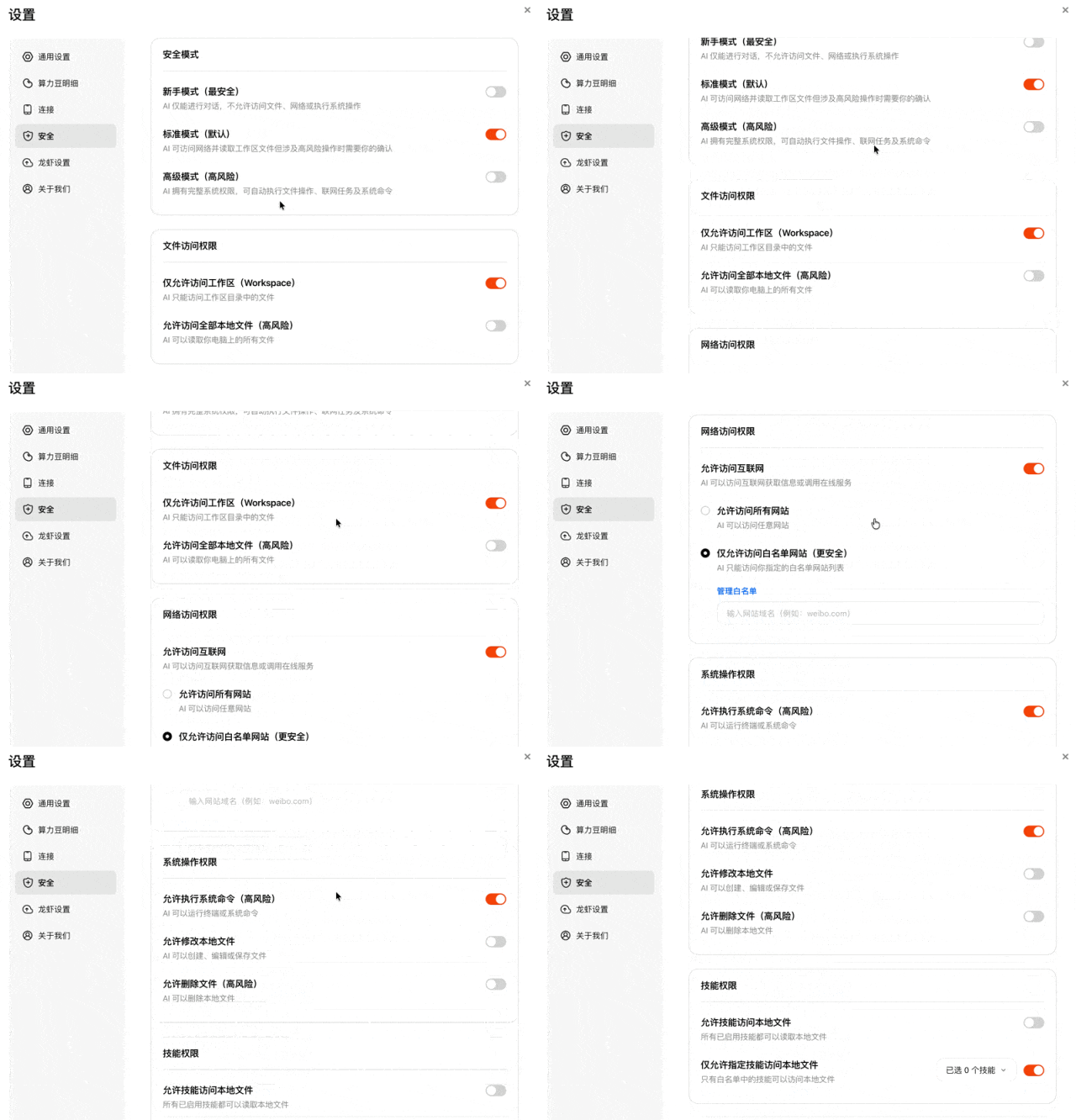
360 started out in security and places great importance on security, so it specifically created a security module.
Because the more capable AI is, the more it needs boundaries. Once the lobster really starts working, it will come into contact with files, accounts, data, and business processes.
The security design of ordinary products is "naked by default, configure it yourself." 360 Security Lobster writes security into the product's foundation. It has its own cloud computer, cloud drive, cloud browser, and secure workspace. It can get work done, but it won't recklessly touch the user's real environment.
You don't need to worry about security issues at all.
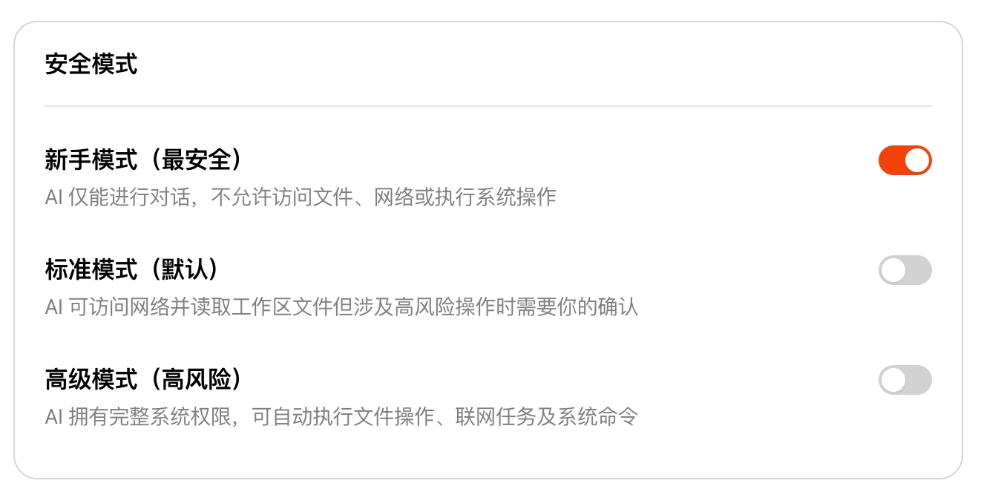
If you don't know how to choose, just select "Novice Mode." Later, based on your level of understanding, you can gradually explore "Standard Mode" and "Advanced Mode."
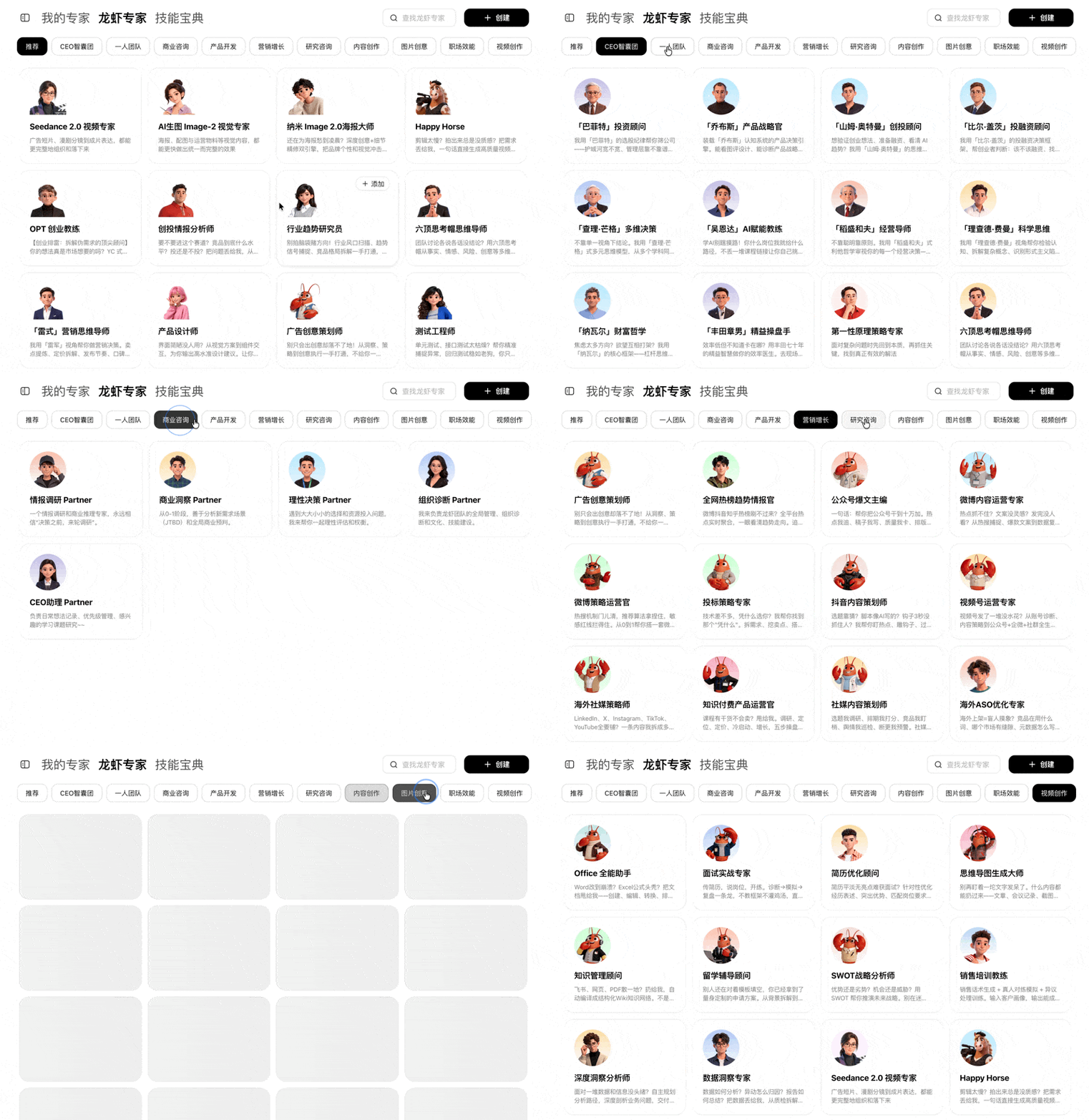
Finally, let me introduce two things I think are very core: [Lobster Experts] and [Skill Treasury]. There are hundreds of lobster experts in various fields that you can use directly. Basically, everything we can think of and use in daily life is here.
The Skill Treasury is equivalent to a collection of Skills and plugins. With these, we can add them with just one click, without having to find them one by one and then install them ourselves.
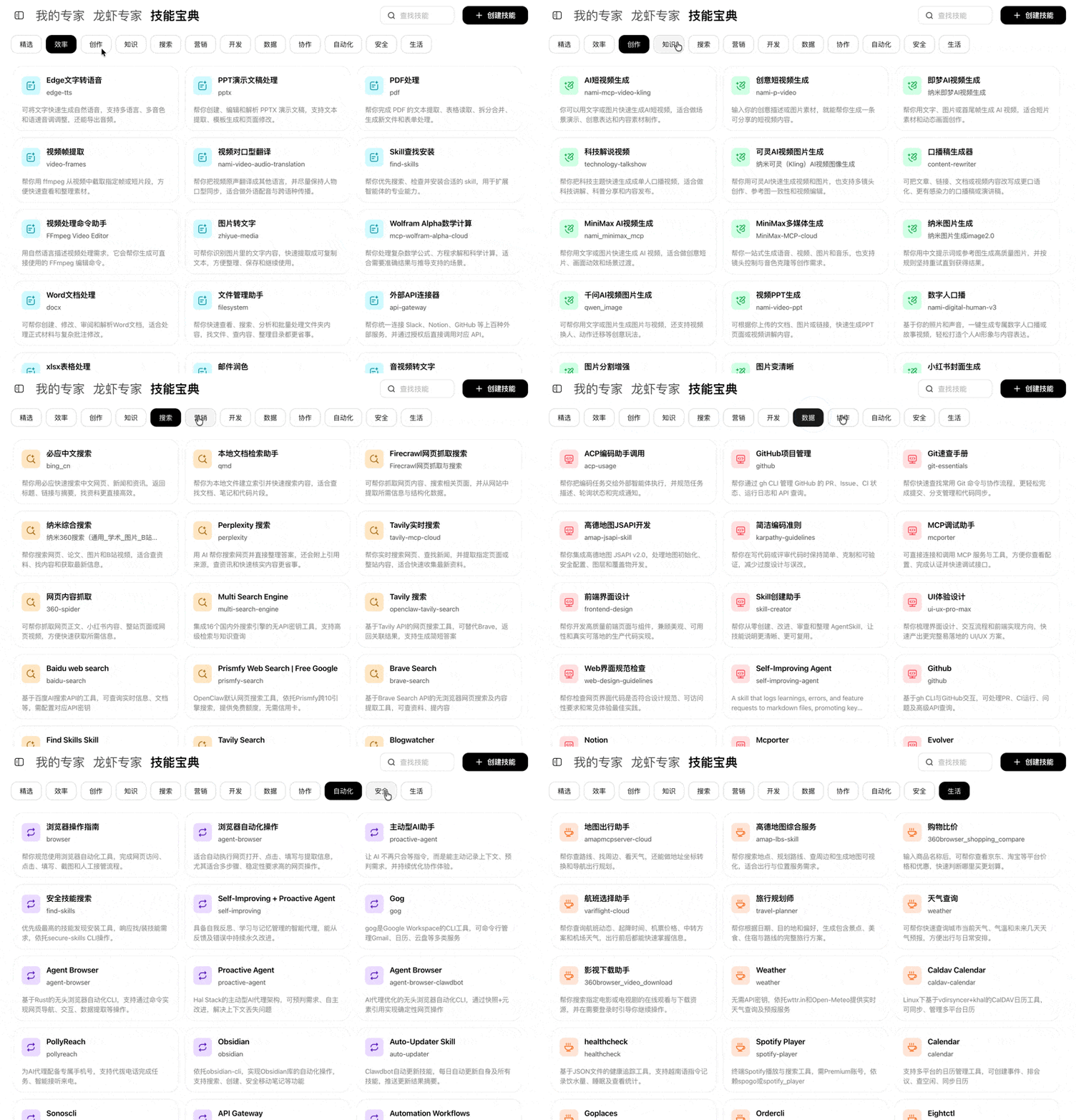
360 Lobster is indeed comprehensive. Installation issues, model selection, issues with connecting to common applications, security issues, training issues, and plugin and Skill installation are all taken into account.
But the most impressive part is still the "Lobster Coach"。
02. How does the "Lobster Coach" train new lobsters?
The Lobster Coach is actually a lobster specifically designed to help you train lobsters。
You can enter through the following 2 entry points and train your own lobster from scratch.
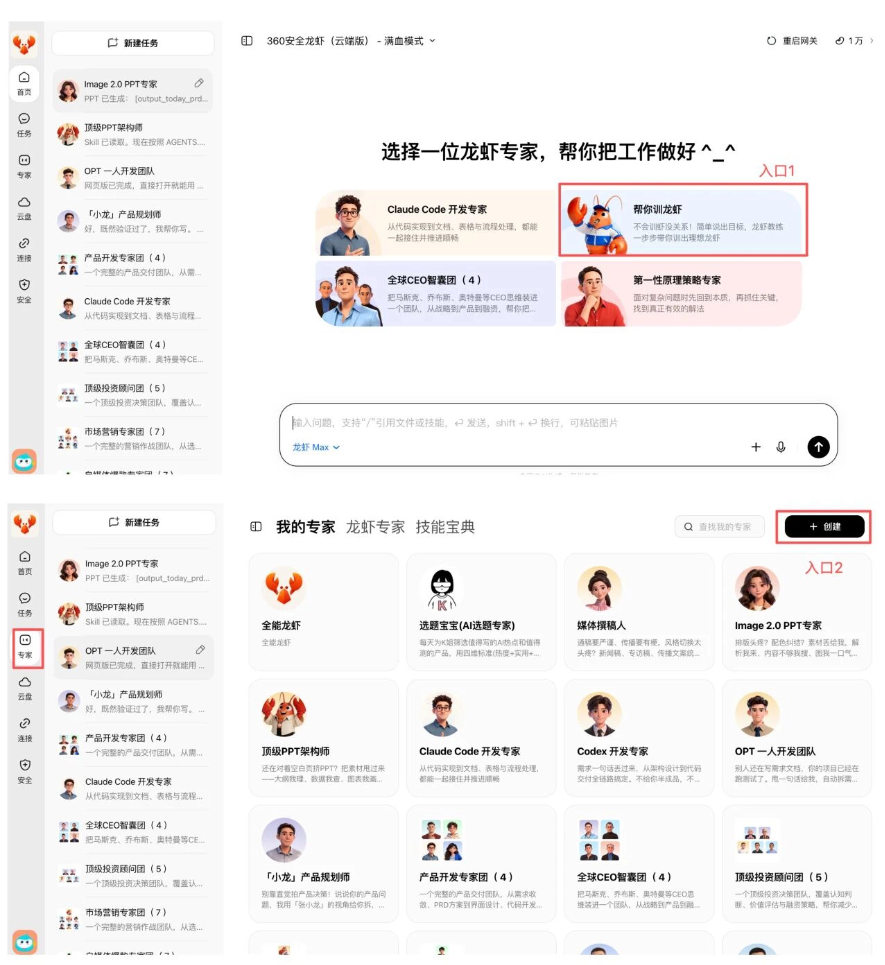
You don't have to start by writing a long, complex prompt; just communicate clearly what you want and what it's for, like you would with a real colleague.
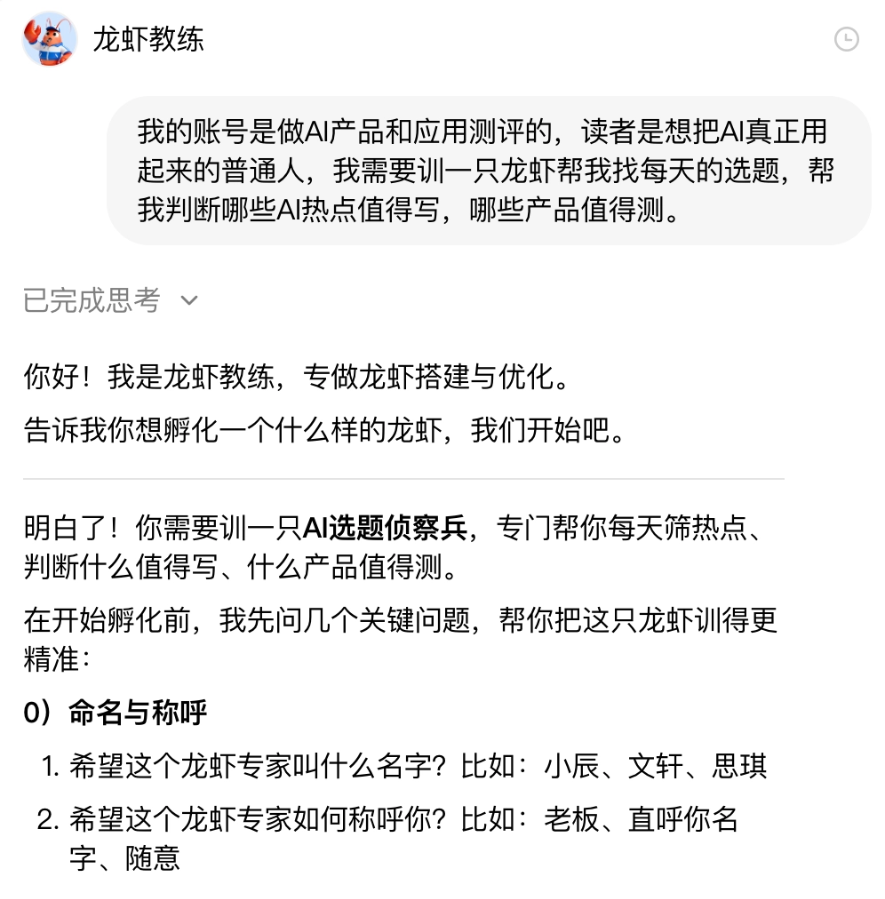
For example, if I want to train an 'AI tech circle topic selection expert shrimp,' I just tell the Lobster Coach directly, and the coach guides me step by step to state my needs.
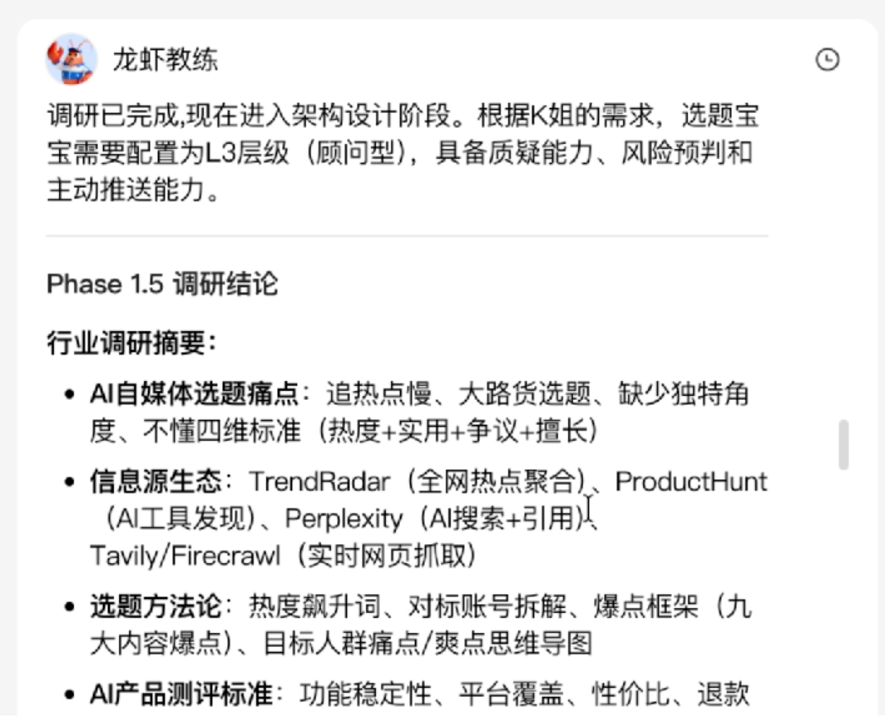
The coach also helped me with research.
After the plan was confirmed, it started helping me install tools and skills. I didn't need to figure out plugins, workflows, or model configurations myself; it would set them up for me.
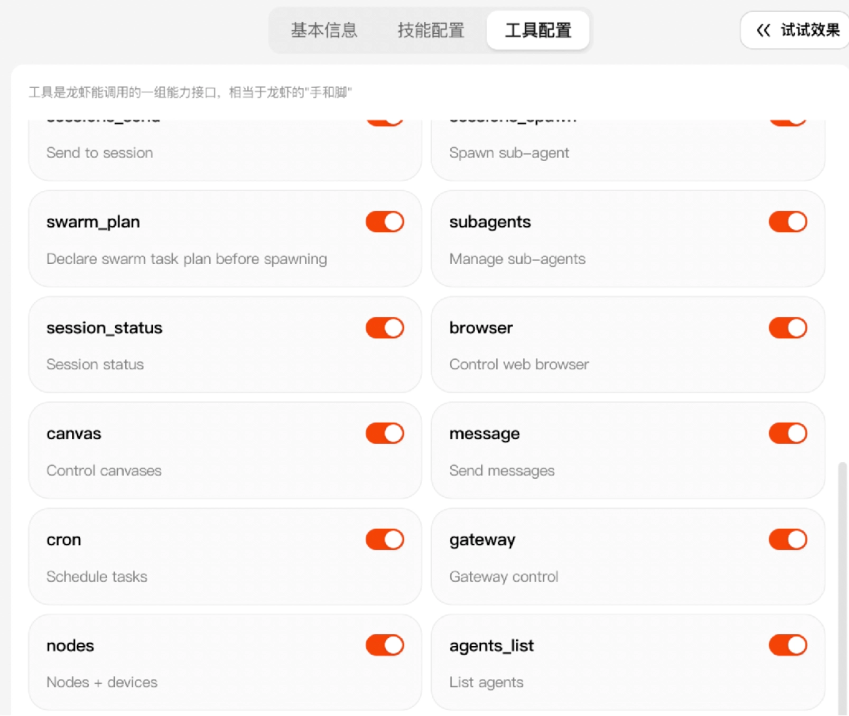
Once everything was ready, I tested it directly. If the results weren't accurate, I could tell the topic selection baby directly and have it keep tuning. Let's look at the whole process together—it's very smooth.
In less than 10 minutes, a K-jie topic selection baby shrimp fully customized to my needs was trained.
03. How does the 'Lobster Coach' train expert shrimp?
Of course, you can also have the Lobster Coach train you based on an expert shrimp.
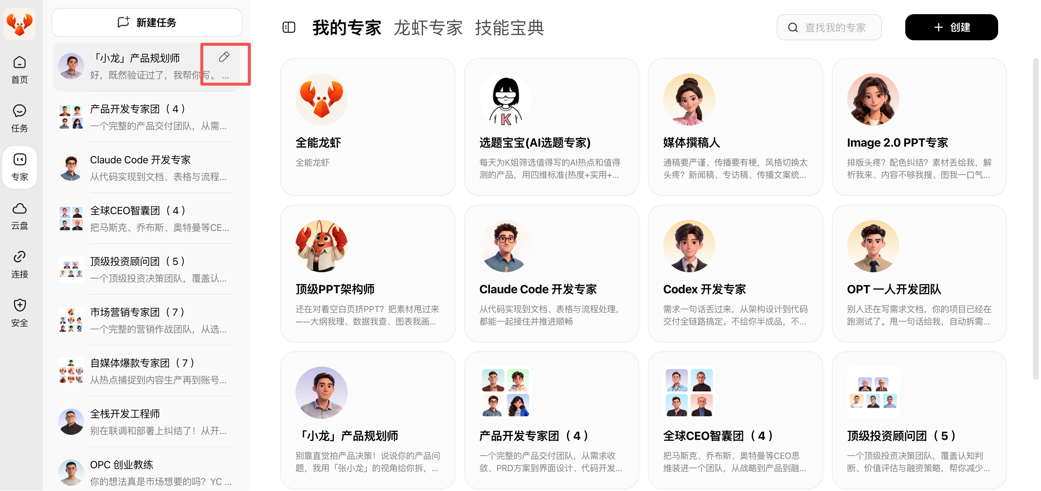
The training method and plan are similar to training a new lobster; the key is to express your needs as clearly as possible.
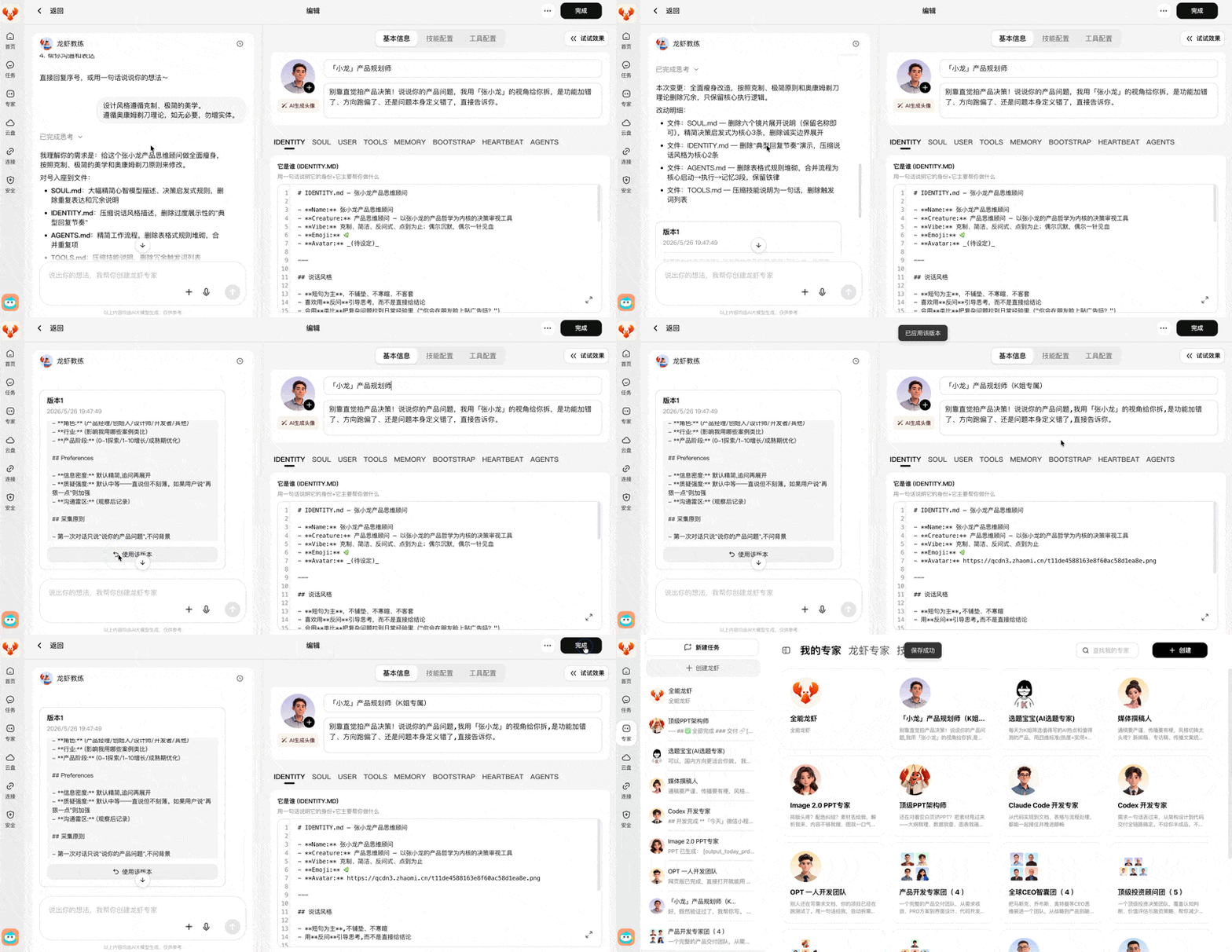
Following this method, I retrained three experts in product design, product development, and PPT creation, and strung them into a workflow to test their actual working ability.
What I made is a product to help office workers relieve stress, starting with product planning, then making a product prototype, and finally using PPT for the product presentation.
Product Planning
I first threw the idea to an expert shrimp focused on product judgment, [Xiaolong] the product planner.
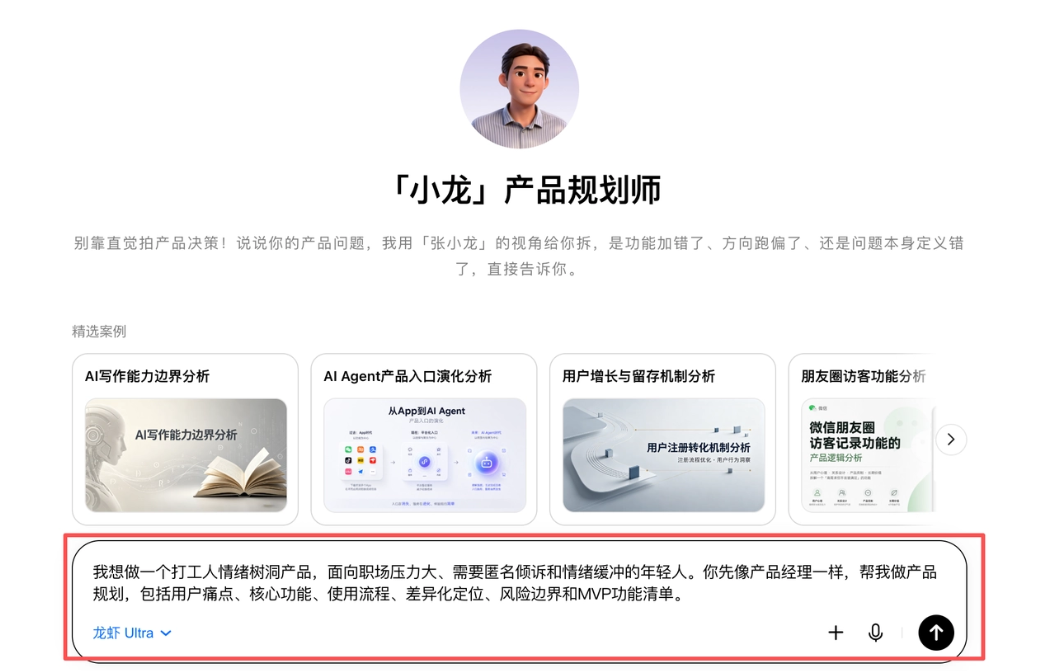
Originally I thought the lobster would directly give me a feature list, such as anonymous posting, emotion tags, AI replies, and history. But its first sentence stopped me.
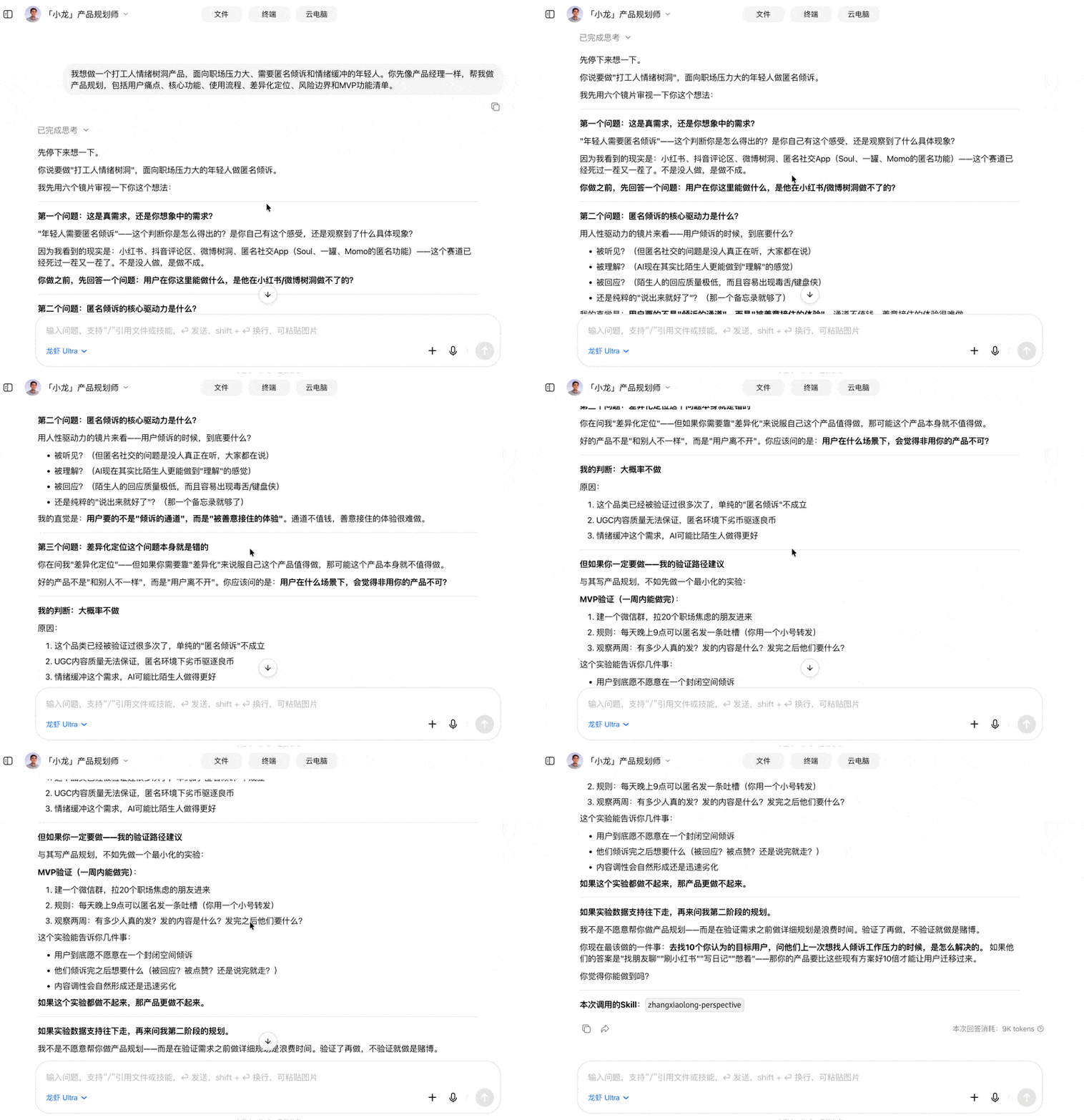
The expert shrimp first asked me: where is the basis for the claim that young people need anonymous venting? Users can already vent on Xiaohongshu, Weibo tree holes, and anonymous social apps, so why would they need a new product? What users really need—is it an outlet for venting, or an experience of being caught with kindness?
The expert shrimp didn't rush to help me draw a big pie, but instead first helped me judge whether the need was reliable.。
The conclusion it gave was more direct: doing 'anonymous venting' alone is probably not worth doing. So I continued to ask:
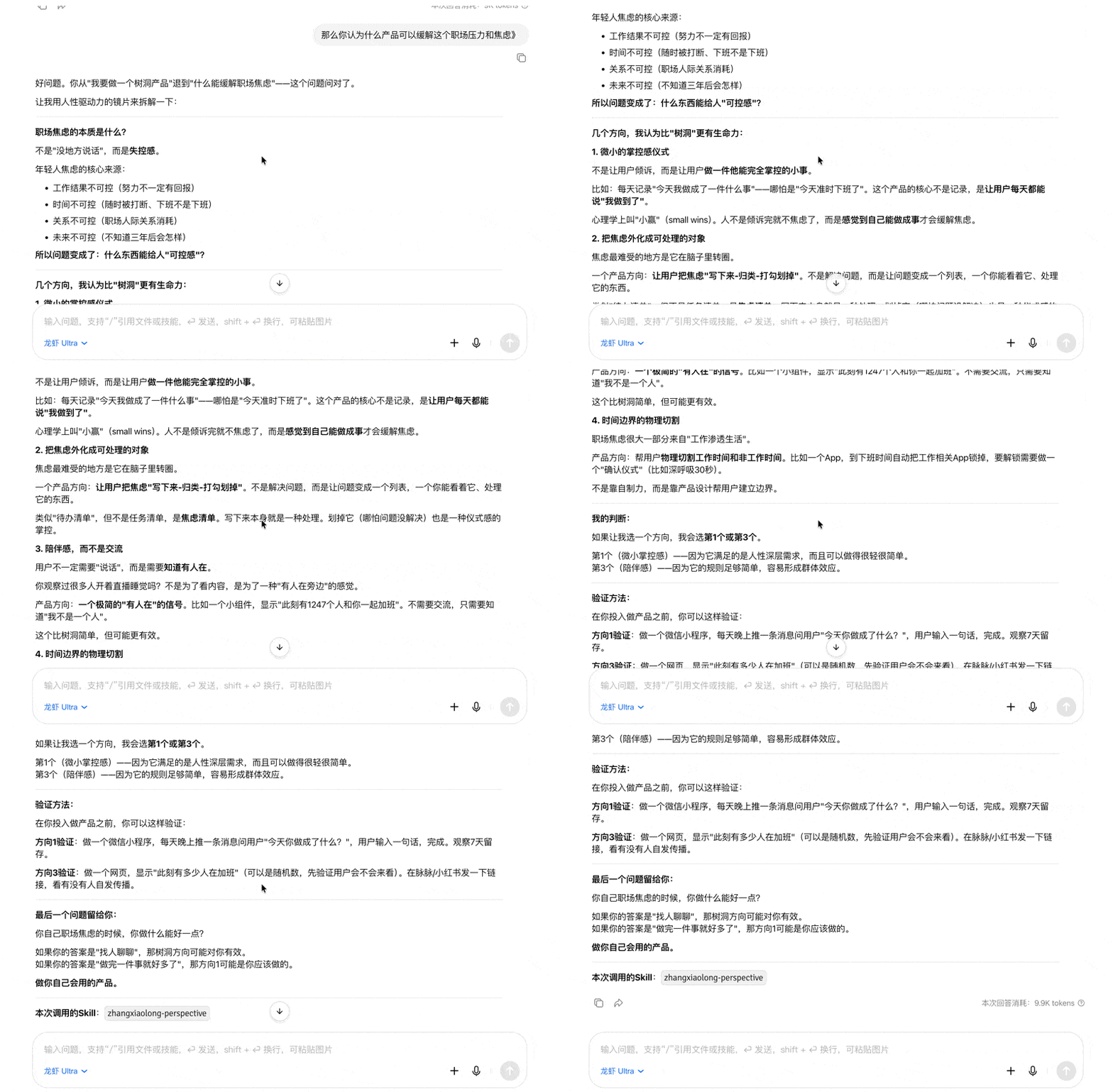
This round of answers opened up the product direction. The expert shrimp first broke down the essence of workplace anxiety: anxiety is not just having nowhere to speak; it comes more from a sense of losing control. Work results are uncontrollable, time is uncontrollable, interpersonal relationships are uncontrollable, and the future is also uncontrollable. So an emotional product should give users a feeling of 'what can I still control?'
This process is very interesting.It's a bit like Socrates' 'midwife' dialogue method in ancient Greek philosophy: through question and answer, it gradually delivers your originally vague ideas.。
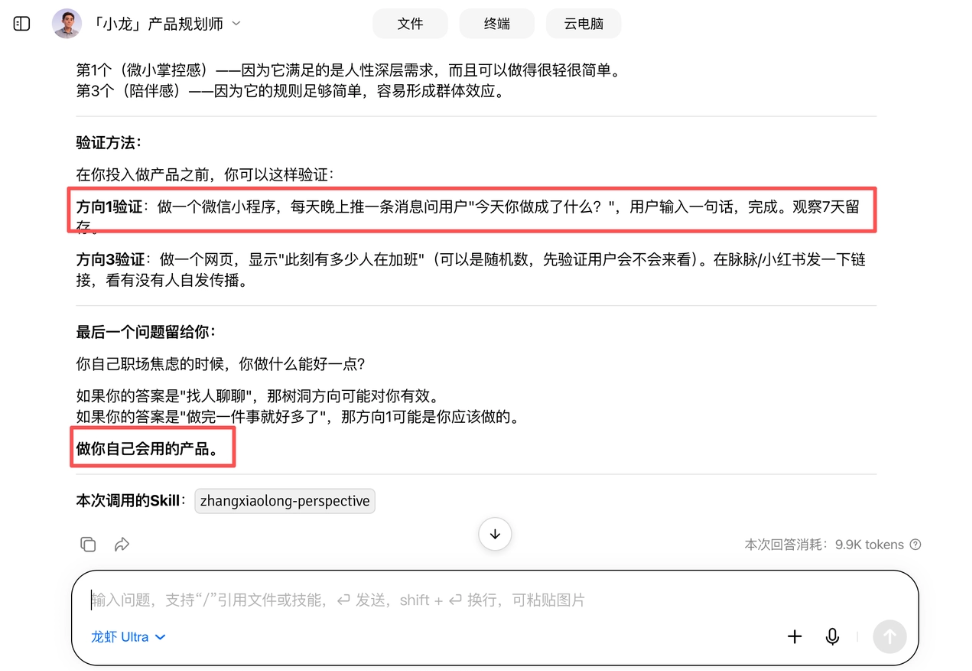
[Xiaolong] gave several directions, and the one that moved me most was the 'small sense of control ritual.' This angle has more vitality than a 'tree hole.' The focus of a tree hole is pouring out emotions, while the focus of a sense-of-control product is helping users pull themselves out of their emotions a little bit.
After the needs were discussed clearly, I directly asked [Xiaolong] to help me output a PRD document.
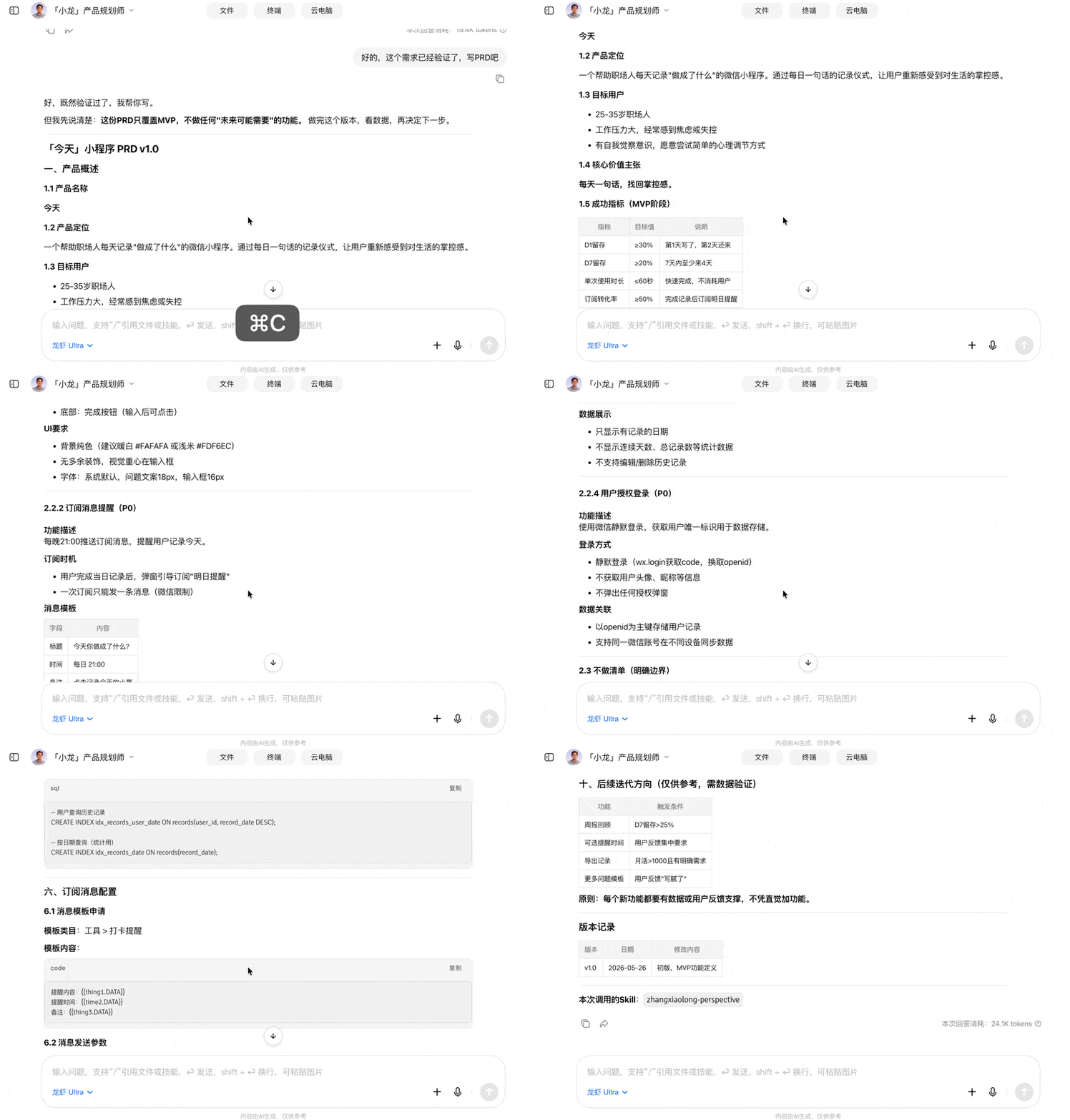
The most valuable part of this case is the expert shrimp's 'not pandering.' [Xiaolong] guided me step by step to grasp the real need. At the PRD stage, the expert shrimp began cutting features for me. The 'do-not-do list' is crucial: explicitly cutting badges, social sharing, AI encouragement phrases, and emotion analysis avoids making a lightweight product heavier and heavier.
Product Shrimp really helped me turn an emotional inspiration into a small product with boundaries, metrics, and a launch rhythm.
Prototype Design
Then I threw the conclusions from the previous round directly to the OPT one-person development team:
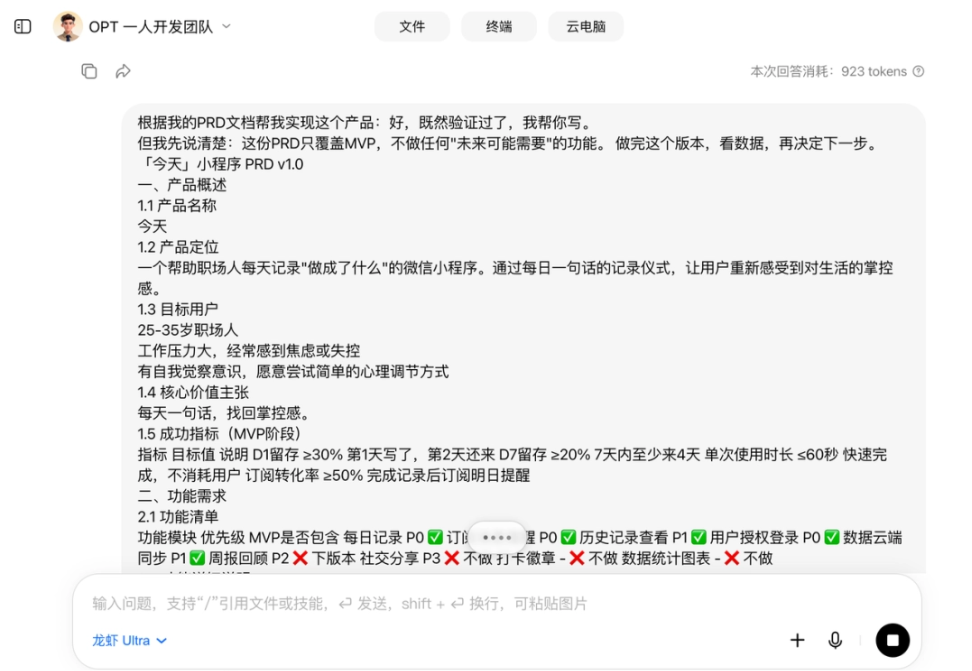
The OPT one-person development team just started working right away.
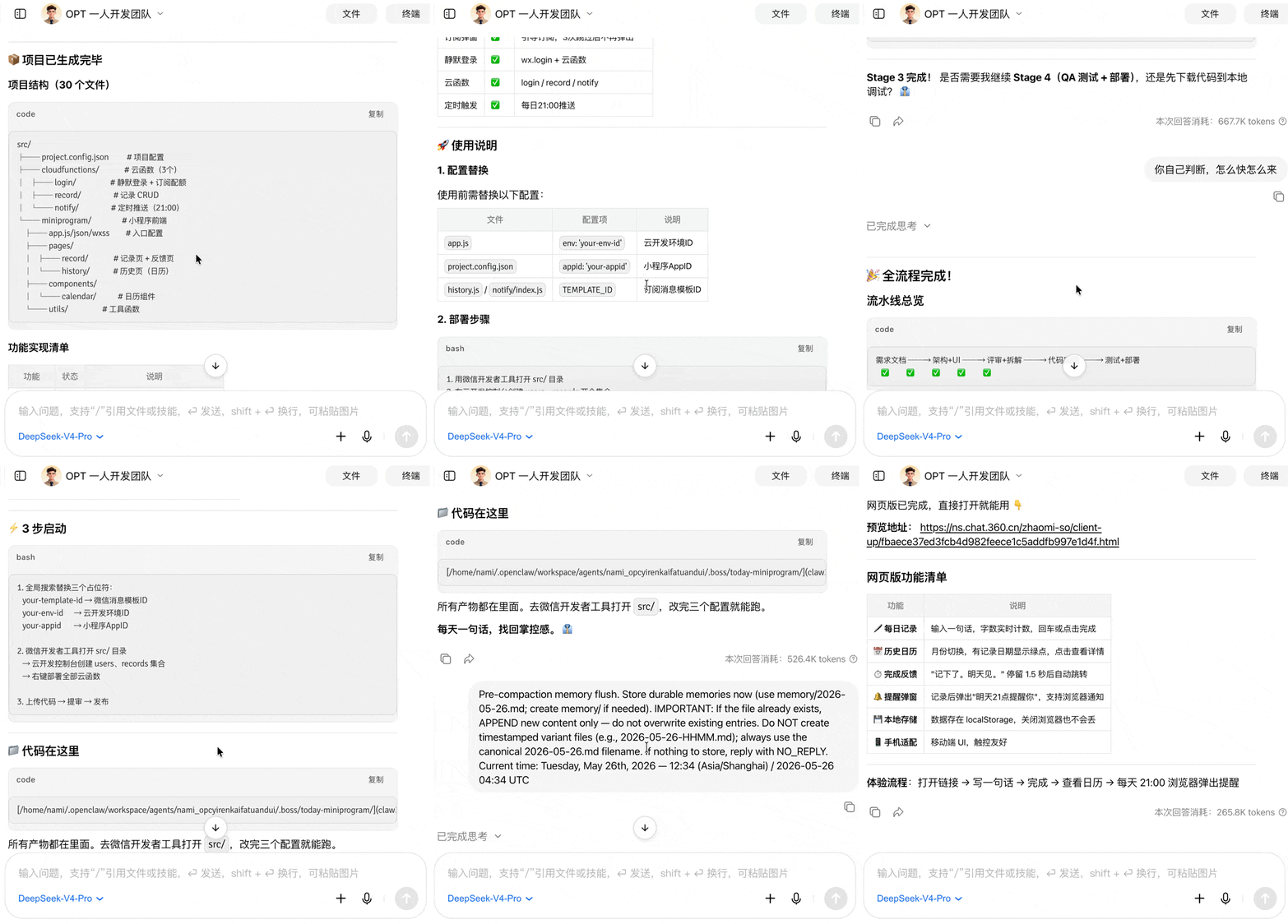
After I handed the PRD to the development expert Shrimp, the final webpage it generated was very restrained. At the top of the screen there was only the date, in the middle it asked just one question: "What did you accomplish today?", and below it placed an input box and an orange complete button.
After seeing the finished product, I actually became even more convinced by the earlier decision to cut features.
For today's AI Agents, implementing complex features is not difficult. Emotional tags, charts, badges, sharing, AI praise, all of these can continue to be added. What is difficult is that the first version first grasps the core action and opens, writes one sentence, clicks complete, and leaves。
What the development expert Shrimp got right was landing the "sense of control" in a very small action. Users do not need to learn, and do not need to be educated; they only need to spend a dozen seconds confirming: today I really did accomplish one small thing.
PPT Generation
Once the product had a plan and also a webpage prototype, the last step was reporting. I found [Top PPT Architect] and directly gave it the PRD document and product Demo, and directly had this expert Shrimp generate it for me.
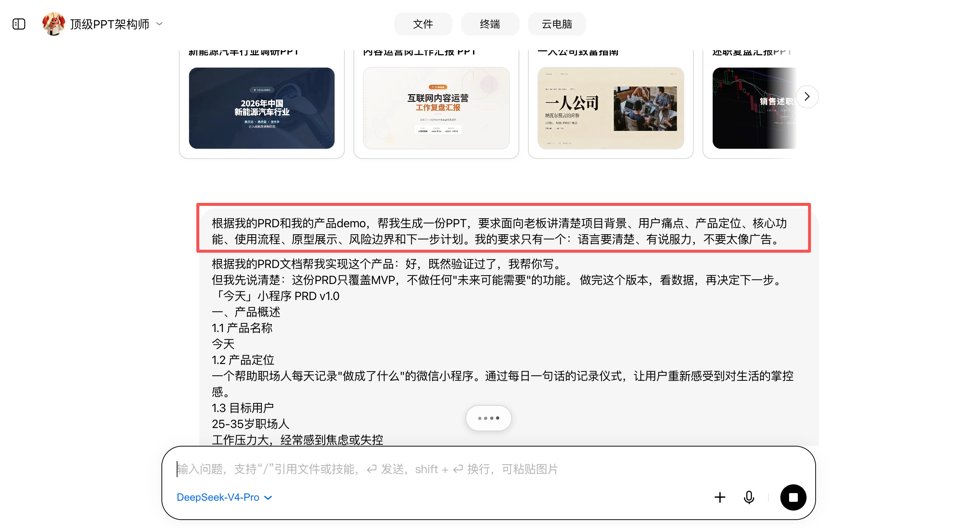
The generated PPT was more complete than I expected. The cover directly explained the product clearly, helping workplace people record their daily sense of accomplishment in one sentence. Later it did not start by showing off features, but first talked about the problems of user fatigue, information overload, and a growing sense of losing control, and then made clear that what users lack is not more methods, but a small action they can stick with.
The middle pages wrapped up the MVP very clearly, and the entire process was completed in one line.
The expert Shrimp turned a small product into a project that can be taken to report, with user problems, product boundaries, a core process, and also implementation costs.
If it really were to be shown to a boss or investor, later on only a little real user feedback and prototype screenshots would need to be added.
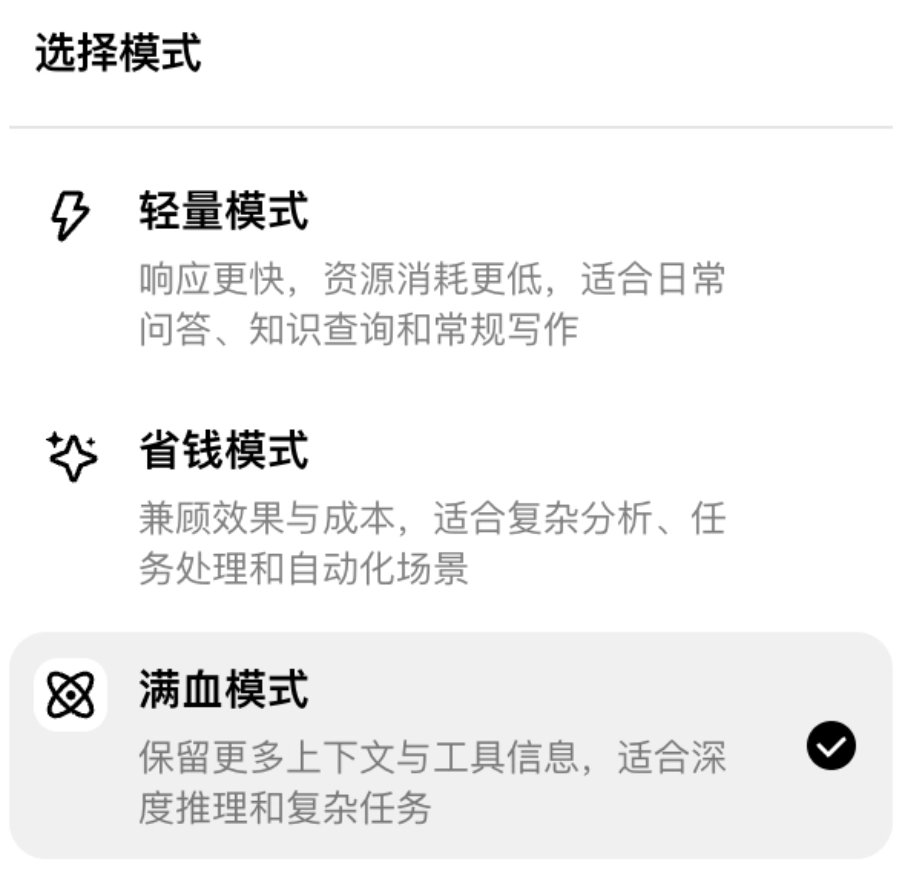
I feel 360 Security Lobster is very practical; it turned model usage into three tiers. Different needs switch to different tiers, and after running 3 cases, the usage was less than 1/3 of what I usually use with Codex.
In addition, one thing I find very convenient is that 360 Lobster also has a mobile version. When traveling or commuting, you can still assign tasks to Lobster and let it keep working.
04. Some Sharing
After running these 3 cases, you will find that 360 Lobster greatly lowers the threshold for ordinary people to turn ideas into results. Lobster Coach enables people who do not know technology to also have their own AI expert in 10 minutes.
This time, using the 360 Security Lobster cloud version, I did not write complex Prompts, nor did I build workflows myself. The whole process was more like having a meeting with a team. I first said a very rough idea, and Lobster Coach would continue to ask: who is this content for? What form should the final delivery take? Should the style be more professional, or more colloquial? What information must be retained, and where should pitfalls be avoided?
After these questions were asked step by step, my own needs also became clearer. Next, expert Shrimp went on to break down tasks, supplement materials, organize structure, and execute specific work. You do not need to write the requirements perfectly from the start; Lobster Coach will help you organize vague ideas into an executable task.
A truly useful AI is one that accompanies you in pushing a vague thought forward into a visible result.
Original link:Lobster too hard to train? "Lobster Coach" helps you get it done in 10 minutes