
What is Best ID Photo
Best ID Photo is an ID photo creation software integrated with AI technology. It offers a variety of ID photo size options, supports smart cutout background replacement, and provides multiple background colors to choose from. The software includes beauty features that can perform adjustments such as skin smoothing and whitening, and offers formal wear options for men and women, meeting ID photo needs for different occasions. Users can easily create professional and attractive ID photos without going to a photo studio.
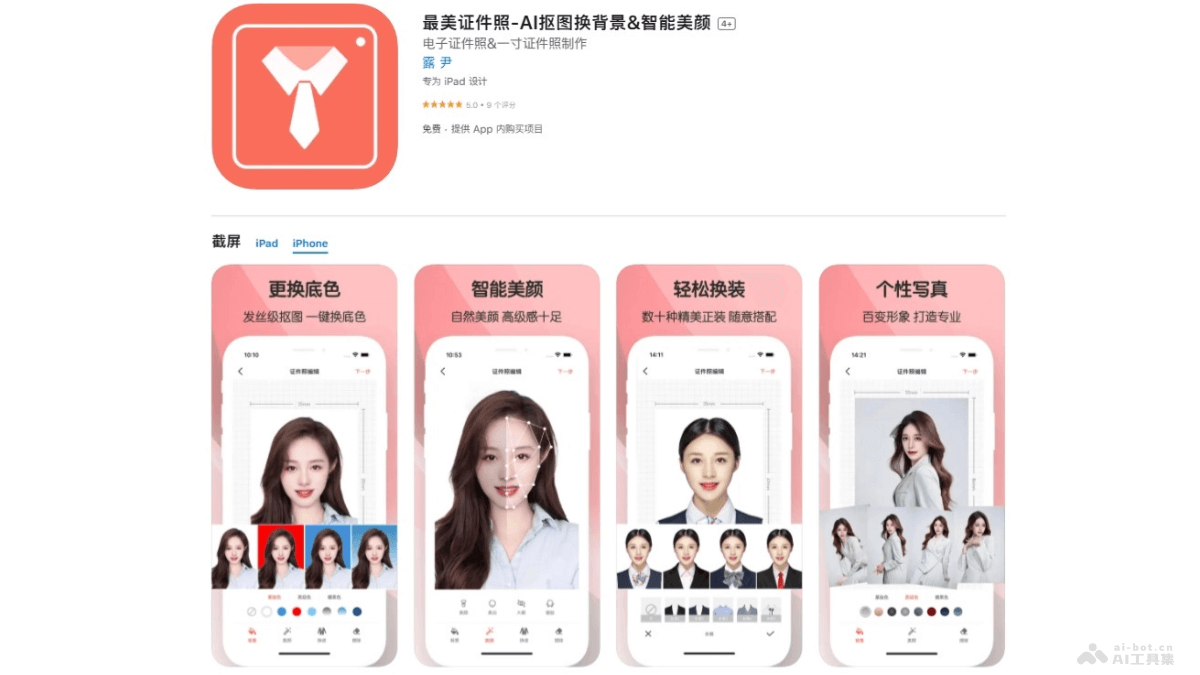
Main features of Best ID Photo
- Multiple size options: Provides multiple regular sizes such as 1-inch and 2-inch, as well as hundreds of officially specified ID photo specifications.
- Smart AI cutout background replacement: Based on facial recognition technology, it achieves hair-strand-level cutouts and one-tap background color replacement.
- Multiple background color options: Provides multiple background color options such as white, blue, red, and gradient colors.
- AI smart beauty: Based on AI algorithms, it provides beauty features such as skin smoothing, whitening, eye enlargement, and face slimming.
- Formal wear matching for men and women: Provides men's wear, women's wear, and children's wear in multiple styles for free matching.
- Professional image photo creation: Provides corporate headshot and professional image photo shooting and creation.
How to use Best ID Photo
- Download and install: iOS users visitApple App Store, Android users visit their phone's app store, download and install.
- Select size and type: Select the appropriate ID photo size and type as needed. The App provides multiple officially specified ID photo specifications.
- Upload or take a photo: Choose to upload an existing photo from the phone album, or directly take a new photo with the phone. Ensure the photo is clear and the background is simple so the App can perform cutout better.
- Smart cutout background replacement:
- The App automatically performs AI cutout, separating the portrait from the background.
- Select the desired background color, such as white, blue, red, etc.
- Beauty and adjustments: Use the AI beauty features provided by the App to adjust the photo with skin smoothing, whitening, eye enlargement, face slimming, etc. Adjust the intensity of the beauty effect according to personal preference.
- Select clothing and matching: If needed, select different formal wear in the App for matching.
- Preview and adjust: After completing cutout, background replacement, and beauty, preview the effect of the ID photo. If needed, further fine-tune the photo until satisfied.
- Save and share:
- After completing all edits, save the edited ID photo to the phone album.
- Directly select the printing service in the App to print the electronic ID photo and have it mailed home.
Best ID Photo product pricing
- Weekly premium membership:¥18.00
- Annual prestigious membership:¥168.00
- Monthly professional membership:¥38.00
Application scenarios of Best ID Photo
- Job resume: Create professional resume photos for job applications and enhance personal image.
- Student ID photos: Students create campus documents such as student IDs, campus cards, and library cards.
- Exam registration: ID photos required for registration in various examinations such as civil service examinations, graduate school entrance examinations, professional qualification examinations, etc.
- Overseas Visa: Standard ID photos required for overseas visa applications, meeting the visa photo requirements of different countries.
- Driver's License: ID photos required when applying for or renewing a driver's license.