
What is Zihu AIPPT
Zihu AIPPT isan AI PPT creation tool, based on natural language processing and computer vision AI technology, improving office and learning efficiency. Its core features include one-click AI PPT generation; users only need to enter a topic or import a file to generate a professional presentation, and the platform provides a rich selection of templates and a favorites feature. It supports seamless connection between the client and the web version, supports use across multiple devices, and ensures data security and convenient operation. As a capable assistant for work and study, Zihu AIPPT helps users complete tasks more efficiently and intelligently.
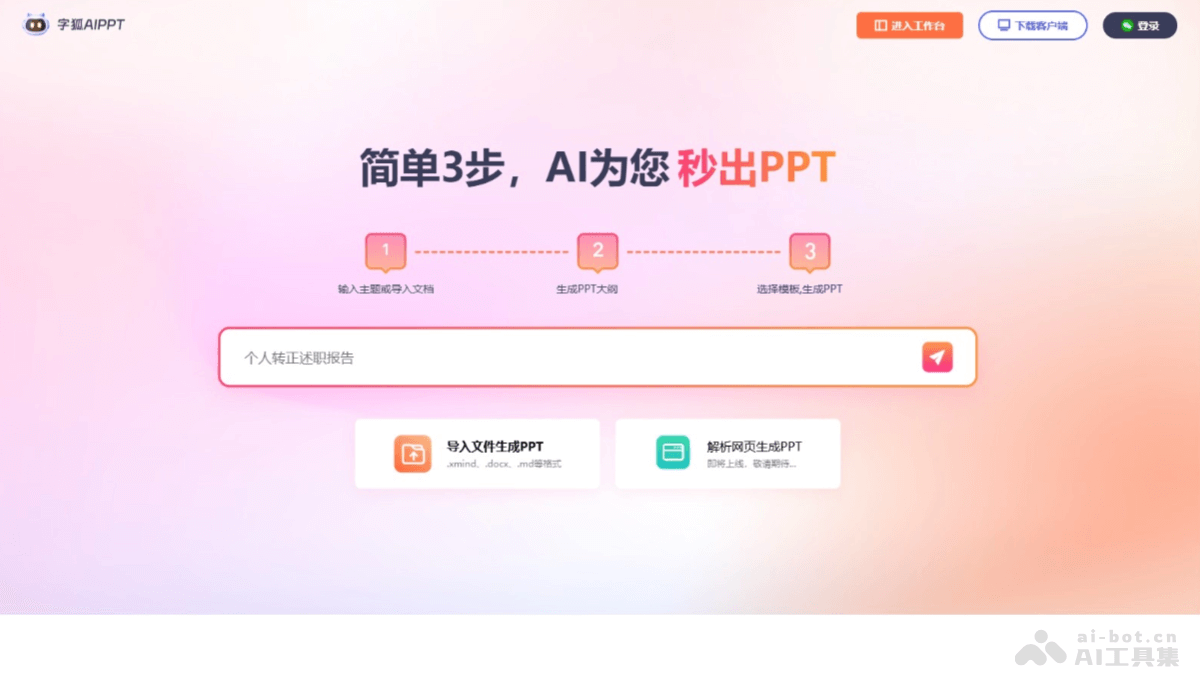
Main features of Zihu AIPPT
- One-click AI generation: Users enter a topic or import related files, and the system automatically generates a PPT presentation.
- Massive template resources: Built-in rich and diverse beautifully designed PPT templates, covering multiple fields such as business, education, technology, and art.
- Documents instantly become PPTs: Supports importing multiple document formats such as Word, Excel, and PDF, automatically identifies and extracts key information from the document, and converts it into a professional and clearly organized presentation.
- Flexible editing: Users can flexibly edit the outline, including adding, deleting, or rearranging slides.
- Account interoperability: The client and web accounts are interoperable, supporting login, access, editing, and sharing of PPTs at any time on mobile phones, tablets, computers, and other devices.
How to use Zihu AIPPT
- Download and installation: Use it online by visiting Zihu AIPPT'sofficial website. It can also be downloaded to local devices, such as computers, mobile phones, or tablets.
- Registration and login: Register and log in by following the prompts.
- Choose a creation method
- One-click AI generation: Enter the topic or keywords for the PPT you want to create, or upload files related to the topic (such as Word, Excel, PDF, etc.), and the system will intelligently generate a complete PPT based on the input content.
- Choose a template to create: If you want something more personalized, browse the massive collection of beautifully designed templates in the software's template library, choose a template that meets your needs as the basis for the PPT, and edit and modify it based on the template.
- Editing and adjustment
- Edit the outline: After generating or selecting a template, enter the PPT editing interface. You can view the PPT's outline structure and add, delete, or rearrange slides as needed.
- Edit content: On each slide, edit the text content, including the title, body text, etc., and adjust the font style, size, color, etc.
- Add elements: Add multimedia elements such as charts, images, videos, and audio to enrich the presentation of the PPT and enhance the audience's visual experience and understanding.
- Preview and modify: During editing, click the preview button at any time to view the overall effect and playback effect of the PPT, and make further modifications and optimizations based on the preview results.
- Save: After completing the PPT, click the save button to save the PPT to the device or cloud account.
Zihu AIPPT product pricing
- 1-year membership: Current price 189 yuan.
- 6-month membership: Current price 159 yuan.
- 3-month membership: Current price 89 yuan.
- 1-month membership: Current price 39 yuan.
Application scenarios of Zihu AIPPT
- Business presentations: In occasions such as business meetings, product launches, and project proposals, corporate employees can quickly produce professional and exquisite presentation slides, clearly displaying product features, market analysis, business models, and other content, improving the presentation effect and enhancing the trust of clients and partners.
- Marketing promotion: Marketing personnel create marketing promotion PPTs, used to introduce marketing strategies, promotion plans, advertising ideas, etc., attracting the target audience's attention through visual means and improving the influence and conversion rate of marketing activities.
- Training: Internal corporate trainers create training course PPTs, covering employee skills training, corporate culture promotion, explanation of rules and regulations, and other content, making the training process more vivid and interesting and improving employees' learning interest and training effectiveness.
- Classroom teaching: Teachers create teaching courseware, presenting historical events in the form of a timeline to help students understand the thread of history.
- Personal resume creation: Job seekers create resume PPTs, using charts and images to display their project experience and skill proficiency.