
What is Yuntu AI Network
Yuntu AI Network is an AI drawing tool designed specifically for interior and exterior architectural designers. Users upload line drawings, real-scene images, white model images, or colored floor plans, etc., to quickly generate multiple design renderings, with support for partial modification features. The platform is based on technology, helping designers save time and reduce costs. The main features of Yuntu AI Network include AI creation, colored floor plan generation, and partial redrawing, improving design efficiency and work quality.
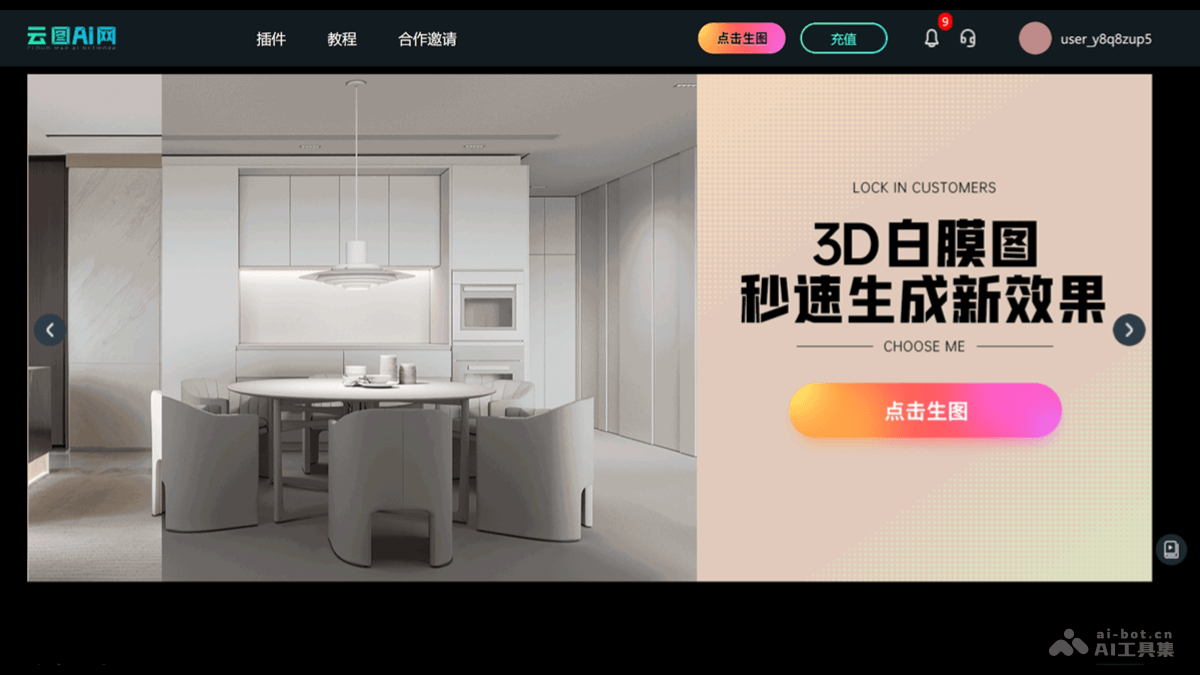
Main features of Yuntu AI Network
- AI creation: Users upload wireframe reference images, select the type and style they want to generate, fill in description words, and Yuntu AI quickly generates renderings in batches with creative ideas.
- Colored floor plan generation: Users add floor layout plans and description words, and Yuntu AI quickly generates multiple colored floor layout plans, beautifies the effects, and enhances the appeal of the floor plan proposals.
- Partial redrawing: Users upload renderings and redrawing description words, and Yuntu AI quickly redraws specified specific positions in the rendering, replaces colors or materials, makes modifications, and performs other operations.
- Interior design: Provides AI drawing services related to interior design.
- Architectural planning: Supports AI drawing for architectural planning.
- Garden landscape: Provides AI drawing services for garden landscape design.
- Exhibition hall exhibition: Provides AI drawing support for exhibition hall exhibition design.
How to use Yuntu AI Network
- Visit the website: Visit Yuntu AI Network'sofficial website。
- Register/Log in: If you are a new user, register an account. Follow the prompts to complete the registration process. If you already have an account, directly enter your username and password to log in.
- Upload design drawings:
- After logging in, choose the corresponding service category according to the service you need (such as interior design, architectural planning, etc.).
- Follow the prompts to upload design drawings, including line drawings, real-scene images, white model images, or colored floor plans, etc.
- Select style and description:
- Select the style and type of rendering you want to generate.
- Fill in description words. The description words will help the AI understand your needs more accurately and generate renderings.
- AI creation: Click "AI creation" to start the AI creation process. Yuntu AI Network will automatically generate renderings based on the uploads and description.
- View and modify renderings: View the AI-generated renderings. If partial modification is needed, use the "Partial redrawing" feature to make adjustments. Modify the colors, materials, etc. of the renderings until you are satisfied.
- Download and use: If the renderings meet the requirements, download the renderings. Use the renderings to present the design, or for further communication with clients.
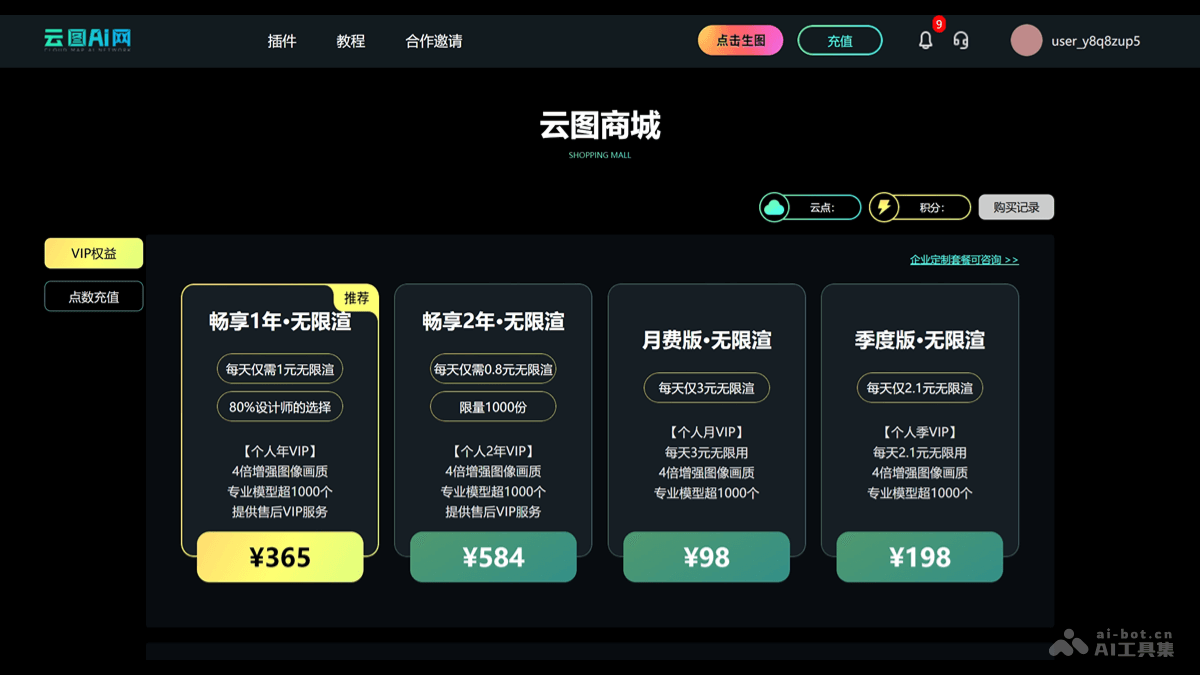
Product pricing of Yuntu AI Network
- Enjoy 1 year - unlimited rendering: ¥365, more than 1000 professional models, provides after-sales VIP service
- Enjoy 2 years - unlimited rendering: ¥584, more than 1000 professional models, provides after-sales VIP service
- Monthly version - unlimited rendering: ¥98, more than 1000 professional models
- Quarterly version - unlimited rendering: ¥198, more than 1000 professional models
Application scenarios of Yuntu AI Network
- Interior design: Quickly generate renderings of interior spaces, helping designers present design concepts and proposals. Provide a variety of style and material options to meet the needs of different clients.
- Architectural Planning: Help architects and planners quickly produce renderings of building exteriors and environments. Used for project proposals and client presentations to improve communication efficiency.
- Landscape Architecture: Generate landscape design renderings that showcase design elements such as plant arrangements, water features, and pathways. Help landscape designers present design proposals intuitively to clients.
- Exhibition Halls and Exhibitions: Design exhibition space layouts and display effects, including booth and exhibit arrangements. Used in the early-stage planning and client communication of exhibition design and setup.
- Education and Training: In design education and training, serve as a teaching tool to help students quickly understand and master design concepts. Provide a hands-on practice platform to enhance students' practical skills.