
What is Yourware
Yourware is an online platform that provides rapid deployment tools, supporting front-end technologies such as HTML, CSS, JavaScript, and React. Based on one-click deployment, it lets users easily launch web page code quickly, without complex operations such as cloud services or GitHub Pages. Yourware provides features such as one-click beautification, portfolio display, and access control, helping users optimize the visual effect of web pages, centrally showcase creative achievements, and protect privacy. The platform brings together excellent works from creators around the world, providing users with a community environment for learning and exchange. Yourware is an ideal tool for developers and creators to showcase their work and quickly iterate on projects, especially suitable for individual developers and small teams.
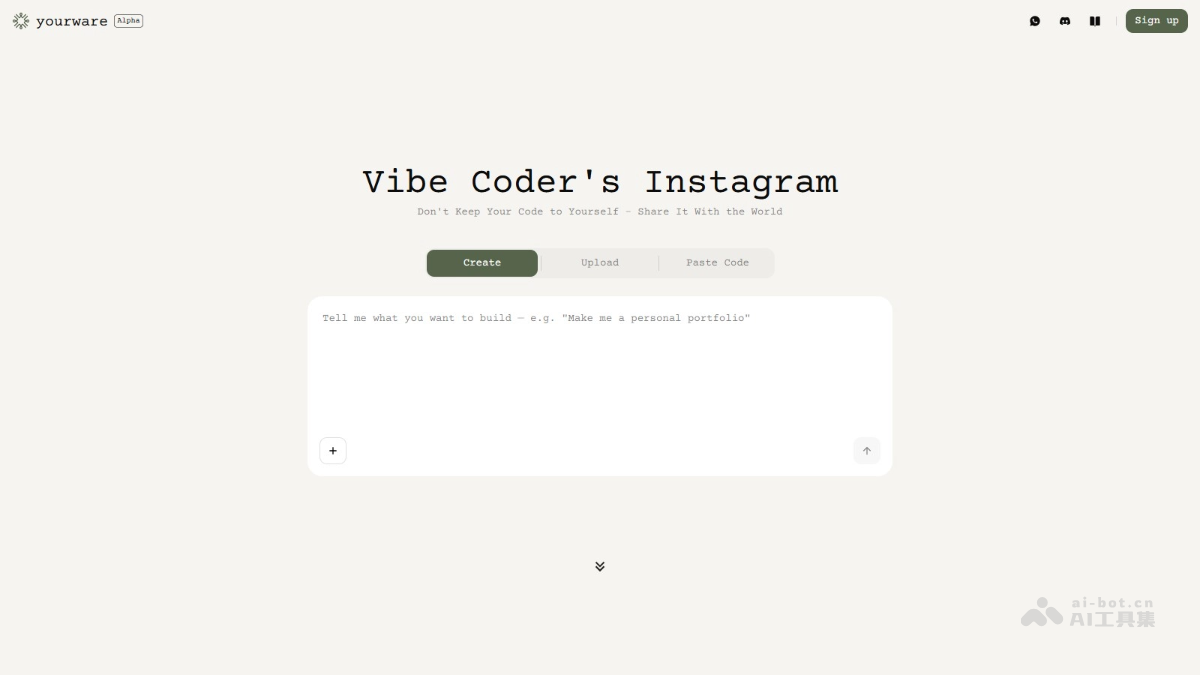
Yourware's main features
- One-click deployment: Supports uploading HTML, CSS, and JS files or directly copying code to quickly generate and launch a web page.
- Portfolio management: Supports users logging into the platform to centrally display their works, shared via a personal homepage.
- Access control: Set access permissions for shared web pages, such as encrypting web pages.
- One-click beautification: Click a button to optimize the visual effect of a web page and generate a new beautified page.
Yourware's official website address
- Official website address:yourware.so
How to use Yourware
- Visit the platform: Visit Yourware'sofficial website, and complete login and registration as prompted.
- Upload code or files:
- Drag and drop upload: Drag and drop HTML, CSS, and JS files or folders containing these files (total size less than 10MB) into the upload area.
- Copy and paste code: Directly copy HTML, CSS, or React code into the input box.
- One-click deployment: Click the "Deploy Code" button, and Yourware automatically processes and generates a web page link.
- Preview and share: Click the generated link to preview the web page. Share the link with others, or save it to your own website or social media.
Yourware's application scenarios
- Personal work display: Quickly deploy personal projects, centrally display portfolios, and make sharing easy.
- Team development collaboration: Accelerate team iteration, quickly deploy test versions, and improve development efficiency.
- Teaching and learning: Convenient for teachers to deploy teaching cases and students to upload assignments, supporting teaching interaction.
- Creativity and prototype design: Quickly turn ideas into web page prototypes and present them to clients or teams.
- Community exchange and learning: Browse works from creators around the world, gain inspiration, and participate in community interaction.