
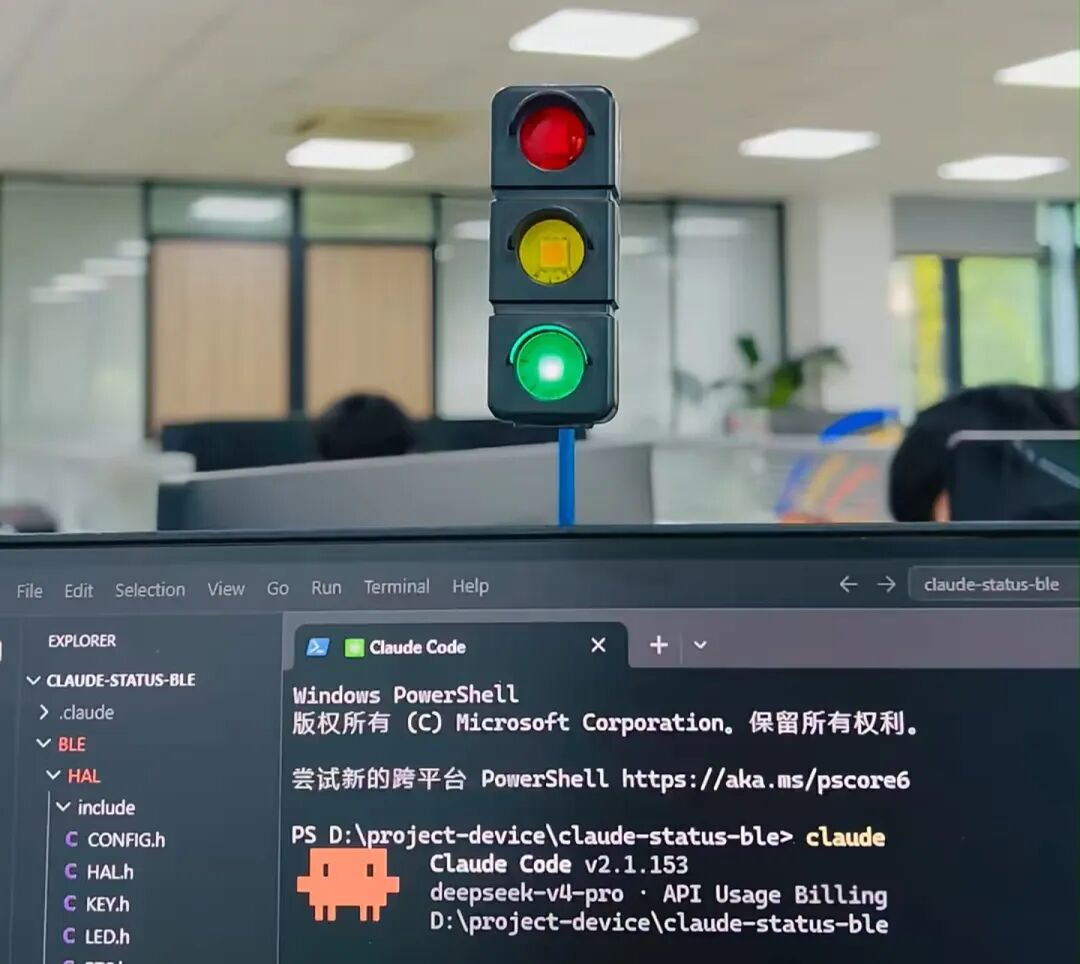
Recently, a little gadget has gone viral in geek circles. A netizen hand-built a tiny traffic light that uses three colored lights on a computer to physically display an AI Agent's working status. Watching it made me wildly tempted...
Nowadays, AI tools like OpenClaw, Claude Code, and Codex are getting smarter and smarter. Every time I want to pick up my phone to reply to messages during a break from Vibe Coding, my finger's muscle memory uncontrollably slides toward short-video platforms... Once I start scrolling, it's at least half an hour, and my attention gets chopped into little pieces.
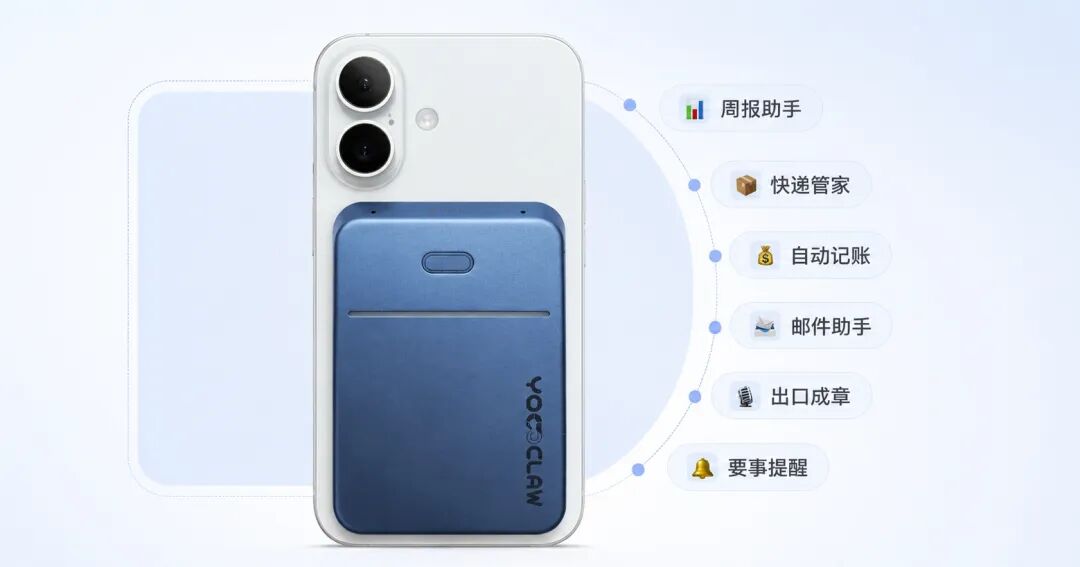
Recently I also got myself a fun physical AI peripheral - the YoooClaw C·ONE. It can magnetically attach directly to the back of my phone, and it's designed to be very thin and light, so carrying it around normally doesn't feel like an obvious burden.
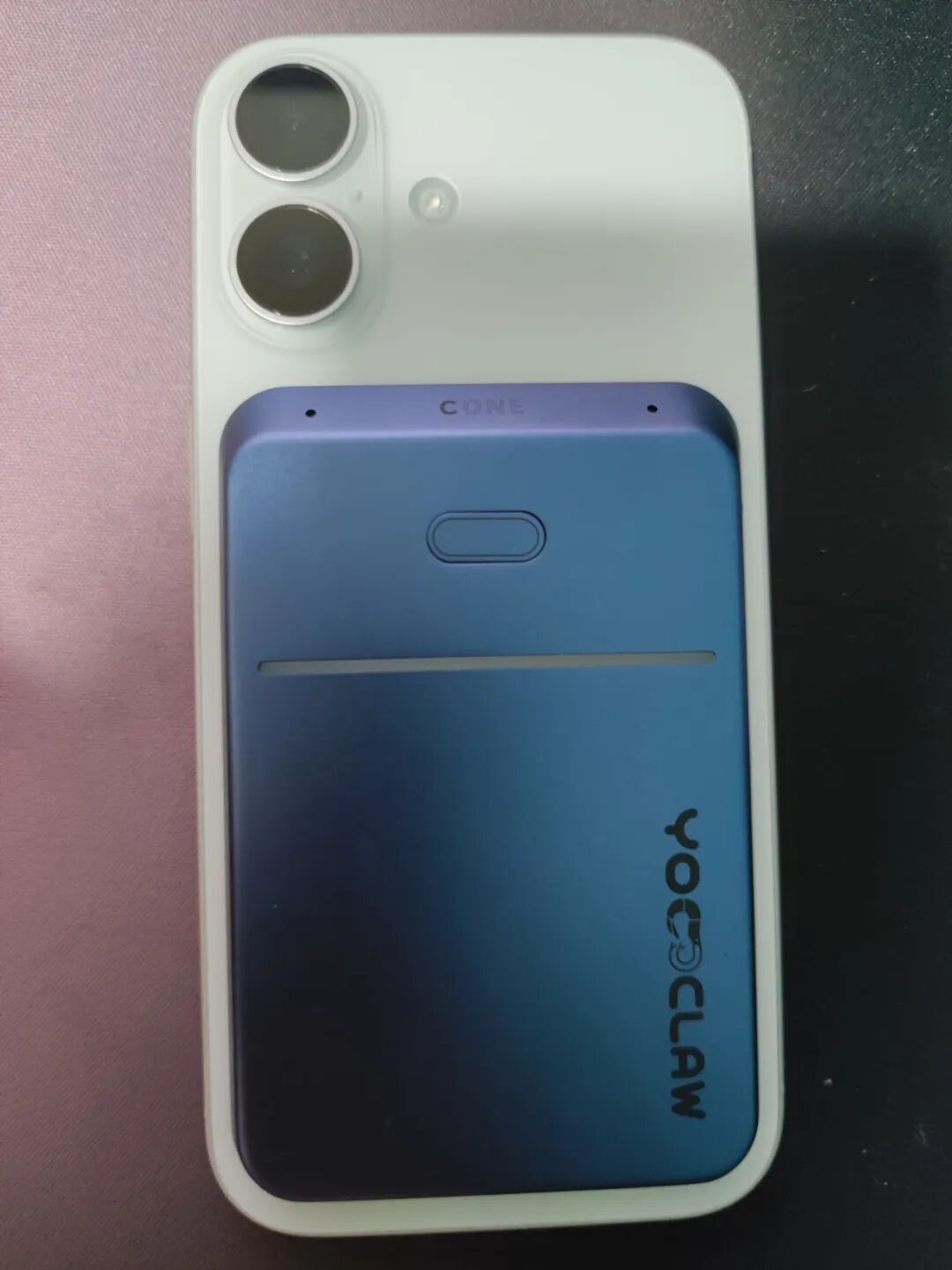
The YoooClaw C·ONE is a native AI memory card that can connect to OpenClaw. It can retrieve messages from my phone, summarize messages, generate to-do items, command the lobster to work with one tap, and also supports AI recording and automatic transcription.
I can also use its physical buttons to voice-control the Agent on my computer, and just like the netizen's hand-built traffic light, I can customize the hardware lighting effects to remind me of key information with different colors. Based on my testing, I really do stare at my phone screen less often and find it easier to stay focused while working.
Today, I'll walk everyone through a complete experience of this AI productivity神器.
01. Native AI Memory Card
The core purpose of the C·ONE is to help us filter out the information noise in daily work and life, and grasp what truly matters at a lower cost.
We download the YoooClaw APP and connect to the C·ONE via phone Bluetooth.
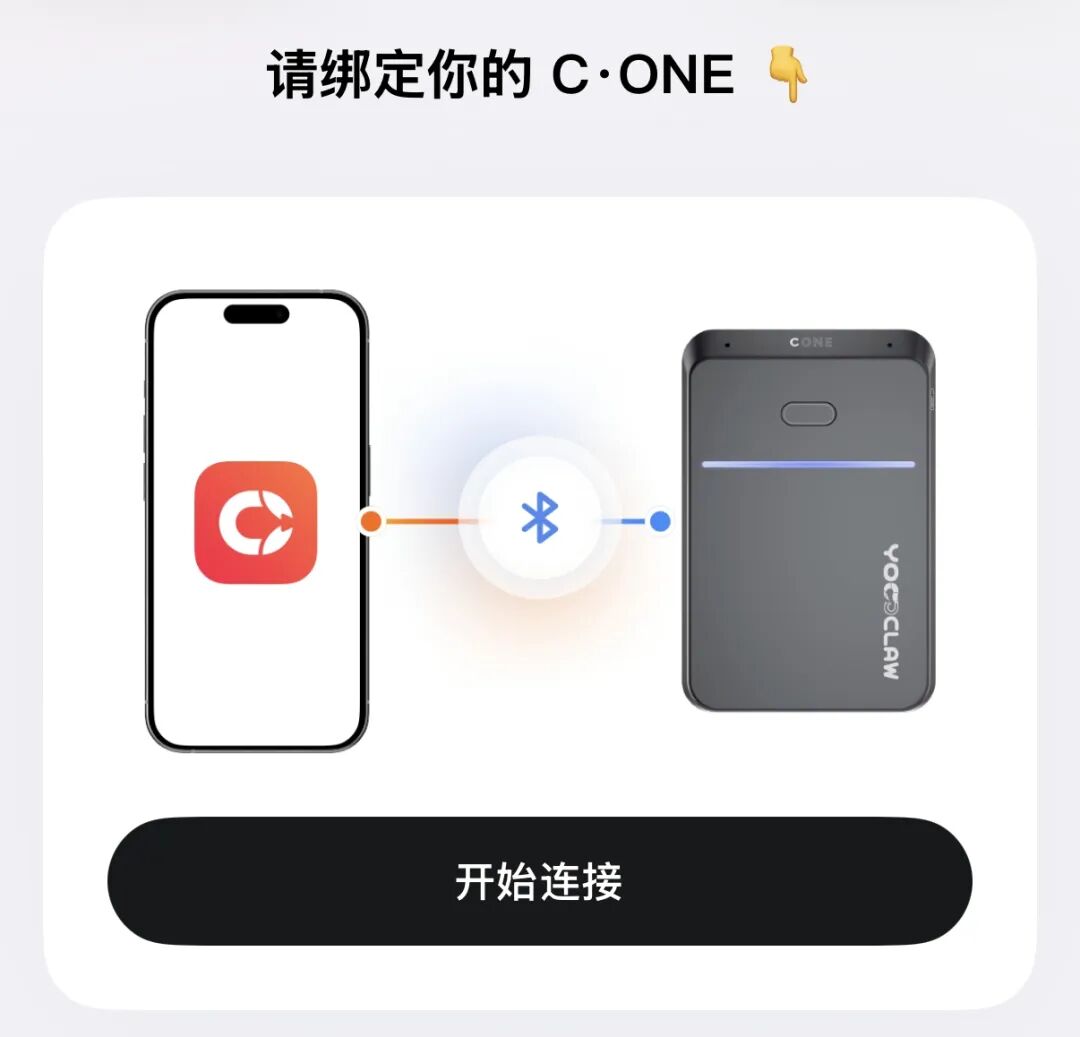
Under YoooClaw's guidance, we can connect our own lobster.
The C·ONE comes with a cloud lobster as a free gift with the order - Volcano Engine's ArkClaw. Enter the order number and you can connect to ArkClaw right away, unlocking a 7*24-hour digital employee in the cloud with zero threshold.
Of course, the C·ONE also fully supports connecting to the local lobster installed on my computer.
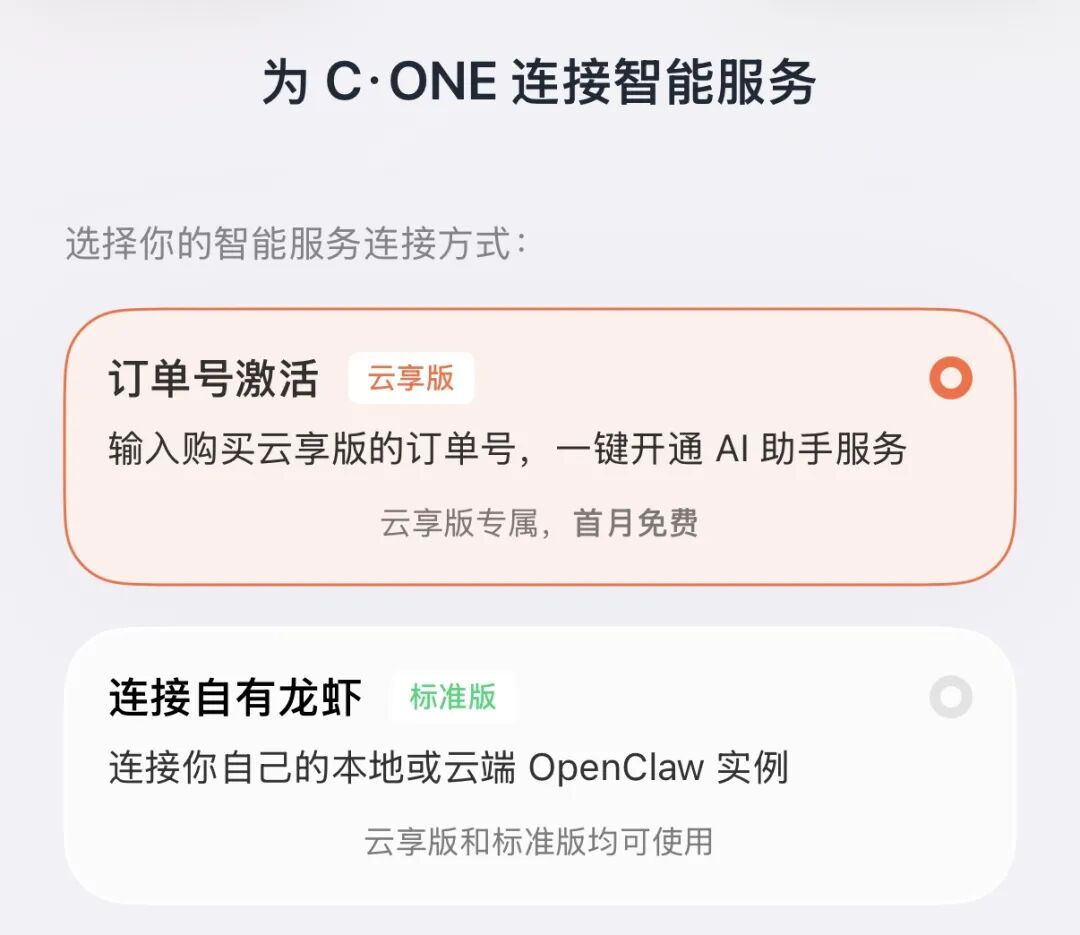
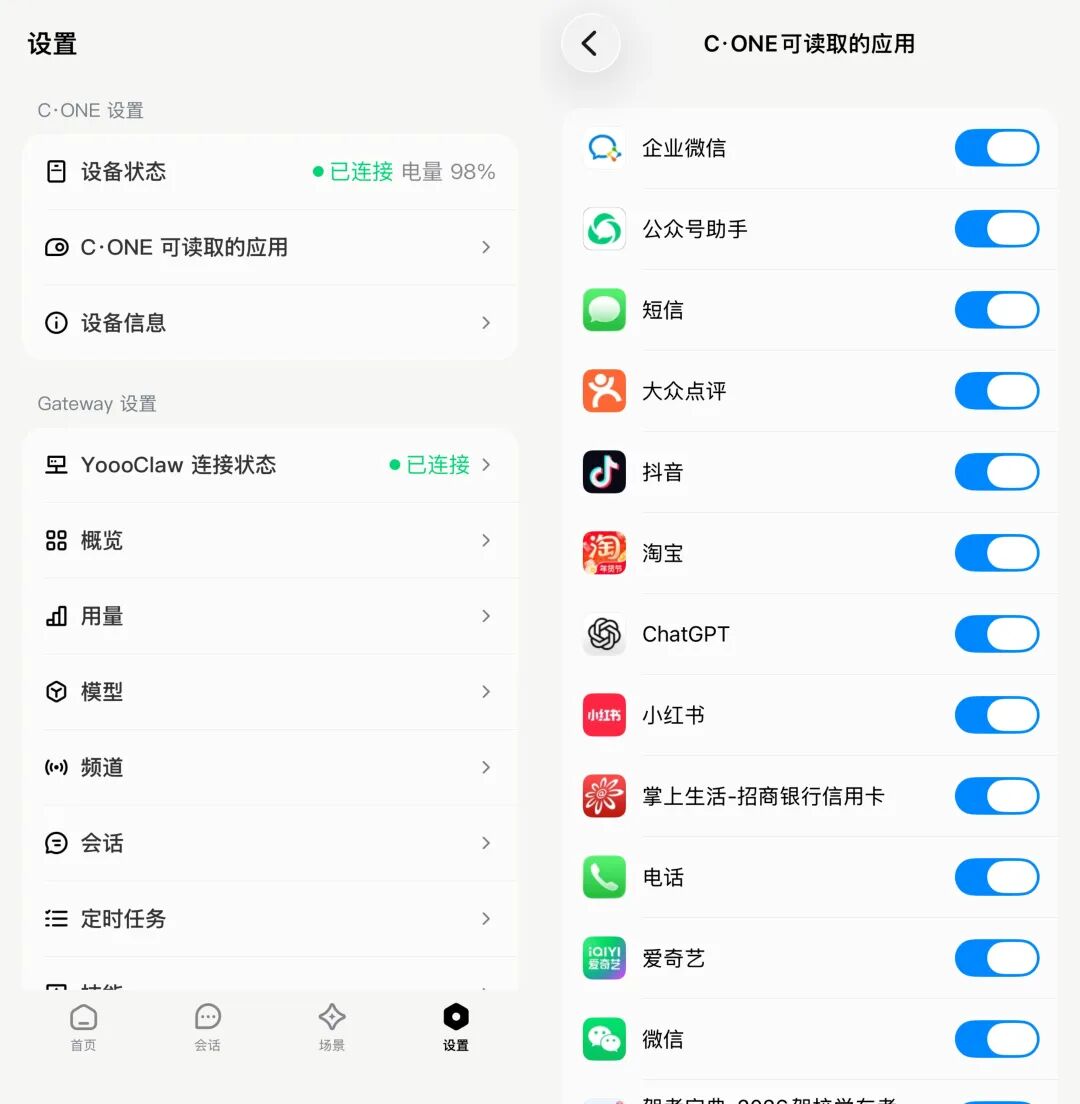
Compared with using the lobster directly, YoooClaw is much simpler. We can authorize the C·ONE within the app to read information from phone applications. Without needing to upload files, we can have YoooClaw process a lot of information for us.
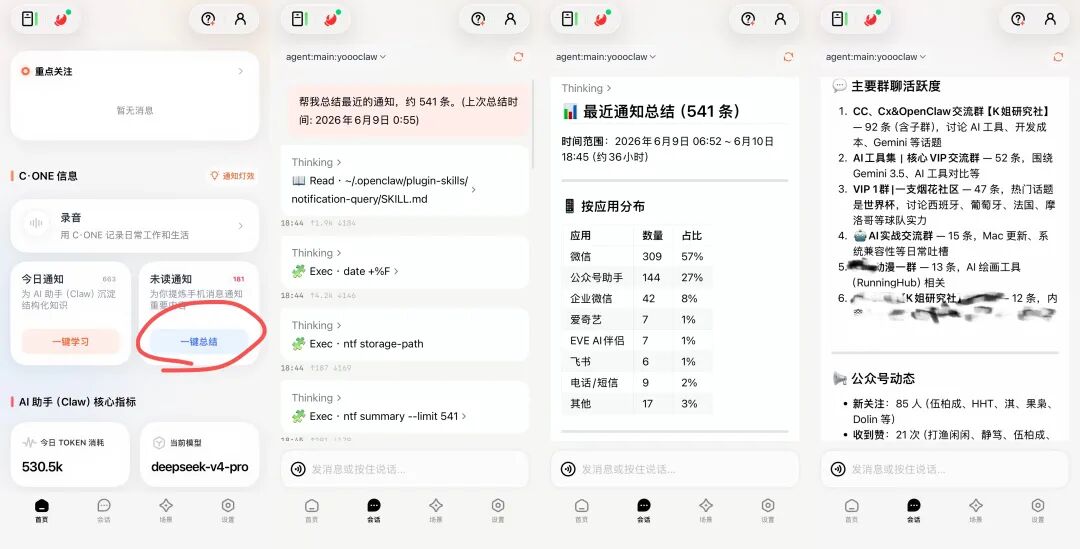
For example, I granted YoooClaw read permission for all phone applications. When I open the APP, I can see the number of all my unread messages, and with one tap summarize them, helping me quickly filter out the information that needs handling:
Chatting in the YoooClaw APP is equivalent to directly giving our lobster the information in our phone as context.
The C·ONE does two detail experiences extremely well.
After the C·ONE retrieves our information content in the background, in other people's chat windows, we still remain in an unread state.
Sometimes, a boss, colleague, or advisor suddenly sends a long message. We only want to know the key points first and don't want to immediately interrupt the work at hand, so we can have the C·ONE quietly read it first.
Has xxx sent me a message?
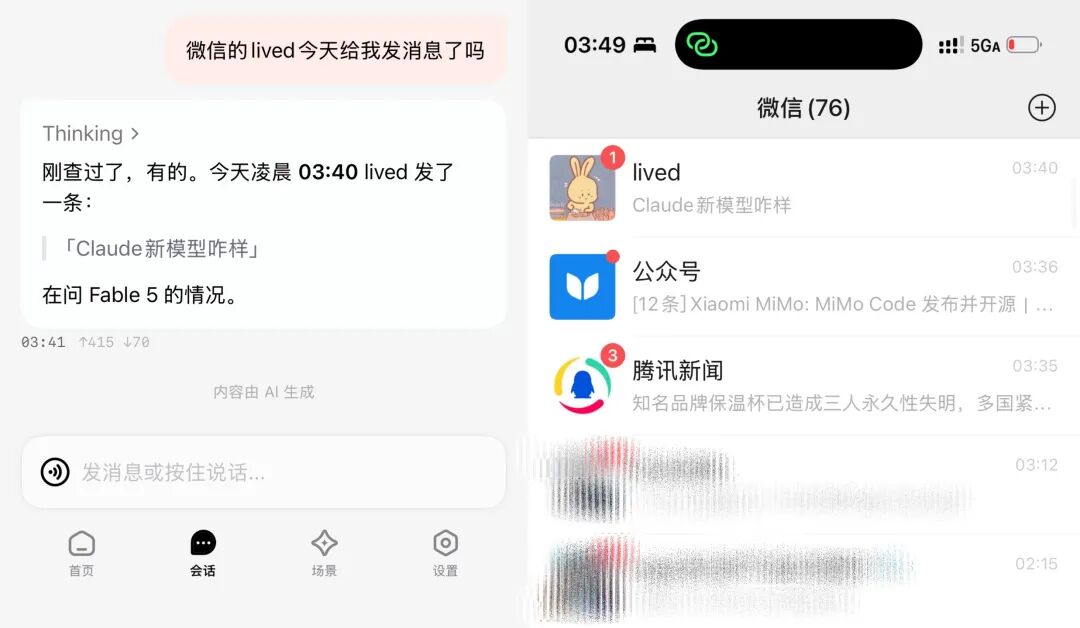
The C·ONE also supports cross-platform content connectivity. If a client sends a bunch of revision suggestions in personal WeChat, while a colleague discusses progress in the enterprise WeChat project group, the C·ONE can also put the information from both sides together for organization, reducing the hassle of switching back and forth between apps and manually piecing together context.
My favorite feature is custom lighting. The C·ONE supports setting different lighting effects for various events.
For example, I set it so that when I receive a message mentioning me in Feishu, it flashes red, and 5 minutes before a meeting starts, it lights up with a blue breathing light reminder... The light reminders are intuitive enough that I don't have to repeatedly open my phone to check notifications, and I can also avoid being distracted by other push notifications.
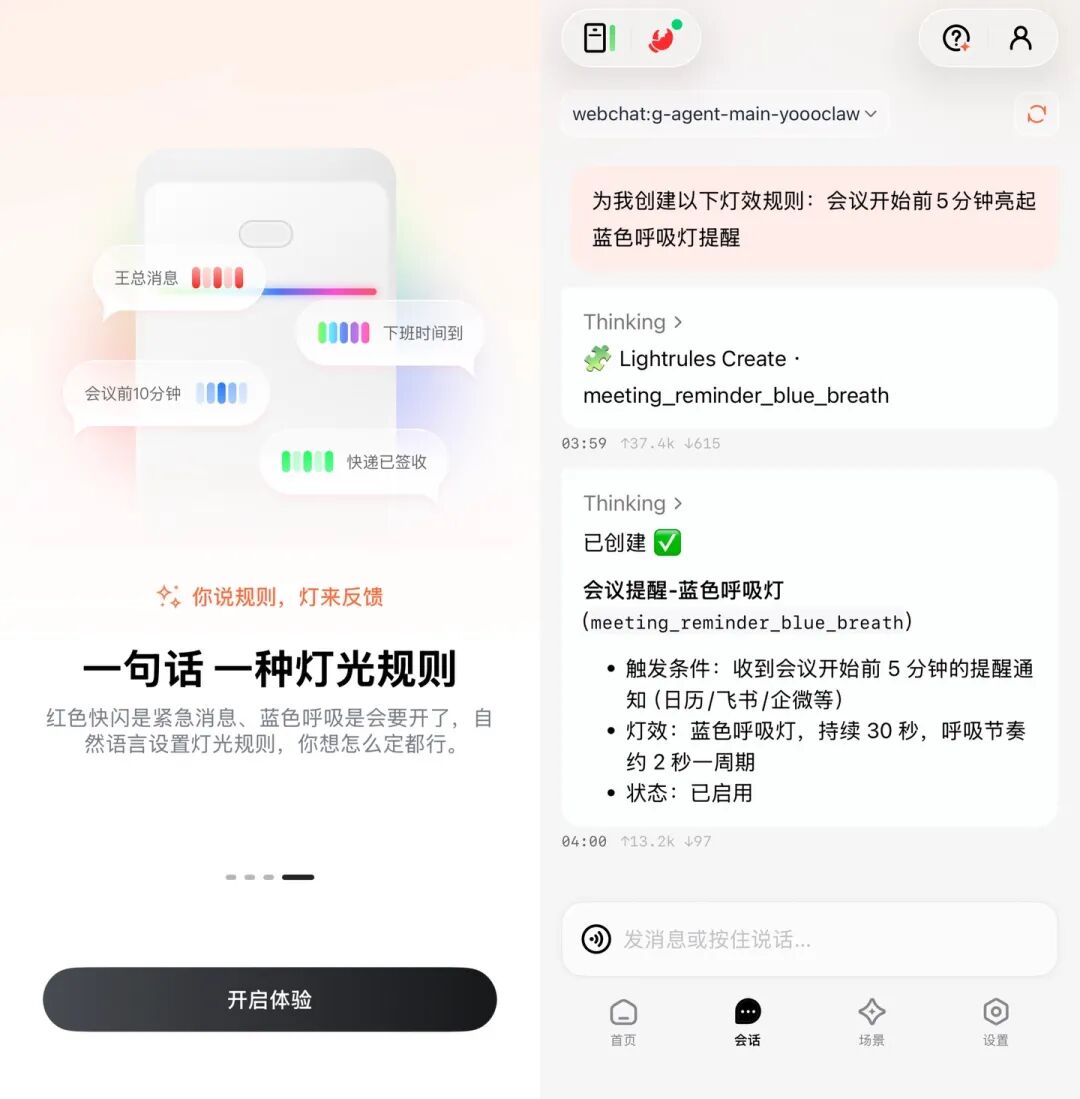
After setting the light rule, when C·ONE sends a reminder notification 5 minutes before a meeting starts, it flashes a blue breathing light.
02. AI Shortcut Key
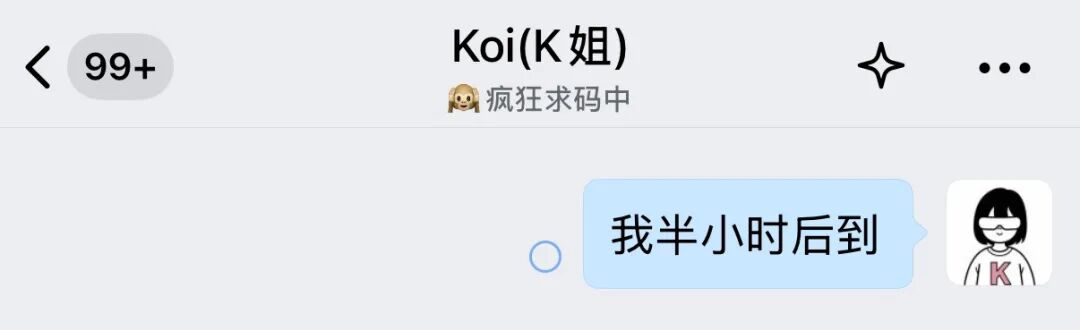
Every time I use the mobile app to call AI, I need to first unlock it, then open the corresponding page or app, and then send the instruction. But C·ONE compresses this whole series of actions into a single physical button that can be controlled with one hand.
When driving, cooking, or holding a coffee and it's inconvenient to operate the phone, I just need to press and hold the AI button on C·ONE and say,
Send a message to XX, saying I'll arrive in half an hour.
Lobster will automatically call Feishu or WeCom in the background, complete the fuzzy contact search, and send the message.
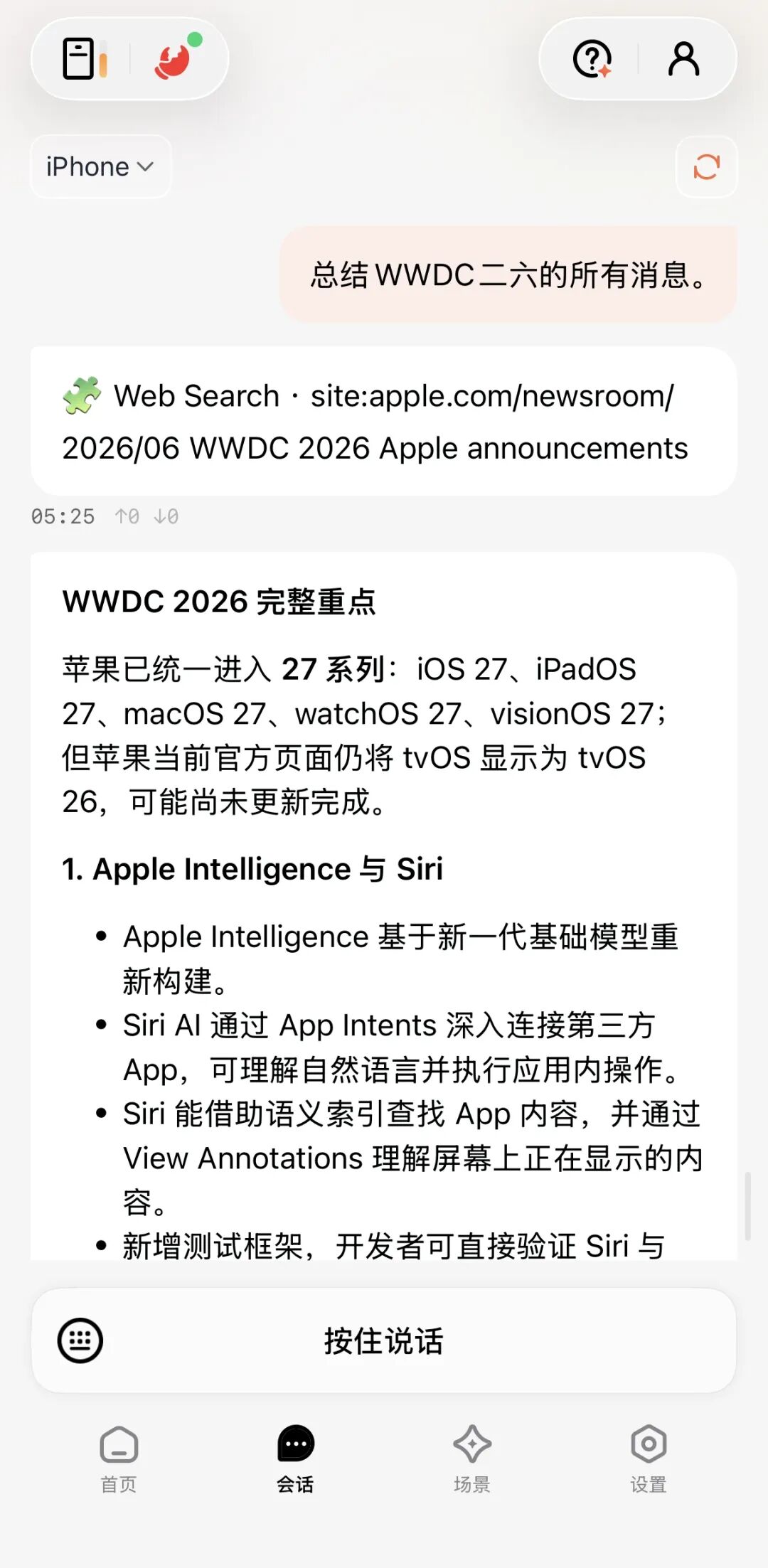
Sometimes when walking down the street and suddenly having a flash of inspiration, we can also directly press and hold the AI button and let C·ONE help us record ideas and search for information.
Summarize all the news about WWDC26.
Yesterday, I was invited to attend vivo's offline launch event. The event was scheduled for a whole afternoon. During the meeting, we double-clicked C·ONE's AI button, and C·ONE directly turned into a recording card and started recording, supporting up to 5 hours.
After the meeting ends, double-click again to stop recording. The recording file will automatically sync to our Lobster, automatically complete transcription in the background, and automatically summarize into a clearly structured meeting minutes.
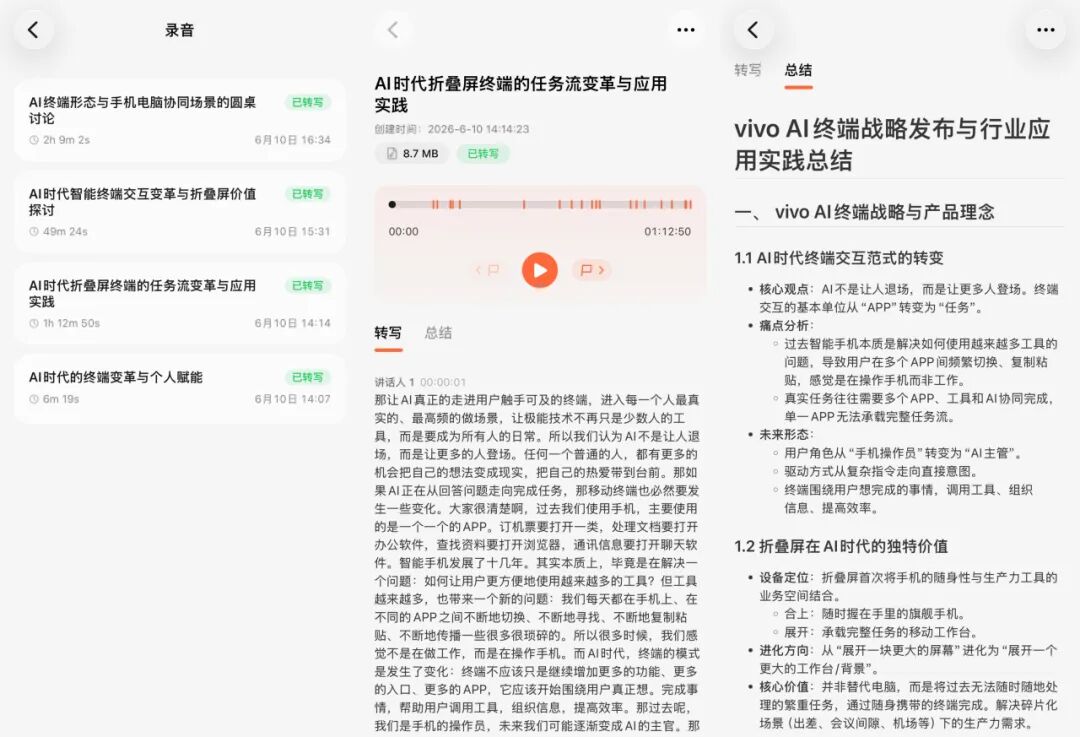
When we hear core decisions or important to-dos in the middle, a single click of the button can mark the key point. When playing back in the app, we can quickly jump to the key points to listen to the important content.
03. Hardcore玩法
In addition to the above daily scenarios, C·ONE, as physical hardware under an open-source ecosystem, leaves a very large expansion space for geeks and developers who like to tinker.
Remotely call local CLI
I have recorded quite a few recordings with C·ONE. If I organize them manually, I need to listen back one by one, extract key points, arrange them in chronological order, and then copy them into a Feishu document. This process is not difficult, but it is very fragmented and also very attention-consuming.
Please use the Feishu CLI to help me create a document titled "Terminal Fantasy in the AI Era," write in order all the recording summaries I recorded with C·ONE on June 10, and after completion return the document link to me.
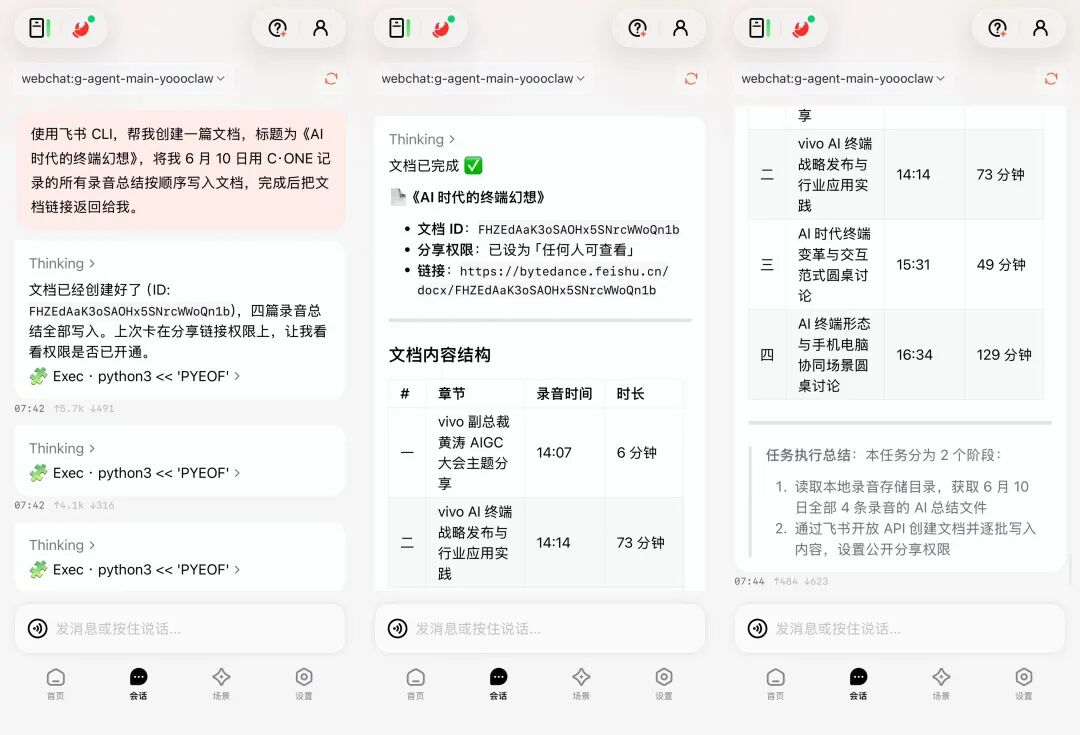
After receiving the instruction, YoooClaw called the Feishu CLI to create a new document, organized that day's recording summaries into it in order, and finally returned the Feishu document link and a task execution summary.
Let's take a look at the generated document together:
The content is organized in the chronological order of the recordings, and the title, paragraphs, and hierarchy are all very clear, with good accuracy as well.
In the past, when we recorded meetings, we had to record ourselves, transcribe into text, analyze and summarize, and then write the document ourselves. Now the entire process can be completed very easily and automatically.
More importantly, many tools now already have their own CLI entry points. Agents such as Codex, Claude Code, OpenClaw, and Hermes can also enter workflows through the command line.
In the past, to handle some things we had to sit in front of a computer and operate software step by step. Now C·ONE is responsible for receiving and connecting, and CLI tools are responsible for execution. In any fragmented time, we can use our phone to dispatch the AI on the computer to continue handling work for us.
Link open-source Skills
The CLI is responsible for getting tasks running, while Skills make task completion more professional and more precise.
In C·ONE's settings, we can add various skills, and we can also have OpenClaw install the skills we need directly through commands.
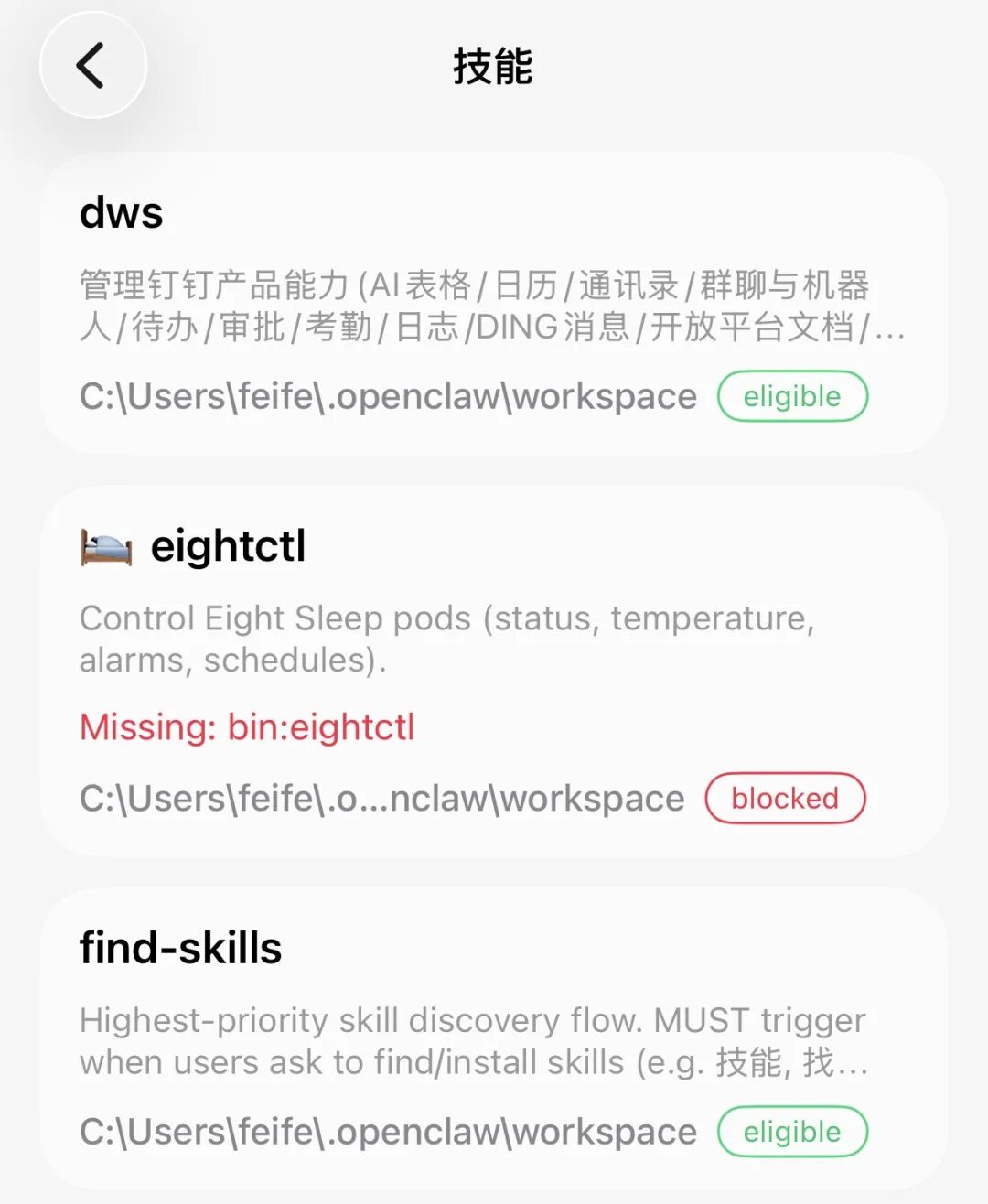
Please use the last30days skill to help me research the top ten hottest Claude Code Skills of the last 30 days. Record each Skill's name, link, author or source, main functions, and what problems it is suited to solve. Finally, please help me summarize the trends reflected by these 10 Skills, such as which directions Claude Code Skill is developing in, which scenarios are most likely to become popular, and what topics ordinary users or tech bloggers can mine from them.
YoooClaw will install and call the last30days skill on its own to help us complete the research.
The CLI gives AI permission to use tools, and Skills make AI do the work in a more standardized way.
Automatically import a local personal knowledge base
We can also, in YoooClaw, sync with one click, remember, and even archive to a local knowledge base the notification summaries, recordings, and information collected by C·ONE every day.
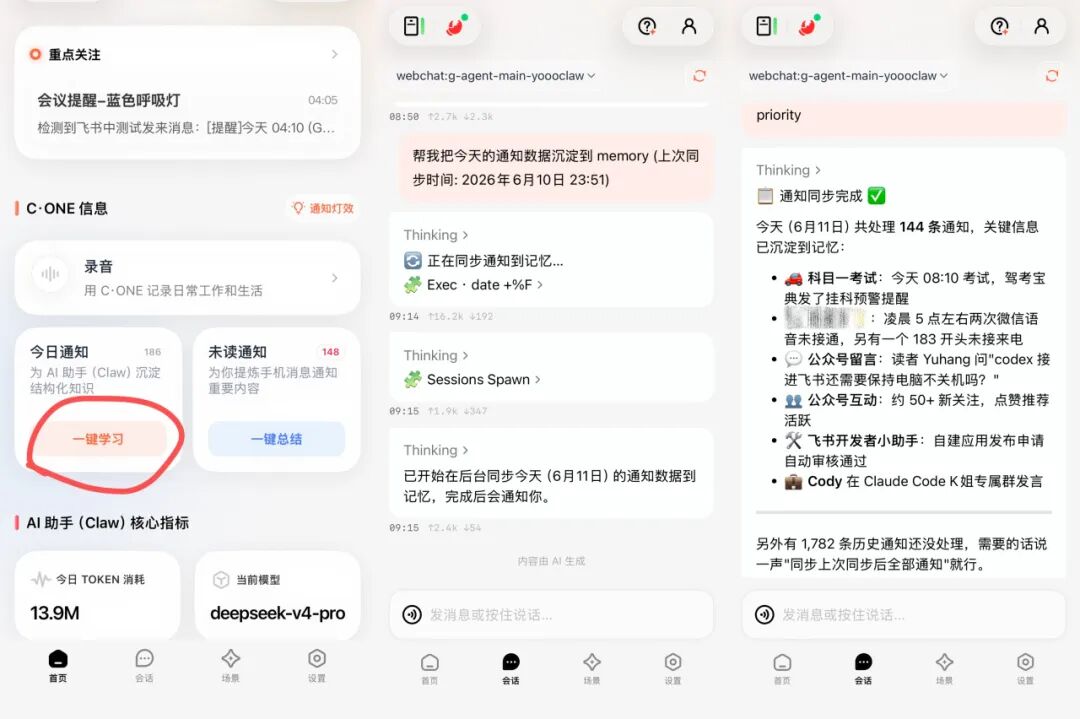
Over time, C·ONE becomes our personal second brain. From then on, we only need to hold down the physical button and ask: "Check the communication progress with XX last week," and AI can find and organize the answer from long-term accumulated local materials. Because there is real material as the basis, it can also reduce the generation of erroneous information out of thin air.
04. Some Sharing
In the past, when working, I always had to frequently unlock my phone and deal with all kinds of fragmented messages. If I was not careful, I would also be led away by other notifications and lose focus.
Now, through C·ONE's physical buttons and light effect reminders, I can complete message checking, information filtering, and basic operations without repeatedly lighting up the screen.
The barrier to getting started with the entire device is not high, and there is no need to memorize complex commands. Press once, say a sentence, and leave the rest of the task to AI to handle in the background. This more intuitive way of interaction has indeed reduced a lot of unnecessary operations, and any ordinary person can naturally and easily make good use of AI tools.
C·ONE also strings together information scattered across phone notifications, meeting recordings, and casual notes: first filter out the noise, then extract the key points and generate to-dos, and finally hand them to the Agent for execution. After using it for a long time, it feels more like a low-key personal information relay station running quietly, rather than simply an AI remote control.
The combination of physical AI peripherals and intelligent Agents is very likely to be a trend going forward. Hardware is no longer just a cold carrier, but has become a physical-world entry point for AI capabilities, quietly guiding office automation toward a new direction.
This "hardware + AI" form is not only about efficiency, but also about trying to help us take back the attention that various applications have been grabbing, and reshape our habits in remote collaboration and daily information processing.
Original link:The small card stuck to the back of my phone became my 7*24h AI employee