
What is Xiao Bu Assistant
Xiao Bu Assistant is an intelligent voice assistant launched by OPPO, built into models such as OPPO, OnePlus, and realme. It has multiple functions such as voice interaction, web search, system operations, and information queries. The web version of Xiao Bu Assistant is officially online. Log in with your OPPO account to sync historical conversation records from your phone. The web version is integrated with full version DeepSeek technology, supports web search and result export, and covers multiple formats such as notes, pdf, and docx. In addition, Xiao Bu Assistant supports special features such as Cantonese mode and kids mode.
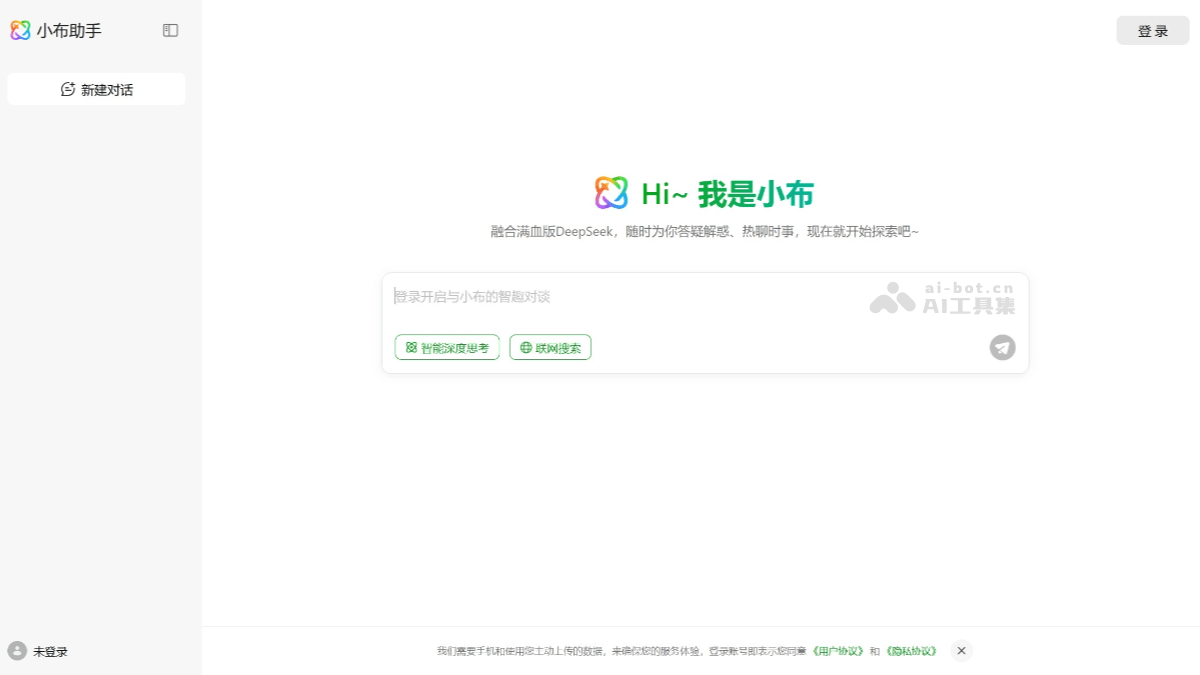
Main functions of Xiao Bu Assistant
- Deep thinking function: Integrated with the full version of DeepSeek-R1, it comes with a deep thinking function and requires no additional button clicks, enabling in-depth analysis and answers to complex questions.
- Web search: Supports web search. When users ask questions, Xiao Bu Assistant can obtain the latest information through the internet to provide users with more accurate and comprehensive answers.
- Result export: Users can choose to export the results obtained after web search, supporting multiple formats such as notes, pdf, and docx.
- Daily information queries: It can quickly obtain information such as weather, news, and stock quotes, and can also set calendar reminders, alarms, and more.
- Smart home control: It can connect to and control smart home devices, such as smart light bulbs, air conditioners, TVs, and more, enabling voice control of the home environment.
- Entertainment interaction: It can play music, stream audiobooks on demand, tell jokes, tell stories, and more, accompanying users through leisure time.
- Learning assistance: It supports functions such as real-time translation, solving math problems, and reading e-books aloud to help users learn.
- Voice style selection: Supports multiple voice styles. Users can choose different voices according to their preferences, such as a gentle female voice or a steady male voice.
- Custom wake word: Users can customize the wake word in Xiao Bu Assistant's settings to create a personalized wake experience.
- Sync historical conversations: After logging in with an OPPO account, the web version of Xiao Bu Assistant can sync historical conversation records from the phone, achieving seamless continuity.
How to use Xiao Bu Assistant
- Visit the web version: Visit Xiao Bu Assistant'sofficial website, log in with your OPPO account, and sync historical conversation records from your phone.
- Voice interaction: Click the microphone icon on the webpage to talk directly with Xiao Bu Assistant by voice.
- Text input: Enter a question or command in the input box, then click send.
- Web search: The web version of Xiao Bu Assistant also supports web search, and the search results will be displayed directly on the webpage.
- Deep thinking: The web version of Xiao Bu Assistant supports a deep thinking function, enabling more in-depth analysis and answers to complex questions.
- Export in multiple formats: The results of web search can be exported in multiple formats such as notes, PDF, and Word, making it convenient to save and share.
Application scenarios of Xiao Bu Assistant
- Daily information queries: Users can quickly obtain information on the internet through voice or text input. For news, weather, stock quotes, or any other questions, Xiaobu Assistant provides the latest answers through online search.
- Intelligent Writing and Creation: The web version of Xiaobu Assistant supports AI writing functions, which can help users quickly generate text content and improve writing efficiency.
- Information Collection and Analysis: At work, users can use Xiaobu Assistant's online search function to quickly collect and analyze information and improve work efficiency.
- Multitasking: The web version of Xiaobu Assistant is suitable for users who are accustomed to large screens and multitasking, and can use Xiaobu Assistant while browsing web pages.