

In the AI era, the resource everyone lacks most is none other than tokens, especially for those playing with Lobster—tokens burn like flowing water, and there's just no stopping it.
So now I'm going to tell you,there is one called WinClaw Lobster's tokens can be permanently free, do you want it?
Last time when WinClaw's Super VIP plan offered 10,000 token-free spots, I wanted to post about it, but unfortunately by the time I saw it, the spots had already been snapped up.
Today I suddenly came across the event being brought back again!From May 7 to May 17, there are another 8,000 permanently free token spots available to apply for!
The claiming method is also very simple: after registering, apply on the official website. My VIP permission arrived almost instantly.

This article walks you through the entire process from claiming to using it. It's very simple. Friends who are impatient can scroll to Part 2 and grab a spot first.
01. What WinClaw Can Do
WinClaw is a Lobster application aimed at ordinary users. We don't need to wrestle with the command line, and we can still use AI to operate the computer, handle office files, do web searches, and automate tasks.
It's very suitable for friends who want to experience an AI Agent but don't want to fuss with deploying an environment.
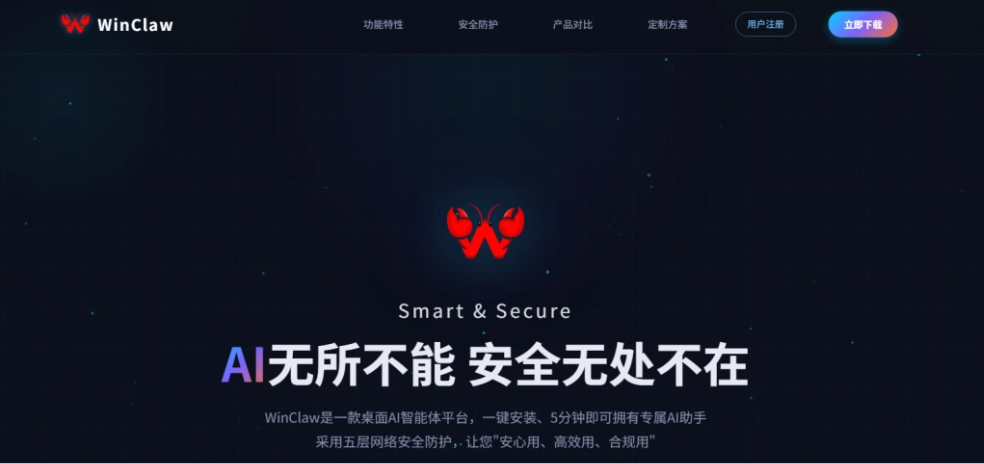
Official website:https://winclaw.winicssec.com/
Installation is super simple. Download the installer from the official website, double-click to open it, and you can use it. You can skip all the initial settings.
For everyday use, having WinClaw write code, gather information, and organize copy is very suitable. The key point is that token consumption can be completely free, and it doesn't eat up your computer's specs!
Daily tasks
For example, I usually keep a lot of invoice files for reimbursement all together. But checking and organizing them one by one is very troublesome. We can directly use natural language to have WinClaw help us organize them.
Organize the invoices in the local folder, naming them according to invoice content and date.
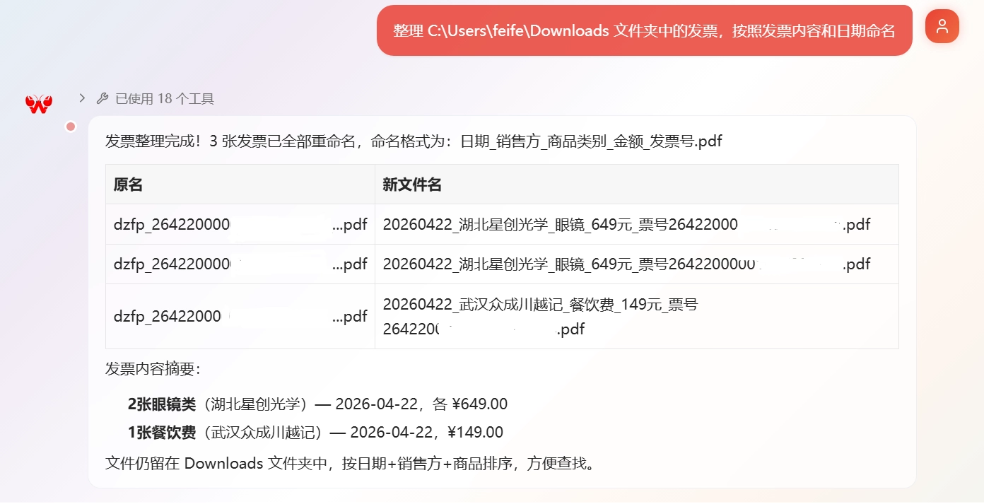
WinClaw will automatically call tools to check the invoice information and rename the invoice files according to my requirements.
We can also choose the corresponding agent to complete tasks based on the task type.
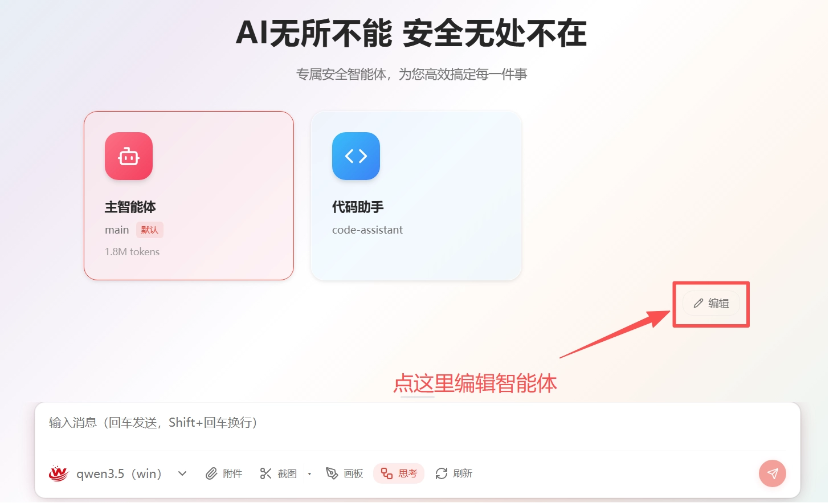
WinClaw has more than a dozen built-in agents, which can meet the needs of most scenarios. You can also click edit in the image above to add custom agents, supporting associated tools, skills, etc., to leverage expertise in specific fields。
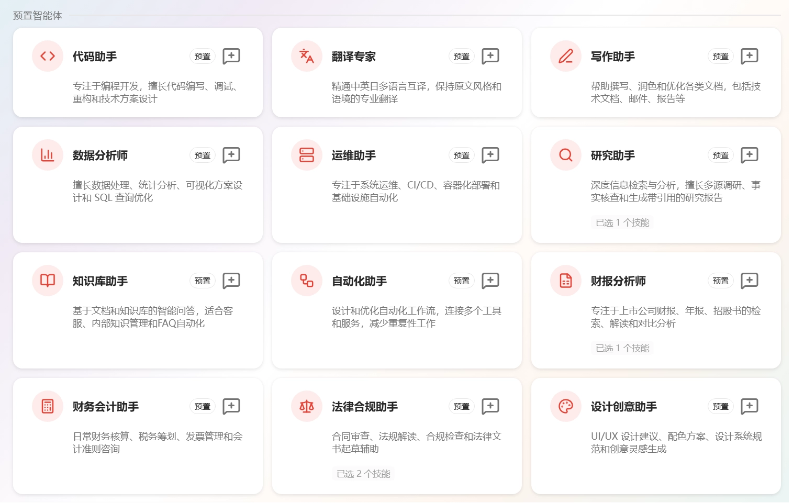
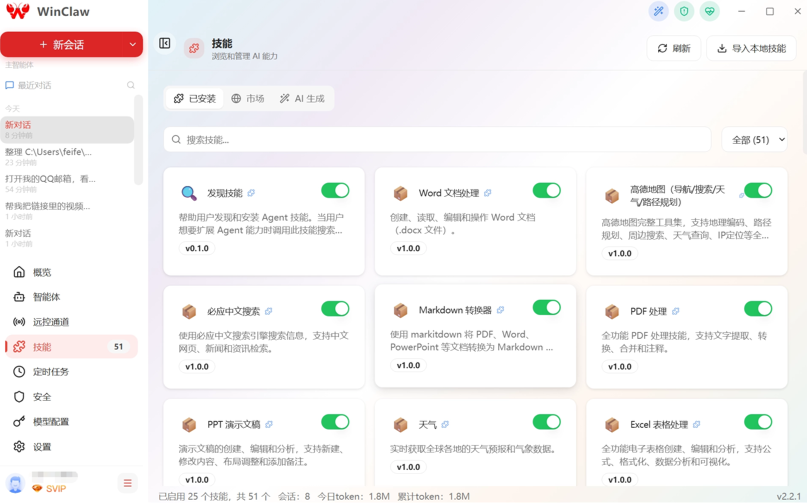
WinClaw also has more than 50 built-in skills, making it convenient to help us handle documents, search for information, research and learn, and so on.
Remote IM Control
WinClaw's IM remote control is also made very close to ordinary people's usage.
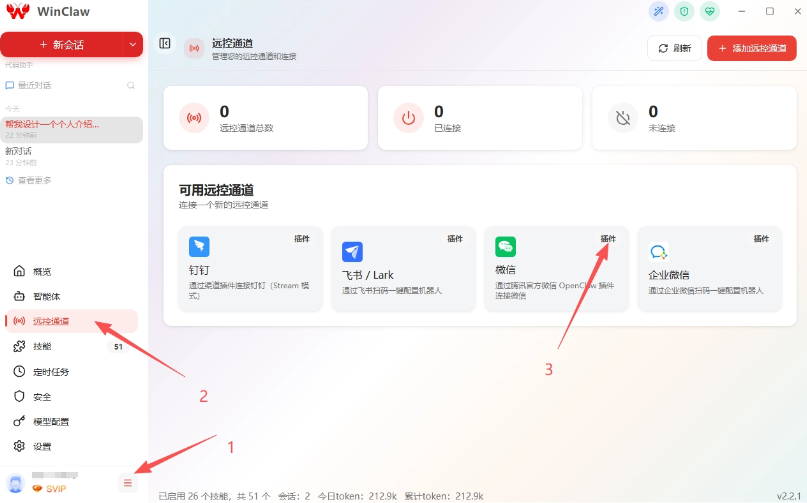
We click remote control in the menu bar, then choose an IM software, for example I choose the commonly used WeChat.
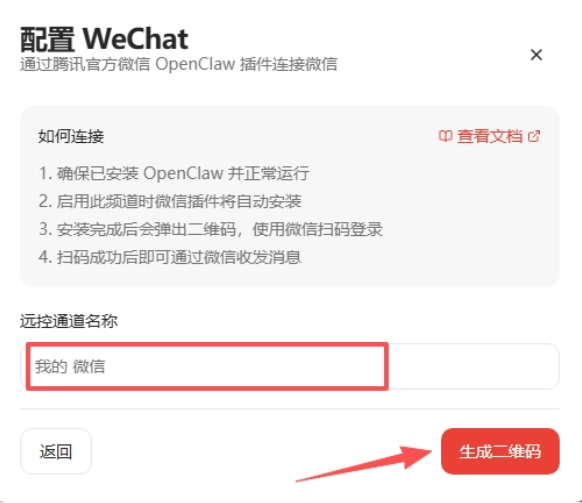
Enter my WeChat ID and click generate QR code. WinClaw will pop up a QR code. We scan it with WeChat to verify and we can connect.
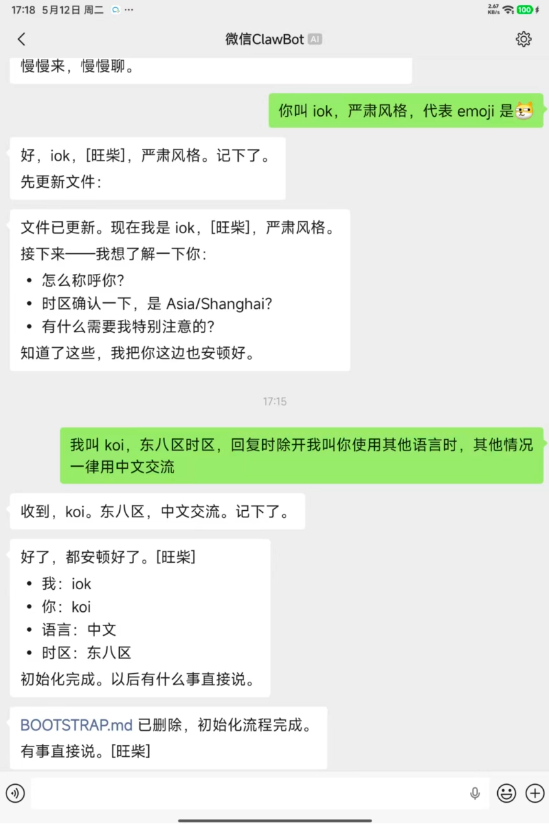
Now we can chat with WinClaw in WeChat and direct it to do work.

We can first do an initial setup for WinClaw, such as how it should address us and what style it should use when talking with us. Everyone can freely set this. Mine is very simple, with only one thing I think is important: Chinese output.
Let's try having WinClaw help us find some information.
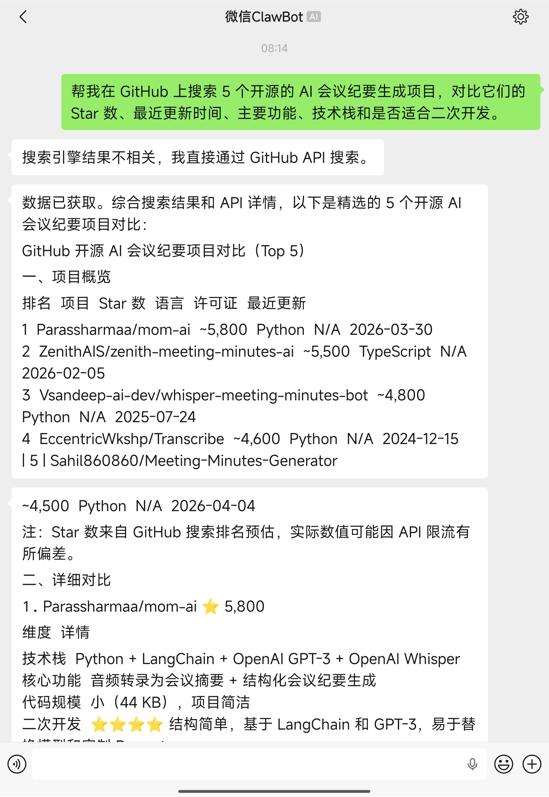
Prompt: Help me find out whether there are any open-source projects related to AI meeting minutes generation, requiring updates within the past month and more than 1,000 stars.
WinClaw's search backend is powered by a distributed search engine independently developed and deployed by Venustech, aggregating over 200 search sources across the web, such as the common Baidu, Bing, the academic database CrossRdf, and developer platforms like GitHub and GitLab.
WinClaw quickly and precisely routed to GitHub for targeted retrieval, finding high-quality open-source projects that match the timeline and star count.
Multi-step tasks
WinClaw can also complete some multi-step tasks, such as when we ask it to collect information and then write a research report.
Faced with this kind of complex requirement, WinClaw's powerful multi-round search and deep web page reading capabilities come into play.
During execution, WinClaw will send us messages in real time to report progress. It will automatically break down big problems, collect information first, and can proactively decide to "read a few more detailed articles to supplement the data," with multi-round search and deep reading working together to collect deeper information.
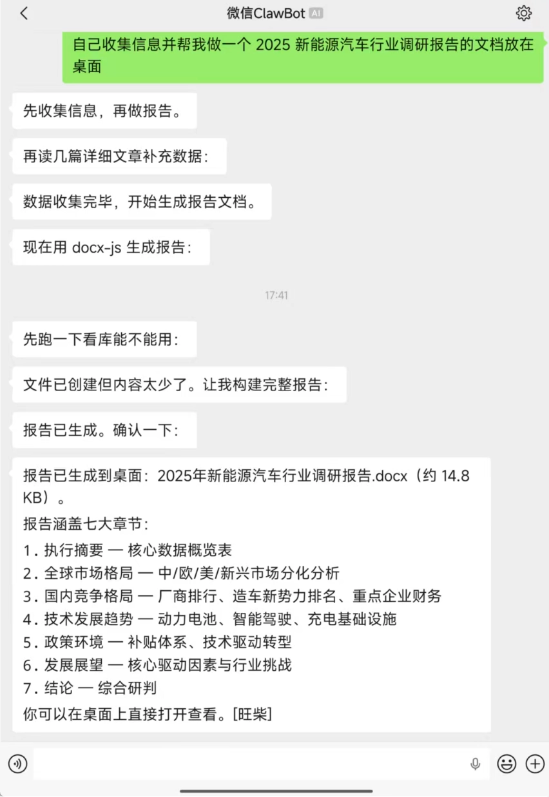
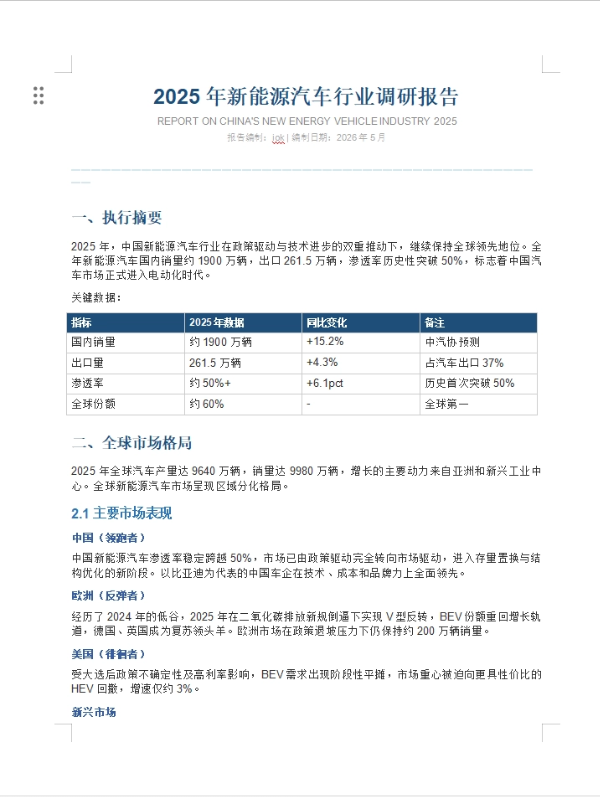
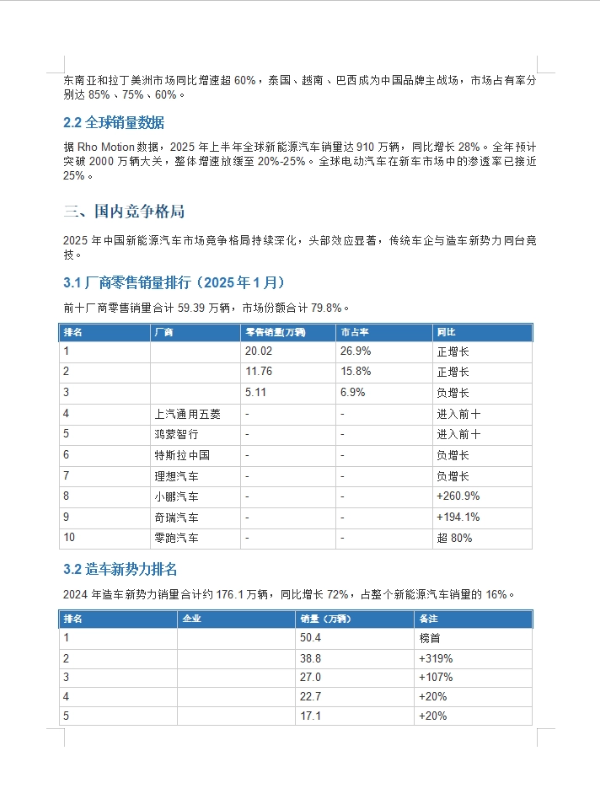
In just a few minutes, both information collection and report construction were completed, and the report looked very complete.
Scheduled tasks
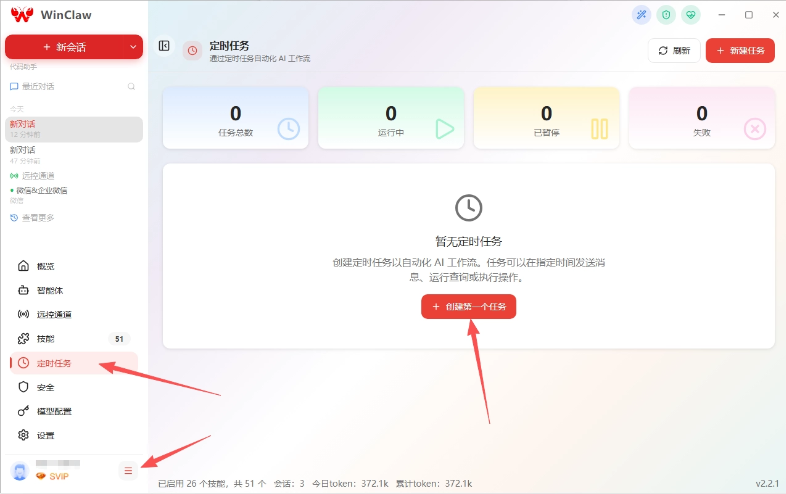
WinClaw's scheduling feature is also very easy to use—just click create in the menu.
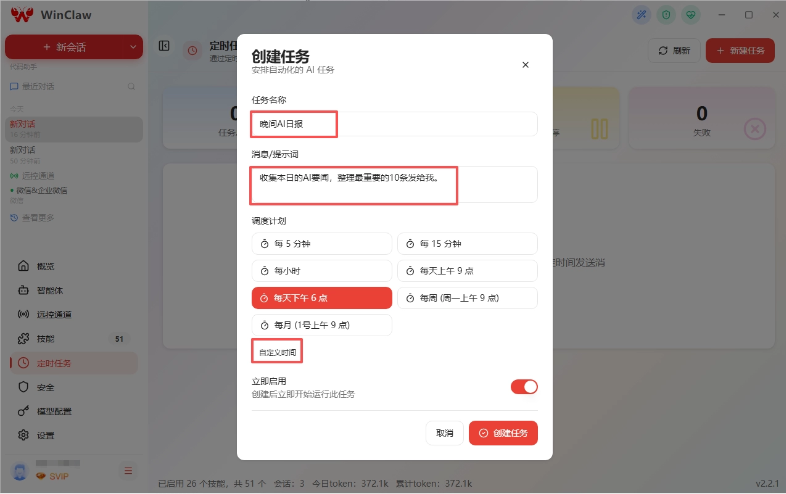
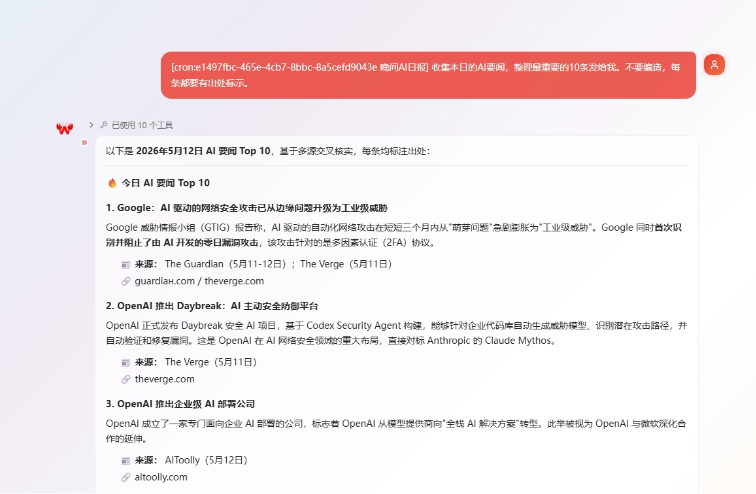
For example, I asked it to collect daily AI headlines and send them to me at 6 PM every day. You can also customize the time.
As soon as 6 o'clock arrived, we received the evening AI daily report that WinClaw sent us.
02. How to claim unlimited Token
Next, let me tell you how to claim unlimited Token,It's very simple, but there is a time limit and the quota is limited. After reading this, be sure to claim it as soon as possible.。
Claim period: May 7–May 17, 2026, every day from 12:00–24:00, one session per hour. On the hour, Token permanent free invitation codes are released, 8,000 in total, available while supplies last.
There are quotas every hour, so relatively speaking it's still fairly easy to get one.
Claim steps
We download the WinClaw client.
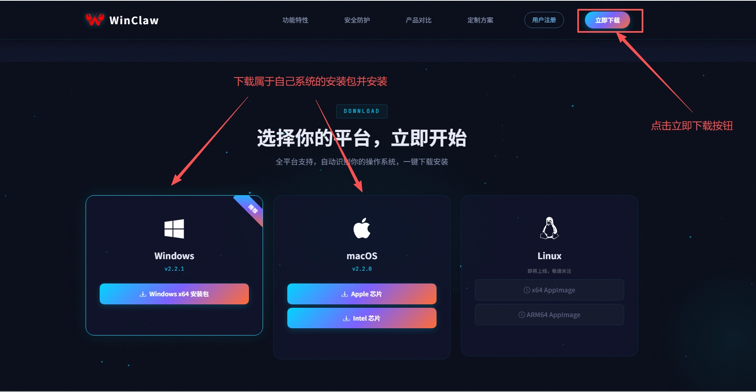
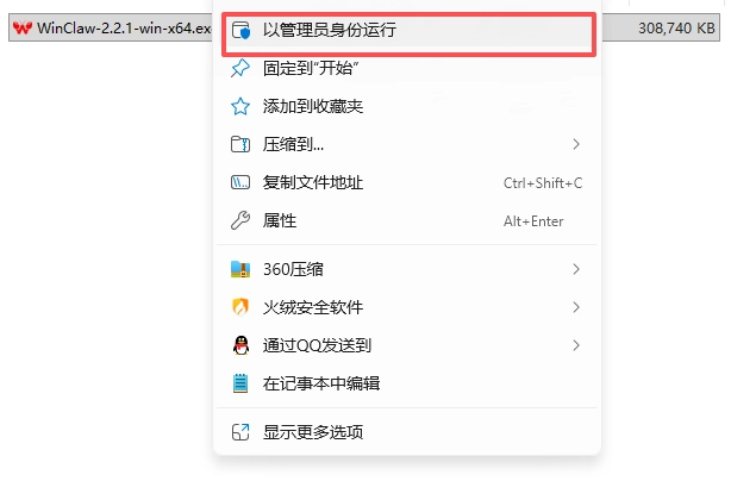
After downloading, unzip it to get the WinClaw installer. During installation, it's best to right-click and select Run as administrator, which will make the installation process smoother.
We can complete registration directly in the client or in the upper right corner of the WinClaw official website. Then enter your phone number in the activity area on the official website homepage to grab a code.
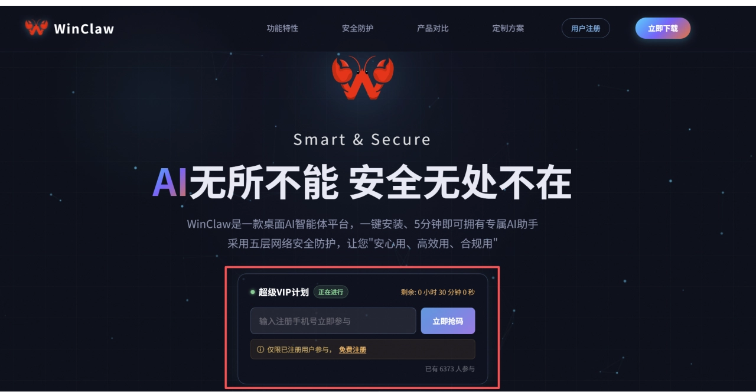
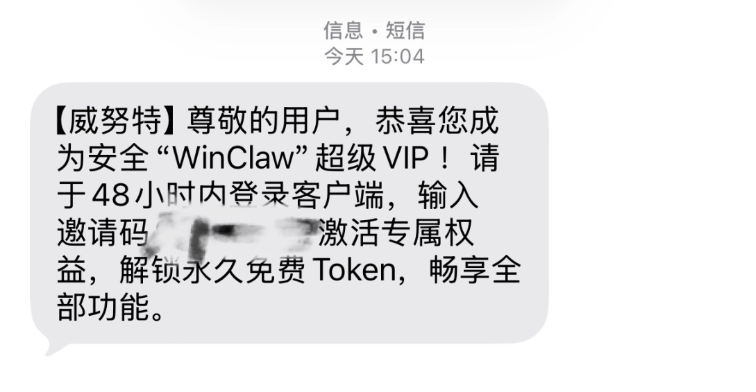
If there are still quotas available at that moment, we will immediately receive a text message with an invitation code.
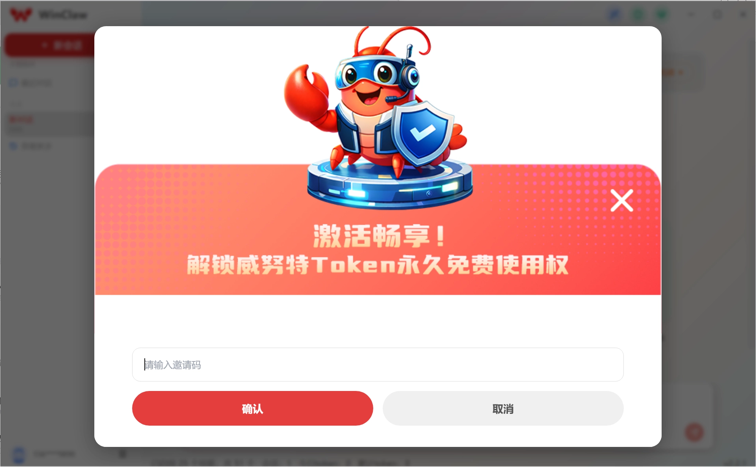
Open the WinClaw client, and after logging in we can see the free Token redemption page.

Enter the invitation code from the text message we just received, and click confirm.
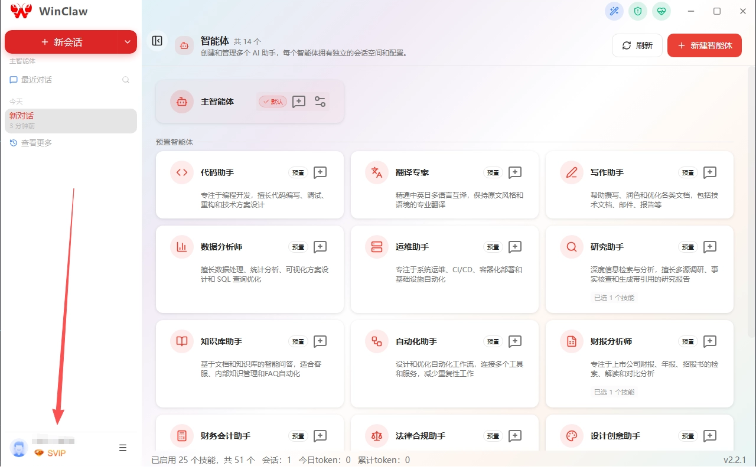
After filling it in, we can see the Super VIP badge in the lower left corner of the WinClaw client, which means activation was successful.。
After that, the Tokens generated by calling Venustech's self-provided model Qwen 3.5 in the WinClaw client will be permanently free.。
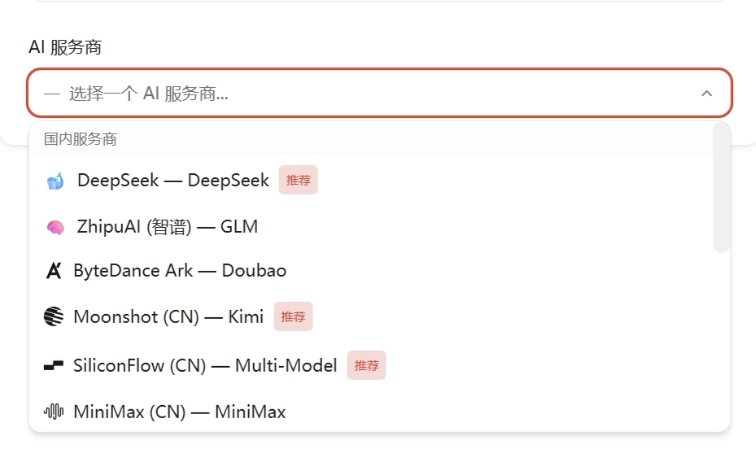
However, WinClaw does not restrict this either, and also supports configuring other large model APIs yourself.
03. WinClaw's hardcore new version coming soon
While claiming Token, I followed the trail and saw a major preview of their next big version.
The new version of WinClaw has rebuilt themultilingual semantic understanding engine, so finding information is no longer rigid keyword matching, but directly understanding our deeper intent across languages. In addition, the entire UI interface will be reorganized, with fewer operation levels, making it absolutely more convenient to use than now.
The underlying architecture has been upgraded to OpenClaw 5.4, with better compute scheduling. Running those multi-step tasks with extremely long logic will be smoother in the future, and less prone to breaking down.
What I look forward to most isthe enhanced office document processing capabilitiesandmemoryThe new version of WinClaw has made specialized parsing optimizations for PDF, PPT, Excel, and long-text reports, and there will be significant improvements in processing speed and accuracy. I'm really looking forward to it~
The new version of WinClaw has also updatedemotion-aware long-term and short-term memory, autonomously awakening previous memories at the right time, so that with extended use it will understand your preferences better and better.
04. Some sharing
WinClaw truly achieves out-of-the-box usability, and reduces AI Token costs to 0.
I specifically looked it up. Venustech is a leading enterprise in industrial cybersecurity, having long served core national infrastructure such as nuclear power and high-speed rail, and will also deeply integrate the high-level security concepts and practices accumulated over 12 years in the industry into the research and development of WinClaw. So everyone does not need to worry about the security and privacy protection issues of WinClaw when processing local files.
As underlying large models, such as the Qwen 3.5 built into WinClaw, become increasingly mature, excellent Agents like WinClaw will become the key to the large-scale implementation of AI.
This time, WinClaw is distributing 8,000 permanently free Tokens, which is essentially about capturing user habits and cultivating the first generation of AI Agent natives.
Original link:Finally found permanently free Tokens for raising shrimp, grab one of the 8,000 spots quickly!