
What is Web2GPT
Web2GPT is an intelligent tool launched by Chaitin Technology that supports quickly transforming traditional websites into fully functional AI applications. Users only need to enter a website address, and Web2GPT automatically crawls and analyzes the website content, understands its structure and semantics based on deep learning, and generates an intelligent interactive AI assistant. Web2GPT supports natural language communication, enables multi-turn dialogue, provides personalized services, and has strong security and multi-platform integration capabilities. Web2GPT is widely applicable to multiple industries such as retail, education, and finance, significantly reducing customer service costs and improving user satisfaction and conversion rates.
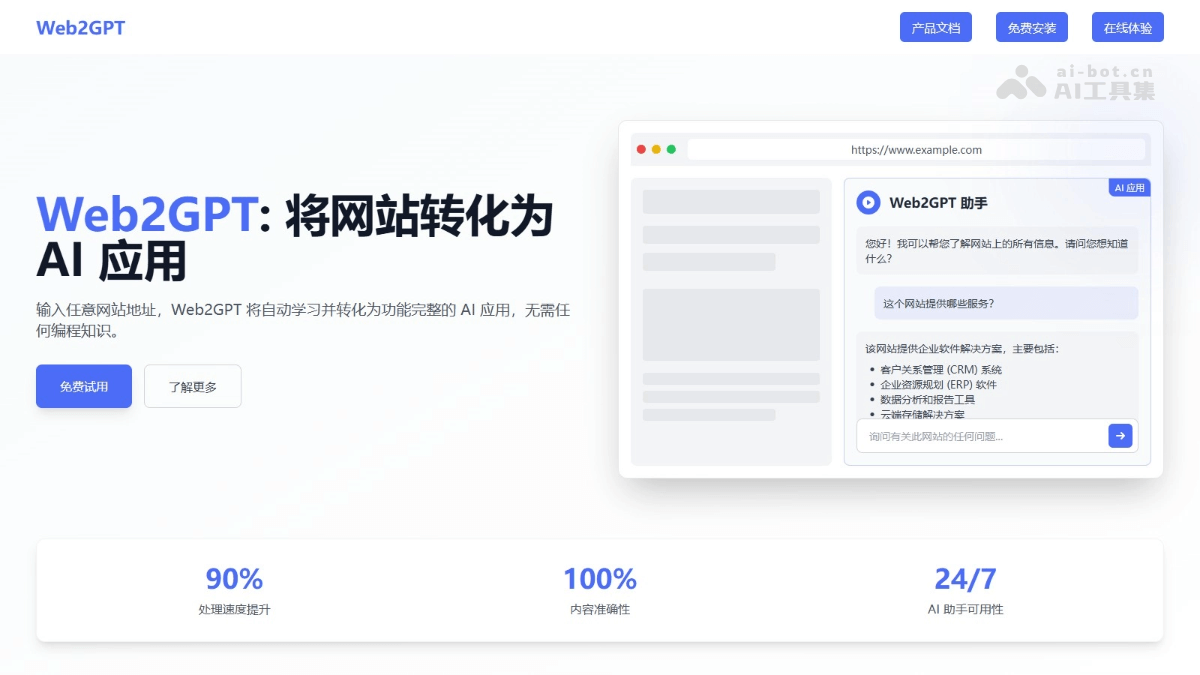
Web2GPT's main features
- One-click conversion: Enter a website URL to automatically crawl, analyze, and generate an AI application.
- Intelligent Q&A: Automatically understands the website business and answers business questions.
- Intelligent operations: Combined with MCP services, users can operate the website through natural language.
- Quick integration: Supports multiple integration methods such as web widgets, App widgets, and WeChat/DingTalk/Feishu bots.
- Automatic learning: No manual knowledge base organization is needed; automatically learns website content.
- No need to pay attention to the RAG process: Automatically adapts to the optimal state, ready to use out of the box.
- Record analysis: Records the usage process, making it convenient for administrators to analyze and optimize.
How to use Web2GPT
- Visit the official website: Visit Web2GPT'sofficial website, and click Free Install.
- Preparation:
- Operating system: Linux is recommended.
- Software dependencies: Docker (version 20.10.14 or above) and Docker Compose (version 2.0.0 or above) need to be installed.
- Hardware configuration: The minimum configuration is 2 CPU cores and 4GB memory, and the recommended configuration is 4 CPU cores and 8GB memory.
- Network environment: Ensure that the server can access the internet so that relevant files and configurations can be downloaded.
- Install Web2GPT:
- Create a folder: Create a folder on the server, for example /data/web2gpt, and enter the folder.
mkdir -p /data/web2gpt
cd /data/web2gpt-
-
Download the configuration file:
- Download
docker-compose.ymlfile, which is Web2GPT's configuration file.
- Download
-
curl https://release.web2gpt.ai/latest/docker-compose.yml -o docker-compose.yml-
-
- Download the environment variable configuration file template
.env。
- Download the environment variable configuration file template
-
curl https://release.web2gpt.ai/latest/.env.template -o .env-
-
Configure environment variables:
-
Open
.envfile and modify configuration items as needed, such as the administrator account and password. - Use the following command to automatically generate a random password:
-
-
count=$(grep -o "{CHANGE_TO_RANDOM_PASSWORD}" .env | wc -l)
for i in $(seq 1 $count); do
  sed -i .env -e "0,/{CHANGE_TO_RANDOM_PASSWORD}/s//$(openssl rand -base64 20 | tr -d '/+=' | cut -c1-20)/"
done-
- Start the container:
- Use the following command to start the Web2GPT service:
- Start the container:
docker compose up -d-
-
-
Wait for the container to finish starting, and Web2GPT will run on the default port 9999.
-
- Access the console:
- Open a browser and visit http://{YOUR_IP}:9999,登录 Web2GPT console.
- The default administrator account is admin@web2gpt.ai, and the password is in the ADMIN_PASSWORD variable in the .env file.
-
- Configure and use Web2GPT:
- Collect content:
- Automatic collection: Enter the website address in the console and click Run. Web2GPT will automatically crawl the website to collect content.
- Manual entry: If some content cannot be collected automatically, enter it manually. The following methods are supported:
- Online web page: Enter a URL to crawl the web page content.
- Offline file: Upload documents (supports txt, markdown, pdf, word, excel and other formats).
- Custom content: Create an editable online document.
- Learn knowledge: From the collected content, select the content you want the AI to learn and click the "Learn" button. Web2GPT will automatically learn the content and generate a knowledge base.
- Create AI applications: Create different types of AI applications according to your needs, such as web widgets, DingTalk bots, Feishu bots, etc. After configuration is complete, integrate the generated application into your business system.
- Collect content:
Application scenarios of Web2GPT
- Enterprise customer service: Automatically answer customer questions 24/7, reduce customer service costs, and improve satisfaction.
- Online education: Help students find course information, provide learning suggestions, and improve learning efficiency.
- Financial consulting: Answer questions about financial products, provide investment advice, and help users make decisions.
- Healthcare: Answer common health questions, explain medical terminology, and guide patients to seek medical care.
- Travel services: Provide travel suggestions, look up destination information, and help plan itineraries.