
What is Wan
Wan is an AI creative platform launched by Alibaba, equipped withWan2.1model generation capabilities, focusing onAI paintingandAI video creation. AI painting quickly generates artistic images based on text descriptions. AI video supports converting text and images into vivid videos, meeting the needs of storytelling and product display, and showcasing strong creativity and artistic atmosphere. Wan supports users in logging in to save works, bookmarking favorite content, and exploring other users' creations. Wan provides convenient AI creation tools for artists, designers, creators, and ordinary users, inspiring creativity and meeting personalized needs.
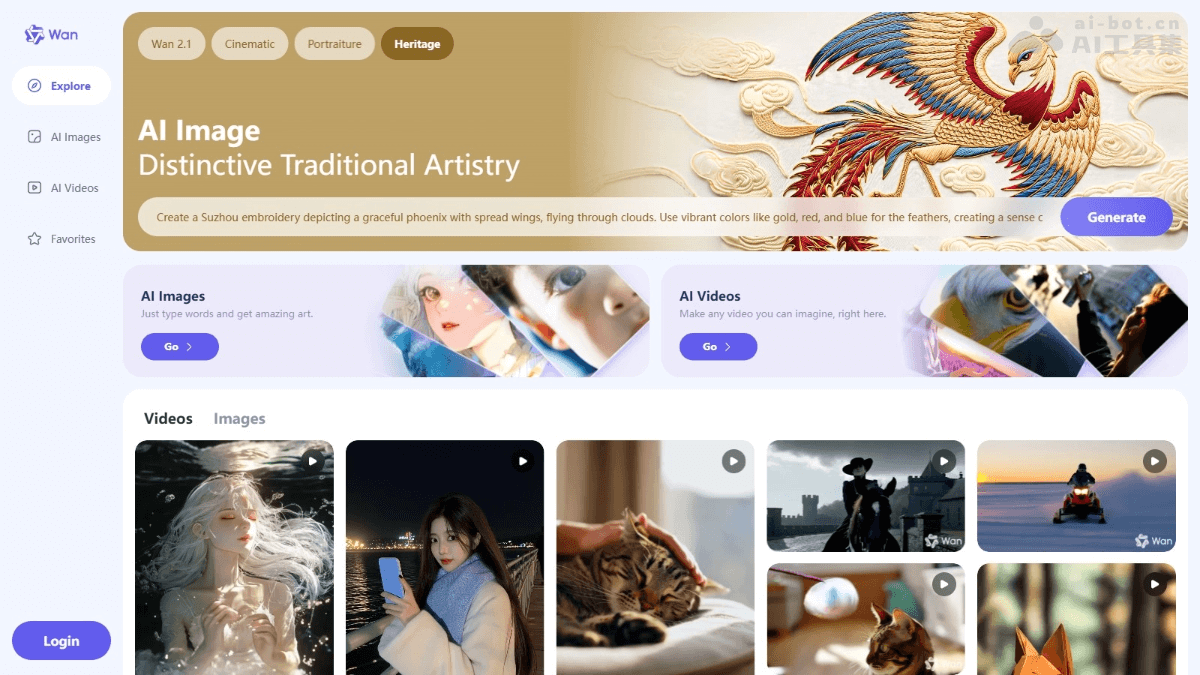
Wan's main features
- AI painting: Enter text descriptions to quickly generate high-quality artistic images, supporting multiple styles (such as cinematic, portrait, cultural heritage, etc.) and advanced visual effects (such as backlighting, halo, etc.).
- AI video production: Generate creative videos using text descriptions or uploaded images, supporting multiple scenes and styles, and meeting needs such as storytelling and product display.
- Explore feature: Provides preset themes and a random generator to help users quickly find a creative starting point. Users modify text descriptions and parameters to explore different generated results.
- Personalized experience: Users log in to save works and bookmark favorite content.
How to use Wan
- Visit the platform: Visit Wan'sofficial website 。
- Register and log in: Complete registration and login by following the prompts.
- Select a feature: On the website homepage, select the "AI Drawing" or "AI Video" feature.
- AI drawing feature: Enter the creative description text, set the image size and style, and click to generate the image.
- Text-to-video: Enter the creative description of the video, set the inspiration mode and sound effects, and click generate.
- Image-to-video: Upload an image, enter a description, set the inspiration mode and sound effects, and click generate.
- Download or share: After editing is complete, download the video locally, or share it directly with others based on the platform.
Wan's application scenarios
- Artistic creation and design: Provides artists and designers with powerful AI painting tools to quickly generate high-quality artworks, supporting multiple styles and visual effects, helping creators spark inspiration and improve efficiency.
- Video production and content creation: Creators can easily produce animations, short films, advertisements, or other creative videos to meet various content needs.
- Education and learning: Assists teaching, helps students understand knowledge more intuitively, and improves learning interest and effectiveness.
- Personal entertainment and creative expression: Ordinary users use it for social media sharing, personal collections, or creative expression, meeting personalized needs.
- Business and marketing: Enterprises and brands create promotional posters, advertising videos, or product displays to enhance the appeal and creativity of content and reduce production costs.