
What is Wan 2.6
Wan 2.6 is an advanced series ofvideo generationmodels launched by Alibaba Tongyi for professional film and television production and image creation. The models support a role-playing feature, allowing users to quickly generate short films with cinematic camera movements and narrative by uploading videos and entering prompts. At the same time, the models have powerful features such as audio-visual synchronization, multi-shot generation, and sound-driven generation, enabling full-sensory consistency between visuals and sound. Wan 2.6 improves image quality, sound effects, and instruction-following capabilities, with a single video duration of up to 15 seconds. It is widely used in fields such as advertising design and short drama production, providing creators with an efficient and convenient creative experience. The models are now available onTongyi Wanxiang、Alibaba Cloud Bailianplatform.
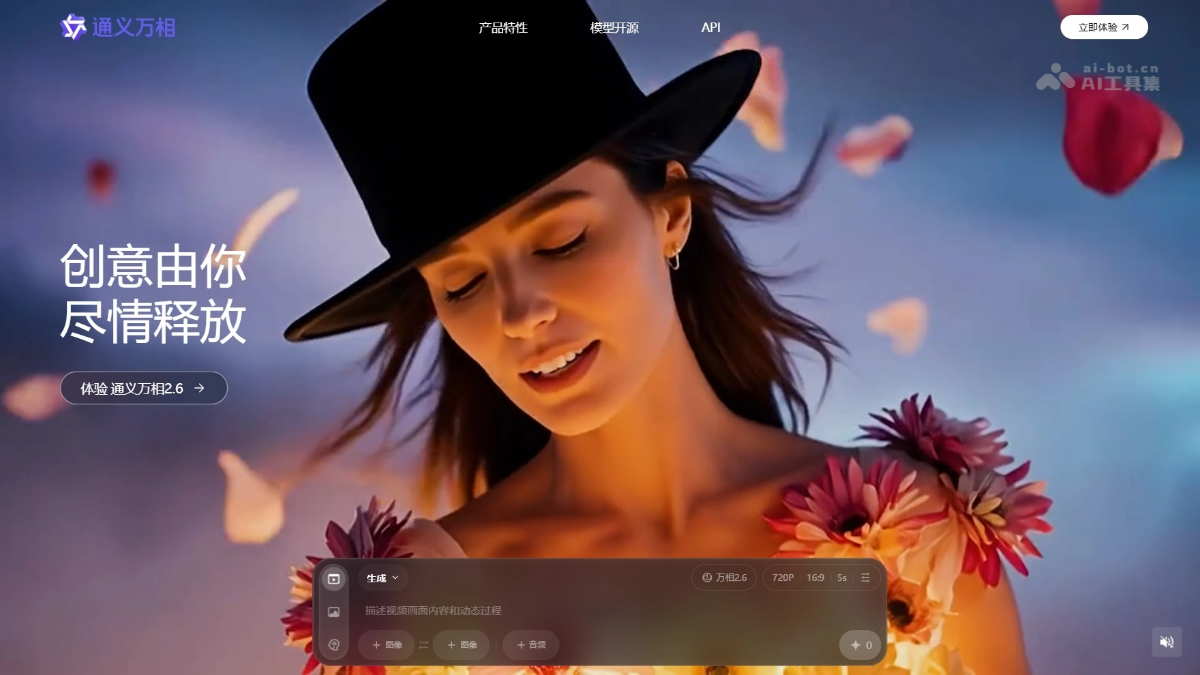
Main Features of Wan 2.6
-
Role-playing feature: After users upload videos and enter prompts, the models can quickly generate short films with cinematic camera movements and narrative, allowing users to showcase their acting skills in film-grade visuals.
-
Storyboard control feature: Converts simple prompts into multi-shot scripts, generates coherent narrative videos, and maintains consistency in key information such as subjects and scenes across multiple shots.
-
Audio-visual synchronization and sound-driven generation: Supports audio-visual synchronization and can drive visual actions based on sound signals, achieving perfect coordination between sound and visuals.
-
Multi-shot generation: The models can generate videos containing multiple shots, maintaining high consistency in content, rhythm, and atmosphere during shot transitions.
-
Improved image quality and sound effects: A single video duration can reach 15 seconds, with significantly improved image quality and sound effects, meeting professional film-grade requirements.
-
Instruction following: More accurately understands user instructions and generates video content that meets user needs.
-
General video editing: Supports multiple visual creation capabilities such as text-to-image, image editing, text-to-video, image-to-video, voice-to-video, and motion generation, suitable for various scenarios such as advertising design, short drama production, and short video creation.
Technical Principles of Wan 2.6
- Multimodal joint modeling and learning: Wan 2.6 performs joint modeling and learning by integrating information from multiple modalities (such as video footage, sound, text, etc.). The models can simultaneously process subject emotions, postures, and multi-angle visual features with temporal information, as well as acoustic features such as timbre and speaking rate. In the generation stage, these serve as reference conditions to control the style, emotion, and actions of the generated content, achieving full-sensory consistency preservation and transfer between visuals and sound.
- High-level semantic understanding: The models have powerful semantic understanding capabilities and can transform user input (such as text prompts, video clips, etc.) into multi-shot segments with a complete storyline and narrative tension. Through high-level semantic understanding, Wan 2.6 can construct video content with logical and emotionally coherent consistency, maintaining consistency in core subjects, scene layout, and environmental atmosphere during multi-shot transitions.
How to Use Wan 2.6
Through Wan
- Visit the official website: Visit theTongyi Wanxiangofficial website. Follow the prompts to complete account registration and login.
- Select a model: Select Tongyi Wanxiang 2.2 from the model selection drop-down box.
- Select a feature module: Select the corresponding function according to your needs.
- Upload materials: If you need to use the role-playing function, upload a personal video as the base material. For other functions, you need to upload images, text prompts, or other related materials.
- Enter prompt: Enter the relevant prompt in the specified input box. For storyboard control, enter "a love story, beginning with the male and female protagonists meeting, a misunderstanding in the middle, and reconciliation at the end."
- Generate content: Click the "Generate" button, and the model will begin generating content based on the uploaded materials and the entered prompt.
- View and download results: After generation is complete, view the generated video or image. If satisfied, download it locally for saving or use.
Alibaba Cloud Model Studio
- Visit the Alibaba Cloud Model Studio platform: Visit theAlibaba Cloud Model Studioofficial website. Complete account registration and log in.
- Find the Wan 2.6 model: In the platform's AI models, find theTongyi Wanxiang 2.6 image-to-video entry.
- Enter creation requirements: On the model page, enter a text description, upload reference images, audio, or video clips, or enter storyboard prompts.
- Set generation parameters: Select the video duration (up to 15 seconds), resolution (720P or 1080P), and other generation options.
- Start generating video: Click the "Generate" button, and the model will generate a video based on the input.
- View and download results: After generation is complete, view the generated video results and download them locally.
Application scenarios of Wan 2.6
-
Short video creation: The model can quickly generate creative short video content, meet social media publishing needs, and improve creation efficiency.
-
Advertising production: Use the model to generate personalized advertising videos, accurately convey product information, and attract user attention.
-
Animation production: Efficiently generate animated videos, reduce production costs, and increase animation creation speed.
-
Educational videos: Create vivid instructional videos, assist teaching, and improve learning interest and effectiveness.
-
Film and television special effects: Assist film and television production, generate special effects shots or preview videos, and optimize the creative process.