
What is VideoCrafter2?
VideoCrafter2 is a video generation model developed by Tencent AI Lab, designed to overcome the limitations of acquiring high-quality video data and train a model capable of generating high-quality videos. The core idea of the model is to decompose the video generation process into two main parts: motion and appearance. Through this approach, VideoCrafter2 can use low-quality videos to ensure motion consistency without high-quality video data, while using high-quality images to ensure the visual quality and concept composition capability of the generated videos.
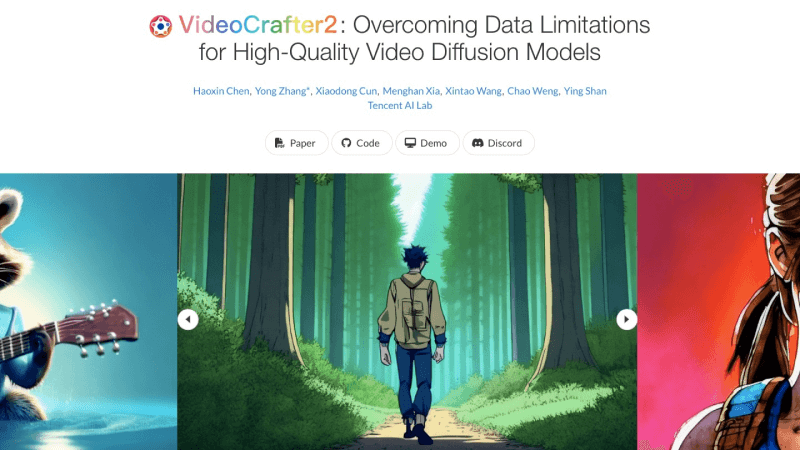
Project homepage:https://ailab-cvc.github.io/videocrafter2/
Paper address:https://arxiv.org/abs/2401.09047
GitHub code repository:https://github.com/AILab-CVC/VideoCrafter
Hugging Face Demo:https://huggingface.co/spaces/VideoCrafter/VideoCrafter2
VideoCrafter2's features
- Text-to-video conversion: Users can provide a piece of descriptive text, and VideoCrafter2 can generate the corresponding video based on this text
- High-quality video generation: VideoCrafter2 can generate videos with high resolution and good visual effects, and can create videos with rich details and natural motion.
- Aesthetic effects: By processing motion and appearance information separately, VideoCrafter2 can improve the aesthetic quality of videos, such as clarity, color saturation, and overall visual effects, while ensuring the continuity of video motion.
- Concept composition: VideoCrafter2 can understand and combine complex concepts, and can generate videos containing multiple real or virtual elements and scenes
- Style and artistry: VideoCrafter2 can simulate different artistic styles, such as cyberpunk, neo-pop style, etc., thereby providing more creative possibilities for video creation.
How VideoCrafter2 works
The working principle of VideoCrafter2 is based on the principles of deep learning and diffusion models, and achieves text-to-video generation through the following key steps:
- Data decoupling: VideoCrafter2 decomposes the generation of video content into two main parts: motion and appearance. The motion part is responsible for the movement and animation effects of objects in the video, while the appearance part focuses on the clarity, color, and details of the image.
- Motion learning: Use low-quality video datasets (such as WebVid-10M) to train the motion part of the model. Although these videos are not of high quality, they can provide sufficient motion information to ensure that the generated videos are coherent in motion.
- Appearance learning: Use high-quality image datasets (such as JDB, i.e., Journey Database, images generated by Midjourney) to train the appearance part of the model. These images have high resolution and complex concept compositions, which help improve the visual quality of the generated videos.
- Model training: First, jointly train a basic video model using low-quality videos and high-resolution images. This model contains two modules: spatial (appearance) and temporal (motion). Then, by fine-tuning the spatial module, use high-quality images to further improve the visual effects of the video.
- Improvement of concept composition capability: To enhance the model's capability in concept composition, VideoCrafter2 uses synthetic image datasets that contain complex concept compositions, helping the model learn how to integrate different elements and scenes together.
- Generation process: After training is complete, VideoCrafter2 can generate videos based on text prompts. It first extracts key information from the text, then combines knowledge of motion and appearance to progressively generate each frame image, and finally assembles them into a complete video sequence.
- Evaluation and Optimization: Through quantitative and qualitative evaluation, such as using the EvalCrafter benchmark, the quality of the generated videos is assessed, and the model is further optimized based on the evaluation results.
How to Use VideoCrafter2
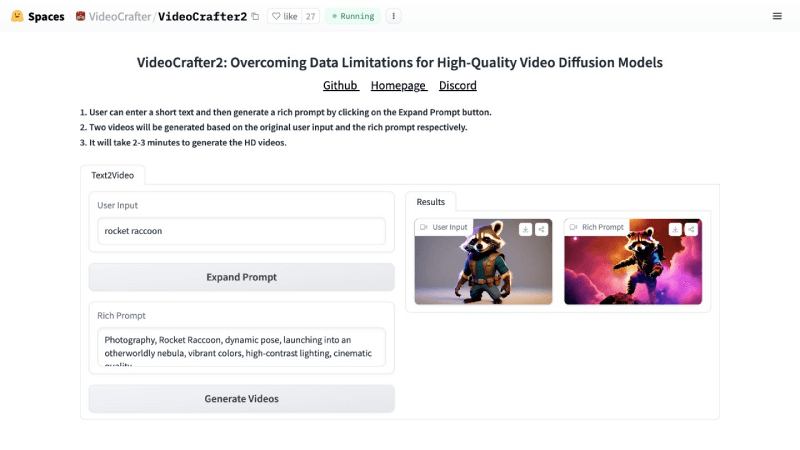
- Visit VideoCrafter2's official project homepage orVideoCrafter2's Hugging Face Space, then enter a short text in the User Input field
- Click the Expand Prompt button to generate a richer prompt description
- Then click Generate Videos, and two videos will be generated based on the original user input and the enriched prompt respectively
- Generating high-definition videos takes 2-3 minutes.