
What is VideoCaptioner
VideoCaptioner (Chinese name: Kaka Subtitle Assistant) is an intelligent subtitle processing tool based on large language models (LLM), which can simplify the process of generating and optimizing video subtitles. VideoCaptioner supportsspeech recognition, subtitle segmentation, correction, translation, and the entire video synthesis process, and can run without a GPU, making operation simple and efficient. The software provides a variety of speech recognition engines, including online interfaces and local Whisper models, supports multi-platform video download and processing, and can optimize the professionalism and fluency of subtitles. VideoCaptioner supports subtitle style adjustment and multi-format export, making it suitable for various video creators and subtitle workers.
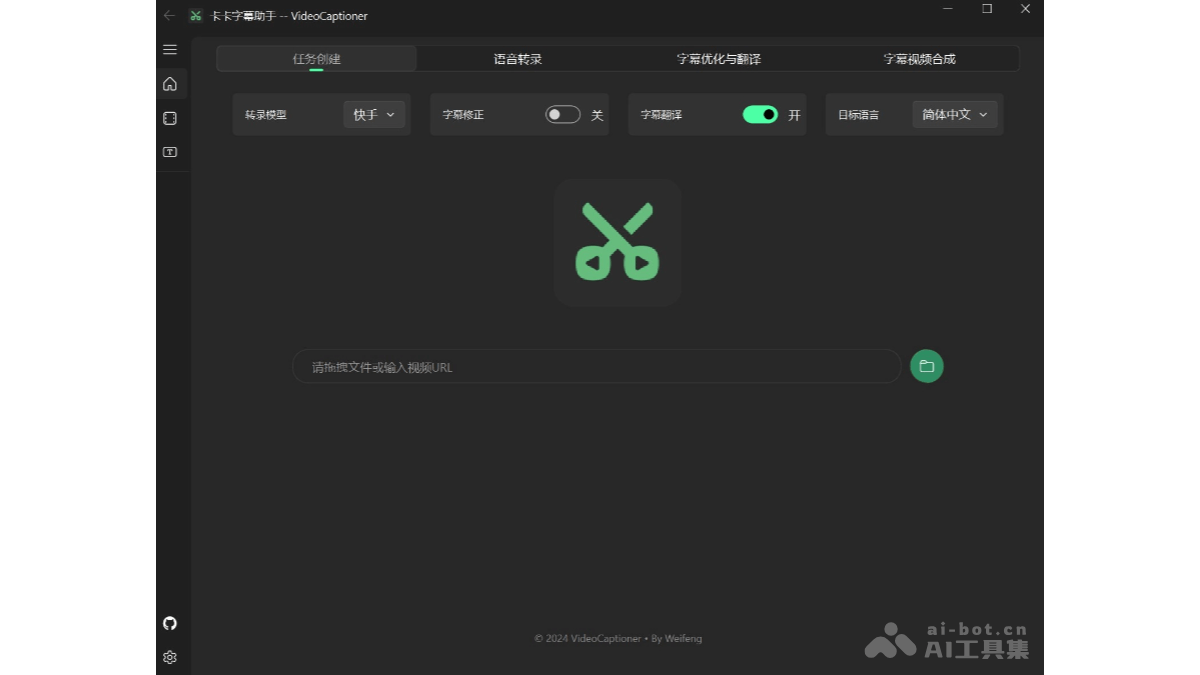
VideoCaptioner's Main Features
- Speech Recognition:
- Supports a variety of speech recognition engines, including online interfaces (such as B interface, J interface) and local Whisper models (such as WhisperCpp, fasterWhisper).
- Provides support for multiple languages and supports offline operation, protecting user privacy.
- Supports vocal separation and background noise filtering to improve the accuracy of speech recognition.
- Subtitle Segmentation and Optimization:
- Performs intelligent segmentation based on large language models (LLM), reorganizing word-by-word subtitles into natural and fluent sentences.
- Automatically optimizes the formatting of professional terminology, code snippets, and mathematical formulas to improve the professionalism of subtitles.
- Supports context-based segmentation optimization, further improving subtitle quality in combination with transcripts or prompts.
- Subtitle Translation:
- Performs intelligent translation in context to ensure the translation is accurate and conforms to language conventions.
- Adopts the "translation-reflection-translation" methodology, improving translation quality through iterative optimization.
- Supports translation in multiple languages to meet the needs of different users.
- Subtitle Style Adjustment:
- Provides a variety of subtitle style templates, such as science popularization style, news style, anime style, etc.
- Supports a variety of subtitle formats (such as SRT, ASS, VTT, TXT) to meet the needs of different platforms.
- Supports custom subtitle position, font, color, and other style settings.
- Video Subtitle Synthesis:
- Supports batch video subtitle synthesis to improve processing efficiency.
- Supports setting the maximum subtitle length and ending punctuation; removes ensure subtitle aesthetics.
- Supports disabling video synthesis and generating only subtitle files.
- Multi-platform Video Download and Processing:
- Supports video downloads from mainstream domestic and international video platforms (such as Bilibili, YouTube).
- Supports automatically extracting and processing the video's original subtitles.
- Supports importing Cookie information to download video resources that require login.
VideoCaptioner Project Address
- GitHub Repository:https://github.com/WEIFENG2333/VideoCaptioner
VideoCaptioner Application Scenarios
- Video Creators: Creators can quickly generate subtitles for their own videos, improving the accessibility and professionalism of the videos.
- Educational Content Producers: Producers of educational videos can quickly generate accurate subtitles, making it convenient for students to learn.
- Self-media Operators: Self-media practitioners can quickly process video subtitles, improve the efficiency of content publishing, and, based on subtitle translation functionality, promote video content to audiences in more languages and expand their influence.
- Subtitle Translation Teams: The subtitle translation team reduces the workload of manual translation and improves translation efficiency and quality.
- Video editing enthusiasts: For enthusiasts who enjoy making and editing videos, easily add subtitles to their own works and enhance the watchability of the videos.