
What is video-use
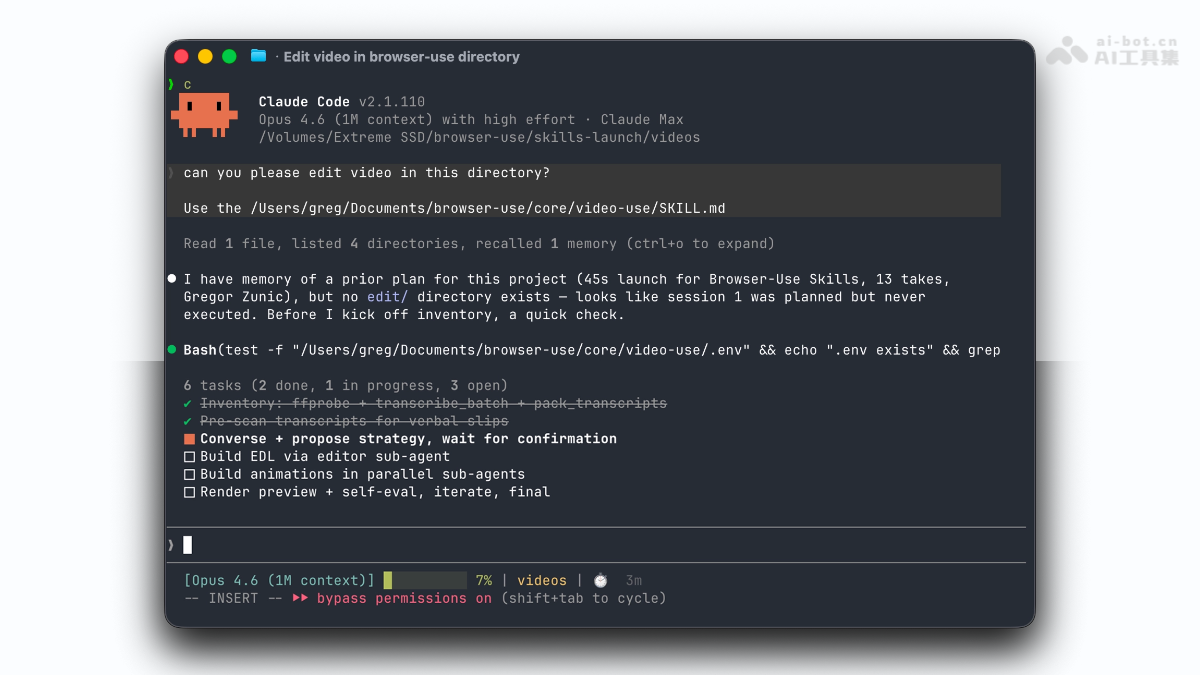
Video-use is an AI video editing agent open-sourced by the Browser Use team, replacing traditional timeline operations with natural language conversation. Users only need to place raw footage into a folder and describe their requirements; the agent automatically completes footage inventory, filler word removal, color grading, subtitles, animation overlays, and self-evaluation, ultimately outputting the final cut. The core innovation of video-use lies in enabling the LLM to work through audio transcription text (about 12KB), greatly reducing token costs. It is designed for efficient automated editing of structured content such as talking-head videos, tutorials, and interviews.
Main Features of video-use
-
Filler Word and Dead Air Removal: Automatically identifies and removes filler words such as "um" and "uh," long pauses, and poorly performing repeated takes.
-
Automatic Color Grading: Built-in presets such as warm_cinematic (warm cinematic feel) and neutral_punch (neutral enhancement), with support for custom ffmpeg filter chains.
-
30ms Audio Fade: Automatically adds a 30-millisecond fade in and out at each cut point, completely eliminating pops at cut points.
-
Burned-in Subtitles: Defaults to a "two-word uppercase" short-video style, with support for custom fonts, colors, and positions such as natural long sentences and large-subtitle emphasis.
-
Animation Overlays: Calls engines such as HyperFrames, Remotion, Manim, and PIL+ffmpeg to generate B-roll and animated cards, generated in parallel by independent sub-agents.
-
Self-Evaluation Loop: After rendering, automatically checks for issues such as frame jumps at cut points, audio pops, subtitle occlusion, and overlay misalignment, with up to 3 repair attempts.
-
Session Memory: Each editing decision is appended to
project.md, preserving previous preferences and strategies when work resumes next time.

Follow WeChat and reply "Open Source" to joinAI Open Source Project Exchange Group
How to Use video-use
- Clone the Repository: Run in the terminal
git clone https://github.com/browser-use/video-use ~/Developer/video-useto download the project code to your local developer directory. - Install Dependencies: After entering the project directory, run
uv syncorpip install -e .to install Python dependencies, and also install the required audio and video processing tools viabrew install ffmpeg. - Configure API Key: Copy the environment variable template file
cp .env.example .env, then edit the.envfile to fill in the ElevenLabs API Key for the audio transcription service. - Register Skill: Create a symbolic link to register video-use in the agent's skills directory. For example, Claude Code users run
ln -sfn ~/Developer/video-use ~/.claude/skills/video-use。 - Start Using: Enter the folder containing the raw video footage, start your coding agent, and say to it "edit these into a launch video" to trigger the automated editing workflow.
Core Advantages of video-use
-
Conversational Interaction Replaces Manual Editing: Describing requirements in natural language is enough to drive the agent through the entire workflow, with no need to master professional editing software operations.
-
Universal Compatibility Without API Restrictions: It does not rely on official open interfaces; any video tool with a web version can be driven and controlled by AI.
-
Extremely Low Token Cost for Understanding Video: By replacing frame-by-frame visual analysis with audio transcription text (about 12KB), the LLM can efficiently "read" rather than "watch" the video.
-
Automated mechanical labor: Repetitive work such as filler word removal, color grading, subtitles, and animation overlays is automatically performed by the Agent, and humans only need to confirm the strategy.
-
Standardized and reproducible output: Editing rules are codified in the code, ensuring consistent output style for the same type of content and avoiding differences caused by manual operations.
-
Self-evaluation quality assurance: After rendering, issues such as dropped frames, audio clipping, and occlusion are automatically checked and fixed, ensuring the final video meets quality standards before being presented to the user.
video-use project address
- GitHub repository:https://github.com/browser-use/video-use
Comparison of video-use with similar competing products
| Dimension | video-use | OpenStoryline (FireRedTeam) |
|---|---|---|
| Development team | Browser Use (overseas) | Xiaohongshu Super Intelligence team / FireRedTeam (domestic) |
| Open-source license | MIT | Apache-2.0 |
| Stars | 13,749 | 2,817 |
| Core positioning | Programming Agent conversational editing of raw footage | Intent-driven video creation, from material search to final video |
| Interaction method | Command-line conversation (Claude Code / Codex) | Natural language conversation + Web interface + CLI |
| Content source | Local raw footage (talking-head, interview materials) | Supports local materials + online media search and download |
| Intelligent script | Understands content based on audio transcription text | Automatically generates storylines, narration, and Few-shot style transfer |
| Animation/special effects | HyperFrames / Remotion / Manim / PIL | Built-in BGM intelligent recommendation, AI transition generation, and font style matching |
Application scenarios of video-use
-
Talking-head editing for tech bloggers: Quickly edit raw footage recorded multiple times into a coherent published video, automatically removing filler words and pauses.
-
Tutorial production teams: Batch process large numbers of repetitive editing tasks, standardizing subtitles, color grading, and animation overlay workflows.
-
Product launch videos: Automatically splice multiple segments of material according to strategy, unify the visual style, and generate accompanying B-roll animations.
-
Interview/podcast post-production: Automatically identify the best take, remove redundant content, and output a final video with subtitles and fade transitions.
-
Standardized workflow for content creators: Transform the editing process from manual operation to strategy confirmation, freeing up time to focus on content creation itself.