
With AI content creation tools flourishing everywhere, the biggest pain point creators face is not "whether there are tools," but "too many tools and too fragmented a workflow." Scripts need to be written, storyboards drawn, assets generated, and videos rendered. Every step jumps between different platforms, styles are hard to unify, and collaboration efficiency is low.
VibePaper Deeply built on native multimodal multi-Agent and knowledge graph processing capabilities, it is a "pixel canvas" where all creativity can be unleashed. From script breakdown to final delivery, premium content end-to-end creation can be deeply and intelligently achieved through conversation and click interactions. VibePaper can cover the entire creation workflow.
1. What Is VibePaper?
VibePaper is amultimodal AI creation platform, with its core positioning being a "pixel canvas." Driven by multi-agent collaboration and knowledge graphs, users complete the full content production process from script to final cut through natural conversation and canvas interaction.
Two Major Versions Meet Different Needs
- Personal Edition: Provides complete canvas and Agent capabilities (except the Seedance 2.0 video generation model), supports multi-Agent automation for script breakdown, asset image generation, storyboard image generation, and storyboard video generation, assisting or acting on behalf of users to build end-to-end premium content delivery capabilities.
- Enterprise Edition: Based on the complete canvas capabilities of the Personal Edition, it further enhances team collaboration and management capabilities, providing member and permission management, resource usage monitoring, enterprise-level data visualization dashboards, and other functions, adapting to enterprise-level development process standards and meeting data security and compliance requirements.
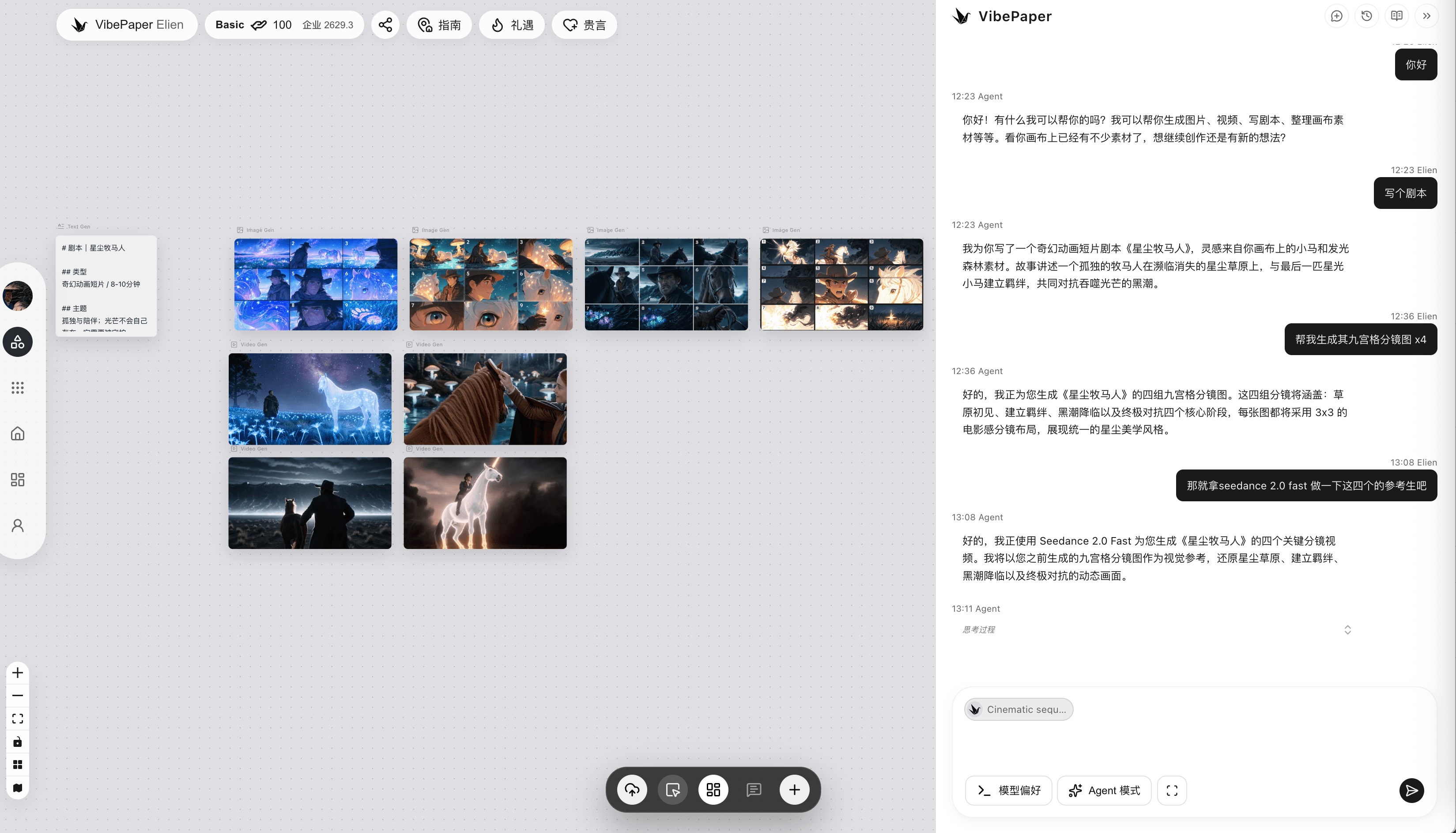
2. Quick Start
Visit theVibePaperofficial website, click "My Account" in the left sidebar navigation, and choose WeChat, Google, or Douyin to log in. If you have not registered before, registration will be completed automatically.
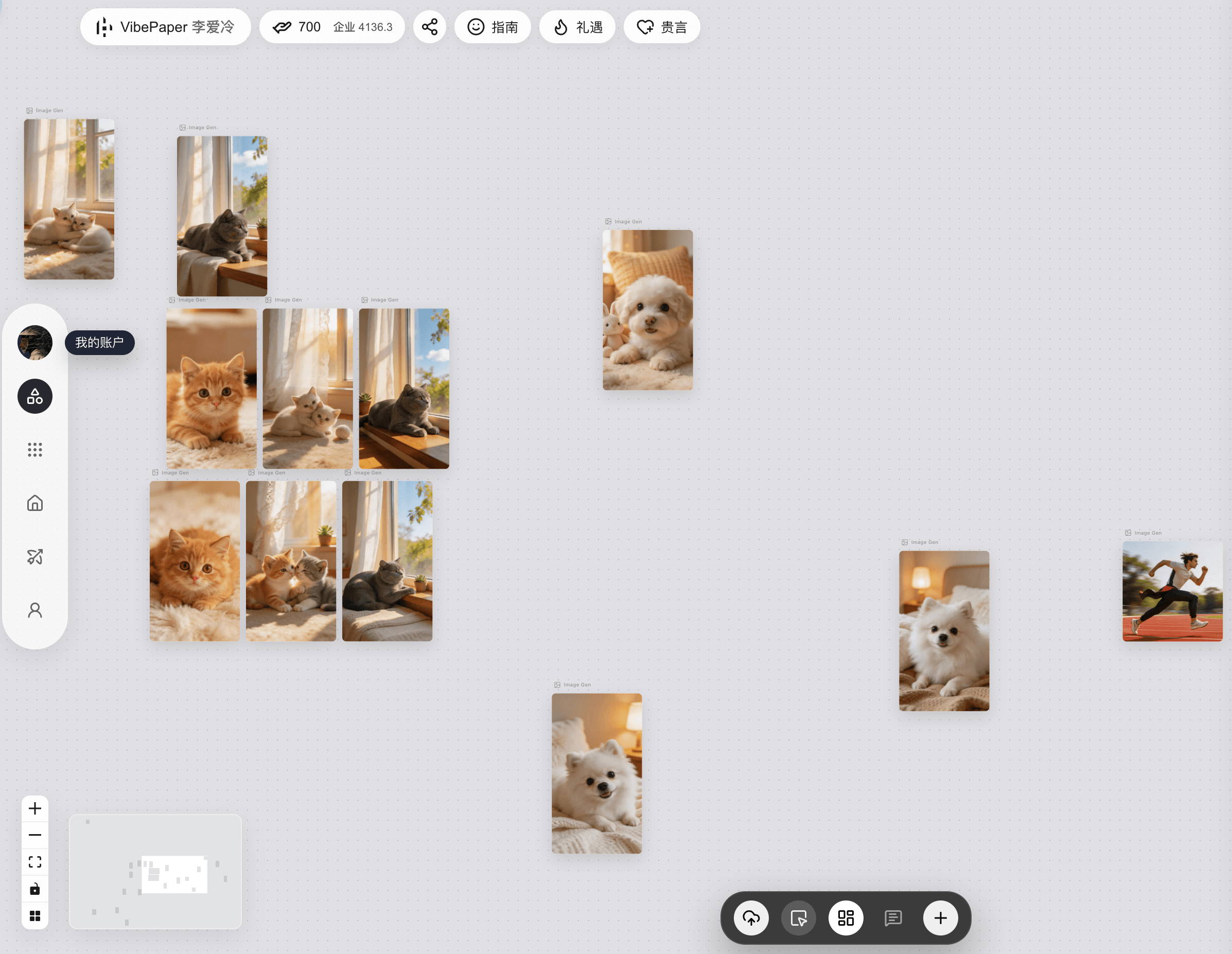
After logging in, enter text in the dialog box on the right to start a conversation. The conversation history can be seen on the right.
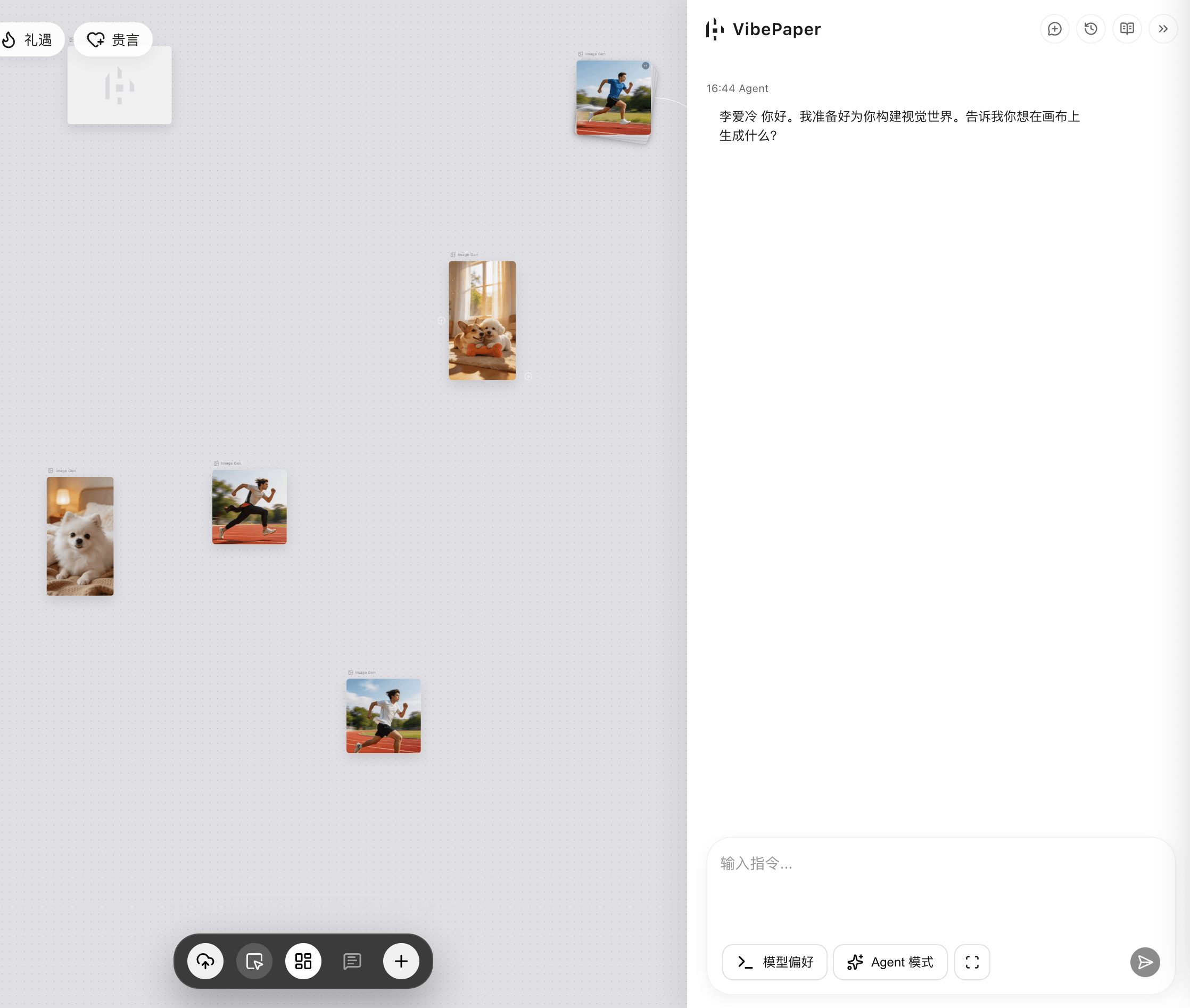
Advanced Tip: You can select content in the canvas (text, image, video) as the Agent's context for conversation, allowing AI to continue creating based on existing materials.
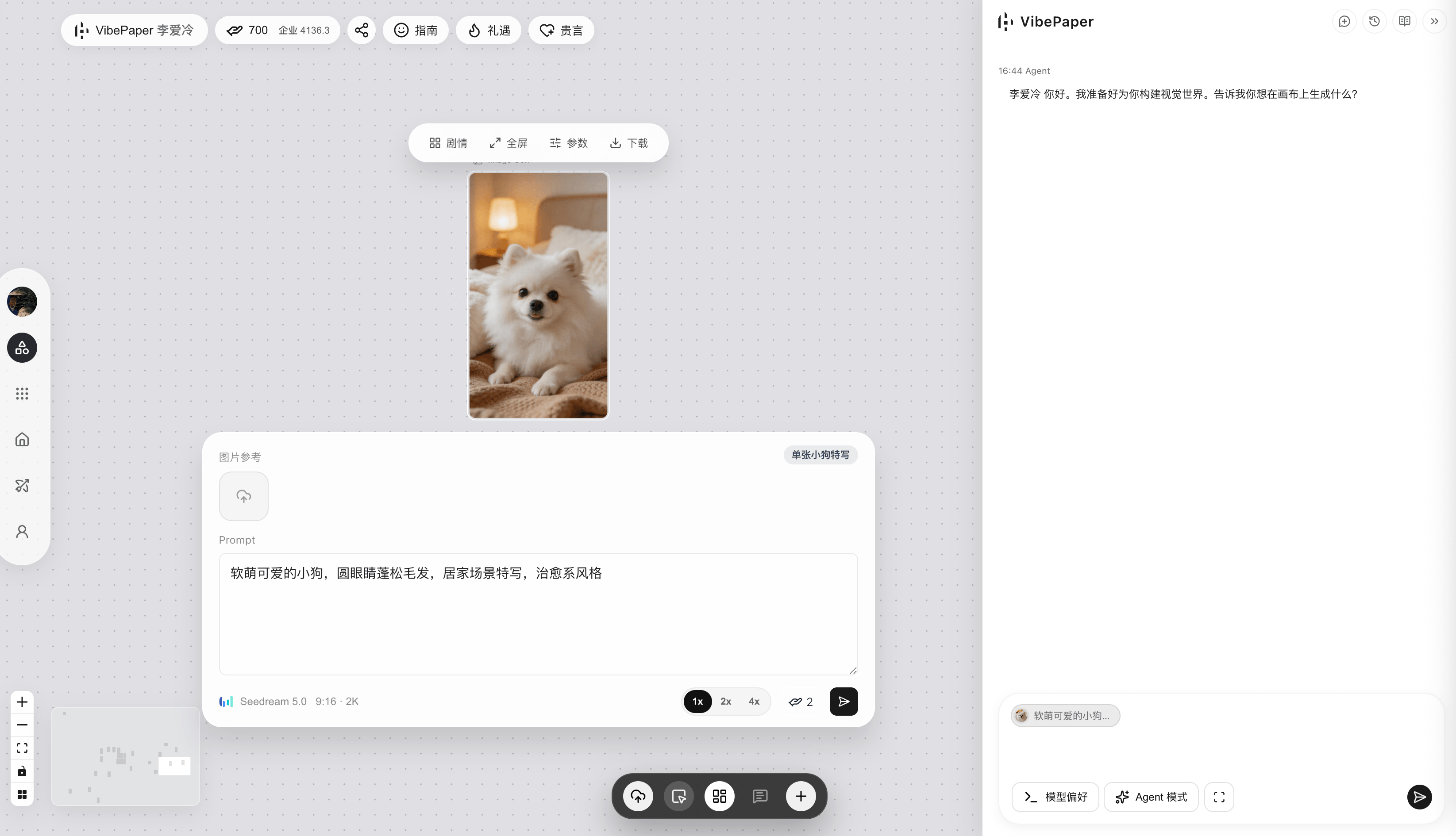
Generate Images / Videos
Method 1: Manual Generation
Click the "+" button below, then click to select and create an image generation card
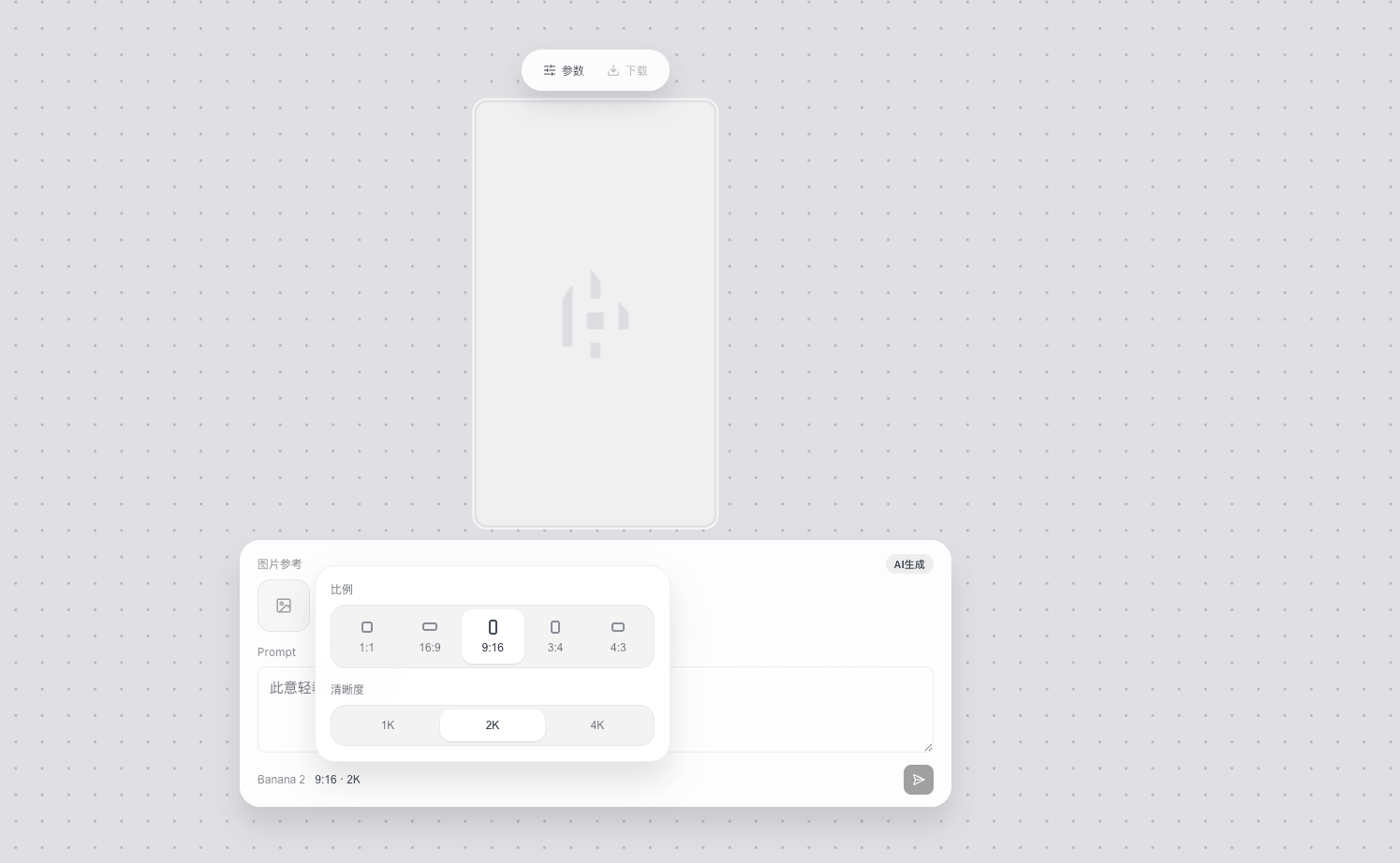
An image generation card appears on the canvas, where parameters can be adjusted
Enter a prompt and click Run, and the result will be displayed in the card
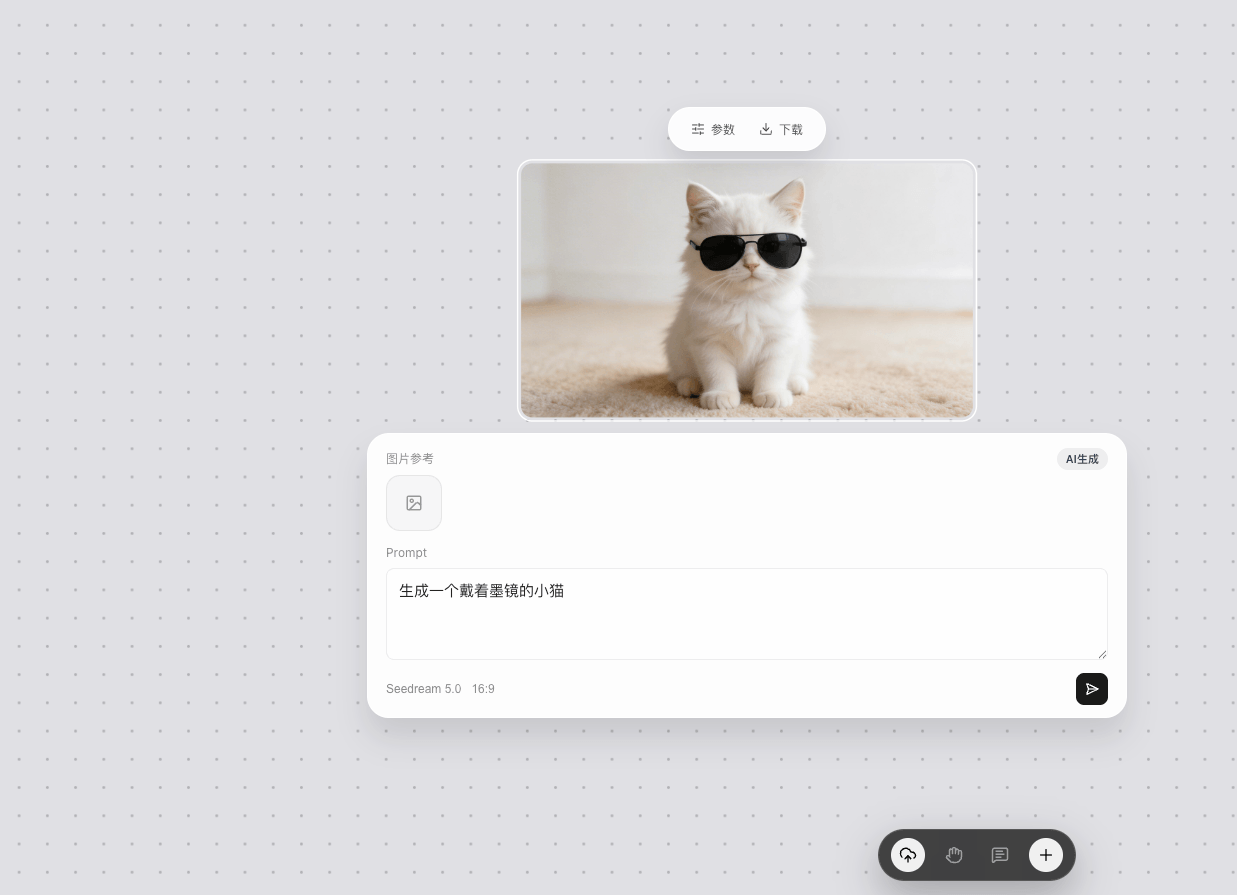
Method 2: Conversation Generation
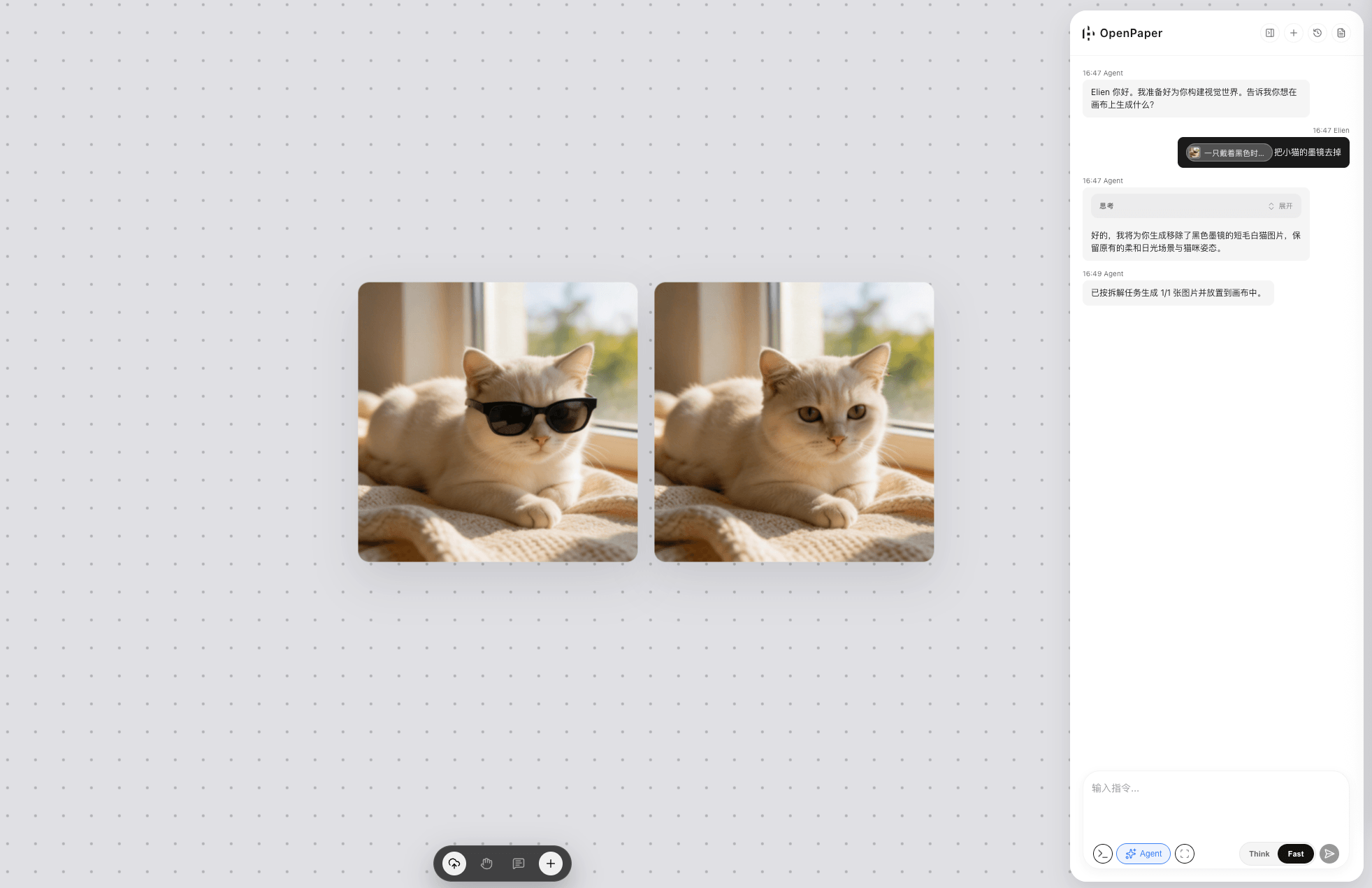
Input the desired semantics through conversation to control content and achieve image generation.
You can also select content in the canvas (text, image, video) as the Agent's context for generation.
Upload Content
Click the "Upload" button below
Click to select an image to upload, and the image will be quickly uploaded to the cloud for permanent storage.
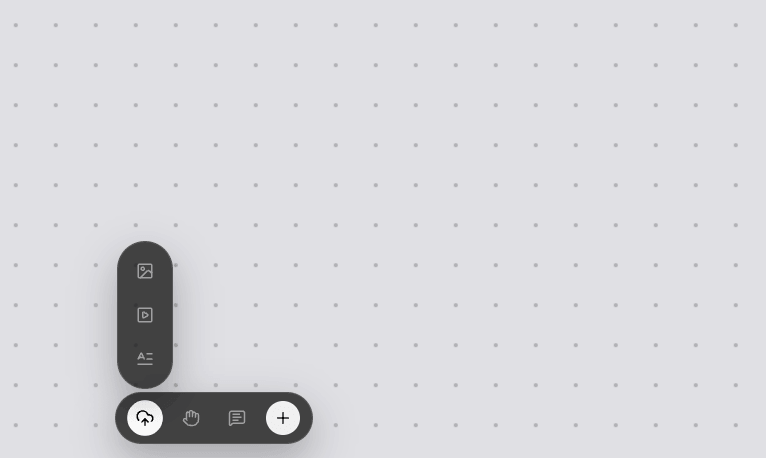
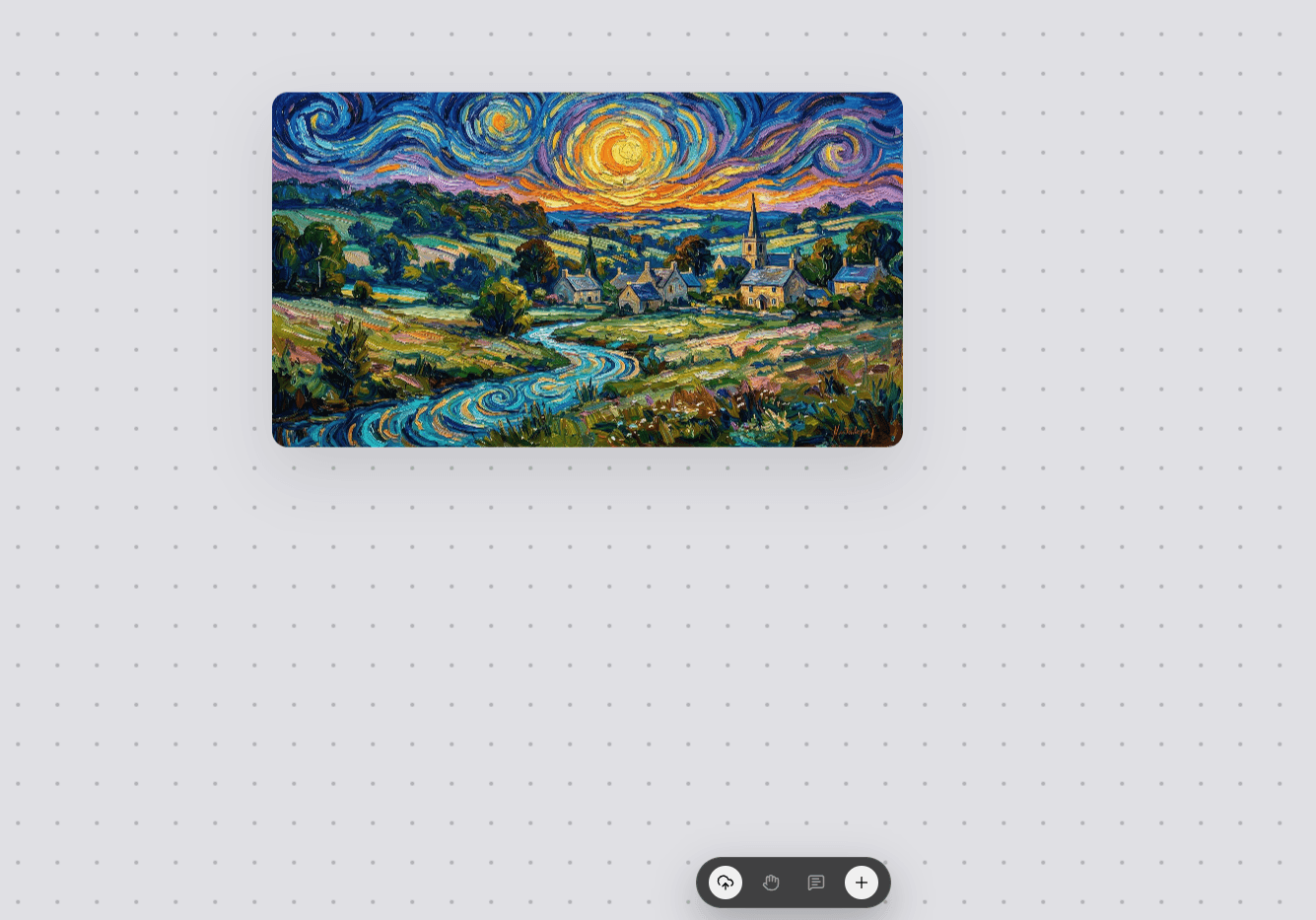
The same applies to the above operations for videos; just choose to create a video generation card.
3. Analysis of VibePaper's Core Capabilities
Built-in Multi-Agents and Multiple Native Models
VibePaper's Agent automatically lays out all storyboards: how to split the shot script, which character and scene assets to adapt, and how to write static and dynamic prompts are all completed intelligently.
Multi-Agent Collaboration Advancement, covering: multimodal intent recognition; content knowledge graph construction; long-, medium-, and short-term memory management; multi-Agent execution operations and canvas perception.
Covers Multiple Models:
| Type | Supported models |
|---|---|
| Text | Gemini, Claude, OpenAI, Seed, Kimi, etc. |
| Image | Banana, GPT-Image, Wan, Seedream, Midjourney, etc. |
| Video | Seedance, Veo, Vidu, Wan, MiniMax, PixVerse, Kling, etc. |
Memory module: The creative Agent that understands you better the more you use it
-
Long-term memory: reusable video production workflows, methodologies, and aesthetic style templates across tasks, recording creators' usage habits.
-
Mid-term memory: characters, plot, scenes, and relationships valid for the current project, maintaining overall consistency of characters, scenes, and style.
-
Short-term memory: contextual content.
Skill library: Configurable creative capabilities
-
skill.md: descriptive text guiding the model's behavior
-
skill.ts: tool invocation schemes for the model to actually call tools and execute tasks
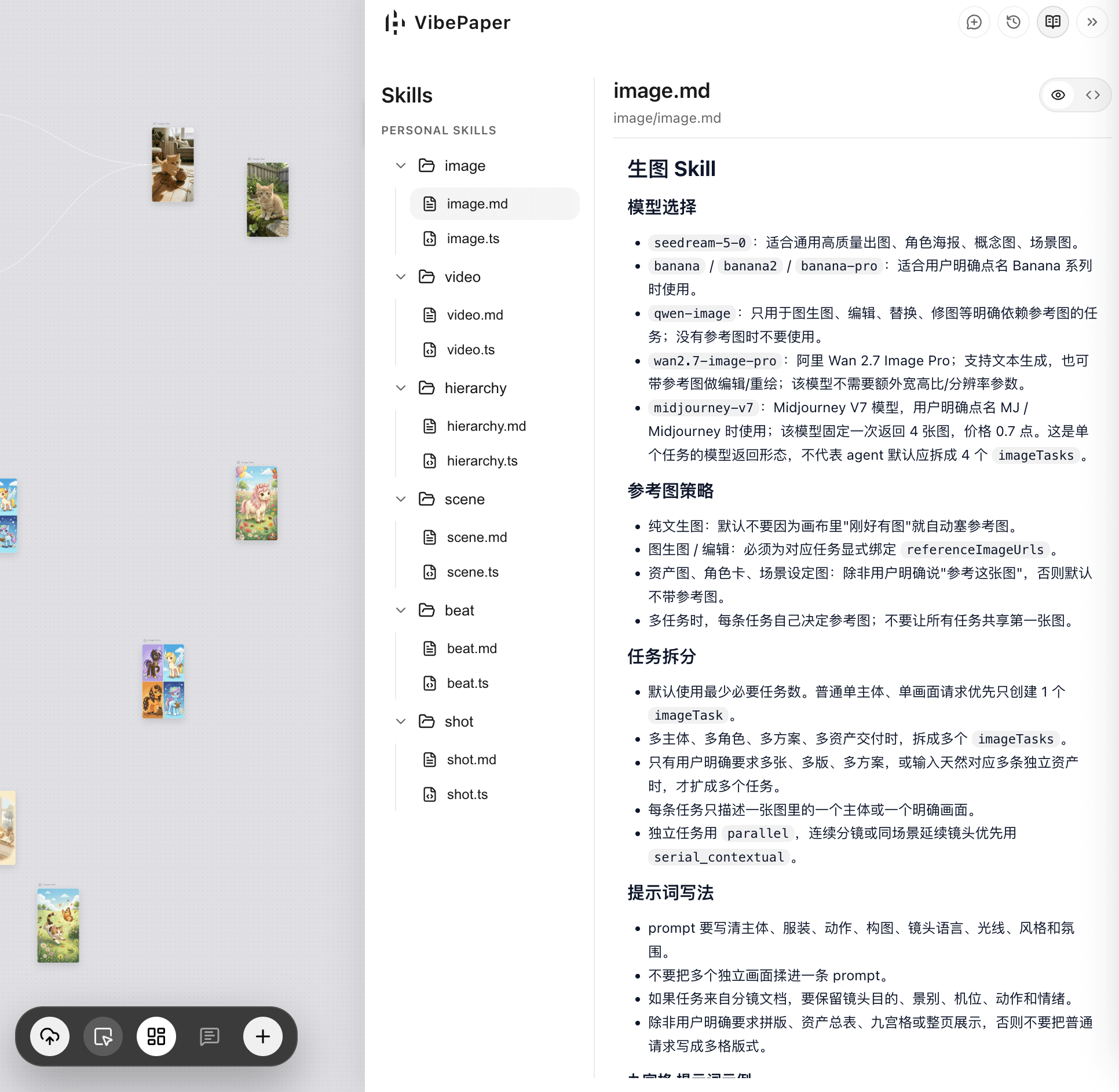
Embracing an open creative mode
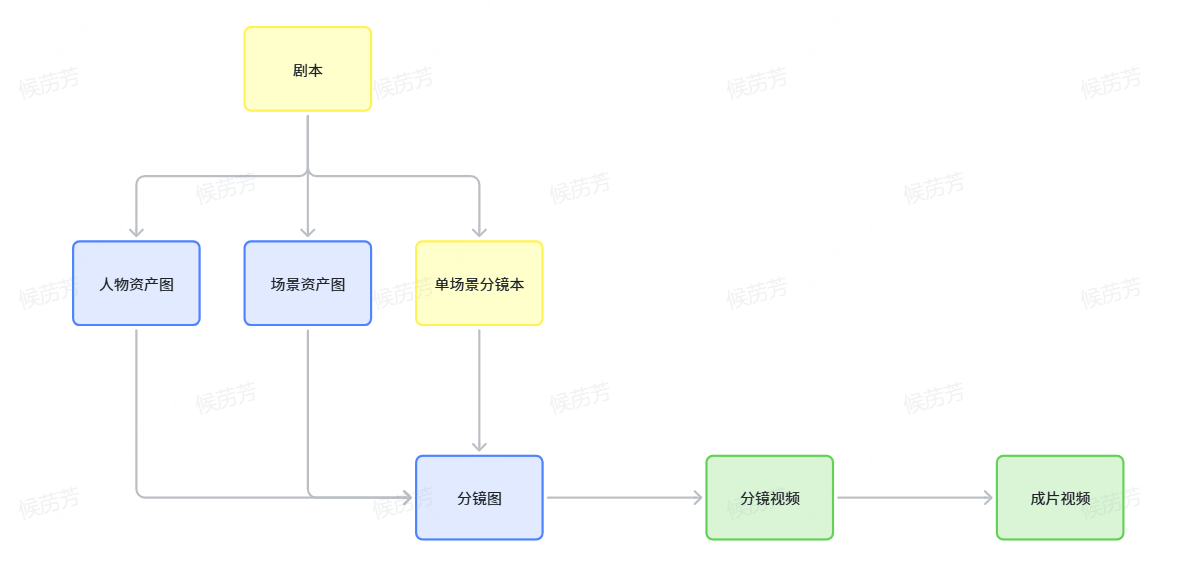
IV. Best Practices: Overseas Live-Action Premium AI Plot Generation (Recommended Execution Order)
-
Upload script: Upload the script as a Markdown file and hand it to the Agent for script breakdown
-
Generate assets: At the same time, the Agent generates character and scene asset images
-
Generate storyboard images: Based on the above generated results, generate storyboard images for individual scenes
-
Generate storyboard videos: Based on individual scene storyboard images, generate storyboard videos for individual scenes
-
Post-processing: Complete post-processing of storyboard videos and deliver the final film
V. Selected Prompt Cases
Nine-grid storyboard prompt (Domestic version)
Applicable scenarios: Quickly generate a 3×3 cinematic storyboard grid based on a plot synopsis.
How to use: Replace [plot synopsis] in the following template with your content and hand it to the Agent for execution.
Story synopsis: [Enter your plot synopsis here]
Important note: Do not directly generate images; instead, create detailed prompts for the images. The image prompts must refer to the story and reference images provided by the user, and must strictly follow the detailed requirements of the image prompts.
When the user provides a short story synopsis, please follow these steps:
1. Analyze the synopsis and identify:
- Main subjects (individual, duo, group, creature, vehicle, object)
- Their appearance and defining characteristics
- Environment and tone
- Emotional or narrative beats
- Lighting/atmosphere implied by the story2. Create a complete 3×3 cinematic storyboard grid containing 9 different shots of the same subject in the same environment, maintaining a high degree of consistency in clothing, lighting, and atmosphere.
3. Output a single cohesive AI image prompt containing all 9 frames (labeled 1-9), using the following structure:
Output Format
Cinematic 3×3 Storyboard Prompt
Story Synopsis (Interpretation): <<One-sentence interpretation of the user's synopsis>Prompt body: Create a professional 3×3 cinematic storyboard grid showing the same subject from the synopsis in the same environment. Maintain absolute consistency in appearance, clothing, lighting, atmosphere, and environmental details. Each panel represents an independent camera shot following cinematic conventions.
Row 1 – Establishing the Environment
1. Extreme Long Shot (ELS): Show the complete environment, with the subject very small in the frame. Match the story's setting, lighting, and atmosphere.
2. Long Shot (LS): The subject is fully visible (head to toe, or the full object/vehicle), naturally standing/placed in the environment.
3. Medium Long Shot (MLS/3-4/American Shot): Framed from the knees up (or a 3/4 angle of the object), showing posture, body language, and core emotion.Row 2 – Core Coverage
4. Medium Shot (MS): Framed from the waist up. Capture the key action, attitude, or emotional beat implied by the story.
5. Medium Close-Up (MCU): Framed from the chest up. Focus on emotion, expression, micro-interactions, or narrative tension.
6. Close-Up (CU): A tight shot of the face (or the front details of the object). Cinematic depth of field, with clear emotional expression.Row 3 – Details and Angles
7. Extreme Close-Up (ECU): Macro details: eyes, hands, symbolic objects, textures, or key story elements.
8. Low-Angle Shot (Worm's-Eye View): The camera looks up at the subject from below. Present drama, heroism, or a sense of pressure depending on the story's tone.
9. High-Angle Shot (Bird's-Eye View): The camera looks down from above. Show spatial clarity, vulnerability, or a full view of the action.Global Requirements
- All 9 frames must feature the same image subject
- The same clothing, hairstyle, props, weapons, or accessories
- The same lighting conditions and color grading scheme
- Consistent environment and weather
- Each shot has the correct realism and cinematic depth of field
- Photorealistic texture details
Nine-Grid Storyboard Prompt (Overseas Version)
Applicable Scenarios: Overseas live-action style drama, emphasizing dialogue sequences and the 180-degree rule.
Use the uploaded characters as references, keeping facial structure, proportions, and identity exactly consistent with the character references and naturally integrated into the scene.
They sit directly opposite each other at a table inside [LOCATION], arranged for a dialogue sequence.
All panels must appear as [VISUAL STYLE] frames (e.g., live action, anime).
Build a single 3×3 cinematic storyboard grid, panels clearly separated by thin black borders, counted left to right, top to bottom, adhering strictly to the shot structure below:
1: The Master Shot — wide, slightly elevated establishing frame that maps the spatial relationship between characters, table and environment, revealing architectural context and background movement.
2: The Two-Shot — balanced medium-wide frame at seated eye level, holding both characters in equal visual weight across the table, preserving clean eye-line continuity.
3: Over-the-Shoulder (Character A) — camera placed just behind Character A’s shoulder on the established side of the axis, using their shoulder as a soft foreground frame while focusing on Character B.
4: Over-the-Shoulder (Character B) — camera remains on the same conversational axis, positioned behind Character B’s shoulder maintaining consistent screen direction and spatial logic while framing Character A.
5: Medium Close-Up (Character A) — chest-up framing, with controlled contrast and softly diffused background detail.
6: Medium Close-Up (Character B) — chest-up framing mirroring the previous shot, maintaining visual rhythm and lighting continuity.
7: Close-Up (Character A) — tight facial framing capturing fine emotional detail, shallow depth of field isolating the subject from the environment.
8: Close-Up (Character B) — tight facial framing counterbalancing the previous close-up, matching lens behavior and lighting quality.
9: Insert Shot — extreme close-up of [PHYSICAL DETAIL]
Seedance 2.0 Storyboard Prompt Example
Applicable Scenarios: Chinese animation CG-style action drama, with detailed character settings and a storyboard timeline.
The following is a complete 15-second action drama storyboard example, which can be directly used as a reference template for modification:
Art Style Setting: Top-tier 3D Chinese animation film CG art style, the ink-wash and 3D fusion aesthetic of "A Portrait of Jianghu: Bu Liang Ren," cinematic character modeling, real-time game engine texture, ultra-fine materials, dynamic lighting, volumetric fog, particle effects, ink-colored energy effects, smooth 60fps.Protagonist Setting: Zhang San, East Asian face, 18 to 25 years old... (retain the complete description of the character's appearance, clothing, and accessories here)Scene Setting: A rainy night in the mountains at the end of the Tang Dynasty, thin mist surging up from the deep valley...Storyboard Timeline:
- Shot 01 (0-1.5s): High-angle wide establishing shot, misty rain in the mountains, a plank road winding along the side of a cliff...
- Shot 02 (1.5-3s): Low-angle side tracking medium shot, Zhang San chasing ahead...
- Shot 03 (3-4s): Frontal medium close-up, Zhang San catches up to the lone cliff and cuts off the monk...
- ... (and so on up to Shot 10)
The essence of VibePaper is not to replace creators, but to hand over the repetitive, tedious, and highly technical parts of the creative process to an AI Agent, allowing creators to focus their energy oncreativity, aesthetics, and narrative. Starting from a blank "pixel canvas," through conversation and clicks, every one of your inspirations can be structurally broken down, visually presented, and delivered with high quality.
Log in to VibePaper now, upload your first script, and let the Agent break down your first storyboard for you.