
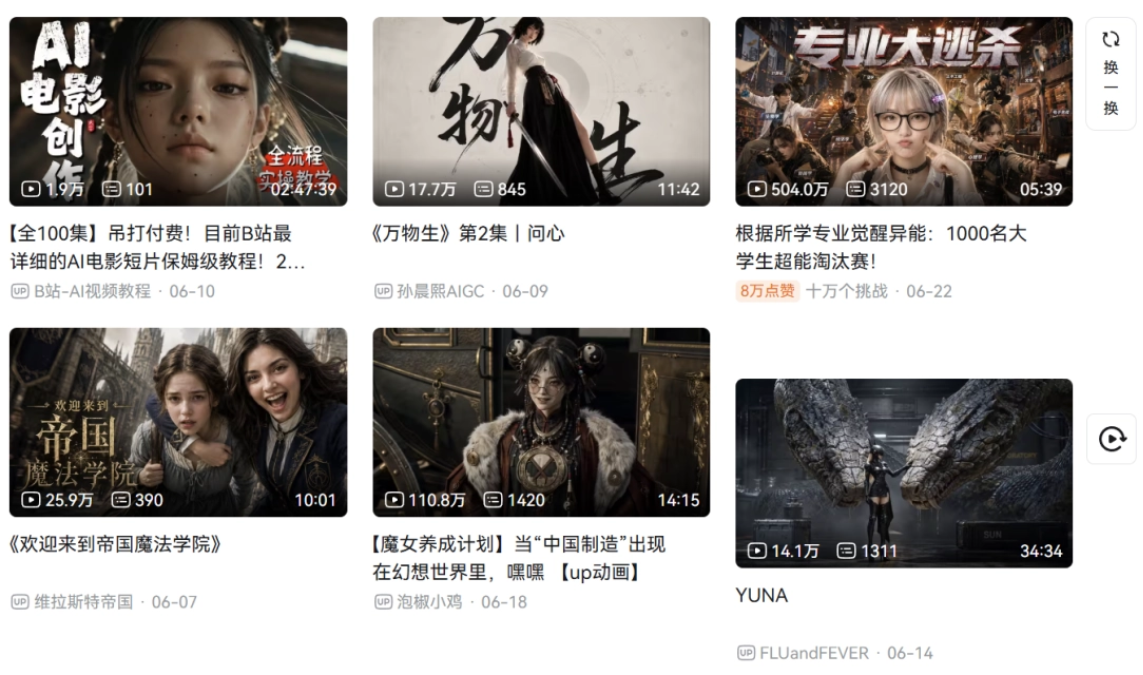
Recently I've been seeing a lot of interesting AI short dramas on Bilibili.
There are AI animations, suspense short films, and also those short dramas that bring web novel ideas to life. Whether it's the content, quality, or level of completion, they're all far better than a couple of years ago.
The plot is coherent, with memes and substance, and it finally doesn't have that disjointed AI feel anymore.
I noticed that many creators on Bilibili are using the canvas-style creation tool launched by Bilibili itself, updream. Unlike ordinary canvas-type tools, the Agent remembers our creation habits, and with one sentence it can continue the scene.
Call the official built-in expert Skills, such as storyboarding, copywriting, script, character, and other creative methodologies. We don't need to painstakingly craft prompts from scratch; we just need to input a simple idea, and these Skills will automatically help us break the story down into coherent storyboards and write video prompts that can be used directly for rendering with one click.
More importantly, updream doesn't stop after generating a video segment; it can also complete editing in one stop and export the finished video.
Today, let's experience it together.
01. One-stop creation from script to storyboard
We open updream 。
Updream has a very rich built-in skill library. We can directly call the storyboarding, copywriting, script, character, and other creative skills accumulated by professional creators, and use methodologies that others have already proven to help us quickly get into a creative state.
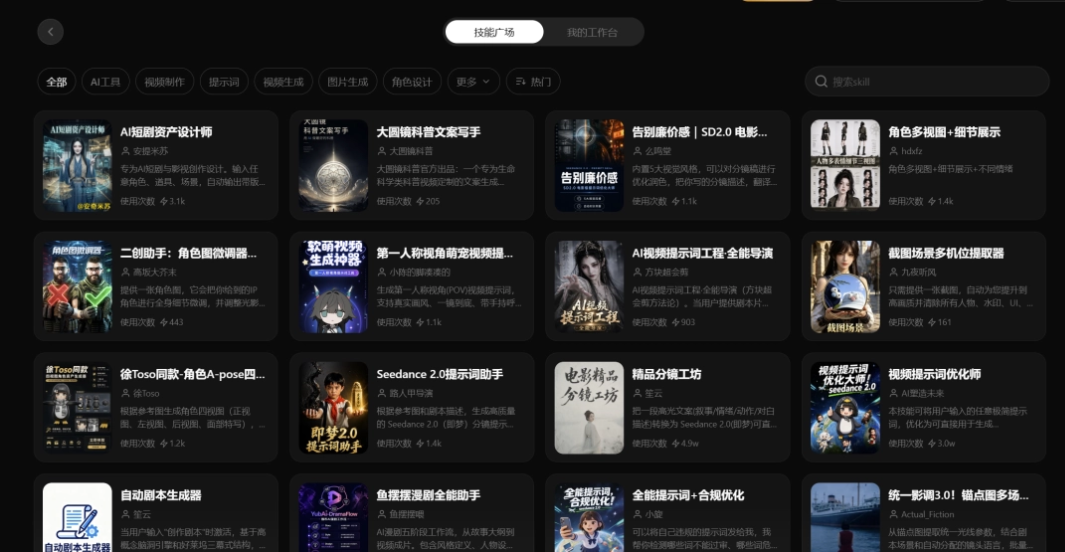
For example, the AI short drama asset designer is a skill specifically for generating prompts for characters, props, and scenes in AI short dramas. We click Activate Now.
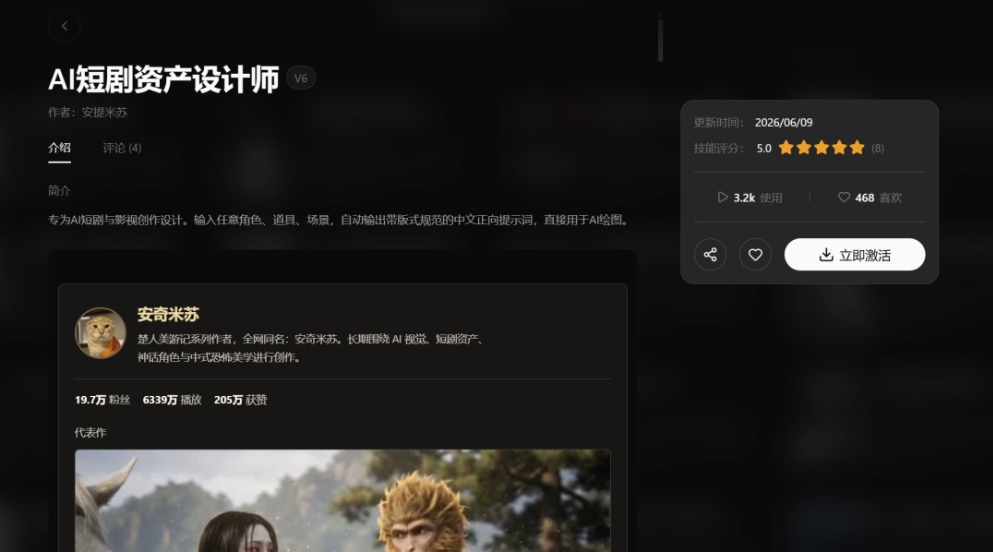
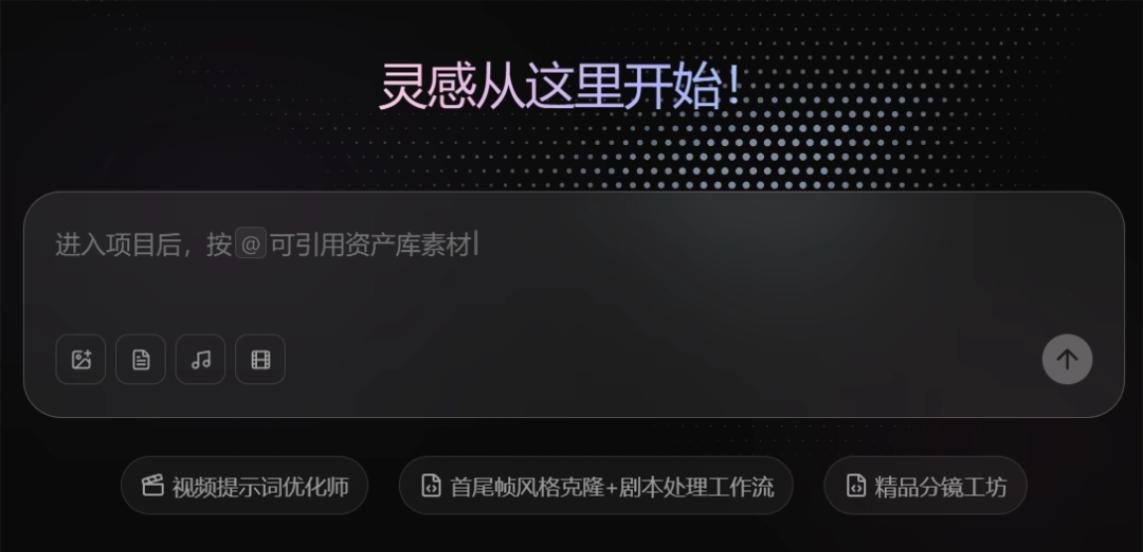
In the input box on the homepage, type "/" and select an already activated skill.
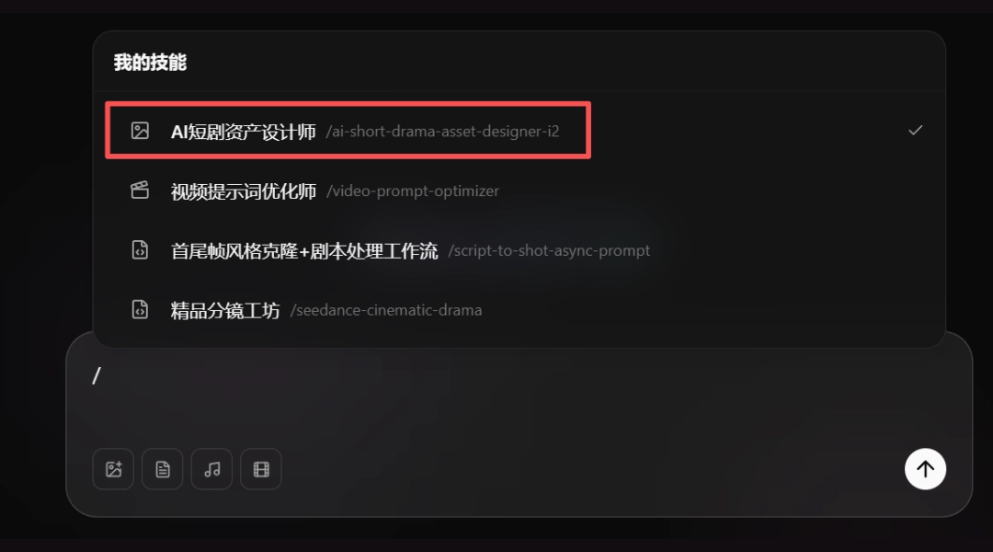
For example, if I want to generate a character for a short film, first select the AI short drama asset designer and enter the requirement:
A high school senior graduate, female.
Updream will automatically load the skill, help me generate the character prompt, and provide next-step options in the reply, such as continuing to generate the asset image.
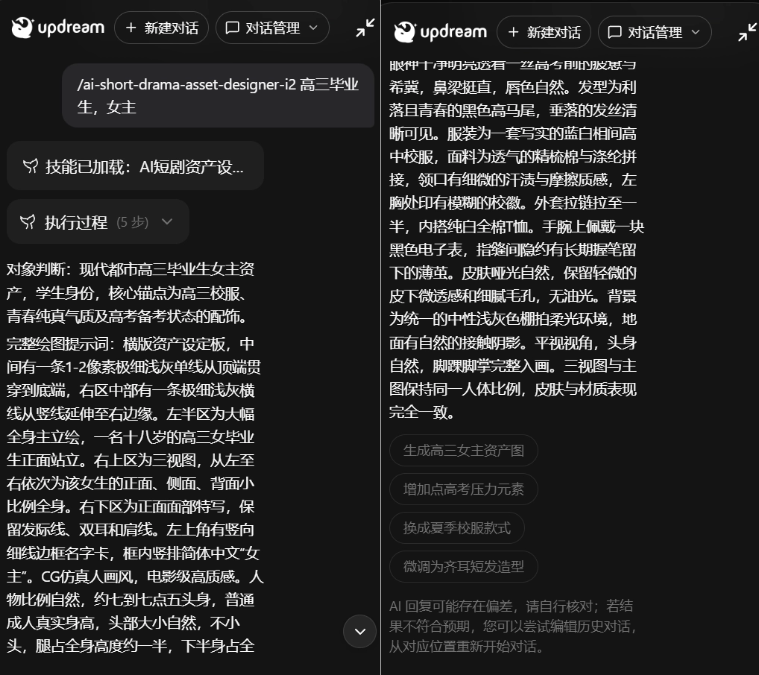
After I choose to continue generating the asset image, updream will understand the current requirement and provide an execution plan:
updream sends me a card to confirm the information, and it has already pre-filled various parameters for text-to-image, such as selecting the SeeDream 5.0 model, aspect ratio 16:9, resolution 2K, and it also includes the complete prompt for us to confirm.
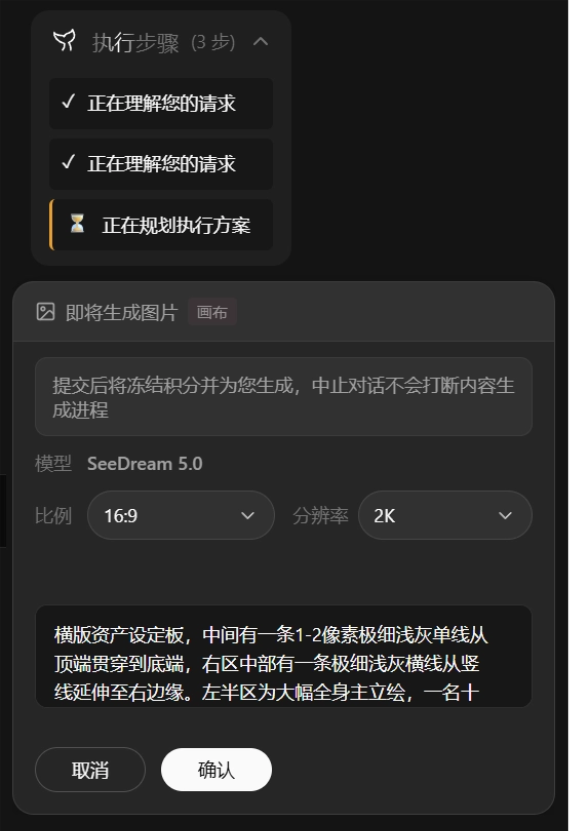
After confirming it is correct, updream will create a node in the infinite canvas and directly generate the image.
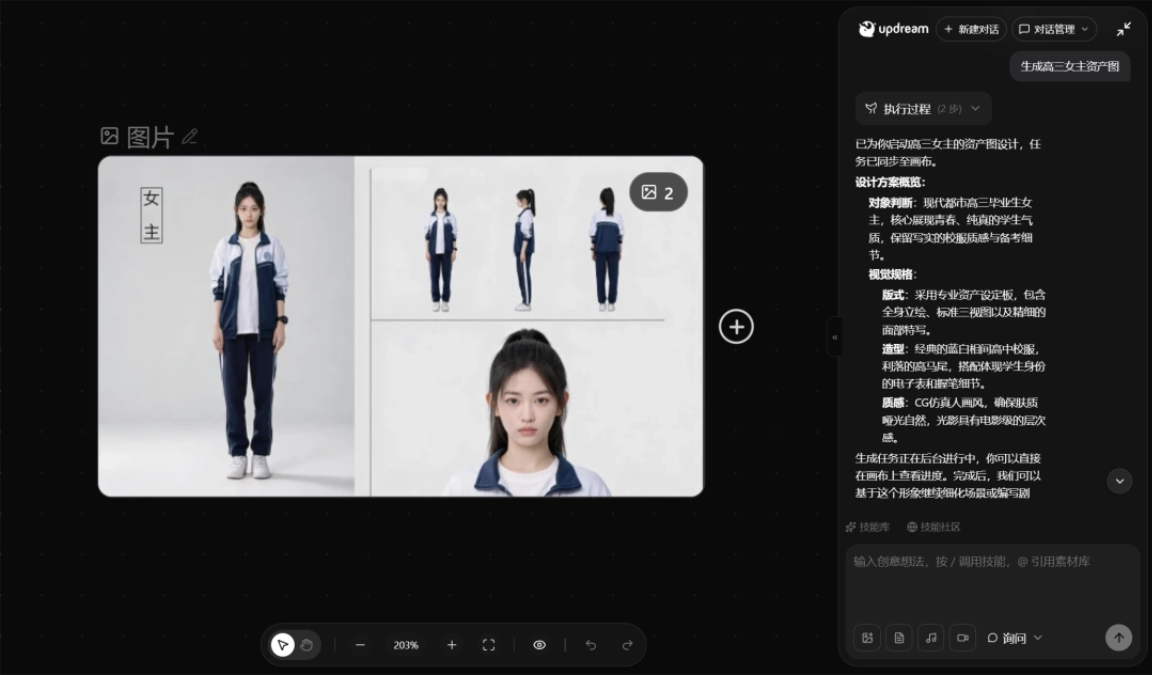
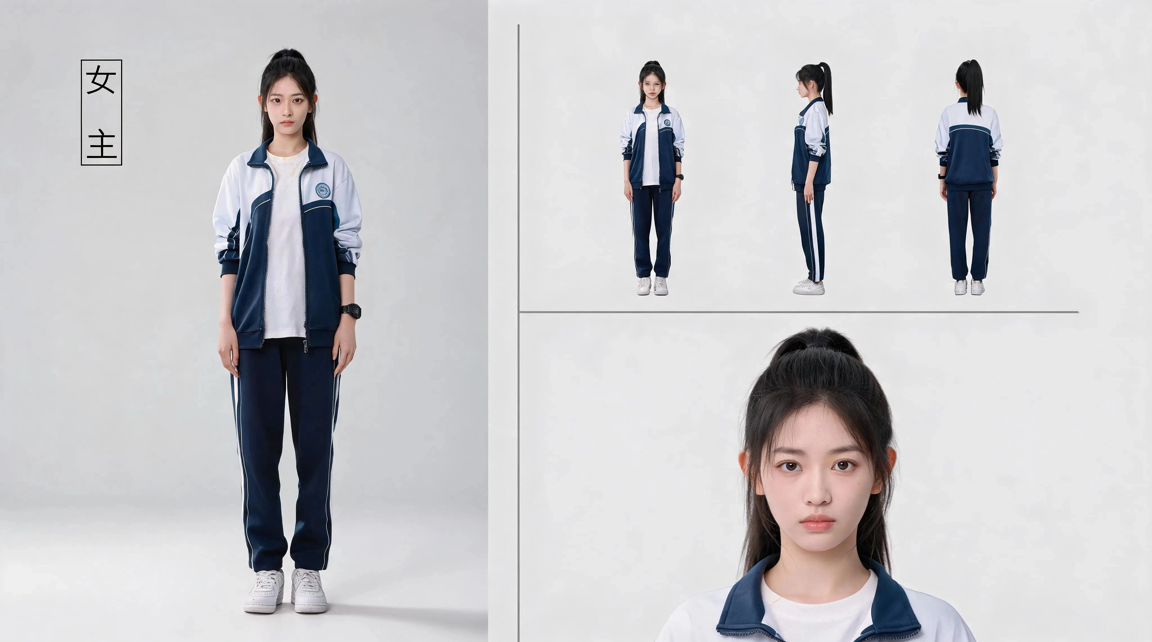
Let's take a look at the final generated result together:
The girl's image design is very good, and her overall temperament and clothing fit the look of a high school senior graduate very well.
Most importantly, we don't need to think through trivial details in the middle at all. I only propose the conceptual requirement, and updream will complete the entire process for me.
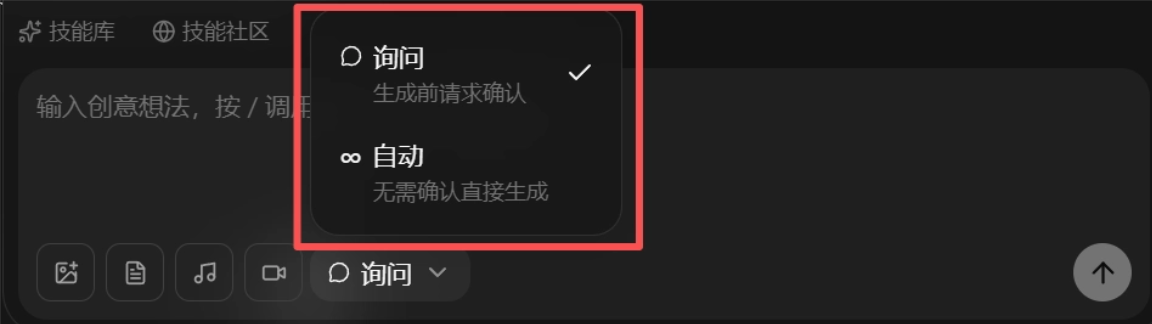
We can even completely let go and switch the generation mode in the canvas dialog box to generate directly without confirmation.
If you want to check every step yourself, just keep the default "Ask," and updream will request confirmation before generating.
The same goes for making videos~ For example, this skill specifically designed for Seedance 2.0 short drama storyboard plans - Premium Storyboard Workshop. It can convert a highlight copy into a cinematic realistic short drama storyboard plan that Seedance 2.0 can directly generate.
Let's activate it and give it a try.
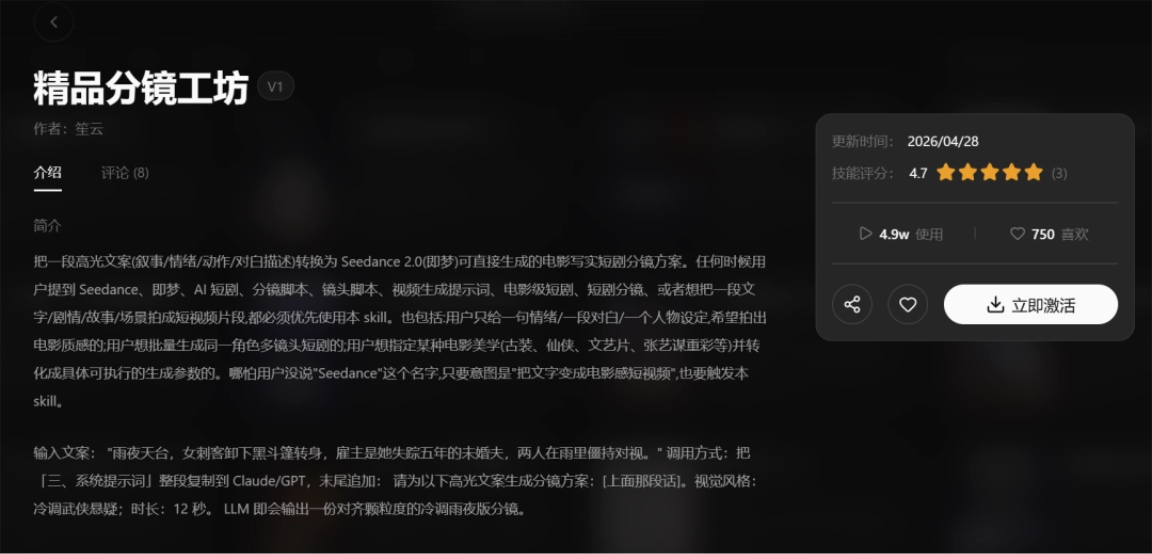
In the input box on the homepage, type "/" and select Premium Storyboard Workshop.
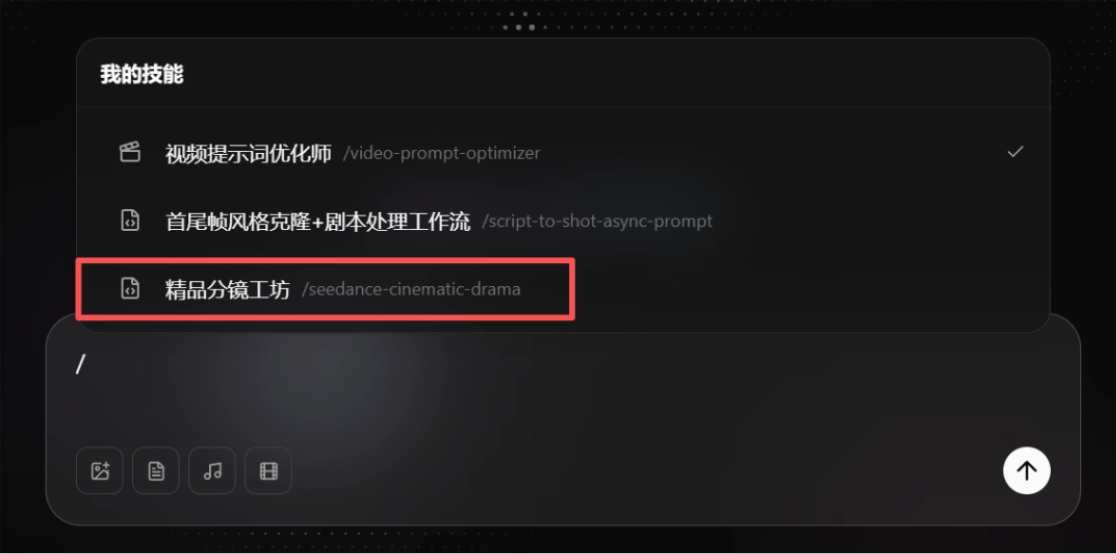
Let's try a small clip of a graduation scene:
On the evening after the graduation ceremony, everyone returns to the classroom, chatting in small groups, taking group photos, and recording videos. Only the desk by the window in the last row remains empty—the seat left by a boy who transferred away a year ago. While tidying the desk, the female protagonist finds an unopened roll of old-fashioned DV tape in the drawer, with a label reading: Happy Graduation! Watch it when you get home.
Updream's canvas agent directly completed the storyboard breakdown for us, planned 12 seconds and 4 shots, and directly provided video prompts that can be copied and used right away.
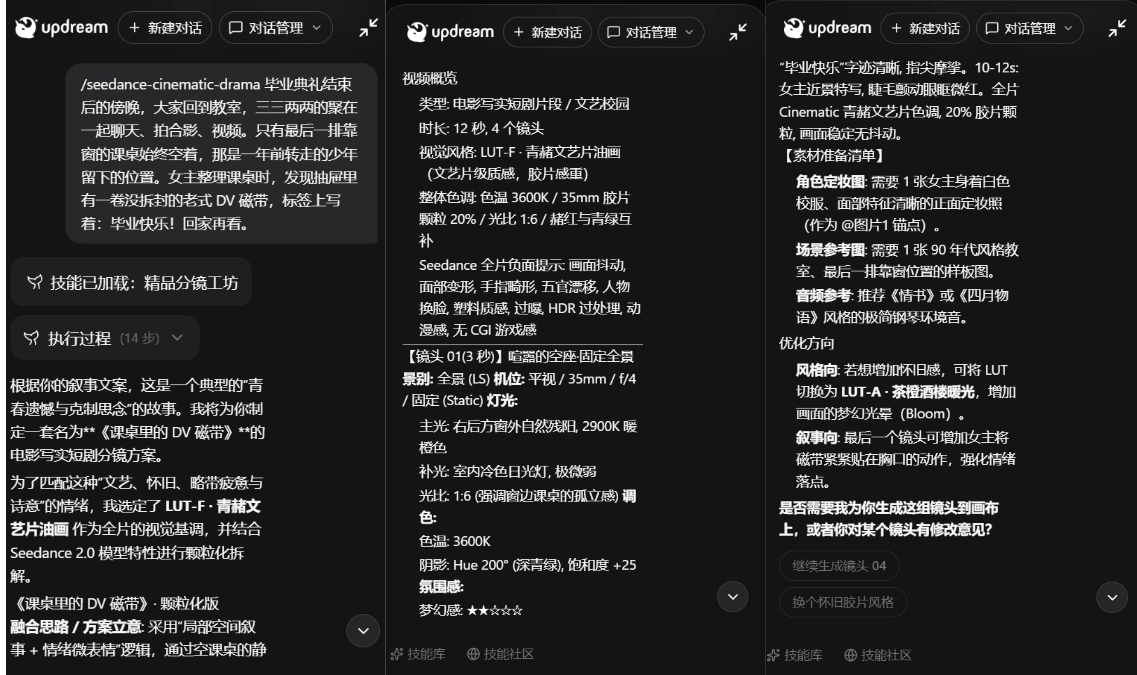
We continue to have updream generate this designed set of shots onto the canvas, using the previously generated female character as the protagonist.
See the reference image for the protagonist's appearance, and generate this set of shots on the canvas.
m planned 12 seconds and 4 shots, and provided video prompts that can be copied and used directly. Here, we can adjust every step according to our own ideas.
This is also what I think is the most worry-free part of the expert skill: even friends with completely zero foundation can use a single idea in their mind and have AI break it down into shots that can truly be "filmed."
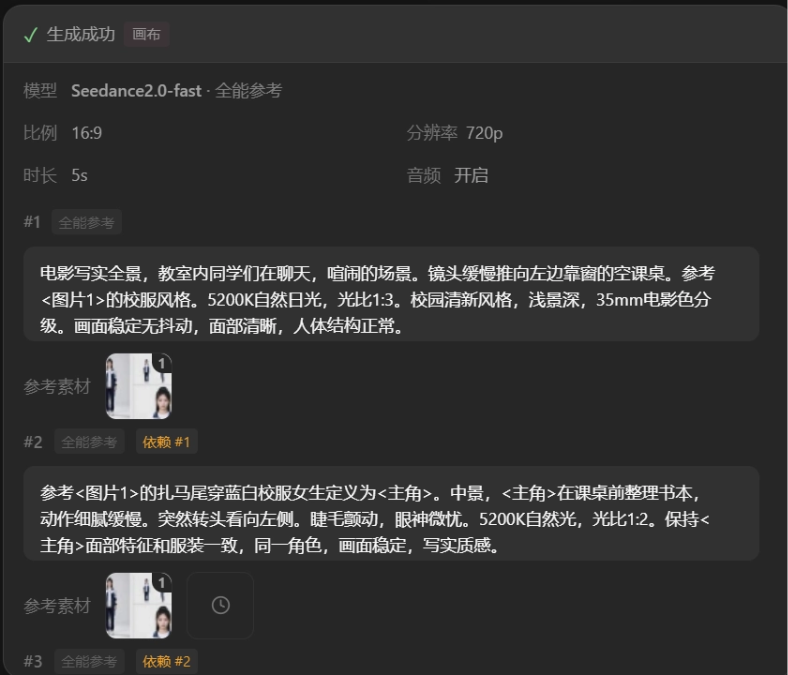
After confirming the generation information, updream will generate nodes itself, fill in the prompts, build a complete workflow in the canvas, and generate the video.
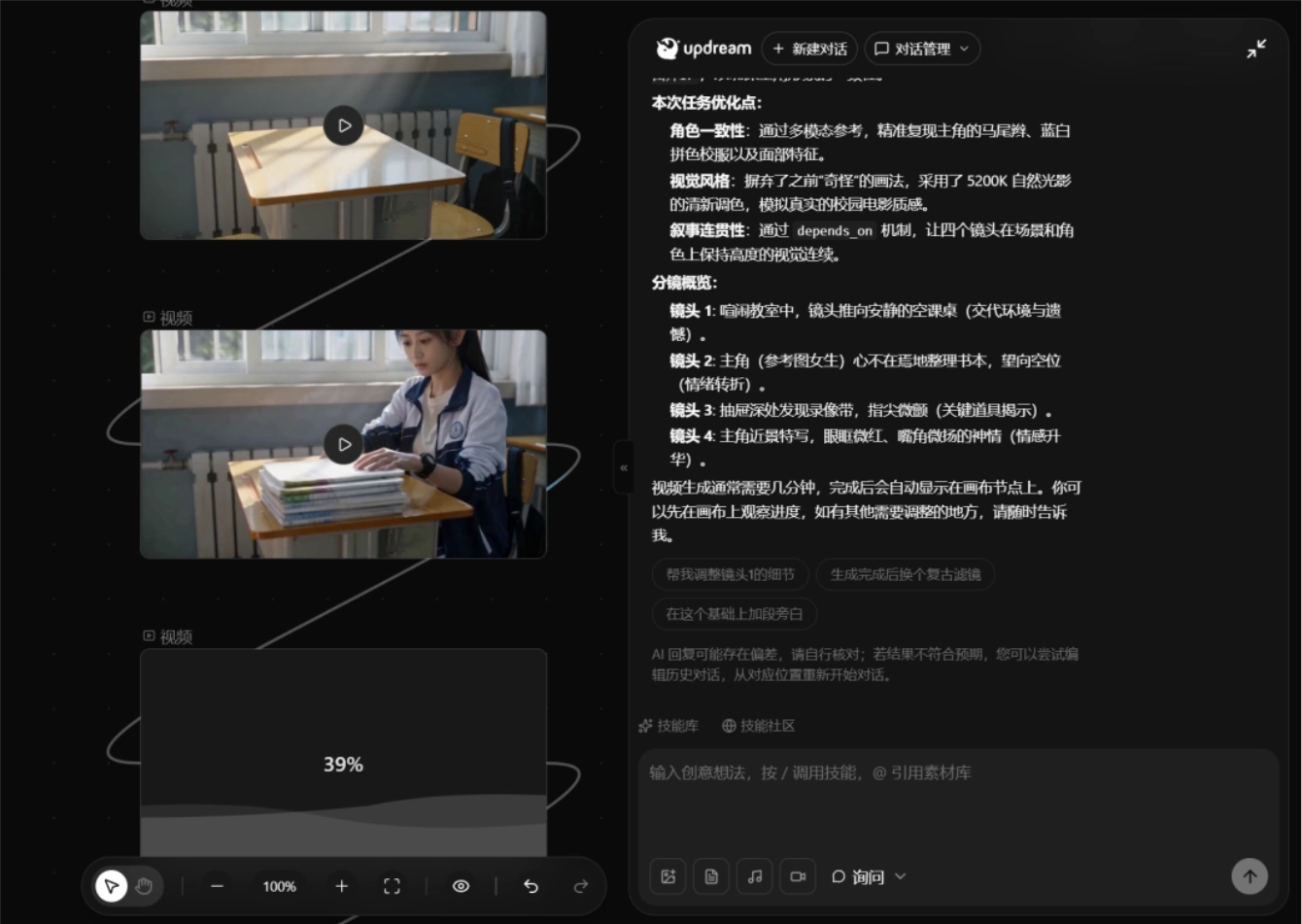
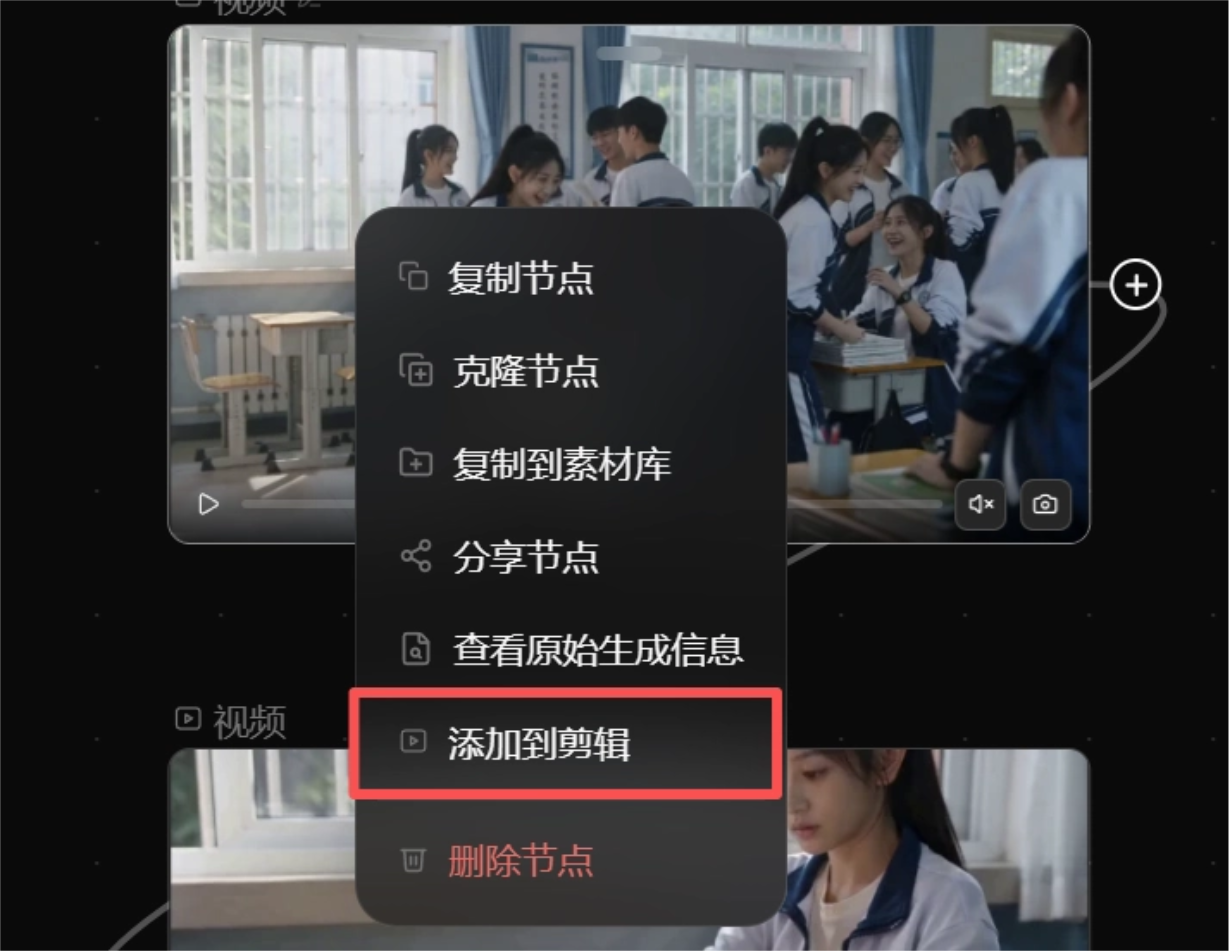
We right-click the node to add the generated video material to the edit.
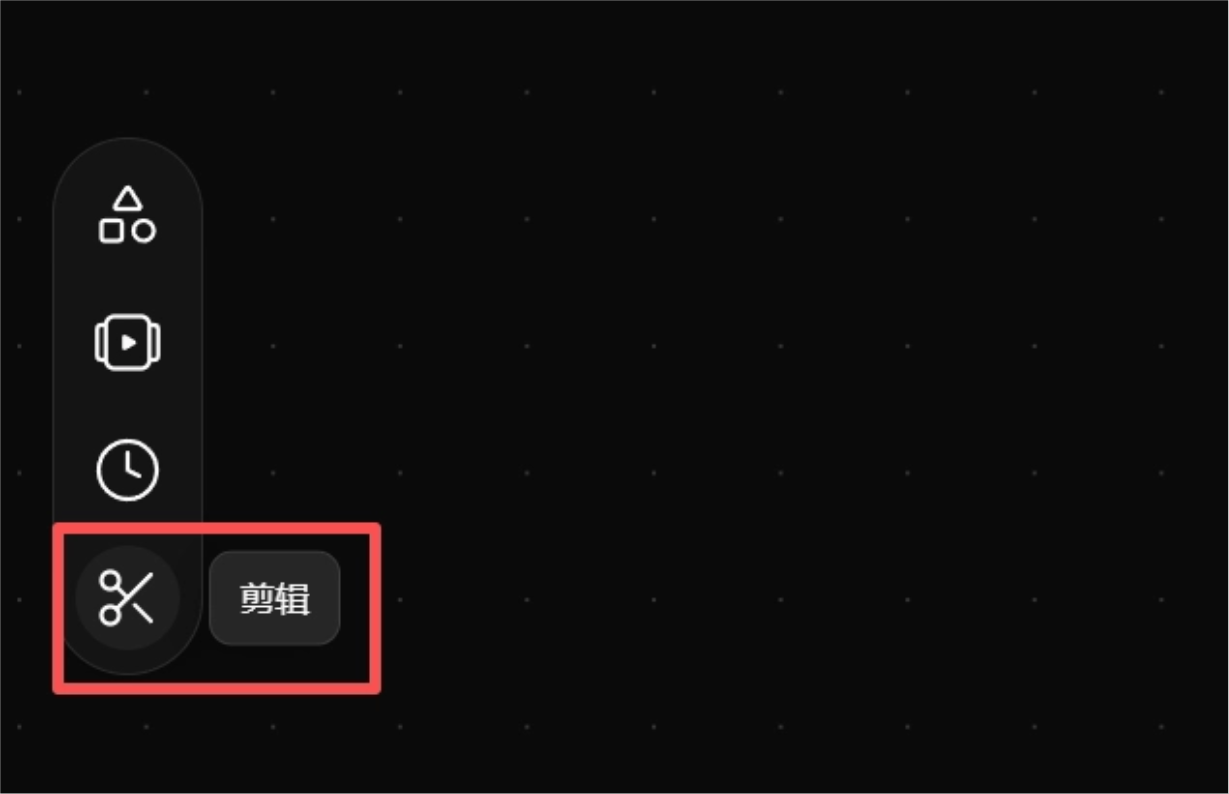
Switch to edit mode on the left side of the canvas.
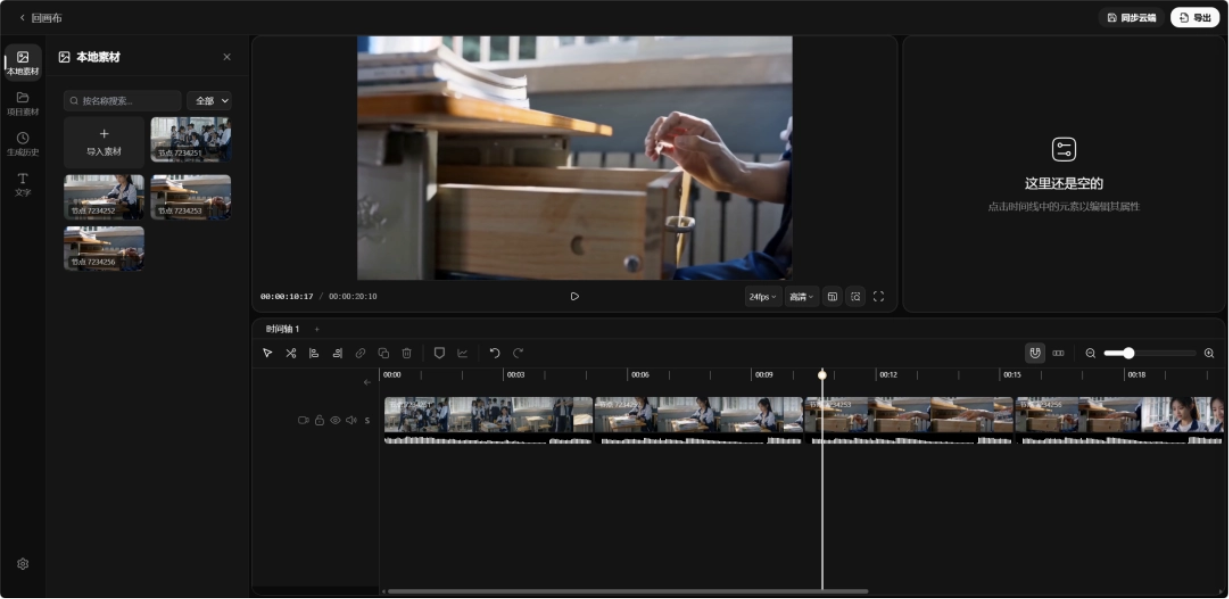
The material just added will appear in the editing area.
We simply trim out some unnecessary footage and make the transitions feel more natural, then we can export the final video directly.
Let's take a look at the final generated result together:
At this point, a relatively complete AI short drama workflow has been run through.
From character assets to storyboard prompts, and then to video generation and editing, it is basically all completed in updream's canvas, with updream taking care of most of the work.
The visual texture is good, and the character consistency is quite nice. The female protagonist's face, hairstyle, and school uniform style remain very stable across multiple shots. The overall atmosphere also suits the youthful campus feel very well, and the narrative rhythm matches the story I provided.
However, some details still need to be manually polished. If you want a cinematic narrative rhythm, it needs to be slower than it is now, and the story needs to be fully explained. Continue refining the skill according to your own needs to perfectly match your personalized requirements.
02. An AI creation assistant with memory
updream also has a very impressive long-context memory, which can learn and reuse our creative habits.
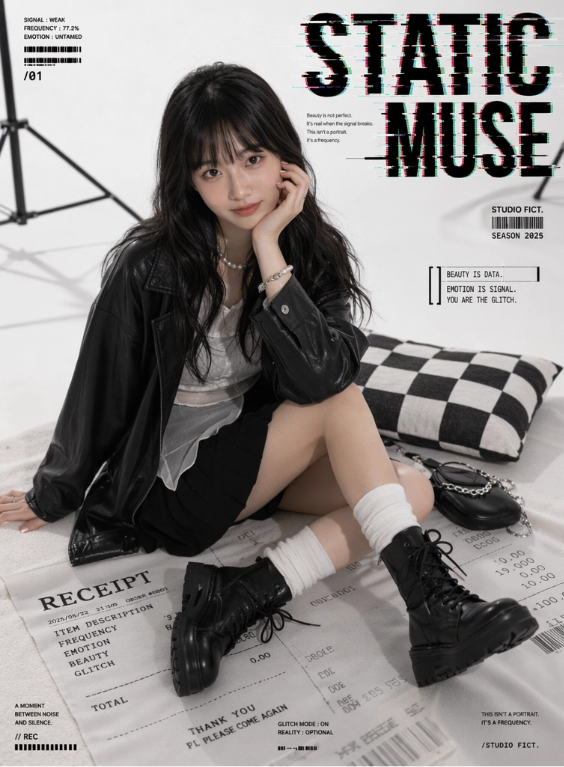
We create a new node in the canvas and generate a poster:
Use the uploaded portrait photo as the main reference, preserving the subject's facial proportions, face shape contour, gaze temperament, hairstyle features, and overall recognizability. Do not generate a stranger's face. Generate a set of high-end white studio fashion portrait posters, adult female model, black slightly curly long hair, cool gaze, realistic skin with details, natural expression not stiff.
Overall style: minimalist white photography studio, fashion magazine editorial, real-person small figurine display feel, clean and high-end, slight film texture. The character wears a black loose leather jacket, white sheer layered top, black pleated mini skirt, white mid-calf socks, black platform long boots, paired with a pearl necklace and silver accessories.
Scene props: oversized receipt rug, black-and-white checkerboard pillow, black small bag, photography studio stand, white background. Do not use real brand logos; fictional studio marks and fictional receipt text may be used.
Action reference: generate different poses separately—sitting, kneeling, lying prone, turning back while on one's side, holding a clapperboard, lying on a receipt rug, and a close-up facial shot. Each image must match the reference action and expression, with emotionally expressive eyes, high-definition visuals, and clear facial features.
English typography: add large cyber-glitch-style English text, mainly black and white, with a small amount of RGB shift, scan lines, signal misalignment, noise, and small English annotations. The typography style should resemble an independent magazine cover, and must not obscure the subject's face.
Available English titles:
STATIC MUSE
PIXEL FEVER
WHITE NOISE
OFFLINE DESIRE
BROKEN LULLABY
GLITCH ANGEL
ERROR ROMANCE
CUT THE SIGNAL
Small-text copy:
Beauty is not perfect.
It’s real when the signal breaks.
This isn’t a portrait. It’s a frequency.
A moment between noise and silence.
Beauty is data. Emotion is signal. You are the glitch.
high-definition realistic photography, realistic skin texture, soft studio lighting, high-end commercial photography, editorial fashion poster, clean white studio, glitch typography, RGB shift, magazine layout, gpt-image2 style.
Reference image:
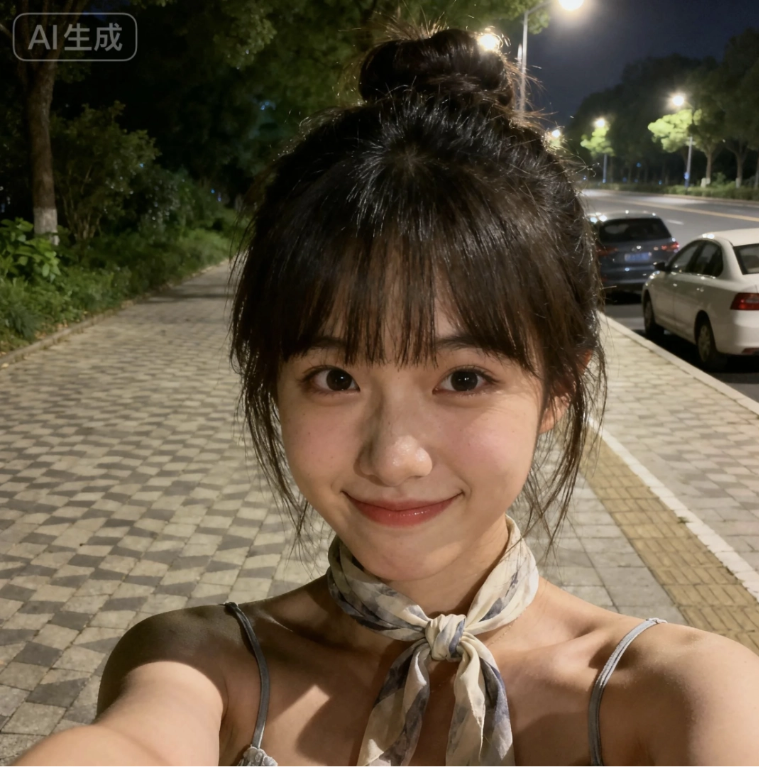
Generated poster:
Once the result comes out, here's the key point. If we want to keep using this style repeatedly in the future, we used to copy the prompt into a document and then manually dig it out again next time.
But updream can package our prompts and workflow… into a reusable skill.
For example, this time I can have it distill a fashion portrait poster skill based on the information in the canvas.
Distill a fashion portrait poster skill based on the information in the canvas; upload a character reference image to generate high-end studio portraits.
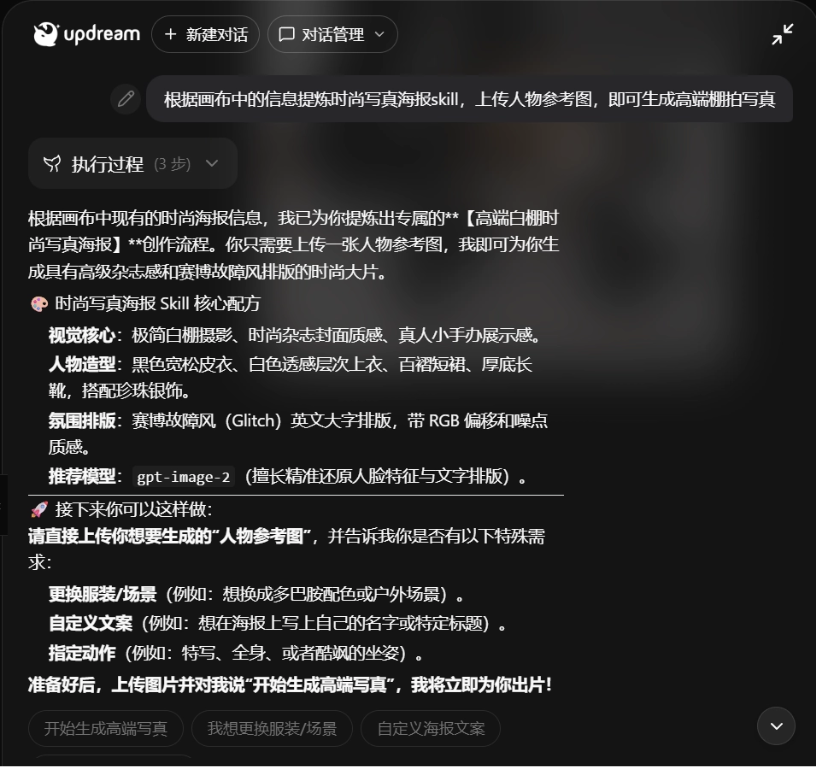
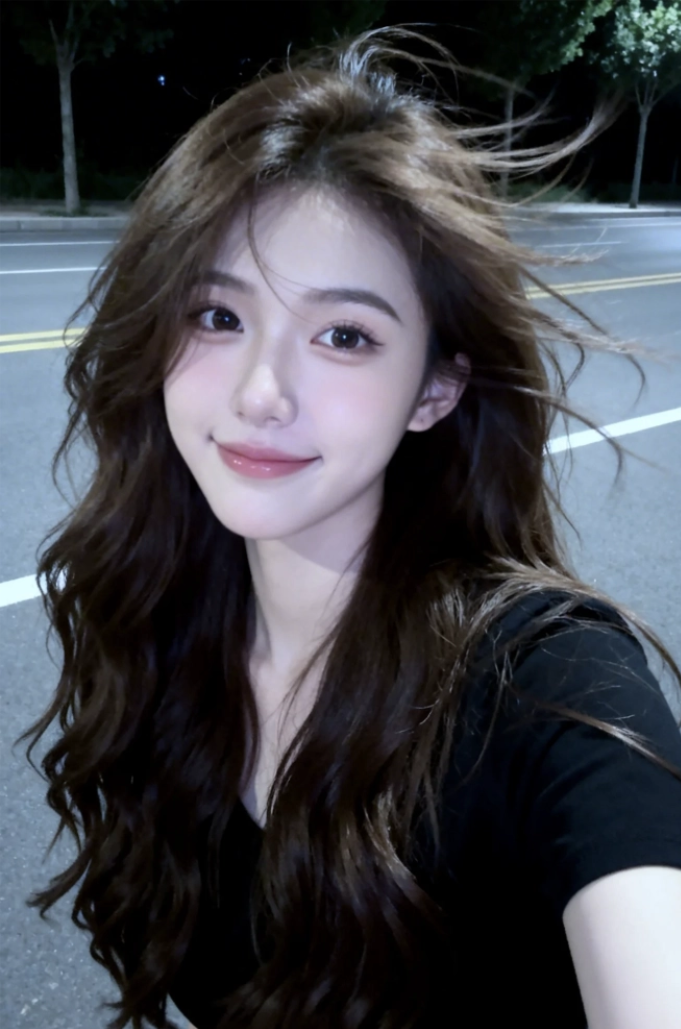
We upload a character photo again, and we can get a poster in a similar style.
Reference image:
Generated poster:
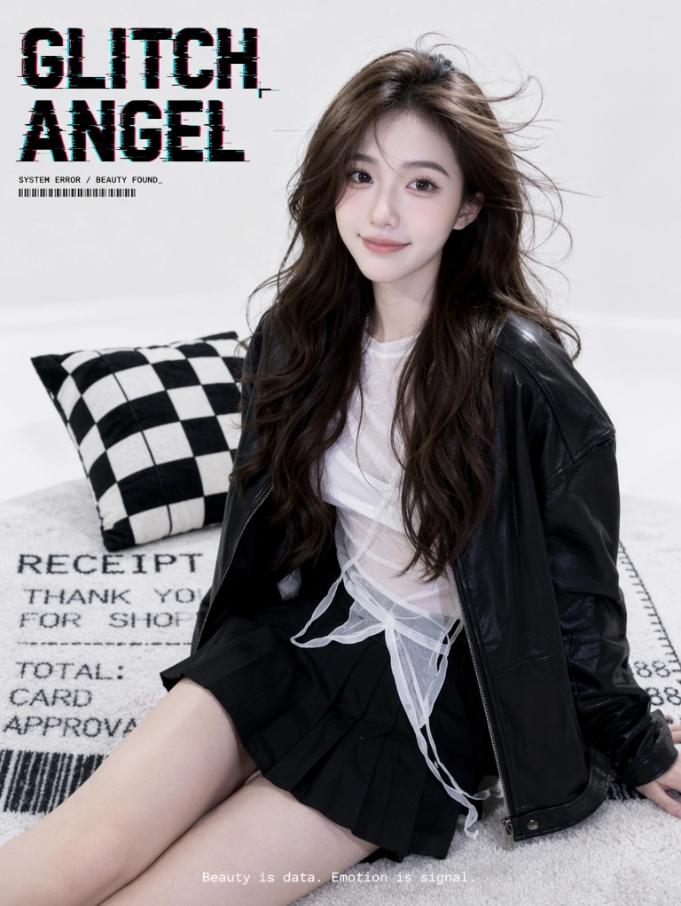
Many times we don't just generate once; we need to continuously produce the same type of content. This capability is very practical.
The same goes for video. For example, I generated a short film in the style of a National Geographic nature documentary in the canvas:
I want to continue generating the next scene without having to describe the worldview, protagonist, and style all over again.
I directly send in the canvas:
Continue helping me create the next scene in the canvas. The visual style and protagonist must remain consistent with the previous scene. The video content is a snow leopard chasing a rabbit.
Updream will automatically continue generating the next scene based on the project in the canvas, combining the current assets, prompts, style, and project settings.
updream's long memory and skill packaging can help us store reusable experience. If we want to create serial content, such as AI short dramas, AI animation, comic dramas, virtual characters, or commercials, updream saves a lot of time and effort.
03. Some sharing
When making AI videos now, the most troublesome part is never a single generation, but that the whole process is too fragmented. We have to think of the story, write prompts, break down storyboards, generate character assets, repeatedly switch models, and also pull the assets into editing software to reorganize them.
What updream does is put these steps in the same canvas as much as possible. updream's skill library packages part of the experience of professional creators, letting ordinary people move forward with these methodologies first. We don't need to understand cinematic language from the start, nor do we need to write very complex prompts right away. Just state your needs, and updream will help fill them in with more suitable expressions.
The stability, reusability, and team collaboration that professional creators need—updream also does an excellent job.
For example, this time I packaged the fashion portrait poster prompts and video style into skills, and next time I can continue generating similar styles. We can accumulate our own methodology in every creative session.
In the long run, AI's memory function will be a point that many software products will need to break through. Only by doing this well can we say that AI has entered our daily work, creating an auxiliary workflow that best understands your personal creative habits.
Original link:After experiencing updream, I finally understand why AI short films have become better looking.