
What is JJT
JJT is launched by 360 Group's 360 AI office platform AI PPT generation tool. Users only need to enter a topic or paste content, and AI can automatically generate a fully structured, visually professional presentation. Its core capabilities cover intelligent layout, data chart generation, cinematic video transitions, AI precise image matching, full-set style renewal, and speech script writing, achieving a full-chain closed loop from content creation to presentation delivery. It provides professional optimization services for existing PPTs, adopting customized services and a diversified payment system.
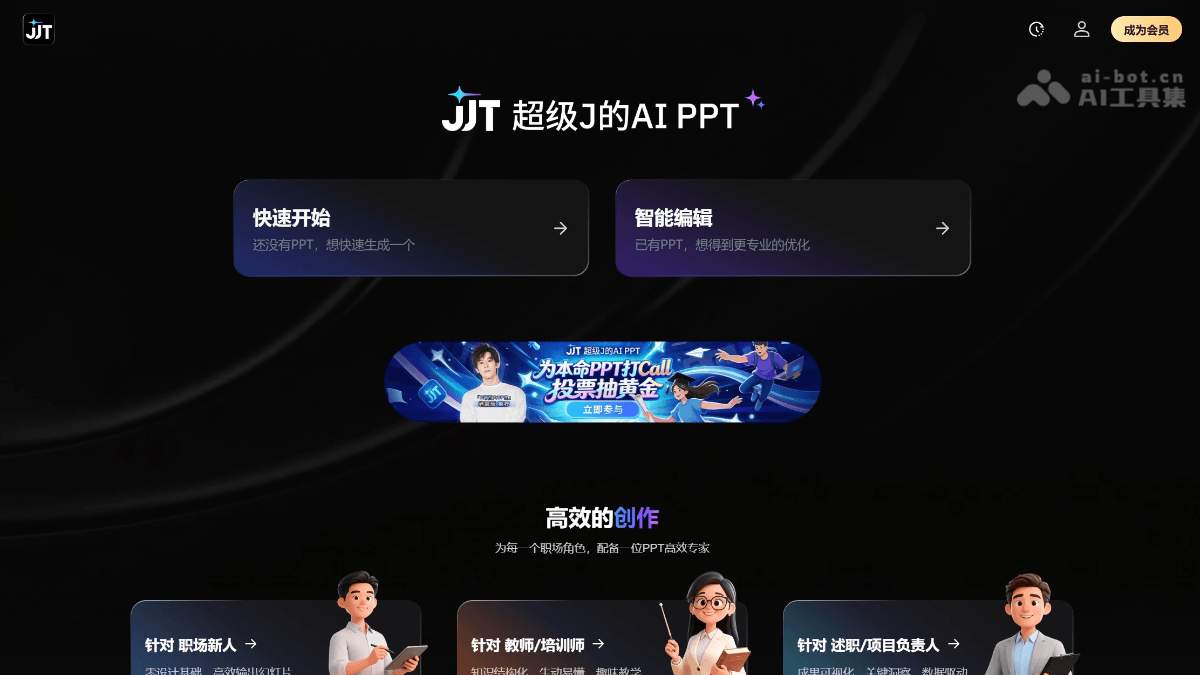
JJT's main features
-
Generate a PPT in one sentence: Enter a topic to automatically generate a content outline and a complete presentation.
-
Convert input data into charts: Directly paste table data, and AI automatically analyzes the meaning of fields and recommends the most suitable chart types (bar charts, line charts, pie charts, etc.), generating charts with a unified style in one click and embedding them into the page.
-
Generate cinematic transitions: Insert dynamic transition videos between chapters. AI automatically generates matching transition visuals based on the visual style, making slide switches as smooth as cinematic camera movements.
-
Intelligent layout adapted to content: AI automatically recognizes images, text, and shapes on the page, intelligently adjusts alignment relationships, spacing proportions, and visual hierarchy, and turns a "messy page" into a "beautiful page" in one click.
-
AI writes speech scripts: Based on speech duration, occasion, audience, and other requirements, automatically generates a matching speech script for the PPT, achieving "professional from the moment you speak."
-
Full-set style renewal: Enter style keywords (business, academic, creative, minimalist, cartoon, etc.), and AI reconstructs the color scheme, fonts, and layout for the entire PPT, completing a style transformation in seconds.
-
Precise page image matching: AI truly understands page content and intelligently recommends or directly generates images that precisely match the content, saying goodbye to "images that fail to convey the meaning."
How to use JJT
-
Visit the official website: Visit JJT's official website https://ultrappt.cn/, to enter the JJT workspace.
-
Choose a creation method: Enter a topic, paste text/data, or upload an existing PPT for optimization.
-
AI generates an outline: AI automatically generates a content outline and page structure. After confirmation, enter the editing interface.
-
Intelligent layout: Use the "Intelligent Layout" feature to optimize the page layout in one click, or use the "Convert to Chart" feature to visualize data.
-
Configure images: Use "Precise Image Matching" to match high-quality images for pages, and use "Change Style" to reconstruct the overall visual.
-
Generate a speech script: If speech support is needed, use the "AI Speech Script" feature to enter parameters such as duration, occasion, and audience to generate a matching script.
-
Preview and export: Preview and export as an editable standard PPT format.
JJT's key information and usage requirements
- Provider: 360 Group's 360 AI office platform
- Supported formats: Supports text input, table data pasting, and upload optimization of existing PPT files
-
Output format: Can be exported as an editable standard PPT format.
-
Language support: Deeply adapted to the Chinese context, supporting Chinese content generation and layout.
-
Pricing model: The official website does not clearly display detailed pricing; the specific free quota and membership benefits are subject to the official page.
JJT's core advantages
-
Full-chain AI closed loop: It goes beyond generating an initial draft, covering the complete workflow including layout, image matching, transitions, and speech scripts, realizing the integration of "writing, layout, and presenting."
-
Intelligent data visualization: No need to struggle over choosing chart types; AI automatically analyzes the data semantics and matches the best visualization solution.
-
Differentiated dynamic transitions: Among AI PPT tracks, it is the first to introduce cinematic video transitions, significantly improving the presentation quality and audience attention.
-
Deep content understanding: It performs precise image matching and style matching based on page semantics, rather than simply piling up templates.
-
One-click global refresh: It supports batch reconstruction of the style of an entire PPT set, with no need for page-by-page manual adjustments.
Comparison of JJT with similar competitors
| Comparison dimension | JJT | Gamma | iFlytek Smart Document |
|---|---|---|---|
| Product positioning | Super J's AI PPT, focusing on ultimate visuals and a full-chain creation experience | An AI-driven card-based presentation platform, a hybrid form between documents and presentations, emphasizing a responsive web experience | A professional speech-oriented AI PPT tool that connects the full chain of "writing-practicing-presenting," focusing on content accuracy and a speech closed loop |
| Core generation method | Enter a topic/paste data/upload a PPT, and AI automatically generates a complete presentation | Enter a topic/outline/document/link, and generate a card-based presentation in about 90 seconds; integrates scheduling of more than 20 mainstream AI models | Multi-agent collaborative architecture: intent insight → content planning → adaptive layout → progressive quality assurance, with each page checked in rounds |
| Data visualization | Paste table data, and AI automatically analyzes the meaning of fields and recommends the most suitable chart type (bar/line/pie chart, etc.) | AI automatically generates bar charts, pie charts, trend lines, etc. based on descriptions; supports importing data from Excel to generate native editable charts | Automatically generates corresponding charts based on semantic judgment, paired with multimodal understanding capabilities and dynamic matching to the content context |
| Dynamic effects/transitions | Cinematic video transitions: AI generates dynamic transition videos, with switches between chapters like cinematic camera movement, directly embedded into slides | Smooth animations between cards, supporting web scrolling browsing and card-by-card presentation mode; can embed videos from YouTube/TikTok, etc. | Does not prominently emphasize dynamic transitions, focusing on content fidelity and layout accuracy; animation is not a core selling point |
| Intelligent layout | AI recognizes images, text, and shapes on the page, and intelligently adjusts alignment relationships, spacing ratios, and visual hierarchy | Adaptive layout engine; AI optimizes text width, image cropping, and visual balance in real time, separating theme from content | Adaptive layout engine, "the layout grows with the content," dynamically matching layout solutions according to content density and information hierarchy |
| Speech assistance features | AI writes speech scripts: Automatically generates supporting scripts based on speech duration, occasion, audience, and other requirements | Supports speaker notes, but no AI automatic speechwriting feature | AI Speech Revolution: Simulated speeches (records speech rate/pauses/repeated words and generates analysis reports), AI digital human presentations, voice cloning |
| Style/Visual System | Enter keywords (business/academic/creative/minimalist/cartoon, etc.) to reconstruct the entire set of colors, fonts, and layouts with one click | About 30 preset themes, switch global visuals with one click; Pro/Ultra versions support brand asset libraries and custom domains | The number of templates is not disclosed in detail; the focus is on adaptive layouts rather than piling up fixed templates, with styles dynamically generated according to content |
JJT Application Scenarios
-
Data Reporting Scenario: Paste Excel spreadsheet data, and AI instantly turns it into a professional data visualization PPT, suitable for finance, operations, and market analysis reports
-
Quick Creation from Scratch: Enter a one-sentence topic, and output a ready-to-use standard presentation in 1-3 minutes
-
Beautify Existing PPTs: Upload a rough old PPT, and complete intelligent layout, precise image matching, and style renewal with one click
-
Closed Loop for Speech Preparation: While generating the PPT, also obtain a matching speech script, with content customized according to speech duration and audience
-
Brand/Style Consistency: Enterprises can unify multiple sets of PPTs into a specified visual style in batches (business, academic, cartoon, etc.)
-
High-Quality Presentations: Add cinematic dynamic transitions for important roadshows and launch events to enhance on-site impact