
What is Ugic
Ugic is a Figma AI design plugin launched by Instant Design. It can intelligently generate multilingual UI drafts based on the component libraries and design systems uploaded by users. Ugic supports text-to-structure conversion, allowing users to input a PRD or descriptive text to quickly generate page layouts. It also provides personalized component library selection and iterative design features, greatly improving design efficiency. Ugic is suitable for designers, multinational teams, and product managers, supports multiple languages including Chinese and English, and is a powerful tool for improving design workflows.
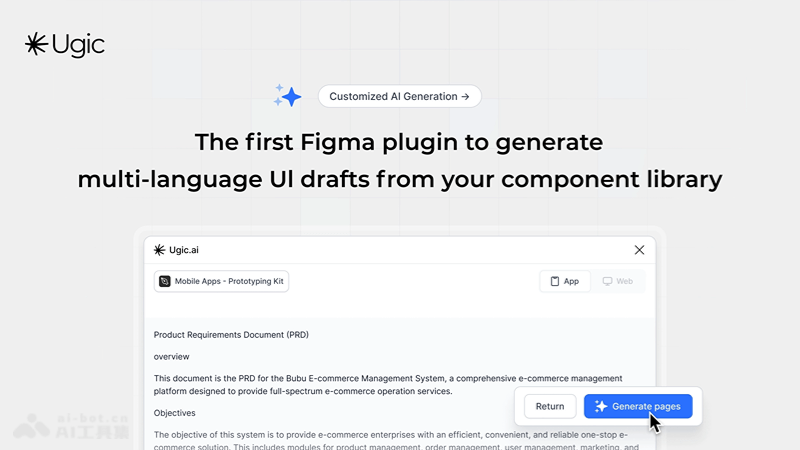
Ugic's main features
- Personalized component library: Users can choose personalized component libraries, whether community-shared or personally customized, to suit different design needs.
- Text-to-structure conversion: Ugic can intelligently convert long-form text, such as a product requirements document (PRD), into page structures, making it convenient for users to preview and adjust.
- Multilingual support: The plugin supports input in dozens of languages, including Chinese, English, French, Italian, Japanese, Korean, and more, meeting design needs in different language environments.
- Iterative design: After generating an initial design draft, users can easily adjust the page structure and carry out iterative design until the desired design effect is achieved.
- High compatibility with design systems: Ugic can closely integrate with the user's design system, providing unlimited style generation capabilities and ensuring design consistency.
How to use Ugic
- Install the plugin: Visit theFigmacommunity page, search for and install the Ugic plugin.
- Open Figma: Make sure the Ugic plugin has been successfully installed in your Figma account.
- Set up the component library: If you already have a component library, you can select and load it in the Ugic plugin. If not, you can download a component library file from the Figma community or use a custom library.
- Upload the component library: Enter the Ugic plugin, navigate to "Personal Library," click the "Upload" button, and upload the component library to the plugin.
- Generate a design draft:Open the Ugic plugin and enter the design requirements, which can be a product requirements document (PRD) or a long-text description.Ugic will intelligently generate an initial page structure design draft based on the entered text.
Who Ugic is for
- UI/UX designers: Need to quickly generate multilingual UI drafts from component libraries and maintain consistency with the design system during the design process.
- Design teams in multinational enterprises: When handling multilingual design projects, they need to ensure the adaptability and consistency of the UI across different languages and cultural backgrounds.
- Freelance designers: Generate customized UI designs for different clients within a limited time, while also needing to support multilingual requirements.
- Product managers: Need to efficiently transform product requirements documents into visualized page structures and carry out multiple rounds of design iteration.
- Startups and small teams: Without enough resources to support a large design team, Ugic can help quickly generate design drafts and accelerate the product development process.