
What is UCDarts
UCDarts is a UX AI automated design tool launched by Hangzhou Youshi Zhishe Technology. It automatically analyzes interface elements based on technology, summarizes design styles, generates design templates and user interfaces, and generates corresponding code. UCDarts helps designers and developers improve work efficiency, reduce the workload of manual design and coding, and accelerate the entire process of a product from concept to implementation. UCDarts is suitable for teams that need to quickly produce design and development resources, as well as individual developers and designers who want to improve work efficiency.
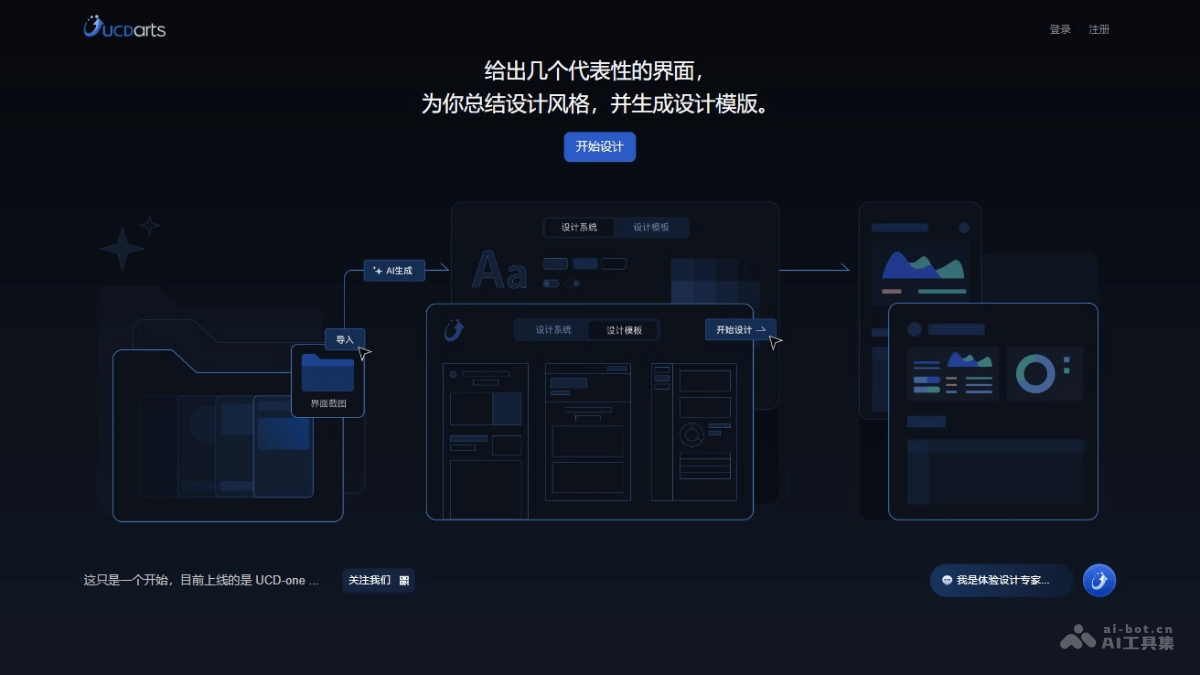
Main features of UCDarts
- Design style summarization: UCDarts analyzes the provided interface screenshots or design elements, identifies and summarizes the design style of a product or project, including key design characteristics such as colors, fonts, and layout.
- Generate design templates: Based on the analysis of the design style, UCDarts automatically creates design templates. The templates serve as the foundation for new design projects, ensuring design consistency and efficiency.
- User interface generation: UCDarts automatically generates user interfaces based on design templates, simplifying the designer's workflow and enabling rapid iteration and testing of different design concepts.
- Code generation: A key feature of UCDarts is directly converting designs into front-end code, enabling seamless collaboration between designers and developers and reducing communication costs and development time.
- Design system construction: UCDarts helps build and maintain a design system, ensuring the consistency and reusability of design elements and components across the entire product or brand.
How to use UCDarts
- Visit the official website: Visit UCDarts'official website。
- Register and log in: Register as a user according to the prompts on the official website, and log in after creating an account.
- Upload interface screenshots: Use the UCD-one feature to upload 4 to 10 key interface screenshots of the product.
- Analyze and summarize the design style: UCDarts automatically analyzes the screenshots and summarizes the product's design style.
- Generate the design system and templates: Based on the analysis results, UCDarts will generate a design system and design templates.
- Design the user interface: Use the generated design templates and drag-and-drop components to design the user interface.
- Generate code: After completing the design, UCDarts generates code corresponding to the design.
- Download and use: Download the generated design templates and code locally, and adjust and optimize them as needed.
Application scenarios of UCDarts
- Rapid prototyping:Product managers and designers use UCDarts to quickly generate product prototypes, accelerating the concept validation stage.
- Maintaining design consistency:In large projects or projects involving collaboration among multiple designers, UCDarts is used to ensure consistency in design style.
- Design system construction:Enterprises use UCDarts to build and maintain design systems, unifying design language and component libraries.
- Responsive design:Designers use UCDarts to create responsive designs that adapt to different devices and screen sizes.
- Front-end development acceleration:Front-end developers use code automatically generated by UCDarts to reduce the workload of handwritten code and improve development efficiency.