
What is TypeNo
TypeNo is a free and open-source Chinese voice input method built specifically for macOS, developed by the marswaveai team. It focuses on minimal operation and privacy protection. Users only need to briefly press the Control key to start recording, and after releasing it, the voice will be transcribed into text locally in real time and automatically pasted into the current application. TypeNo is based on the coli local speech recognition engine, and all data processing is completed on-device, never uploaded to the cloud, fully safeguarding user privacy. No account registration, no complex configuration, ready out of the box, and it supports drag-and-drop audio file transcription.
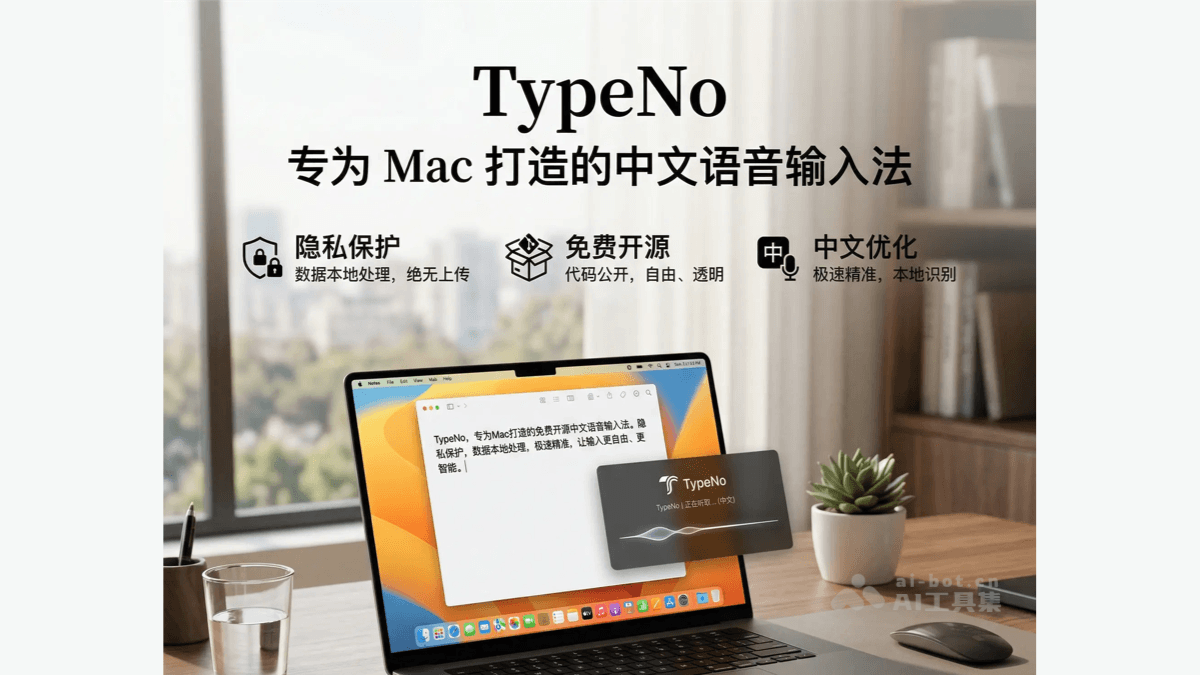
Main features of TypeNo
-
One-key voice input: briefly press the Control key to start/stop recording, with extremely simple operation and no need to open any window.
-
Local real-time transcription: speech recognition is completed on-device based on the coli engine, outputting text results within 1 second.
-
Automatic text pasting: after transcription is complete, the text is automatically pasted into the currently active application and also saved to the clipboard.
-
Audio file transcription: supports dragging and dropping
.m4a/.mp3/.wav/.aacformat files onto the menu bar icon for batch transcription. -
Menu bar shortcut operations: you can control the recording status via the menu bar icon or shortcut key
⌃R, and⌘Qto quickly quit. -
Local privacy processing: all voice data is computed locally, no internet connection is required, eliminating the risk of cloud uploads.
-
Zero-configuration and ready to use: no account registration, no login, and no complex setup required; it can be used immediately after download.
Key information and usage requirements of TypeNo
-
Development team: developed by the marswaveai team, based on the coli local speech recognition project.
-
Software positioning: a free and open-source Chinese voice input method tool built specifically for macOS.
-
Open-source license: uses the GNU General Public License v3.0, with fully public code.
-
Core pricing: completely free, with no paid features or subscriptions.
-
System requirements: only supports the macOS system, and requires installation of the coli speech engine (
npm i -g @coli.codes/coli)。 -
Permission requirements: on first launch, microphone permission (to capture voice) and accessibility permission (to automatically paste text) must be granted.
-
Security notice: the current version has not been officially notarized by Apple, so during installation you may need to manually allow it to open in "System Settings -> Privacy & Security", or use the terminal command
xattr -dr com.apple.quarantine "/Applications/TypeNo.app"to remove the quarantine attribute. -
Installation method: supports direct download of
TypeNo.app.zipfor decompression and installation, or compiling and building it yourself from the GitHub source code.
Core advantages of TypeNo
-
Privacy first: all voice data is processed locally, no internet connection is required, and it is never uploaded to the cloud, eliminating the risk of privacy leaks at the source
-
Completely free and open source: based on the GPL v3.0 license, with open and transparent code, no paid features, no ads, and no subscription traps
-
Minimal and zero-configuration: no account registration, no login, and no complex setup required; download and install it to use it immediately
-
Extremely fast response: Complete the entire "record → transcribe → paste" process within 1 second of a short press of the Control key, greatly improving input efficiency
-
Accurate Chinese recognition: Optimized specifically for Chinese speech, with a local recognition engine deeply tuned for Chinese contexts and high transcription accuracy
-
Distraction-free design: No extra UI windows, no preferences panel, focused on the core feature of voice input
-
Flexible input methods: Supports real-time voice input and drag-and-drop audio file transcription to meet the needs of different scenarios
-
System-level integration: Automatically pastes into any active app, seamlessly integrating with the macOS ecosystem
TypeNo official website address
-
Official website:https://typeno.com
-
GitHub repository:https://github.com/marswaveai/TypeNo
How to use TypeNo
-
Install the software: Download
TypeNo.app.zipand unzip it, then moveTypeNo.appto the/Applicationsfolder. -
Install the speech engine: Run
npm i -g @coli.codes/coliin the terminal to install the coli local speech recognition engine. -
Handle security warnings: If the system says "the app is damaged", run
xattr -dr com.apple.quarantine "/Applications/TypeNo.app"in the terminal to remove the quarantine flag. -
Grant permissions: When opening the app for the first time, follow the prompts to grant microphone permission (for capturing speech) and accessibility permission (for automatically pasting text).
-
Start recording: Short press the Control key (< 300 milliseconds, not combined with other keys) to start voice input.
-
Stop recording: Short press the Control key again to end recording, and the system automatically transcribes and pastes the text into the current app.
-
File transcription: Drag
.m4a/.mp3/.wav/.aacaudio files to the menu bar icon for batch transcription. -
Menu actions: Click the menu bar icon to choose Record (
⌃R) to start recording or Quit (⌘Q) to exit the app.
Comparison of TypeNo with similar competitors
| Comparison dimension | TypeNo | Typeless |
|---|---|---|
| Development team | marswaveai (open-source community) | Typeless company (commercial product) |
| Pricing model | Completely free and open source | Free version 4,000 words/week, Pro version $12/month (annual) or $30/month (monthly) |
| Platform support | macOS only | macOS、Windows、iOS、Android、Web |
| Speech recognition | Local processing (based on the coli engine) | Cloud processing (possibly based on Whisper) |
| Privacy protection | 100% local processing, data is never uploaded | Zero data retention policy, but requires an internet connection for processing |
| Core features | Minimalist speech-to-text with one-click paste | AI smart editing, removal of filler words, automatic formatting, app-adaptive tone |
| How to use | Short press the Control key to record, release to stop | Hold a shortcut key (such as Right Command) to speak, release to transcribe |
| Offline capability | Fully supports offline use | Not supported, an internet connection is required |
| AI Editing Features | None, only raw transcription | Automatically removes filler words such as "um/uh", detects self-corrections, and automatically formats lists |
| Language Support | Focused on Chinese optimization | Supports 100+ languages with automatic detection |
| Open Source License | GPL v3.0, code fully public | Closed-source commercial software |
| Target Users | macOS users who pursue minimalism, value privacy, and prefer open source | Professionals who need cross-platform support, pursue intelligent polishing, and are willing to pay |
| Session Limit | Unlimited | 6-minute limit per session (free version) |
Use Cases of TypeNo
-
Office Document Writing: Quickly convert meeting speeches and dictated ideas into text, and paste directly into document tools such as Word, Pages, and Notion to improve writing efficiency.
-
Programming and Development Comments: Quickly enter code comments and documentation notes in IDEs such as VS Code and Xcode, reducing keyboard interruptions to coding flow.
-
Instant Messaging Communication: Quickly reply to messages in chat tools such as <-WEIXIN-> and Slack, especially suitable for long-text input scenarios.
-
Email Writing and Processing: Dictate email content in email clients such as Mail, Outlook, and Gmail to quickly complete business communication.
-
Creative Content Creation: Writers, bloggers, and self-media creators dictate draft articles to capture moments of inspiration, then edit and polish later.
-
Accessibility-Assisted Input: Users with hand fatigue or inconvenience using keyboard input can complete daily text input tasks through voice.