
What is Kejianbang
Kejianbang is an intelligent creation platform for digital human video courseware. Based on AI technology, it quickly generates digital human video courseware, finishing production in 1 minute. The platform automatically generates PPT outlines and content based on topics, converts existing text materials into PPT, and supports multiple file formats. Digital human teachers can deliver spoken presentations, with adjustable speech rate and pitch, and support customized exclusive avatars. Kejianbang covers all scenarios including onboarding training, job training, marketing training, Party building education, office reporting, and subject training, meeting the customized needs of enterprises and individuals, supporting enterprise customization and cooperation, and facilitating efficient teaching and training.
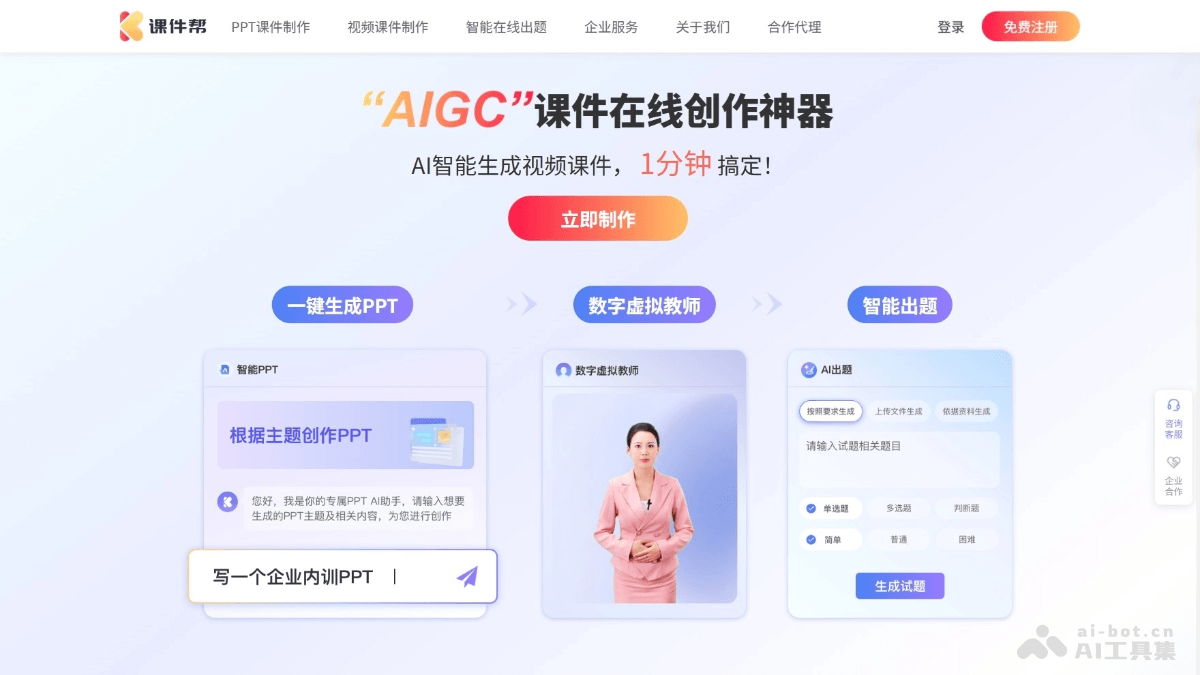
Main Features of Kejianbang
- Video Courseware Creation: After users input a topic or upload relevant materials, the platform quickly generates digital human video courseware based on AI technology, greatly saving production time.
- Digital Human Voiceover: Digital humans deliver spoken explanations based on courseware content without the need for real-person dubbing, with adjustable speech rate and pitch, making the explanation more vivid and natural.
- PPT Courseware Creation:: Based on the input topic, AI automatically generates a PPT outline and detailed content, providing users with a complete first draft for further editing and optimization.
- Text Material Conversion: Users upload existing text materials in formats such as PDF and TXT, and the platform automatically extracts key information to generate PPT content, enabling rapid conversion and utilization of materials.
- Digital Human Customization: Supports users in customizing exclusive digital human avatars, including appearance and voice, making courseware more personalized and helping enhance brand image and teaching effectiveness.
How to Use Kejianbang
- Register and Log In: Visit the Kejianbang official website:https://chat.tydiczt.com/,填写注册信息并登录平台。
- Create Courseware: Select the video or PPT courseware type, enter a topic or upload relevant materials, and click the "Generate" button. AI will automatically generate a courseware first draft.
- Edit and Optimize: Edit the content of the generated courseware, adjust digital human settings, and select templates to meet personalized needs.
- Preview and Export: Click "Preview" to view the courseware effect. After confirming it is correct, click "Export" to save the courseware in the desired format.
- Use and Share: Apply the exported courseware in actual scenarios, or use the platform's sharing function to send it to others.
Application Scenarios of Kejianbang
- Enterprise Training: Used in onboarding training, job skills, and marketing training to improve efficiency.
- Education and Teaching: Helps subject teaching, online education, and vocational training to improve teaching effectiveness.
- Party Building Education: Generates Party history materials and policy interpretations, enriching the forms of Party building education.
- Office Reporting: Automatically summarizes PPT content, improves reporting materials, and enhances work efficiency.
- Other Scenarios: Meets needs such as personal learning and event planning, facilitating knowledge organization and information delivery.