
An online course "MCP: Build Rich-Context AI Apps with Anthropic" is launched on the DeepLearning.AI platform. The course is jointly developed by Anthropic and DeepLearning.AI, taught by Elie Schoppik, at an intermediate level, with a total duration of 1 hour 38 minutes, including 11 video lessons and 7 code examples. The course mainly introduces the Model Context Protocol (MCP). Learners will learn the core concepts of MCP through hands-on practice, including its client-server architecture and communication mechanisms. The course content covers how to transform a chatbot into an MCP-compatible application, build and deploy local or remote MCP servers, and how to connect a chatbot to different MCP servers.
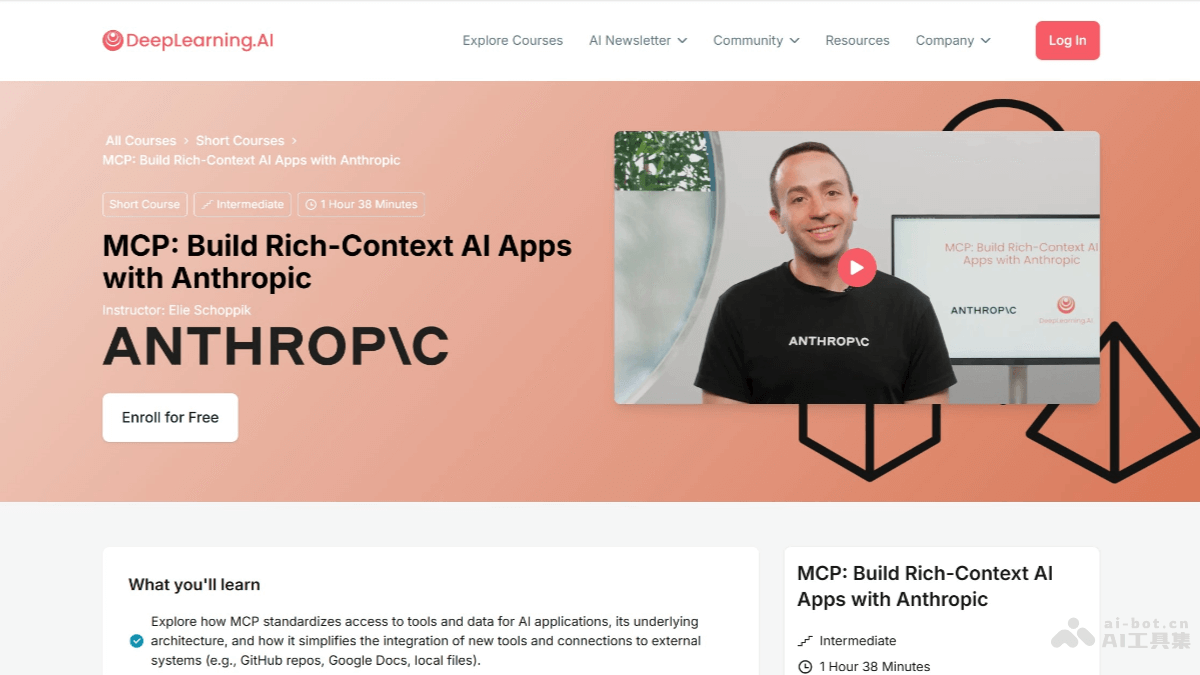
Course Introduction
-
Course Name:MCP: Build Rich-Context AI Apps with Anthropic
-
Course Level: Intermediate
-
Course Duration: 1 hour 38 minutes
-
Course Format: 11 video lessons, 7 code examples
-
Instructor: Elie Schoppik (Head of Technical Education at Anthropic)
-
Course Institution: DeepLearning.AI (developed in collaboration with Anthropic)
Course Objectives
-
Standardize tool and data access: Explore how MCP standardizes AI applications' access to tools and data, simplifying the integration of new tools and connection to external systems (such as GitHub repositories, Google Docs, local files, etc.).
-
Build and deploy MCP servers: Learn how to build and deploy an MCP server that provides tools, resources, and prompts, and add it to the configuration of AI applications (such as Claude Desktop) to extend their functionality.
-
Create MCP-compatible applications: Build an MCP-compatible application that hosts multiple MCP clients, each maintaining a one-to-one connection with an MCP server.
Course Content
-
MCP architecture: Introduce MCP's client-server architecture and underlying communication mechanisms.
-
Chatbot example: Demonstrate through code examples how to transform a chatbot into an MCP-compatible application.
-
Create MCP servers: Use FastMCP to build a local MCP server and use MCP Inspector for testing.
-
Create MCP clients: Create an MCP client in a chatbot to dynamically connect to servers.
-
Connect to reference servers: Connect the chatbot to reference servers built by the Anthropic team, such as the file system server and the web content extraction server.
-
Configure Claude Desktop: Learn how to configure Claude Desktop to connect to your server and other servers, and explore how it abstracts the underlying logic of MCP clients.
-
Deploy servers remotely: Learn how to deploy MCP servers remotely and test them using Inspector or other MCP-compatible applications.
-
Future development directions: Learn about MCP's future roadmap, including multi-agent architecture, MCP registry API, server discovery, authorization and authentication, etc.
Course Official Website Address
- Official Website Address:https://www.deeplearning.ai/short-courses/mcp-build-rich-context-ai-apps-with-anthropic/
Target Audience
-
Skill Requirements: Familiarity with Python and a basic understanding of LLM prompting and LLM application development.
-
Learning objectives: for developers who want to build context-rich AI applications that can connect to the growing MCP server ecosystem and reduce integration effort.
Course highlights
-
Highly practical: through code examples and hands-on practice, it helps learners quickly master the implementation and application of MCP.
-
Ecosystem connectivity: it emphasizes how to standardize connections between AI applications and external data sources and tools, reducing fragmentation in the development process.
-
Future outlook: it provides the direction of MCP's future development, enabling learners to understand and adapt to new technology developments in advance.