
What is Tuqu AI
Tuqu AI is based on AI technology'spaintingsoftware, which can create artworks of various styles and themes based on the user's text descriptions. Users only need to enter creative inspiration, and the AI can simulate the corresponding visual content, including landscapes, fantasy, artistic paintings, surreal and other styles. Tuqu AI provides AI art fonts, one-click transformation series,advertising poster designand other functions, enriching users' creative expression. Tuqu AI supports one-click generation of graphic design, simplifying the advertising poster design process.
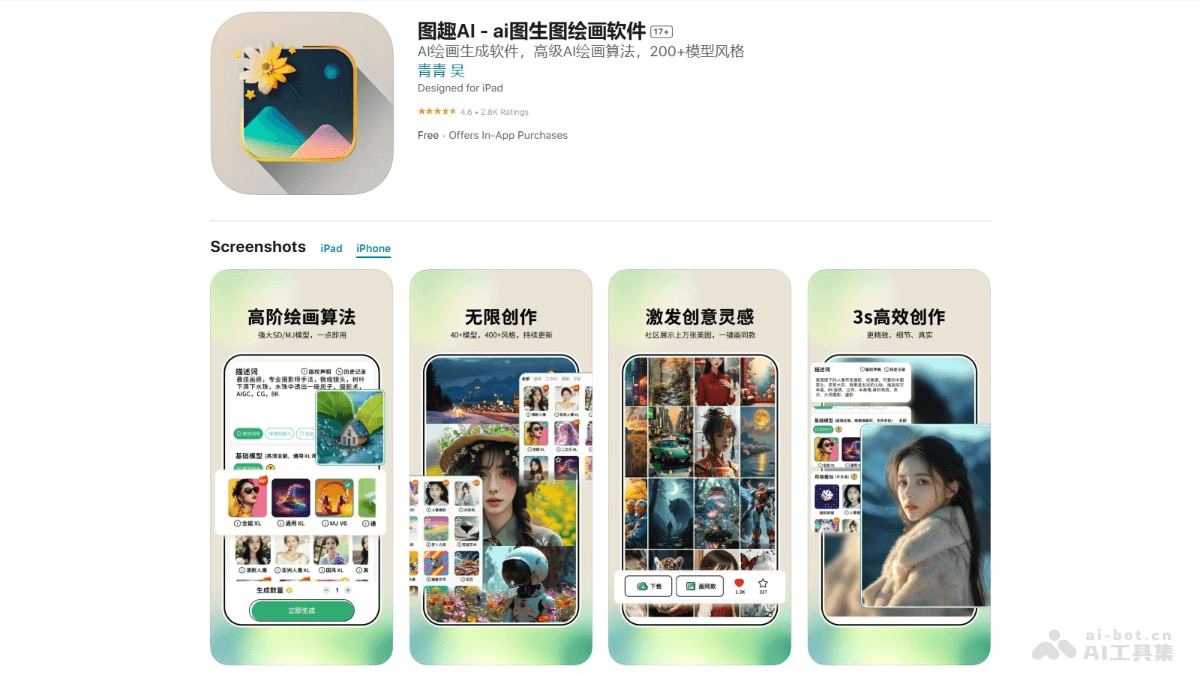
Main Features of Tuqu AI
- AI Painting: Users enter text descriptions, and the AI generates paintings of various styles and themes based on the descriptions, such as landscapes, fantasy, artistic paintings, surreal, etc.
- AI Art Fonts: Combine the user's surname with elements such as landscapes and figures to generate personalized art fonts, suitable for social media sharing.
- One-Click Transformation Series: Supports converting photos into images of different styles, such as comic style, mixed-race look, pencil sketch look, etc.
- Advertising Poster Design: Users simply describe their needs, and the required graphic design can be generated with one click.
- Video Generation: The AI video function supports users in generating video content from text or images, such as Hollywood scenes, character actions, etc.
How to Use Tuqu AI
- Download and Install: iOS users visitthe Apple App Store, Android users visit their mobile app store, and complete the download and installation according to the prompts.
- Browse Features: Familiarize yourself with the app interface and browse different feature options, such as AI Painting, AI Art Fonts, One-Click Transformation Series, etc.
- Select a Feature: Choose the feature you want to use. For example, if you want to generate a painting, select "AI Painting".
- Enter a Description: Enter the description of the painting you want the AI to create in the text box. For example, enter "a peaceful seaside sunset" or "the night view of a futuristic city".
- Choose Style and Options: Choose options such as the painting's style, color, and shape as needed.
- Generate the Work: Click the generate button, and the AI will create the artwork based on the description and the selected style.
- View and Edit: View the AI-generated work and, if needed, edit or adjust it.
- Save and Share: Save the work to your device or share it directly to social media.
Tuqu AI Product Pricing
- Price: Continuous monthly subscription ¥38.00; continuous quarterly subscription ¥58.00; continuous annual subscription: ¥88.00.
Application Scenarios of Tuqu AI
- Personal Entertainment and Creative Expression: Users enter descriptions based on their imagination to generate personalized artworks for personal appreciation or social media sharing.
- Social Media Content Creation: Social media users create unique image and video content to increase the appeal and creativity of their posts.
- Education and Learning: Teachers and students conduct art education, stimulate students' creativity and imagination, and learn about art styles and history.
- Advertising and Marketing: Marketers generate advertising posters and marketing materials, improving work efficiency and reducing design costs.
- Graphic Design and Illustration: Designers assist with design work, quickly generating sketches and concept drawings, or seeking design inspiration.