
What is Transformer Debugger
Transformer Debugger (TDB) is a tool developed by OpenAI's Superalignment team, designed to help researchers and developers gain a deeper understanding and analysis of the internal structure and behavior of Transformer models. The Transformer model is a deep learning architecture widely used in the field of natural language processing (NLP), especially in tasks such as machine translation, text generation, and understanding.
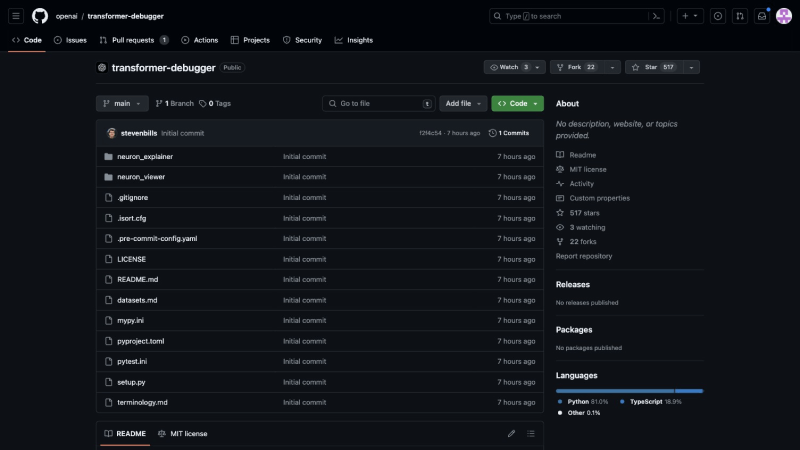
The core functionality of TDB is to provide a way to quickly explore model structures without writing code, combining automated interpretability techniques with sparse autoencoders, enabling users to intuitively view and analyze specific model behaviors, such as why the model chooses to output a particular token given a prompt, or why the model's attention mechanism focuses on certain parts of the input text.
GitHub source code address:https://github.com/openai/transformer-debugger
Features of Transformer Debugger
- Code-free model exploration: TDB allows users to explore model structures without writing code, making the research and debugging process more intuitive and efficient.
- Forward pass intervention: Users can intervene in the model's forward pass to observe how different operations affect the model's output, thereby better understanding the model's decision-making process.
- Component-level analysis: TDB can identify and analyze specific components that significantly contribute to model behavior, such as neurons, attention heads, and autoencoder latents.
- Automatically generated explanations: The tool can automatically generate explanations showing the reasons that lead to the activation of specific components, helping users understand the model's internal working mechanisms.
- Visualization interface: Through Neuron viewer, a React-based application, TDB provides a user-friendly interface for displaying and analyzing information about model components.
- Backend support: Activation server serves as the backend server, providing the necessary data support for TDB, including reading and serving data from a public Azure storage bucket.
- Model and dataset support: The open-source content includes a simple inference library for the GPT-2 model and its autoencoder, as well as some curated activation dataset examples, making it convenient for users to conduct experiments and analysis.
How to install and set up Transformer Debugger
- First, confirm that tools such as python/pip and node/npm are installed on your computer
- It is recommended to use a virtual environment (optional)
# 如果已在虚拟环境,先取消激活
deactivate
# 创建新的虚拟环境
python -m venv ~/.virtualenvs/transformer-debugger
# 激活新的虚拟环境
source ~/.virtualenvs/transformer-debugger/bin/activate
- After setting up the environment, follow these steps:
git clone git@github.com:openai/transformer-debugger.git
cd transformer-debugger

# 安装神经元解释器
pip install -e .

# 安装pre-commit钩子
pre-commit install

# 安装神经元查看器
cd neuron_viewer
npm install
cd ..
-
To run the TDB application, please set it up according to the instructionsactivation server backendandneuron viewer frontend。