
What is Town
Town is a proactive AI personal assistant. It goes beyond waiting for questions in a chat box: after connecting to the user's email and calendar, it continuously learns their contacts, schedule, and habits, and proactively takes on tasks. Its core feature, Routines, can be preset and then run continuously and automatically, such as morning briefings, pre-meeting preparation, and automatically declining cold emails; the AI persona Townie can collaborate with others to coordinate schedules.
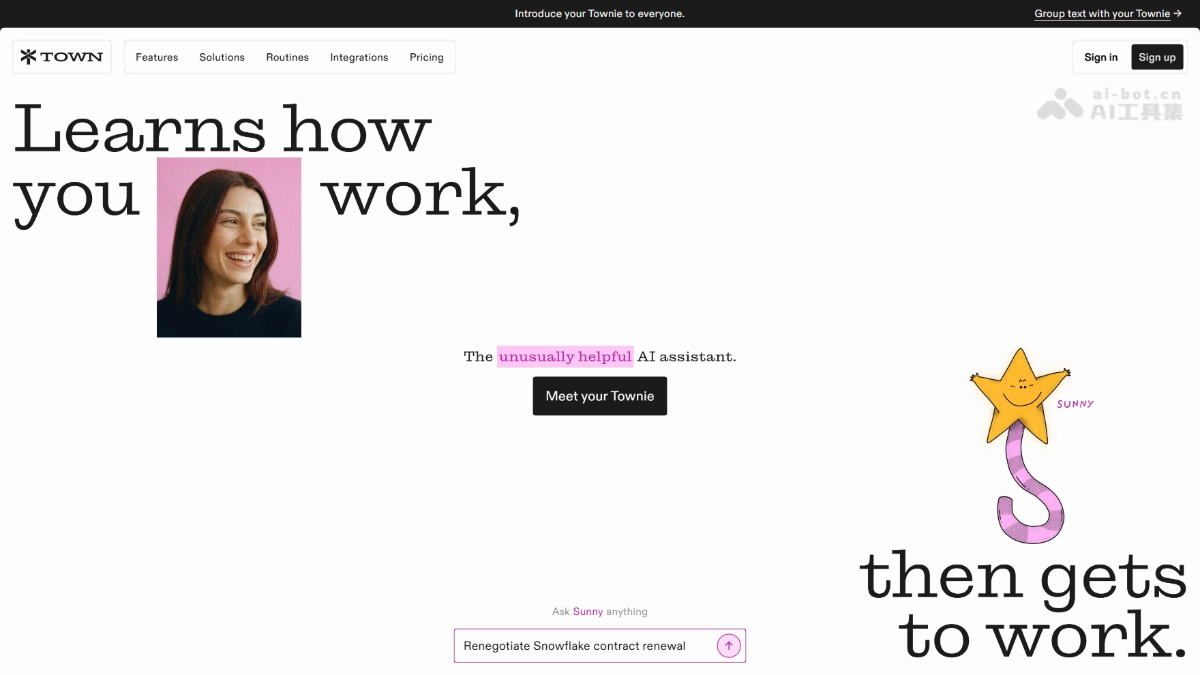
Town's main features
- Personal wiki learning: Continuously learns from existing emails, calendars, and writing style; without needing to tune prompts, it understands your clients, deadlines, and work habits.
- To-do execution: Write down a task list, and Townie executes it directly and reports back results, such as drafting emails or replying to threads. When a decision is needed, it marks "Needs input" for you to confirm.
- Routines automation: Set up scheduled tasks that run continuously once configured, such as scanning for unmerged PRs every Friday and drafting a team status update.
- Auto-inbox inbox management: Automatically categorizes new emails and drafts responses for emails that clearly need a reply.
- Cold email decline: Identifies and flags recruiter and sales pitch emails, and can automatically draft polite declines for your review.
- Calendar optimization: Every Sunday evening, analyzes the coming week's schedule and offers suggestions to merge meetings and protect focus time.
- Pre-meeting briefing: Researches upcoming meetings and sends concise briefings, skipping low-value meetings.
- Contact background check: When an email from a new contact arrives, automatically generates a structured background profile of the person and their company.
- Morning Briefing: Daily push notification of your schedule, urgent items, and updates on topics you follow, with an audio version.
How to use Town
- Register an account: Visit the Town official website https://www.tarkcloud.com/,注册,支持 Web, iOS, and Mac clients.
- Wait for it to learn: Townie automatically builds a wiki about how you work from your existing emails, calendar, and contacts, with no prompt writing required.
- Assign to-dos: Write down what needs to be done as if you were dealing with a real human assistant. Townie executes it and brings back results, and asks you to confirm items that require decisions.
- Set up Routines: Enable preset templates with one click (morning briefing, pre-meeting briefing, cold email decline, etc.), or describe your own scheduled tasks in natural language.
- Define permissions: Decide which actions Townie can execute directly and which must first be confirmed by you.
- Keep information flowing in: As new emails and calendar changes keep coming in, Townie continuously updates its understanding of your current state.
Town's core advantages
- True proactivity: Proactively identifies what needs to be done from emails and calendars, proactively prepares briefings before meetings, and proactively offers to take over after discovering your repetitive work patterns.
- Zero prompt barrier: Automatically builds a wiki of "how you work" (clients, deadlines, writing style). Ordinary users can use it without researching automation, leaving the task of "discovering how to use AI" to AI as well.
- Set once, run continuously: The Routines mechanism lets tasks run automatically in a recurring cycle as agreed, without needing to repeat instructions each time.
- Agent-to-Agent Collaboration: Your Townie can directly coordinate schedules and request information with the other person's Townie; multi-person collaboration is already in place.
- Anthropomorphic Trust Design: Each Townie has a name, image, and dedicated email, combined with permission controls that let you define which actions require confirmation, striking a balance between proactivity and controllability.
Comparison with Similar Competitors to Town
| Comparison Dimension | Town | Hey Noah |
|---|---|---|
| Product Positioning | A general-purpose proactive personal assistant covering all work + family scenarios | A proactive AI executive assistant (EA) for entrepreneurs/investors |
| Core Features | Routines scheduled automation, inbox management, schedule optimization, pre-meeting briefings, to-do execution | Multi-channel information integration (email/calendar/SMS/LinkedIn), contact follow-up, automatic outreach drafting |
| Proactivity | Learns from email + calendar, proactively identifies repetitive work that can be delegated | Proactively tracks the people to contact, the threads to follow up on, and the appointments to attend |
| Agent Collaboration | Townies can coordinate directly with each other (already in place, e.g., mutually finalizing a reschedule) | No publicly available agent-to-agent capability |
| Target Users | Ordinary office workers + an unexpectedly rising group of parents | High-intensity social groups such as founders and investors |
| Onboarding Threshold Design | Mandatory connection of email and calendar (not compromising even with 30% churn) | Also emphasizes rapid onboarding, but targets users who are more tech-savvy |
Town's Application Scenarios
-
Inbox Management: Automatically categorizes new emails, drafts replies to emails that need responses, and identifies and politely declines headhunter and sales emails.
-
Schedule and Meeting Management: Analyzes next week's schedule every Sunday evening and provides optimization suggestions; automatically researches attendees' backgrounds before meetings and sends concise briefings.
-
Daily Intelligence Morning Briefing: Pushes the day's schedule, urgent matters, updates on topics of interest, and competitor developments every day, with an audio version for listening on the commute.
-
Sales Lead Mining: Scans the inbox for business opportunity signals, automatically records qualified leads to Google Sheets, and recommends next-step actions.
-
Family Affairs Coordination: Extracts signature authorizations and deadlines from school field trip notices, detects conflicts in children's pick-up and drop-off times and provides coordination solutions, and organizes key points after parent-teacher meetings and assigns family to-dos.