
What is Toorch
Toorch is an AI news reader launched by 01.AI, designed to provide an efficient and personalized mobile search experience. It supports continuous conversations, forming a timeline structure that makes it easy for users to track and review past conversations. Toorch supports users in searching historical queries, quickly generating content, and publishing their own search results. It features word-selection search, image and link display, and other functions, enhancing the appeal of information and the user interaction experience. Toorch's design philosophy is to simplify the process by which users obtain information and provide a more intuitive and coherent search service.
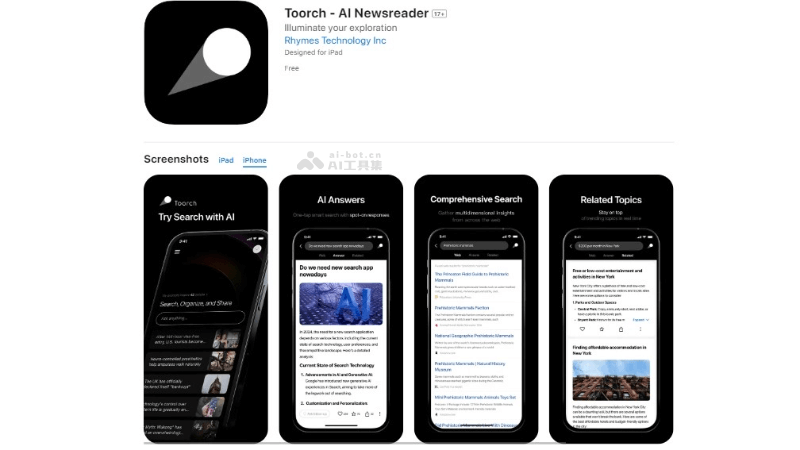
Toorch's main features
- Continuous conversation support: Toorch can form a timeline-structured framework, allowing users to switch at any time and quickly view previous conversation content, facilitating multi-turn conversations and information tracing.
- Search history queries: Users can query their own search history, making it convenient to review and revisit previously searched information.
- Rapid content generation: Toorch can quickly generate search content and provide timely information feedback.
- User-published search results: Users can publish their own search result content. When other users search for the same question, they can see the published content as well as the publisher's nickname and time.
- Personalized experience: The app supports like and favorite functions. Users can add content they like to their personal "collects" section for easy later retrieval.
- Word-selection search: Users can select words in search results to choose to further search related content, providing greater freedom for exploration.
- Image and link display: Search results include images and their links, increasing the visual appeal of information and the user's visual experience.
- Set up "web" and "related" columns: The "web" column is similar to traditional search results without ads, while the "related" column contains refined information, with no need for users to continue generating new results.
Toorch's official product website
How to use Toorch
- Download and install: You need to download and install the Toorch app on a mobile device. It supports Android and iOS platforms and can be found in the corresponding app stores.
- Open the app: After installation is complete, open the Toorch app. You may see an initial interface introducing the app's features or providing login options.
- Perform a search: Enter the keywords or question you want to query in the search bar. Toorch will provide search results based on AI technology.
- View search results: After searching, Toorch will display related news and information. You can browse these results and view highlighted keywords. You can continue to experience other features, such as word-selection search and continuous conversations.
Toorch's application scenarios
- Instant news acquisition: Users can quickly obtain the latest news and information through Toorch, whether it is domestic and international current affairs, economic developments, or technological progress.
- Information tracking: For users who need to continuously follow specific topics or news events, Toorch's timeline feature can help them track information updates and not miss any important developments.
- Research and learning: Researchers and students can use Toorch to search for academic materials, industry reports, or historical documents to support their research projects or learning needs.
- Personalized Content Discovery: Through the like and favorite features, users can discover and save personalized content and build their own information library.
- Multilingual Content Access: For users who need to access content in a non-native language, Toorch can provide multilingual news and information to help them overcome language barriers.
- Daily Reading Habits: Users can use it as a daily reading tool, obtaining customized news summaries and updates on topics of interest through Toorch every day.