
What is ToolJet
ToolJet is an open-source low-code platform, known as the open-source alternative to Retool. The platform provides 60+ draggable components and 80+ data source connections, supports a built-in PostgreSQL database, visual workflows, and JS/Python code extensions, enabling rapid building of internal backends, data dashboards, and approval flows. The community edition is completely free under the AGPL-3.0 license, supports one-click Docker self-hosting, and gives you full control over your data, making it suitable for individual developers, small teams, and enterprises with compliance requirements.
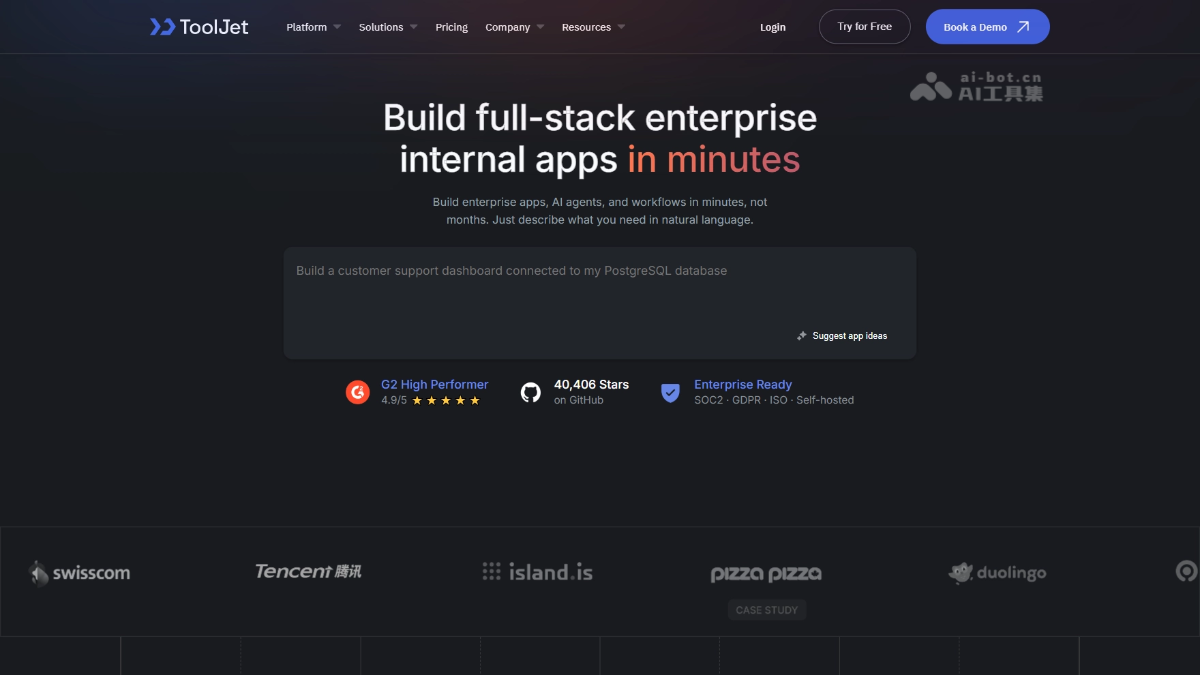
ToolJet's main features
-
Visual app builder: Drag and drop 60+ preset components to build interfaces without writing front-end code.
-
Data source connections: Connect to 80+ databases, APIs, and SaaS services with one click, linking internal and external enterprise data.
-
Built-in database: Comes with a no-code database based on PostgreSQL, so you can store and retrieve data without relying on an external database.
-
Workflow automation: Visually orchestrate triggers and conditional branches, with support for scheduled tasks and automatic Webhook execution.
-
Code extensions: Supports writing JavaScript/Python and custom React components within apps, flexibly handling complex logic.
-
Security and permissions: Provides data encryption, SSO, RBAC, and audit logs to meet enterprise-level security and compliance requirements.
-
AI capabilities: Generate apps and queries through natural language, and assist with debugging and troubleshooting (Enterprise Edition).
-
Deployment and publishing: Supports one-click self-hosting across multiple environments such as Docker/K8s; apps can be published, shared, or embedded into other systems.

Follow WeChat and reply "open source" to join theAI open-source project community group
How to use ToolJet
-
Local deployment: Run a single Docker command to start ToolJet, visit
http://localhostregister an account, and enter the workspace. -
Create an app: In the workspace, click "Create new app" and name it to enter the visual editing canvas.
-
Prepare data: Create a table in the built-in ToolJet Database and fill in sample data, or connect to an external data source.
-
Write queries: Add a query in the bottom query panel (such as
getEmployeesto read table data), and set it to run automatically when the app loads. -
Bind components: Drag in components such as Table, and in the properties panel use
{{queries.getEmployees.data}}to bind the query results to the component. -
Configure interactions: Create a write query (such as
addEmployees) and bind an event to automatically refresh the table after adding data. -
Preview and verify: Click "Preview" in the upper right corner to preview the app and confirm that the data and interactions work properly.
-
Publish and share: Click "Release" to publish the app, and use "Share" to generate a link to share with colleagues.
ToolJet's core advantages
-
Open source and free, extremely low cost: The community edition is completely free under the AGPL-3.0 license. Compared with commercial low-code platforms such as Retool, it can save considerable subscription costs.
-
Self-hosted, with full data control: Supports deployment on Docker, K8s, and major cloud platforms, keeping all data on your own servers to meet compliance and privacy requirements.
-
Extremely low barrier to entry: Runs locally with a single Docker command; drag-and-drop components + bind data sources to complete the build, so even non-professional developers can quickly create a usable backend.
-
Powerful connectivity: 80+ data sources work out of the box, covering mainstream databases, APIs, and SaaS tools, with plugin marketplace extension support, so connecting to existing systems is almost never a problem.
-
Balances low-code and code freedom: You can build with pure drag-and-drop, or embed JavaScript/Python and import custom React components—fast for simple scenarios, unrestricted for complex ones.
-
Complete enterprise-grade capabilities: SSO, RBAC, audit logs, multi-environment management, and GitSync/CI-CD are all included, while AI-generated apps and Agent automation further amplify efficiency.
Comparison of ToolJet's similar competitors
| Comparison dimension | ToolJet | Retool |
|---|---|---|
| Open source status | Open source (AGPL-3.0), community edition free | Closed-source commercial software |
| Pricing model | Community edition free; enterprise edition paid | Subscription pricing by number of users; the larger the scale, the higher the cost |
| Deployment method | Fully self-hosted (Docker/K8s/major clouds) + official cloud | Mainly official cloud; self-hosting supported only in advanced plans |
| Data security | Data stays entirely on your own servers, with strong controllability | Defaults to Retool cloud; self-hosting has a high barrier |
| Components and data sources | 60+ components, 80+ data sources | More abundant components and integrations, with a more mature ecosystem |
| Enterprise features | SSO, RBAC, audit logs, GitSync (mostly enterprise edition) | Comprehensive enterprise features, refined over a longer period |
| AI capabilities | Enterprise edition supports natural language app generation, AI queries, and debugging | Also provides AI-assisted building capabilities |
ToolJet's application scenarios
-
Data management backend: Build create, read, update, and delete backends for business data such as orders, users, and products, so operations staff no longer need to request development scheduling.
-
Business data dashboards: Connect to databases or APIs and use chart components to build real-time dashboards for sales, inventory, and operational metrics to support decision-making.
-
Approval and ticketing systems: Use forms + workflows to build process applications such as expense approvals, leave requests, and customer service ticket routing.
-
Customer and lead management (lightweight CRM): Based on the built-in database or external data sources, build a customer information repository, sales lead pool, and follow-up record system.
-
Internal automation and AI applications: Through scheduled tasks, Webhooks, and the Agent builder, implement automated processes such as data synchronization and notification pushing, or quickly generate internal AI tools with natural language.