
In early 2026, OpenClaw swept through the entire tech community on GitHub at an astonishing speed. By sending a single message to the AI via WhatsApp or Telegram, it could autonomously complete various tasks on your computer—managing emails, organizing files, controlling the browser. This open-source project showed countless people the enormous potential of AI Agents.
OpenClaw's core philosophy is "AI as teammate"—you send a message, and the AI autonomously completes everything in the background. This is adelegationrelationship: you issue instructions, and the AI executes with full authority.
While Tokeny chose a different relationship:collaboration. Every step of the AI's operation can be seen in real time. Which file it's reading, what command it's about to execute, what keywords it searched for. You can interrupt, adjust direction, or correct mistakes at any time. The AI is an assistant sitting right next to you, not someone working alone in the next room.
What Is Tokeny
Tokeny is a domestic desktop AI assistant app, officially released as v1.0, positioned as "your all-around AI sidekick." Unlike OpenClaw's fully autonomous execution, Tokeny emphasizes "collaboration rather than delegation"—every step of the AI's operation is visible to the user in real time, and can be interrupted, adjusted, or corrected at any time. It supports a Skill system and MCP plugin ecosystem, allowing one-click installation of community skills or integration with external tools; it has a built-in HITL safety approval mechanism, requiring manual confirmation for high-risk operations. Tokeny aggregates 7 domestic large model providers, including DeepSeek, Kimi, Tongyi Qianwen, Zhipu GLM, MiniMax, Doubao, and SiliconFlow, so you can enjoy them all from one entry point. It currently supports both Windows and macOS, with a Linux version coming soon.
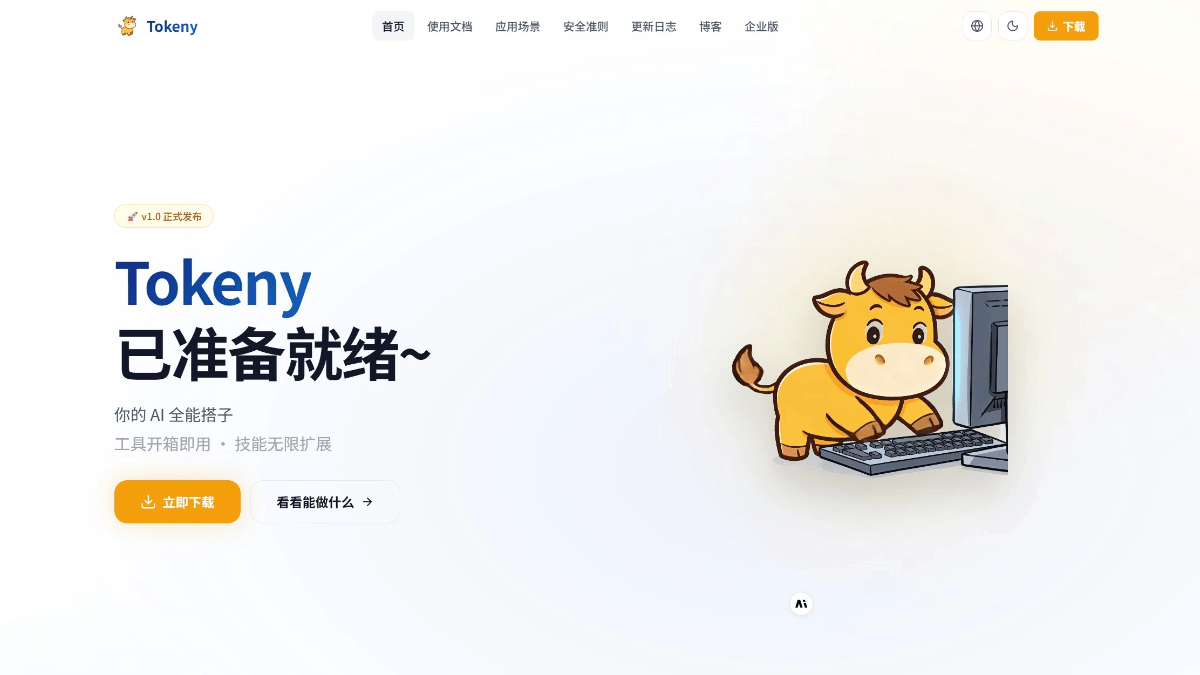
Tokeny's Main Features
-
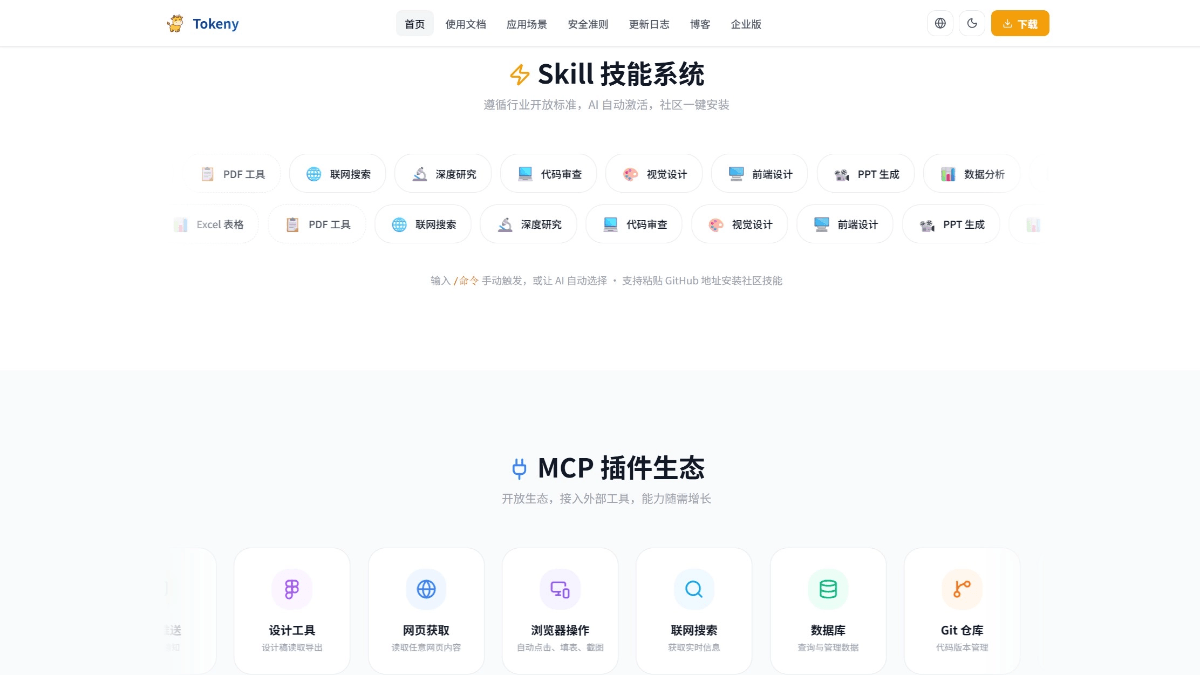
Skill System: Follows industry open standards, with AI automatically activating skills; supports one-click installation from the community, and you can enter
/命令to trigger manually or let the AI choose automatically; supports pasting a GitHub address to install community skills. -
MCP Plugin Ecosystem: An open ecosystem for integrating external tools, with one-click addition in the settings interface; supports local and remote services, with automatic reconnection after disconnection; all tools are intelligently invoked by the AI.
-
Intelligent AI Chat: A smooth multi-turn conversation experience with real-time streaming output, as natural as talking to a real person.
-
Multi-Model Support: Aggregates 7 domestic large model providers (DeepSeek, Kimi, Tongyi Qianwen, Zhipu GLM, MiniMax, Doubao, SiliconFlow), letting you enjoy 50+ models from one entry point, with better optimization for Chinese-language scenarios.
-
Workspace Management: File management + multi-format preview, with seamless collaboration between the AI and local files, and file operations restricted to within the workspace directory.
-
HITL Safety Approval: High-risk operations automatically trigger manual approval, offering three choices: approve, edit, or reject; Shell commands are confirmed one by one, and the user has the final say on dangerous operations.
-
Real-Time Token Statistics: Transparently displays the Agent's token consumption, making inference costs controllable and optimizable.
-
Message Queue Mechanism: You can continue entering new instructions while the AI is executing tasks, supporting sequential processing or "jumping the queue" to prioritize urgent matters.
Tokeny Usage Requirements
System Requirements: Windows 10+ or macOS (Apple Silicon); first-time use requires configuring the API Key of at least one AI model provider.
Environment Dependencies (Install as Needed)
| Dependencies | Purpose | Installation Recommendations |
|---|---|---|
| Git | Command Execution Environment | Windows users must install Git Bash |
| Python 3.10+ | Running AI-generated scripts, data analysis | Download from the official website; on Windows, check "Add to PATH" |
| Node.js LTS | MCP tool services, automation scripts | Download and install from the official website |
Model Selection Recommendations
-
Top choice for high performance:Kimi K2.5、MiniMax M2.7
-
Recommended for high cost-effectiveness: DeepSeek V3.2 (strong Agent capabilities and low price), GLM-4.7 Flash (completely free)
-
Not recommended for Agent: DeepSeek-R1, QwQ series, Kimi K1.5 (reasoning models have weak tool-calling capabilities)
How to Use Tokeny
- Installation and Startup:
- Visit Tokeny's official website tokeny.techxh.cn and download the installation package for your computer's system.
- On Windows, double-click the .exe to run the installation wizard; on macOS, drag the .dmg to Applications.
- On first launch, the application automatically creates a local SQLite database
- Configure AI Model:
- Click "AI Model" in the left navigation bar to enter the configuration page
- Select a provider (such as DeepSeek, Kimi, etc.)
- Enter the API Key and click "Test Connection" to confirm it is valid
- Select the model to use by default
- Environment Detection (if tools need to be used)
-
-
Go to the "MCP → Environment Detection" page
-
One-click check of the installation status of dependencies such as Node.js, Python, and Git
-
If it shows "Not Extracted", click "Initialize Built-in Environment" and wait for it to complete
-
When all items show a green checkmark, the environment is ready
-
- Start a Conversation
-
-
Enter a question or task description in the input box at the bottom of the main interface
-
Press Enter to send; the AI outputs replies in real time as a stream
-
Supports multi-turn conversations; the AI automatically remembers the context of the current session
-
- Use Skill
-
Manual trigger: Enter
/to view the skill list, then select one to trigger (e.g./deep-research 量子计算发展现状) -
Automatic routing: The AI automatically determines and activates the corresponding skill based on the conversation content
-
- Add MCP Service
-
-
Go to the "Settings → MCP Service" page
-
Click "Add Service" and select the connection method (SSE/stdio/StreamableHTTP)
-
Enter the service address or startup command
-
After saving, the system automatically connects and loads the tool list
-
- Workspace File Management
-
-
Browse the file tree, create folders, and upload files in the right panel
-
Files generated by the AI are automatically saved in the workspace
-
Supports preview of multiple formats such as Markdown, Word, PPT, HTML, code, images, and videos
-
Supports export as PDF or Markdown
-
- Configure IM Integration (Feishu Example)
-
-
Create a custom app (bot type) in the Feishu Developer Console
-
Get the App ID and App Secret
-
Enter the credential information on the Tokeny "IM" page
-
After enabling the connection, you can interact by @-mentioning the bot or sending a private message in Feishu
-
- Create a scheduled task
-
-
Go to "Settings → Scheduled Tasks"
-
Enter a natural language instruction and a Cron expression to define the execution time
-
Supports enabling/disabling, editing, and deleting tasks
-
Tokeny's security is part of the design
When AI has the ability to read and write files and execute commands, security is no longer optional. OpenClaw gives AI full execution permissions—it can directly control your computer. For technically skilled users this is efficient, but it also means that every mistake the AI makes can have real consequences.
Tokeny has built-in, at the architectural level, a HITL (Human-in-the-Loop) approval mechanism:
- Shell command-by-command approval: Every command the AI wants to execute pauses and is shown to you for confirmation before running
- Intelligent risk assessment: The system automatically grades the risk of commands, and high-risk operations (such as rm -rf, chmod 777) trigger additional security analysis
- Secondary confirmation for file deletion: Deletion operations must receive your explicit approval
- Workspace sandbox: The AI's file operations (read, write, delete) are restricted to the workspace directory and cannot access system files beyond it. However, Shell commands are not constrained by the sandbox—which is exactly why they require command-by-command approval
When you need to execute a large number of commands consecutively, you can also temporarily enable automatic execution mode—it is your active choice, not the default behavior.
Differences between Tokeny and OpenClaw
The scenarios and audiences they serve are clearly different:
- Interaction mode: OpenClaw sends messages to the AI through chat tools such as WhatsApp/Telegram, emphasizing "remote command anytime, anywhere." Tokeny is a native desktop application, emphasizing "the AI is right in front of you, working with you."
- Execution strategy: OpenClaw tends toward fully autonomous execution, suitable for clearly defined automation tasks. Tokeny tends toward human-machine collaboration, suitable for complex tasks that require judgment and decision-making.
- Security mechanism: OpenClaw grants AI full execution permissions by default. Tokeny requires manual approval for all high-risk operations by default.
- Model ecosystem: OpenClaw mainly supports overseas models such as Claude and GPT. Tokeny focuses on the domestic large model ecosystem, with 7 providers and 50+ models, offering better optimization for Chinese-language scenarios.
- Deployment method: OpenClaw requires configuring a gateway and message channels, with a certain technical threshold. Tokeny is a native desktop application and requires no configuration of a server or messaging platform.
The development of AI Agents will inevitably go through an evolution from "collaboration" to "delegation." When model capabilities are reliable enough and security mechanisms are mature enough, a fully autonomous AI assistant will certainly be the final form.
But the time has not yet come. Large models still make mistakes, still hallucinate, and still need human judgment to keep things in check. At this stage,enabling efficient collaboration between people and AI,rather than handing everything over to AI, is the more pragmatic choice.
Tokeny does not seek to let AI do everything, but to let AI help you do everything better.