
What is Tianrang Wanjuan
Tianrang Wanjuan is an AI document processing tool that supports multi-format document processing, including 300M extra-large files and scanned documents. Users can ask questions about full text, pages, images, tables, and paragraphs, achieving precise positioning and zero-latency responses. The tool features hybrid retrieval and cross-language Q&A capabilities, supporting global multilingual Q&A and retrieval. All answers are traceable, and it has a built-in AI planning and execution engine that can handle complex questions. Tianrang Wanjuan integrates practical tools such as table, image, and formula recognition, provides a massive number of built-in task templates, and supports customization to meet the needs of different industries.
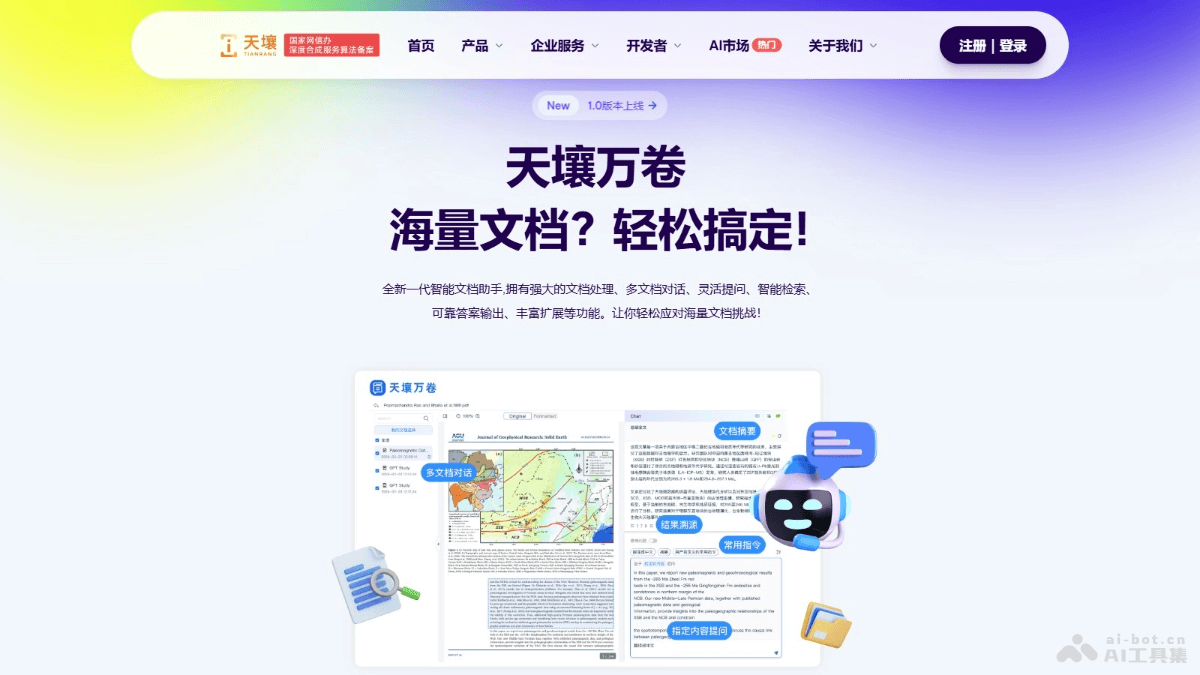
Main Features of Tianrang Wanjuan
- Multi-format Compatibility: Supports multiple document formats, unrestricted by file layout, supports 300M extra-large documents, and supports scanned documents.
- Multi-document Q&A: Chat with up to 50 documents simultaneously, providing comprehensive insights.
- Ask Anything: Precise positioning with zero latencyAsk questions about full text, pages, images, tables, and paragraphs, and precisely locate any content you need
- Hybrid Retrieval: Combines semantic and keyword hybrid search to extract key information.
- Traceable Answers: All answers are traceable, with one-click reliability verification.
- Treasure Knowledge Base: Integrates practical tools such as table, image, and formula recognition.
- Cross-language Q&A: Supports global multilingual Q&A and retrieval, convenient for users of different languages.
How to Use Tianrang Wanjuan
- Register and Log In: Visit Tianrang Wanjuan'sofficial website. Create an account or log in with an existing account.
- Upload Documents:
- Select the option to upload documents on the platform.
- Select the documents to be processed; multiple formats are supported, including PDF, Word documents, PPT slides, Excel spreadsheets, etc.
- If they are scanned documents, ensure the documents have been converted to a recognizable format.
- Document Processing: After uploading documents, Tianrang Wanjuan will process the document content.
- Ask Questions and Retrieve: Use the platform's search or question-asking feature to enter the question or keywords you want to query. Based on the question, the system uses hybrid retrieval technology, combining semantics and keywords, to provide relevant document content.
- Precise Positioning: If needed, further locate specific parts of the document, such as the full text, page, image, table, or paragraph.
- Cross-language Q&A: If needed, use the cross-language feature for multilingual Q&A and retrieval.
- Traceability and Verification: View the sources of answers and verify the reliability of the information.
- Use Built-in Tools: Use the practical tools provided by Tianrang Wanjuan, such as table, image, and formula recognition.
- Apply Industry Templates: Choose or customize industry templates as needed to adapt to specific workflows.
- Download or Share Results: After processing documents, download the results or share them with others.
Application Scenarios of Tianrang Wanjuan
- Legal Research and Case Preparation: Lawyers use Tianrang Wanjuan to search relevant legal provisions, precedents, and legal opinions to prepare cases.
- Academic Research: Scholars and researchers screen and summarize large numbers of academic papers and research materials to support research projects.
- Financial Analysis: Financial analysts analyze financial reports and extract key financial data and market trends.
- Policy Analysis and Formulation: Government officials and policy analysts review and understand policy documents to formulate or revise policies.
- Enterprise Decision Support: Enterprise management analyzes market research reports and competitor intelligence to support strategic decisions.