
What is Text Behind Image
Text Behind Image is an open-source online tool that lets users add text behind characters in images, creating posters and social media images with visual impact. Users add custom text behind the subject in an image, and it provides various customization options such as text, font, color, position, weight, opacity, rotation, and repetition. The tool was launched by 16-year-old developer Rexan Wong, and the code is fully public on GitHub.
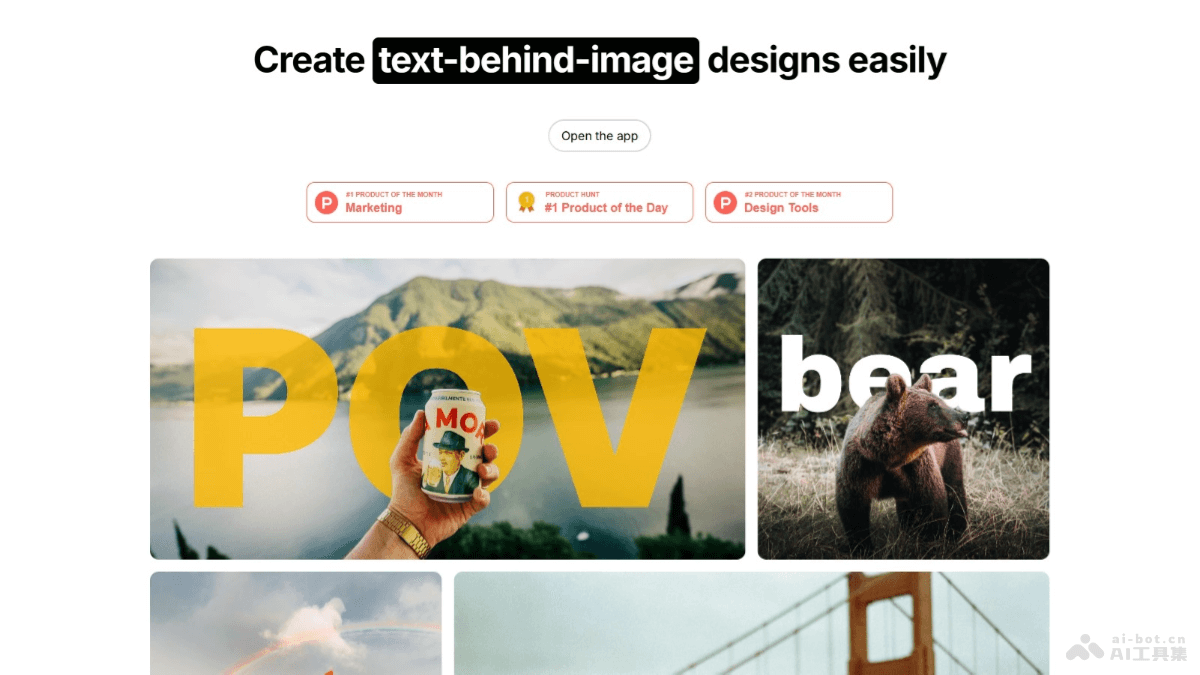
Main features of Text Behind Image
- Text addition: Users add custom text behind characters in images.
- Style customization: Provides various customization options such as text, font, color, position, weight, and opacity.
- Social media sharing: Supports directly sharing designed images to various social media platforms.
- Automatic font optimization: Uses next/font to automatically optimize and load fonts, improving loading speed and user experience.
Technical principles of Text Behind Image
- Next.js framework: Built on Next.js, using React's server rendering framework to build fast, scalable web applications.
- Image processing: Processes images based on front-end technologies (such as Canvas or SVG) to add and position text.
- CSS3 and HTML5: Uses advanced CSS3 features (such as Flexbox and Grid layout) and new HTML5 elements to build the user interface and implement design effects.
Project address of Text Behind Image
- Project official website:textbehindimage.rexanwong.xyz
- GitHub repository:https://github.com/RexanWONG/text-behind-image
Application scenarios of Text Behind Image
- Social media marketing: Create eye-catching social media posts to increase exposure for a brand or personal image.
- Advertising and promotion: Design advertising images for websites, blogs, or online ads to attract the attention of potential customers.
- Personal expression: Individual users create images with personalized text to use on personal social media accounts and show their emotions or attitudes.
- Education and training: Add text to teaching materials to enhance the educational meaning of images and make them more engaging.
- Artistic creation: Artists and designers create digital artworks, or add text descriptions to existing artworks.