
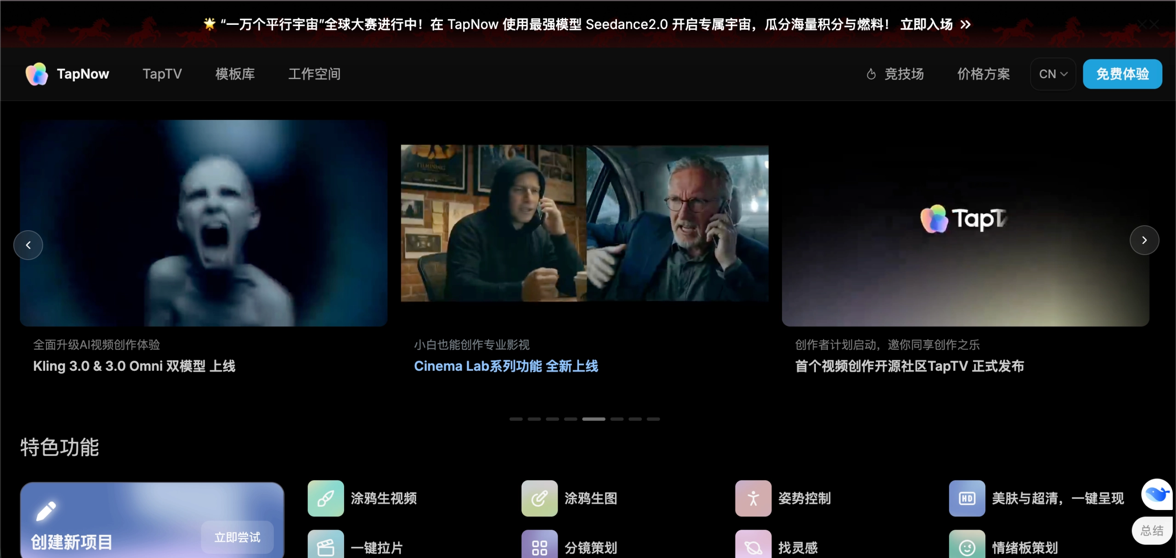
These past few days, AI video masterpieces have been emerging one after another.
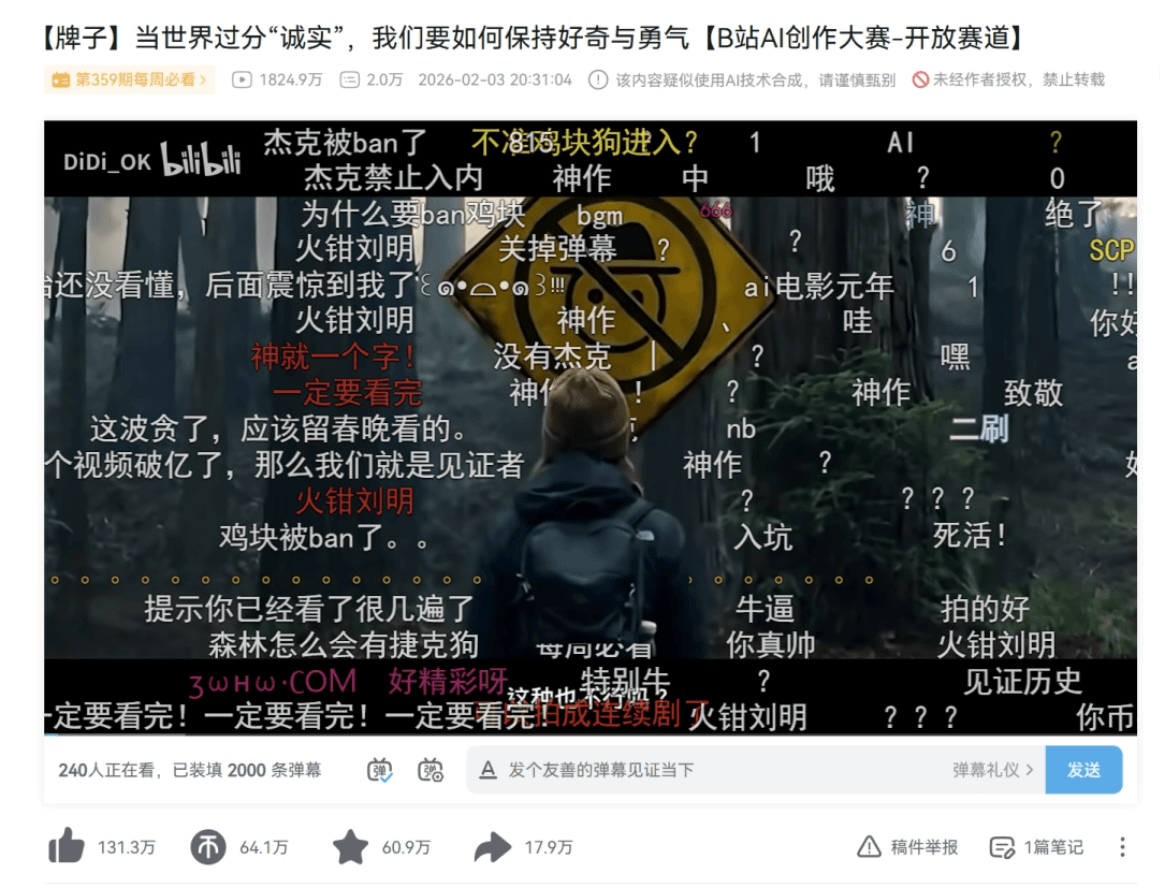
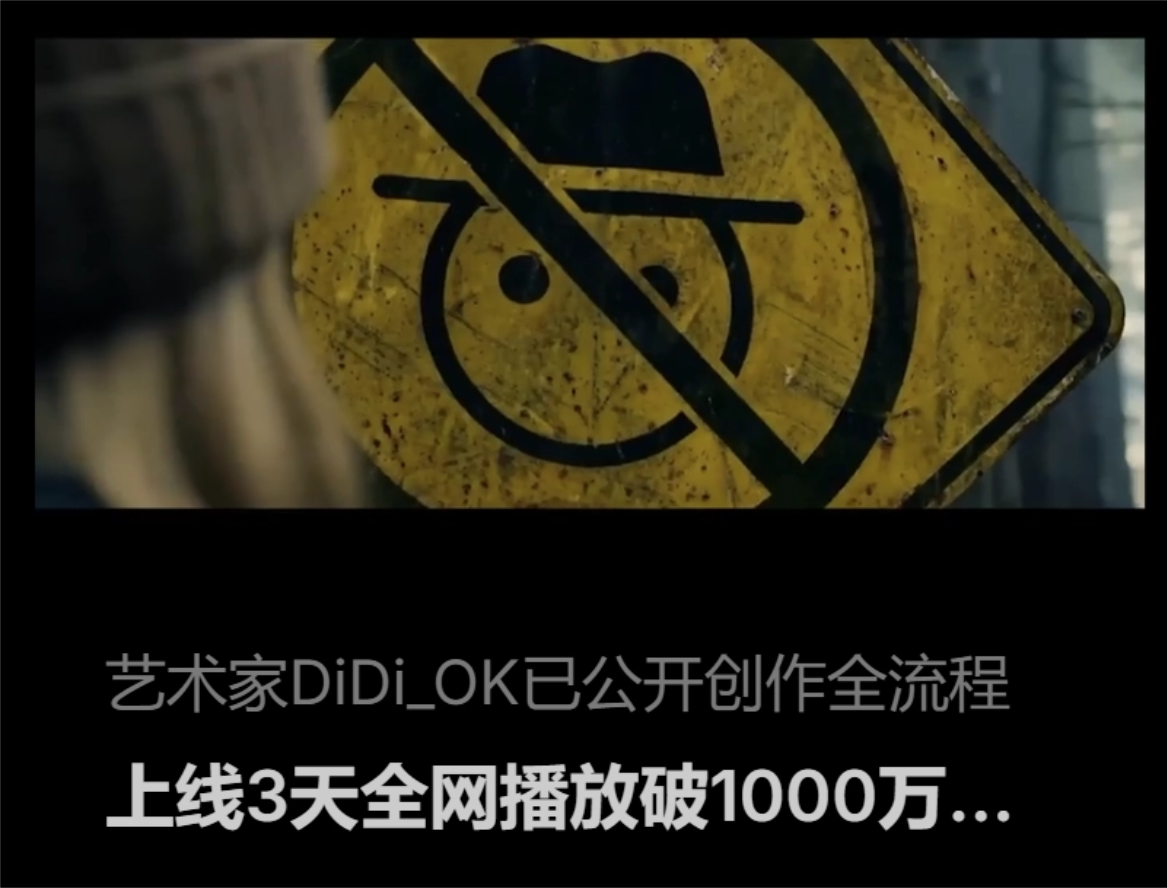
For example, the visual masterpiece "The Sign," which makes it impossible to tell reality from dreams, has over 50 million views across the internet and won the million-yuan grand prize at the Bilibili AI Creation Contest in one fell swoop. Even Guo Fan of "The Wandering Earth" shared and liked it.
Another example is the micro-film "Paper Phone," which moved the entire internet to tears. No real actors participated in the entire film; it was generated by just 2 people in 3 days, yet it touched the hearts of tens of millions of netizens.
You might think these are exclusive to tech masters, but in fact the complete workflows of these high-quality viral videos have all been open-sourced and published on TapNow. We can directly learn these viral creation processes and core prompts.
Recently,TapNow grandly launched Seedance 2.0, and also launched an unprecedentedly large-scale global creation contest called "Ten Thousand Parallel Universes."
Ready to replicate the next ten-million-level viral hit? Let's get straight to the point.
01. Unlock a library of ten thousand AI actors with zero threshold
Let's open the TapNow official website.
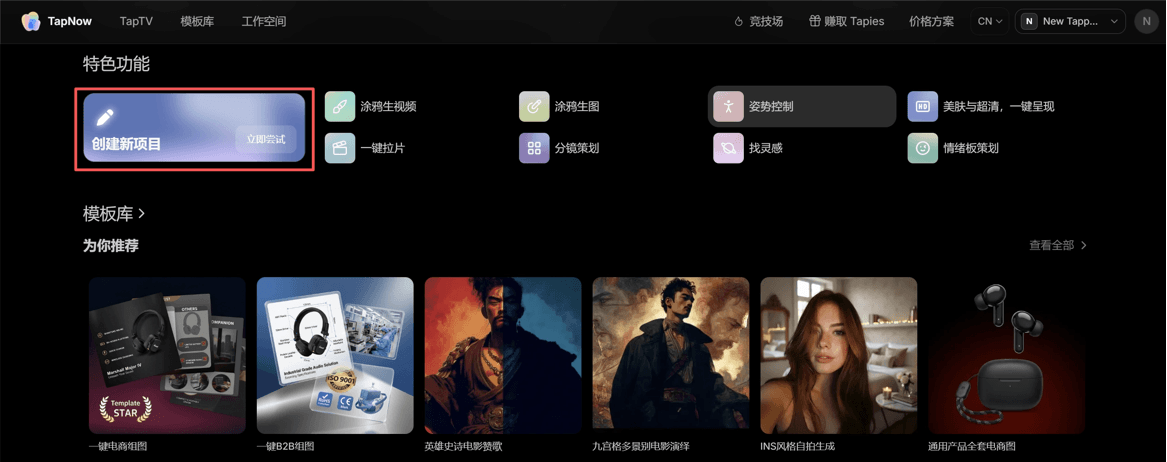
Official website:https://www.tapnow.ai
TapTV has countless AI video workflows open-sourced by top creators, covering everything from TV commercials, animation, narrative short films to MVs.
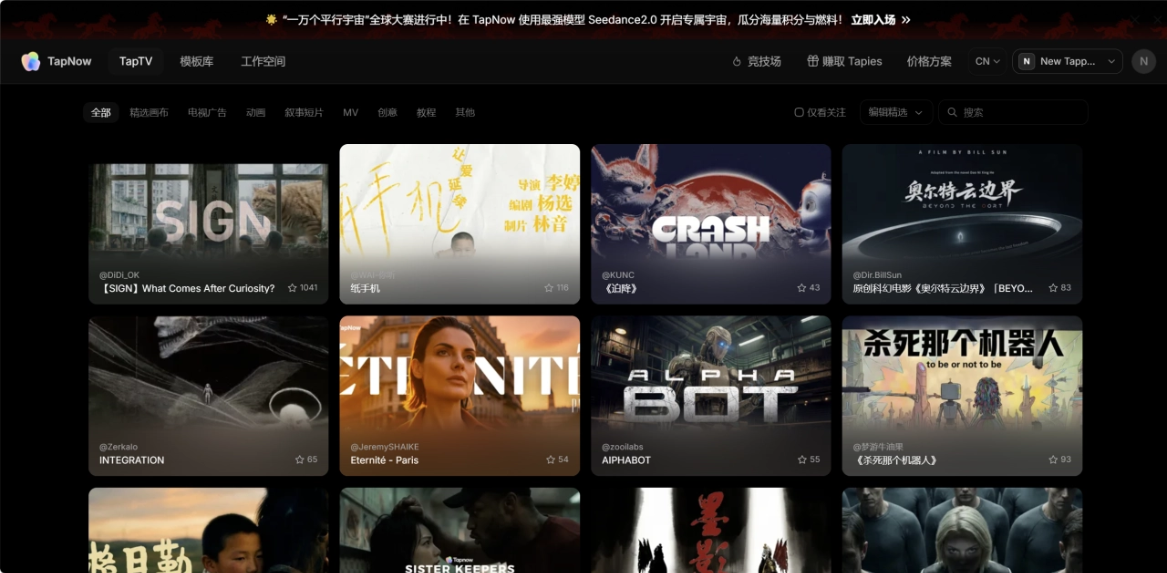
We move the mouse over any short film to preview the video and view the creation process.
For example, the AI live-action short film "Paper Phone":
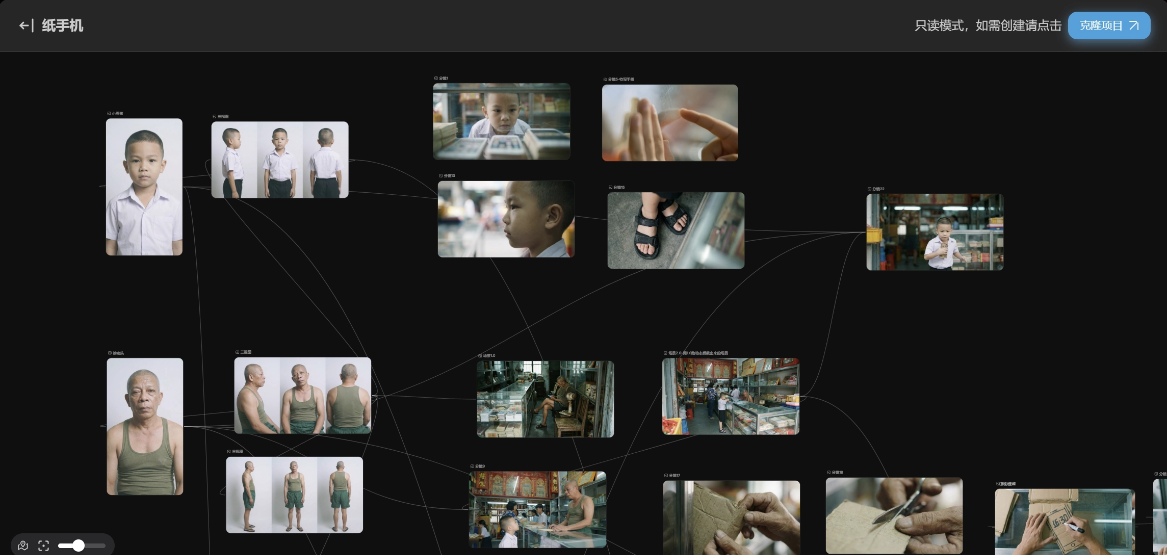
Just like shooting traditional film and television dramas, the first step in making an AI short film is also casting.
AI Actor
TapNow has a built-in library of tens of thousands of ready-to-use, copyright-compliant live-action assets. The assets are incredibly rich, from ancient pre-Qin charm to Ming and Qing elegance, from the Renaissance to cyber future; even alien species, gods and spirits, spanning ancient and modern, Chinese and foreign—only what you can't imagine, nothing it can't find.
These characters all support one-click application to the canvas. Even if you have zero foundation, you can immediately have this massive team of actors.
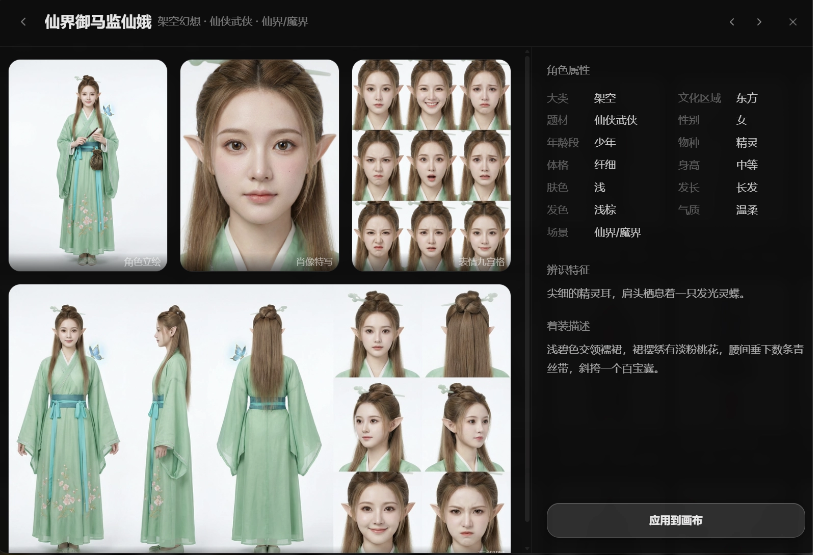
If you want a unique protagonist, we can also create one by customizing the face ourselves.
In the TapNow canvas, we add a text-to-image node. For real-person images generated using TapNow's built-in models, no enterprise certification is required, and you can directly use Seedance 2.0 to generate videos. (If it's content you uploaded yourself or generated through image-to-image, enterprise verification is required to open the real-person review channel.)
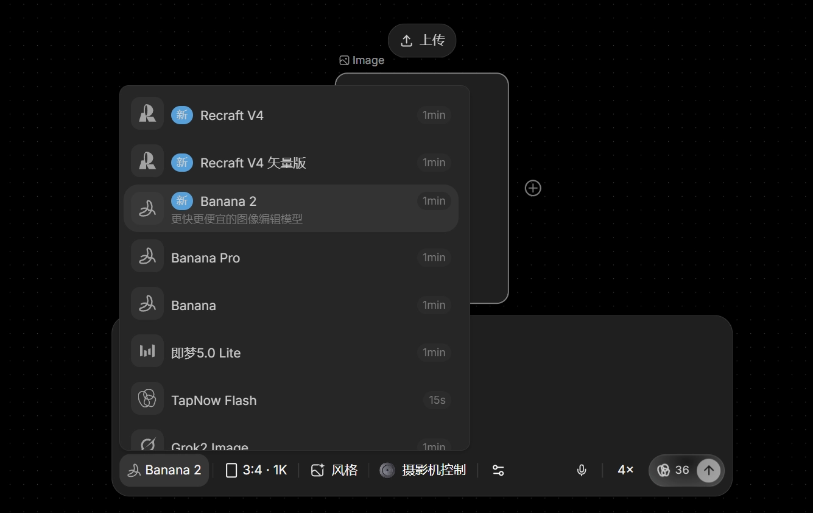
Let's try creating an AI actor. Double-click an empty area on the canvas to add an image node.
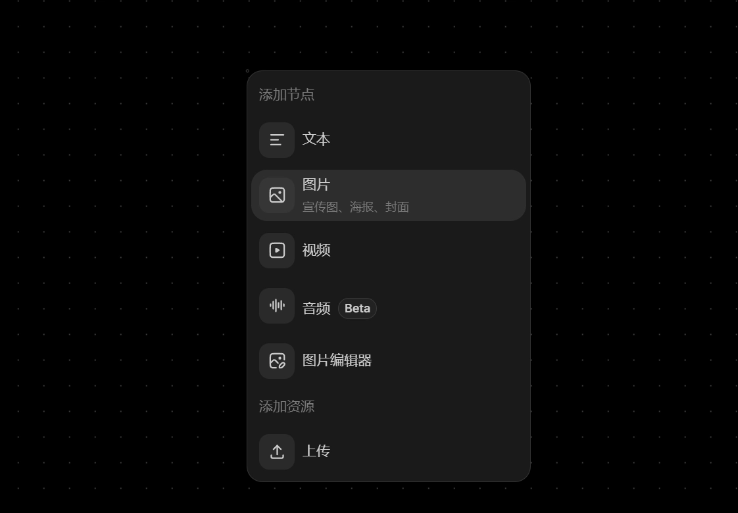
Enter a prompt to generate a character image using the image node.
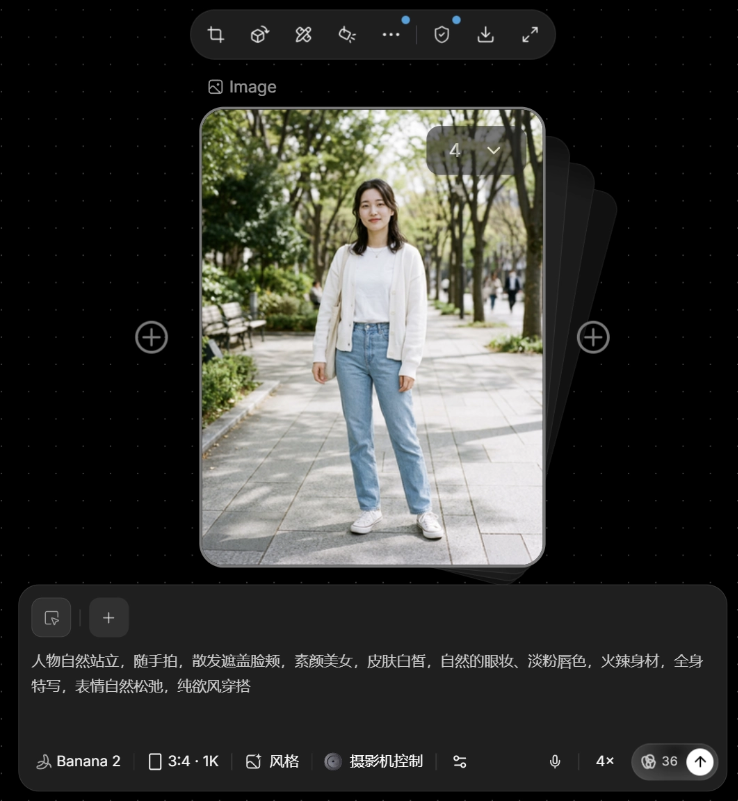
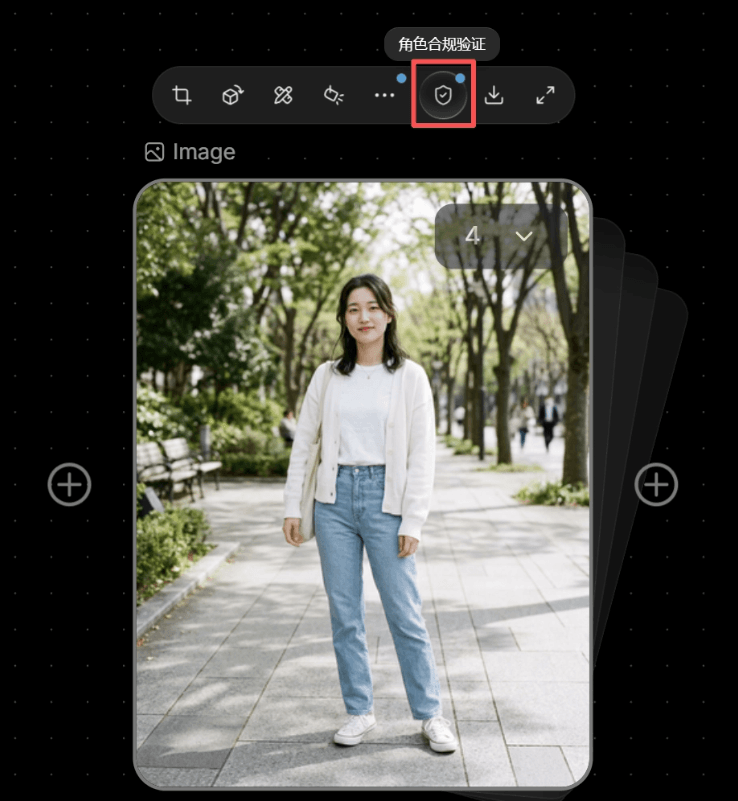
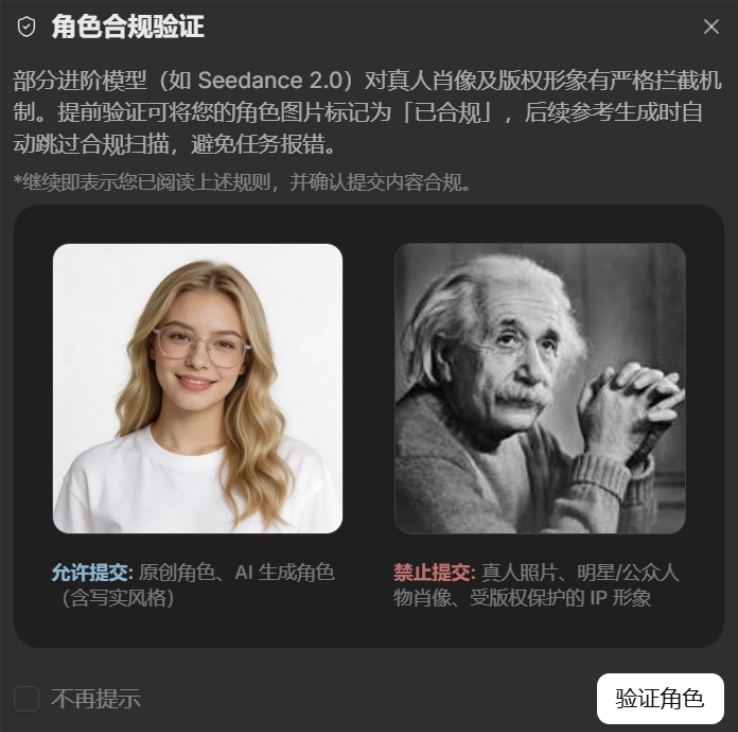
Click the character compliance verification above the image. After a few seconds, a blue mark will appear on the Image above the image, indicating successful verification.
After passing verification, our AI actor can directly go on camera.
For example, let's use Seedance 2.0 to arrange an audition for her:
Create a video node and connect it to the image node. Add @image as a reference image to the prompt.
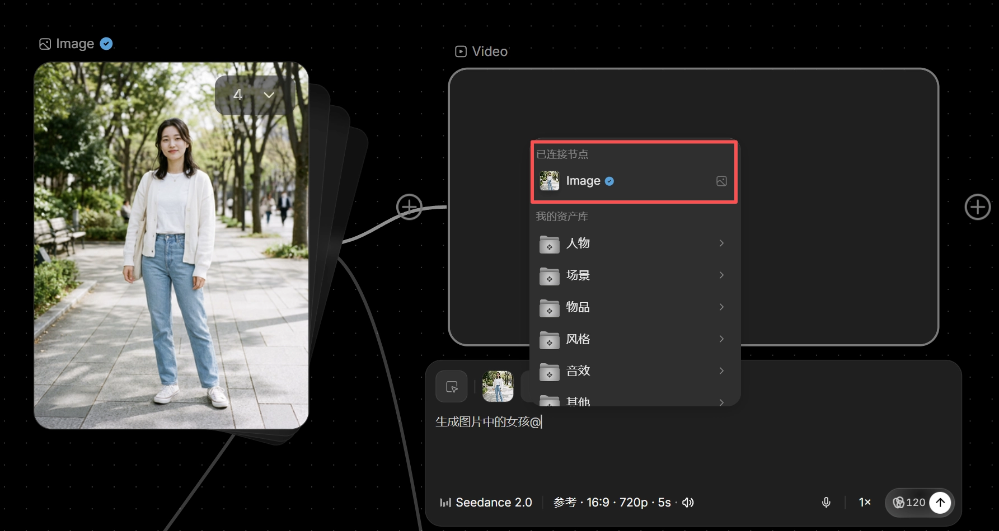
Generate an audition self-introduction video of the girl in the image @, pure white background. The girl stands facing forward. Smiling naturally, with a confident expression, she opens her mouth to introduce herself: Hello everyone, I'm Sister K, 18 years old this year, 163 cm tall, 82 jin, my works include "Sister K Research Society," and my hobbies are singing and playing the piano. Then show her left side, back, right side, and turn back to the front.
Let's look at the generated video together. The character's actions and posture fully follow the prompt's requirements.
Let's try adding a bit more emotion and have the AI actor perform 5 different emotions coherently:
Referencing the girl's appearance in @Image, pure white clean background, soft frontal fill light, the girl faces the camera and performs five different emotions saying "I don't want to." 0-3 seconds: Coquettish mode, the girl pouts and tilts her head, gently swaying her body left and right, both hands in fists placed at her chest and gently shaking, says "I don't want to~" in a coquettish tone, with the ending sound rising and drawn out, expression playful and cute; hard cut → 4-6 seconds: Angry mode, the girl's brows are tightly furrowed, her gaze is sharp, arms crossed over her chest, body slightly leaning forward, forcefully and briefly shouts "I don't want to!", with a tough and powerful tone; hard cut → 7-9 seconds: Sad mode, the girl's eyes are reddening, her gaze is lowered, the corners of her mouth tremble slightly, both hands weakly push forward, her voice is choked and trembling as she says "I don't want to...", speaking slowly, with a crying tone at the end; hard cut → 10-12 seconds: Determined mode, the girl lifts her chin and looks directly at the camera, her gaze calm and resolute, raises her right hand with the palm facing outward to make a "stop" gesture, and says clearly in a steady and powerful tone, "I don't want to.", without a trace of hesitation; hard cut → 13-15 seconds: Afraid mode, the girl's eyes widen, her body instinctively shrinks back, both hands crossed in front of her chest for protection, her voice trembles with a crying tone as she hurriedly says "I don't want to!", while slightly turning her head away to avoid eye contact. Hard cuts switch between the five segments, each 3 seconds, with distinctly differentiated expressions and body language.
Look at the flow of these emotions—isn't it extremely natural? Full of lifelike presence.
AI All-Around Director
With the actor sorted out, next comes the shooting.
Anyone who has made AI videos knows that generating videos is often like pulling gacha, with a high rate of wasted clips, and running them one by one is absolutely liver-punishing.
To solve this industry pain point, TapNow recently quietly launched an Agent feature, which is an AI all-around executive director.
We just need to send the inspiration to the Agent, and with Seedance 2.0, the Agent will handle the subsequent content generation work.
We directly give the Agent an instruction:
Use Seedance 2.0 to generate a 30-second short film "Some Handsome Guys, You Can See Them, But Can't Have Them" based on my storyboard, with the protagonist being @Image 1; handsome guy 1 is @Image 2; handsome guy 2 is @Image 3; [script content].
After receiving the instruction, the Agent will begin confirming the information and producing the content. It will proactively find me to align on the production plan and materials, then start ultra-fast production.
In the end, the Agent generated 2 clips of 15 seconds each, and I manually spliced them together, and a short film took shape:
The characters look very realistic, and the emotional changes are also well handled.
We can even have the Agent generate dozens of alternative shots at once with different camera movements and different micro-expressions. All we need to do is, like a true great director, pick out the most stunning one from a pile of high-quality finished shots.
02. Some sharing
Making AI videos used to feel like wrestling with tools. We had to keep guessing which set of prompts the model favored, and guessing whether this gacha pull would succeed. In TapNow, although not every clip is perfect, Seedance 2.0 really reduces a lot of the cost of repeated trial and error.
More importantly, TapNow gives more and more creators, for the first time, a real chance to make the world in their minds come out.
To this day, AI feels more like an increasingly handy paintbrush, which can help us shorten the distance from inspiration to finished film, and also help more ordinary people have the opportunity to enter video creation for the first time.
But what truly makes a work valuable is always the person behind the brush. How you see this world, why you want to tell this story, and what emotions and meaning you want to place in the audience's hands. All of these things will ultimately land in the work.
Perhaps the next image that moves an era is hidden in your mind.
Original link:After "Plaque" and "Paper Phone" went viral, a ten-million-level AI video workflow has been open-sourced.