
What is T-Rex Label
T-Rex Label is an AI automatic annotation tool created by the IDEA computer vision team based on the T-Rex2 model. T-Rex Label supports one-click annotation and zero-shot detection, and is suitable for multiple industries such as agriculture, industry, and biomedicine. T-Rex Label simplifies the workflow based on visual prompts, improves annotation efficiency and accuracy, and can be directly applied to various scenarios without additional training. T-Rex Label requires no download or installation and supports one-click login with a GitHub account, greatly reducing the barrier to entry, and is a major innovation in the field of data annotation.
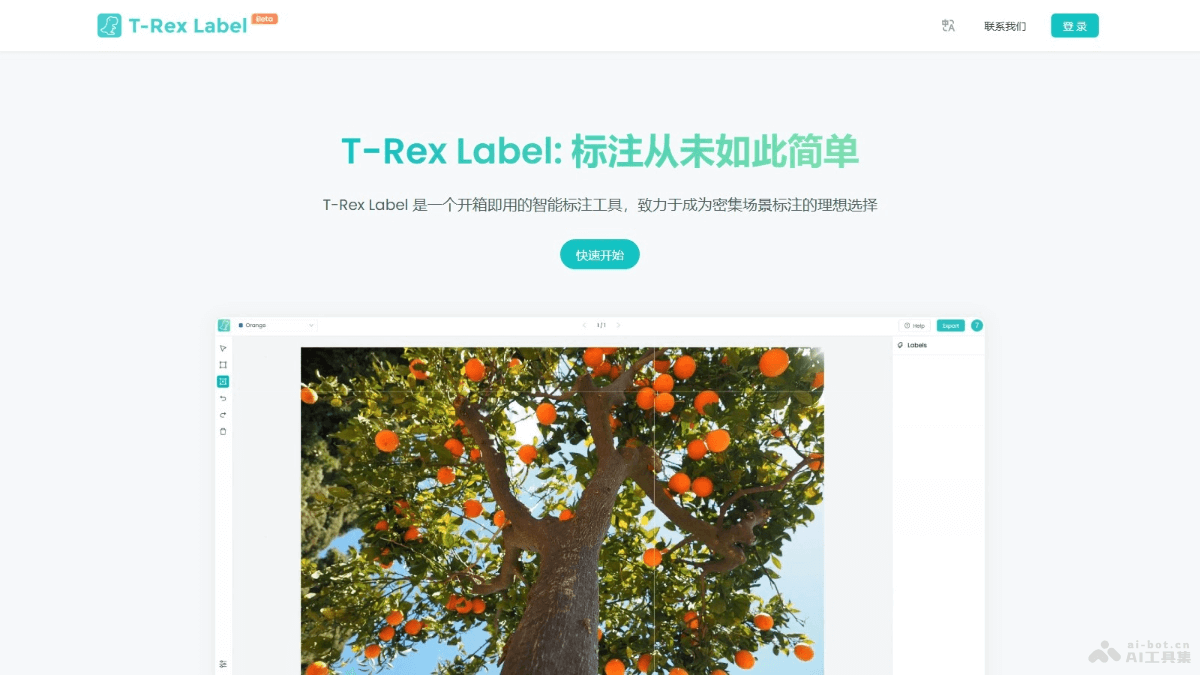
Main features of T-Rex Label
- One-click annotation: Supports fast one-click annotation in complex and dense scenes, greatly improving annotation efficiency.
- Zero-shot detection: Based on the T-Rex2 model, T-Rex Label can be directly applied to new scenes and objects without additional training, demonstrating strong generalization ability.
- Visual prompts: Based on the visual prompt feature, users directly box-select target objects to generate instructions, simplifying the traditional annotation process that relies on language descriptions.
- Interactive feedback: Users immediately receive feedback from AI annotation and can make quick corrections when necessary to ensure annotation accuracy.
How to use T-Rex Label
- Visit the website: Visit T-Rex Label'sofficial website。
- Log in/Register: If you already have a GitHub account, log in directly with one click using your GitHub account. If you do not have an account, you need to register a new one.
- Upload data: Prepare the image or video data to be annotated. Upload the dataset in the T-Rex Label interface.
- Select annotation type: Choose the appropriate annotation mode according to the type of data to be annotated (such as object detection, semantic segmentation, etc.).
- Use visual prompts: Use T-Rex Label's visual prompt feature to directly box-select target objects in the interface and generate annotation instructions.
- AI one-click annotation: Click the "One-click annotation" button to let AI automatically generate preliminary annotation results for your dataset.
- Check and correct: Manually check the annotation results generated by AI and correct inaccurate or missing annotations.
- Save and export: Export the annotated data into different formats, such as COCO, YOLO, etc., for subsequent machine learning or deep learning model training.
Application scenarios of T-Rex Label
- Agriculture: Used for monitoring crop health, pest and disease detection, yield estimation, etc.
- Industry: Used in manufacturing for quality control, product defect detection, and automated production line monitoring.
- Animal husbandry: Monitoring animal health, behavior analysis, and population counting.
- Biomedicine: Used in medical image analysis, such as cell counting, tissue classification, etc.
- OCR (Optical Character Recognition): Automatically recognizes text in documents and improves data entry efficiency.