
What is Suno Scenes
Suno Scenes is an innovative feature launched by the Suno AI music generation platform that uses videos and images as prompts to generate 30-second music. It can generate matching music based on the videos or images uploaded by users. By analyzing the color tones and content of images, it automatically matches the corresponding music style. Landscape images, funny memes, selfies, quick videos documenting daily adventures, and even text message images—Suno Scenes can generate corresponding music based on visual content.
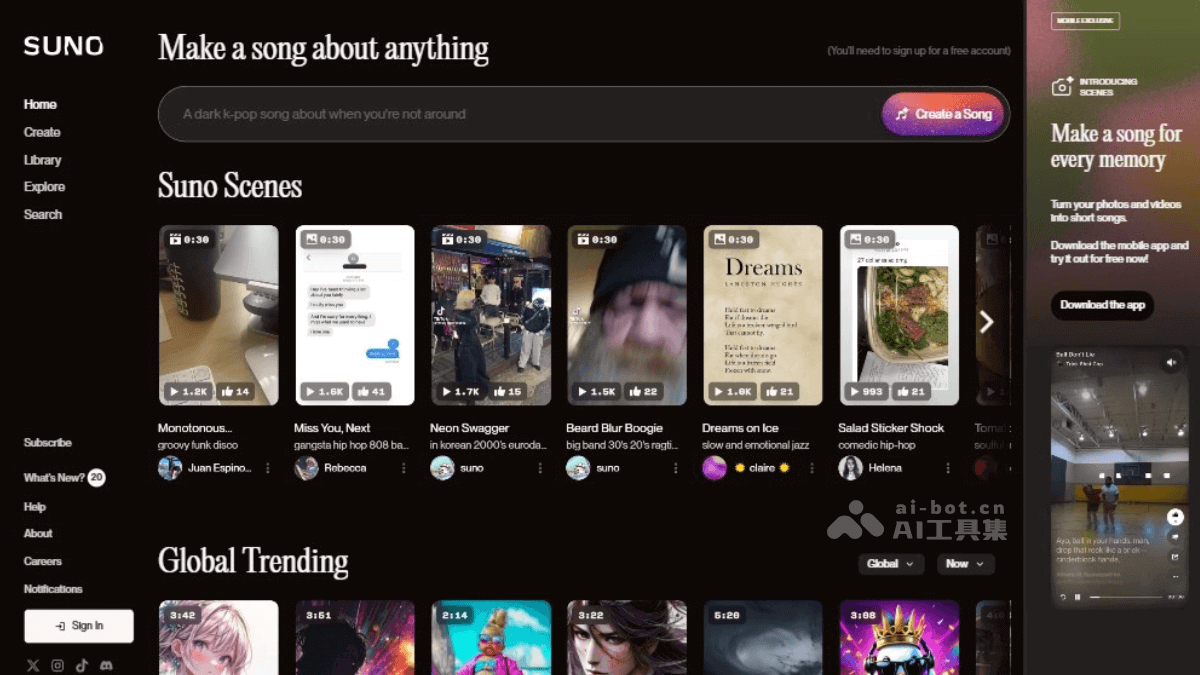
Main Features of Suno Scenes
- Image and Video Music Generation: Users can upload any image or video, such as landscape photos, funny memes, selfies, or daily videos, and Suno Scenes will generate corresponding music based on this visual content.
- Personalized Music Creation: Any visual content can be transformed into an auditory experience, creating unique musical works.
- Convenient Operation: Users can find the Suno Scenes feature in Suno's mobile application through camera mode to create music.
- Diverse Music Styles: Suno AI supports multiple music styles, such as pop, classical, electronic, etc., and can generate natural and fluent vocals.
- Instant Creation: Suno Scenes can create music based on uploaded content within seconds, providing a fast way to transform visual art into auditory enjoyment.
- Language Support: Suno AI supports multiple languages, including over 50 languages such as English, Chinese, French, Japanese, Russian, Spanish, etc., for input and song output.
How to Use Suno Scenes
The Suno Scenes feature is only supported for iOS users and is currently only available to users in the United States.
- Update the Client: Install the latest version of the Suno app. You can download or update the app by visiting the Suno official website.
- Open the App: Open the Suno application on your iOS device.
- Enter Camera Mode: In the Suno application, find and enter camera mode. Tap the camera icon on the app interface.
- Upload an Image or Video: In camera mode, you can choose to upload an image or video. Suno Scenes supports uploading various types of images and videos, including landscape photos, funny memes, selfies, or daily videos.
- Generate Music: After uploading an image or video, Suno AI will analyze the selected visual content and create an exclusive piece of music based on it.
- Preview and Adjust: The generated music will match the image or video. You can preview this music, and if needed, make adjustments or regenerate it.
- Save and Share: If you are satisfied with the generated music, you can save it to your device and share it.
Application Scenarios of Suno Scenes
- Personalized Music Creation: Users can upload personal photos or videos to generate matching music, create personalized soundtracks for personal projects and special occasions, and explore musical creativity.
- Educational Tool: As an innovative educational tool, Suno Scenes is suitable for music and technology courses. Students can learn music composition, artificial intelligence algorithms, and digital sound processing by experimenting with generating music from text.
- Media Sound Design: Professionals in film, video production, and games can use Suno Scenes for rapid sound design and music composition. Quickly generate suitable tracks based on scene descriptions or game themes, saving time and resources, and ensuring that auditory elements perfectly match the visual content.
- Therapeutic Applications: Suno Scenes can be adapted for therapeutic purposes, such as creating relaxing music or motivational tracks. Therapists and wellness professionals can tailor music to individual needs, enhancing the effectiveness of therapy sessions and promoting mental health.
- Commercial Brand Promotion: Businesses can use Suno Scenes to develop unique brand sounds and advertising jingles. Create memorable sonic identities by generating distinctive musical elements that resonate with the brand identity.
- Collaborative Art Projects: Suno Scenes facilitates collaborative art projects, supporting multiple users in contributing text prompts and jointly shaping the musical outcome.
- Music Video Production: Suno Scenes can be combined with AI image and video generation tools to produce music videos (MV).