
What Is SUAPP AI
SUAPP AI (Linggan AI) is an AI tool built for the architectural design industry. It is the Chinese portal website for SketchUp and is mainly used in fields such as architectural design, interior design, and landscape design. Based on AI technology, it helps designers quickly generate design renderings, mood boards, animated videos,3D models, and supports intelligent Q&A services. SUAPP AI supports a rich set of plugin extensions, meeting diverse needs from conceptual design to construction drawing production. The tool produces highly realistic rendering effects and, combined with technologies such as VR, can deliver an immersive experience. It is an important tool for designers and professionals for creative expression and project presentation.
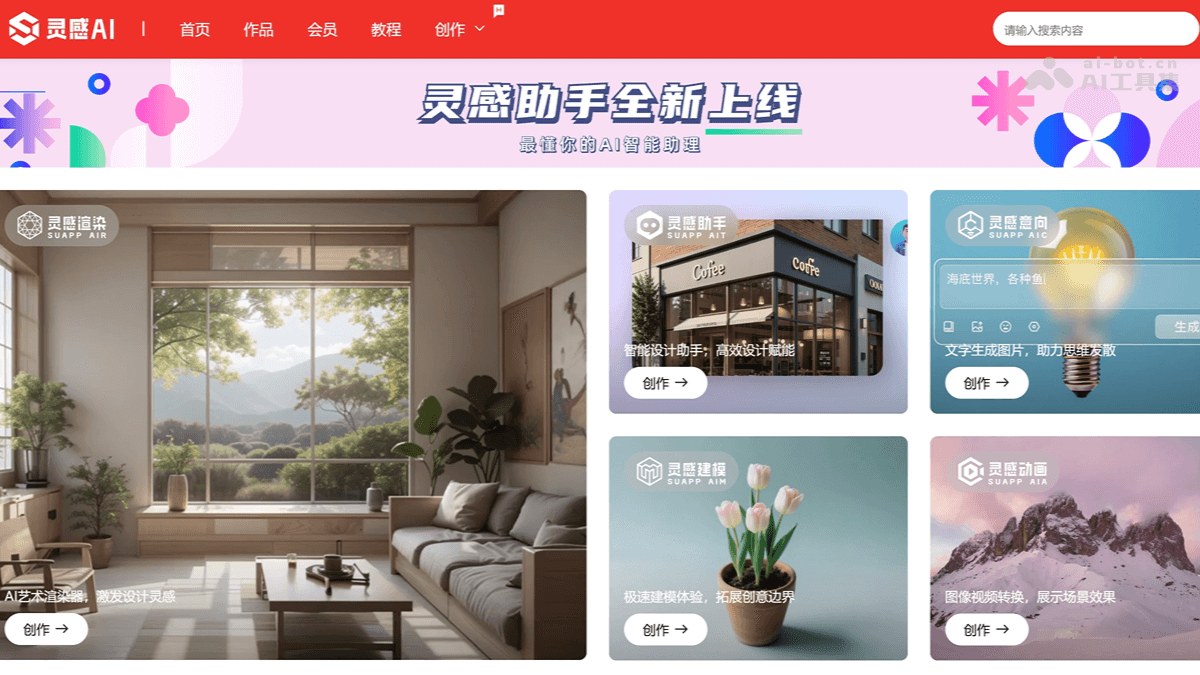
Main Features of SUAPP AI
- Image-to-Image (Linggan Rendering): Generates images based on images, supports features such as local redrawing, image collage, graffiti sketching, and magic eraser, and quickly produces high-quality rendering effects.
- Text-to-Image (Linggan Mood Board): Generates mood boards based on text descriptions, helping designers quickly collect inspiration.
- Image-to-Video (Linggan Animation): Generates dynamic videos from static images, enhancing the design presentation effect.
- Image Modeling (Linggan Modeling): Quickly generates 3D models based on images, reducing modeling time.
- AI Chat (Linggan Assistant): Provides intelligent Q&A and design suggestions, assisting the design process.
How to Use SUAPP AI
- Online Use:
- Visit the Website: Visit SUAPP AI'sofficial website, and complete registration and login as prompted.
- Choose a Tool: On the website, choose the feature you need, such as image-to-image, text-to-image, image-to-video, etc.
- Upload or Enter Content: If using image-to-image or image modeling, upload the relevant images. If using text-to-image, enter the description text.
- Generate Results: Click the "Generate" button, and the AI will automatically process and generate the results.
- Save or Share: After the results are generated, download and save them or share them directly with others.
- Using the SketchUp Plugin:
- Install the Plugin: From SketchUp'sofficial download page, download and install the plugin.
- Open SketchUp: Launch the SketchUp software.
- Upload or Select Content: Upload images or select models in the plugin interface.
- Set Parameters: Adjust parameters as needed, such as style, material, etc.
- Generate Results: Click the "Generate" button, and the AI will directly generate the results in the plugin.
Application Scenarios of SUAPP AI
- Architectural Design: Quickly generate architectural mood boards and preliminary rendering effects, assisting scheme conception and presentation.
- Interior Design: Quickly model, replace materials, adjust spatial atmosphere, and optimize interior design schemes.
- Landscape Design: Generate site models, quickly add landscape elements, and improve design efficiency.
- Project Reporting: Generate dynamic videos from static images, improve image quality, and enhance the display effect.
- Creative Inspiration: Obtain design inspiration and suggestions based on AI dialogue, assisting the design process.