
What is Suanleme
Suanleme is an innovative computing power sharing platform that allows users to support scientific research and promote technological progress by sharing idle GPU resources, while also earning income from it. After users join, the platform automatically uses the computer's idle computing power to perform computing tasks. When users need to use the computer, the tasks are automatically paused to ensure normal use is not affected. Users can start or stop computing tasks at any time, making the operation flexible and convenient.
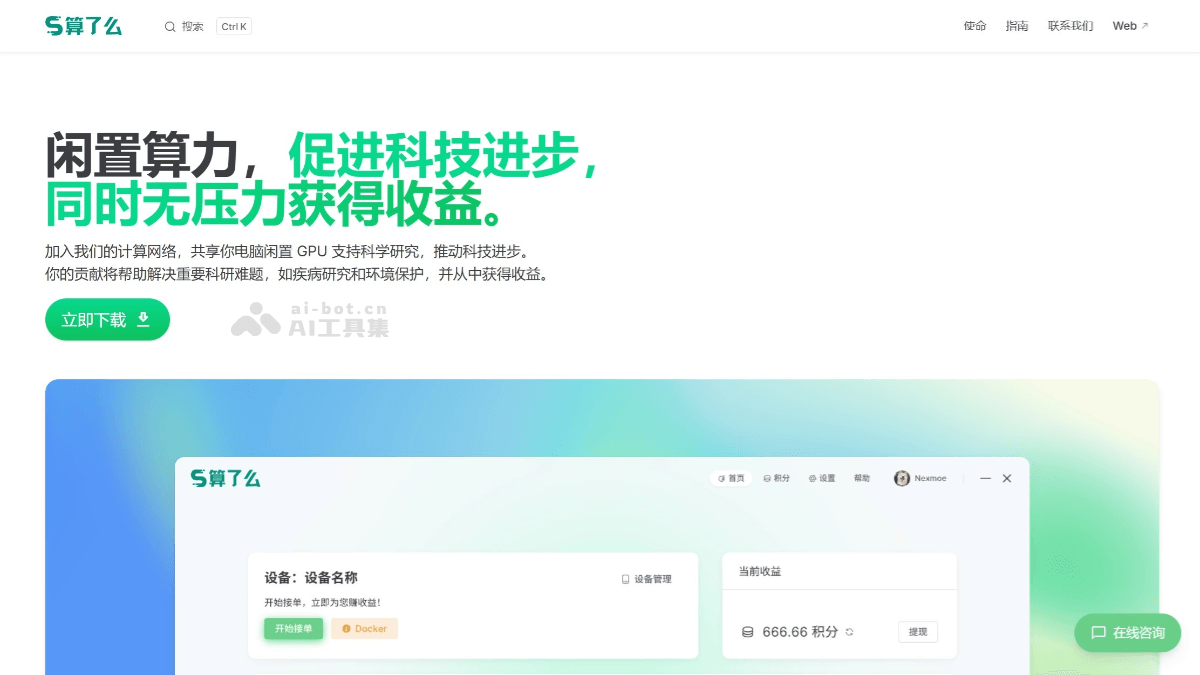
Main Features of Suanleme
- Automated computing power scheduling: The platform can automatically detect the idle state of the user's computer and start computing power tasks without affecting the user's normal use. When the user starts a game or performs other operations with high computing power requirements, the computing tasks are automatically paused to ensure that the performance of the user's computer is not affected.
- Flexible control options: Users can manually turn the computing power sharing function on or off at any time, flexibly adjusting according to their own needs and maintaining full control over their computing power resources.
- Income acquisition and management: Users can obtain corresponding income returns by sharing idle computing power. The platform provides clear income records and management functions, allowing users to clearly understand their income situation.
- Community interaction and display: The platform brings together many users, forming an active community. Users can share their usage experiences and exchange insights on the platform, and can see the real stories and contributions of other users, enhancing users' sense of participation and belonging.
- Contributing to scientific research and industrial development: The computing power shared by users will be used to support scientific research, promote the development of advanced industries, and help achieve breakthroughs at the frontiers of scientific research, enabling users to contribute to social progress through practical action.
Suanleme Official Website Address
- Official website address:suanleme.cn
How to Use Suanleme
- Register an account: Visit the "Suanleme" official website (suanleme.cn). Click the register button and fill in the necessary information (such as email, password, etc.) to complete account registration.
- Download the client: Find the client download link on the official website and choose the appropriate version to download according to your operating system (Windows, MacOS, Linux, etc.). After the download is complete, run the installer and follow the prompts to complete the client installation.
- Configure the clientAfter the installation is complete, start the client. Log in to the account you just registered. Follow the client prompts to perform simple configuration, such as selecting the GPU resources to share and setting the rules for automatic startup and pause.
- Start sharing computing power: After configuration is complete, the client will automatically detect the idle state of the computer and start sharing computing power when the conditions are met. Users can view the current computing power sharing status, income situation, and other information in the client interface.
- Control at any time: If you need to pause or turn off computing power sharing, you can manually operate it in the client interface. When users need to use the computer for games or other tasks with high computing power requirements, the client will automatically pause the computing power sharing task to ensure that it does not affect the user's normal use.
- View income: Users can view their income records and cumulative income in the client or the personal center on the official website. Income is calculated based on the time and amount of resources shared for computing power.
Application Scenarios of Suanleme
- Product Design and Simulation: Manufacturing enterprises can conduct efficient product design, simulation analysis, and production optimization through computing power sharing, improving product quality and production efficiency.
- Game Rendering and Cloud Gaming: Provide the computing power required for cloud gaming, virtual reality (VR), and augmented reality (AR) games, enhancing the user experience.
- Climate Simulation and Environmental Research: Conduct climate simulation and environmental data analysis based on powerful computing power, helping scientists better predict climate change and environmental issues.
- Intelligent Monitoring and Security: Process monitoring data in real time through edge computing and Internet of Things technology, improving urban security efficiency.