
What is StreamMultiDiffusion
StreamMultiDiffusion is an open-source real-time interactive image generation framework that combines the high-quality image synthesis capabilities of diffusion models with the flexibility of regional control, enabling real-time, interactive, multi-text-to-image generation based on user-specified regional text prompts. The purpose of this framework is to improve the speed of image generation and user interactivity, allowing users to generate and edit images in real time.
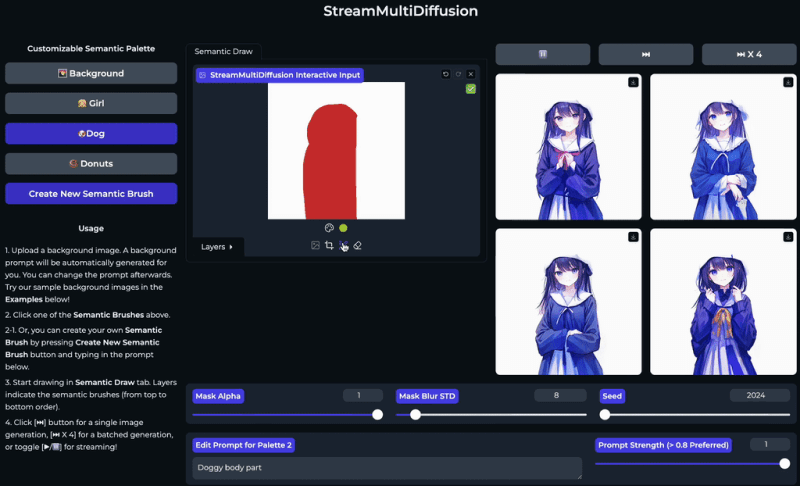
StreamMultiDiffusion Official Website Entry
- GitHub Source Code:https://github.com/ironjr/StreamMultiDiffusion
- Hugging Face Demo:https://huggingface.co/spaces/ironjr/SemanticPalette
- arXiv Research Paper:https://arxiv.org/abs/2403.09055
Features of StreamMultiDiffusion
- Real-Time Image Generation: StreamMultiDiffusion can achieve fast image generation, allowing users to see images converted from text descriptions in real time. This real-time capability greatly improves the user experience and allows for immediate iteration and modification.
- Region-Specific Text-to-Image Generation: Users can generate specific parts of an image through specified text prompts and hand-drawn regions. This means users can control specific regions of the image, such as specifying that a certain region should contain an "eagle" or a "girl," while other regions are automatically generated by the model based on context.
- Semantic PaletteAllows users to interact with the model in an intuitive way, similar to using a brush to paint on a canvas. Users can "paint" images by inputting text prompts and drawing regions, thereby achieving highly personalized image creation.
- High-Quality Image Output: Leveraging powerful diffusion models, StreamMultiDiffusion can generate high-resolution and high-quality images, meeting the needs of professional-grade image generation.
- Intuitive User Interaction Interface: StreamMultiDiffusion provides an intuitive user interface, allowing users to control the image generation process through simple operations, including uploading background images, inputting text prompts, drawing regions, and viewing generated results in real time.
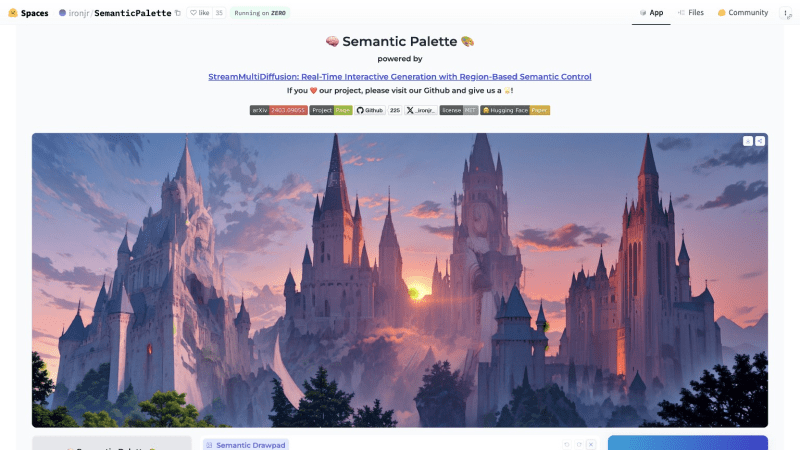
How StreamMultiDiffusion Works
- Multi-Prompt Stream Batching Architecture: StreamMultiDiffusion restructures the model into a new stream batching architecture that can simultaneously process multiple text prompts and corresponding region masks. This architecture, by inputting new images and the previously processed batch of images at each time step, enables the model to handle image generation tasks at different stages across different time steps, thereby improving overall generation speed and efficiency.
- Fast Inference Techniques: To achieve real-time generation, StreamMultiDiffusion adopts fast inference techniques such as Latent Consistency Models (LCM) and their LoRA (Low-rank Adaptation) extensions, reducing the number of inference steps required to generate images from diffusion models and thereby accelerating generation speed.
- Regional Control: StreamMultiDiffusion allows users to control specific parts of an image through hand-drawn regions and text prompts. These region masks guide the model to generate content corresponding to the text prompts within the specified regions, thereby achieving fine-grained control over image details.
- Stabilization Techniques: To ensure image quality is maintained during fast inference, StreamMultiDiffusion introduces several stabilization techniques:
- Latent Pre-Averaging: Before regional synthesis, the latent representation is pre-averaged to reduce abruptness between different regions.
- Mask-Centering Bootstrapping: In the early stages of the generation process, guide the center of the region to the center position of the image to ensure that the model does not ignore these regions in subsequent steps.
- Quantized Masks: Smooth the region boundaries by quantizing the mask, making the transitions between different regions more natural.
- Semantic Palette: This is a new interactive image generation paradigm proposed by StreamMultiDiffusion, allowing users to "paint" images through text prompts and hand-drawn regions. Users can adjust these inputs in real time, and the model will generate corresponding images based on these inputs.
- Real-time feedback and iteration: StreamMultiDiffusion provides a real-time feedback mechanism. Users can evaluate the model's output by observing the generated image stream, and adjust text prompts and region masks in real time as needed. This real-time feedback mechanism allows users to quickly iterate and optimize the generated images.
How to use StreamMultiDiffusion
- VisitStreamMultiDiffusion's Hugging Face Space
- Click Background to input the background prompt for the image. If you are painting the entire canvas, you do not need to input a background prompt.
- Select the brush in the semantic palette and edit the brush's prompt, then start drawing
- After drawing is complete, click the Generate button on the right and wait for the image to be generated