
What is Stickerbox
Stickerbox is an AI-driven creative sticker printer designed specifically for children, instantly transforming kids' imaginations into tangible physical artworks. Using voice interaction, children simply speak their ideas (such as "a dinosaur riding a skateboard"), and the device generates black-and-white line-art stickers within seconds for kids to color and stick. The product design emphasizes a "screen-free experience," using thermal inkless printing technology and safe, non-toxic materials to encourage hands-on creativity and reduce dependence on electronic devices.
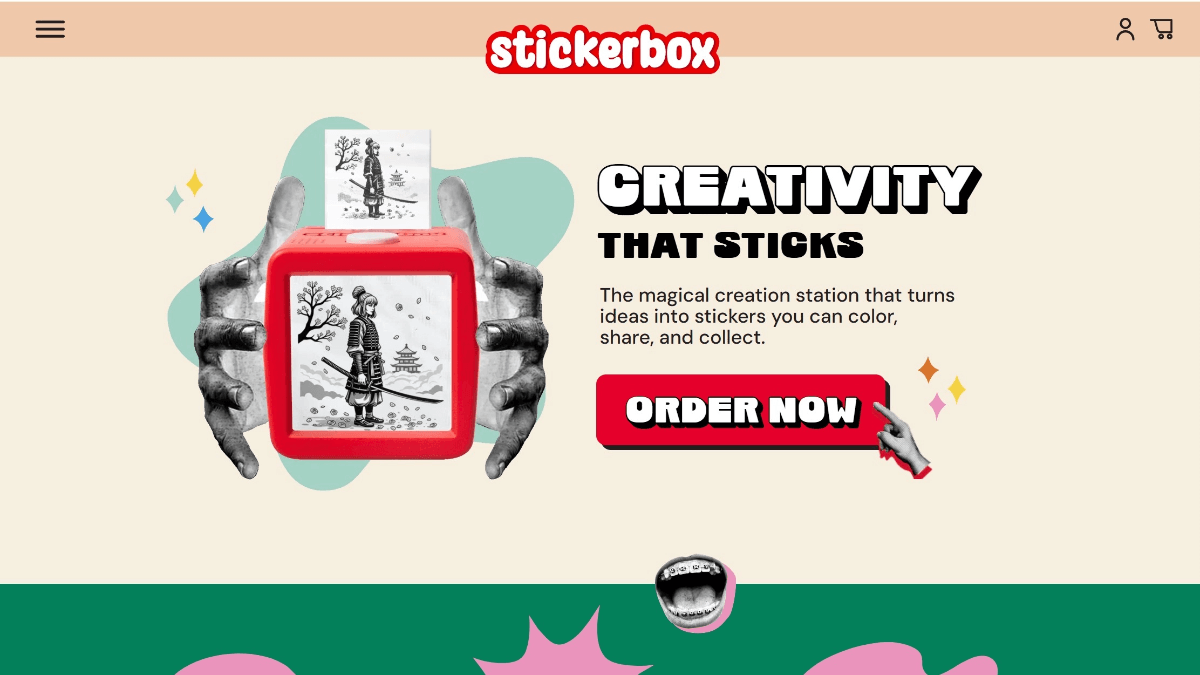
Stickerbox's Main Features
- Voice-Generated Stickers: Children simply press the large button on top of the device and describe their idea (such as "a pink unicorn"), and the built-in AI quickly generates the corresponding black-and-white line-art sticker.
- Screen-Free Tactile Creation: The product design reduces passive screen time, encouraging children to color, peel off, and stick the printed stickers, providing a physical tactile creative experience.
- Thermal Inkless Printing: The device uses thermal printing technology, requiring no ink or toner, with simple maintenance, and the printed stickers are safe and non-toxic.
- Child Safety and Privacy Protection: The AI activates voice listening only when the button is pressed, avoiding continuous recording. A built-in content safety filter also ensures the generated content is suitable for children.
- Simplified Operation and Independent Use: Designed like a 3.75-inch red cube, it is simple to operate, and children can independently complete the entire creative process from imagination to physical sticker.
Stickerbox's Specifications
- Appearance: 3.75-inch cube red box
- Technology: Thermal inkless printing, supports multilingual voice input
- Includes: 3 rolls of paper (approximately 180 stickers), colored pencils, and power cord
- Safety: Built-in content filter, no camera
Stickerbox's Pricing Configuration
- Sold only in the United States:$99.99
Stickerbox's Purchase Address
- Official Website Address:https://stickerbox.com/
How to Use Stickerbox
- Preparation and Connection: For first-time use, initial setup and Wi-Fi network connection are required through the companion App.
- Voice Generation: Press the white voice button on top of the device, loudly describe the desired image (such as "a pink unicorn"), then release the button.
- Printing and Creation: The device screen displays the AI-generated image and simultaneously prints out the black-and-white line-art sticker. Children can remove the sticker, color it with colored pencils, and stick it.
Stickerbox's Application Scenarios
- Children's Creative Expression and Play: The core is allowing children to quickly generate physical stickers from their wild imaginations through voice description, then color, decorate, and share them, achieving the transformation from abstract imagination to tangible creation.
- "Light Screen" Parent-Child Interaction: Provides a solution for parents worried about their children's excessive use of electronic screens. The device itself does not need to connect to a phone or computer, encouraging children to engage in hands-on physical play, reducing passive screen time, and providing a safe, focused experience.
- Family-Safe Entertainment: The device is built to be sturdy and durable, designed for the home environment. It uses child-safe AI technology, has built-in content moderation mechanisms, and is not equipped with a camera, emphasizing privacy and content safety while encouraging creativity.