
What is Speechnotes
Speechnotes is an onlineAI speech-to-text tool, supporting audio and video transcription, translation, and voice input notes. It features voice commands, automatic capitalization, easy import and export, and provides a convenient dictation and transcription experience. Serving millions of users since 2015, it is the preferred choice for fast, accurate transcription. It offers a Chrome extension, API, Zapier integration, Android and iOS apps, etc., meeting the needs of different devices and requirements. With a focus on privacy protection, no human intervention, and automatic deletion of recordings, it is an ideal choice for improving work efficiency and saving costs.
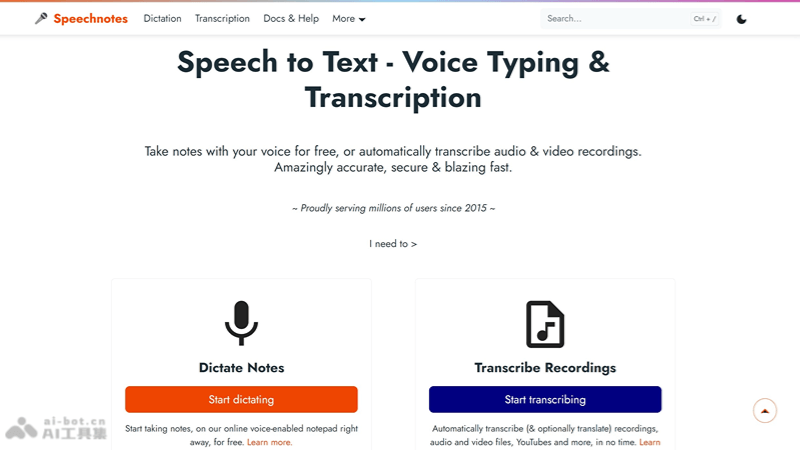
Speechnotes' main features
- High-precision speech recognition: Based on leading speech recognition technologies from Google and Microsoft, it provides high-accuracy speech-to-text services.
- Real-time voice typing: Users can convert speech to text in real time, suitable for quick note-taking and writing.
- Voice commands: Supports using voice commands for punctuation and formatting control, improving input efficiency.
- Automatic capitalization: Intelligently recognizes and automatically applies capitalization, such as at the beginning of sentences and for proper nouns.
- Multi-platform support: Provides a Chrome extension, Android app, iOS app, as well as API and webhooks, making it convenient to use across different devices and systems.
- Privacy protection: Ensures the security of user data; recordings are not processed manually and are automatically deleted after transcription is completed.
How to use Speechnotes
- Open the website: Visit the official Speechnotes website in your browser (speechnotes.co)。
- Choose a feature: As needed, select "Start voice input," "Transcription service," or another feature.
- Start using:
- For the online notepad or voice typing, click the start button and speak, and Speechnotes will convert your speech into text in real time.
- For the transcription service, upload your audio or video file and wait for the transcription to be completed.
- Edit and export: You can edit the transcribed text and then export it in the desired format.
Speechnotes application scenarios
- Voice typing: Users can use voice input in any online form or text box, improving input speed and convenience.
- Writing notes and ideas: Quickly record meeting points, personal ideas, or daily notes via voice.
- Filling out medical forms: Medical professionals can dictate medical histories and medical records, improving work efficiency.
- Author writing: Writers and content creators can use voice input to quickly write drafts and avoid typing fatigue.
- Professional transcription: Transcribers can use Speechnotes to quickly transcribe audio and video files, improving work efficiency and accuracy.