
What is SoundWise
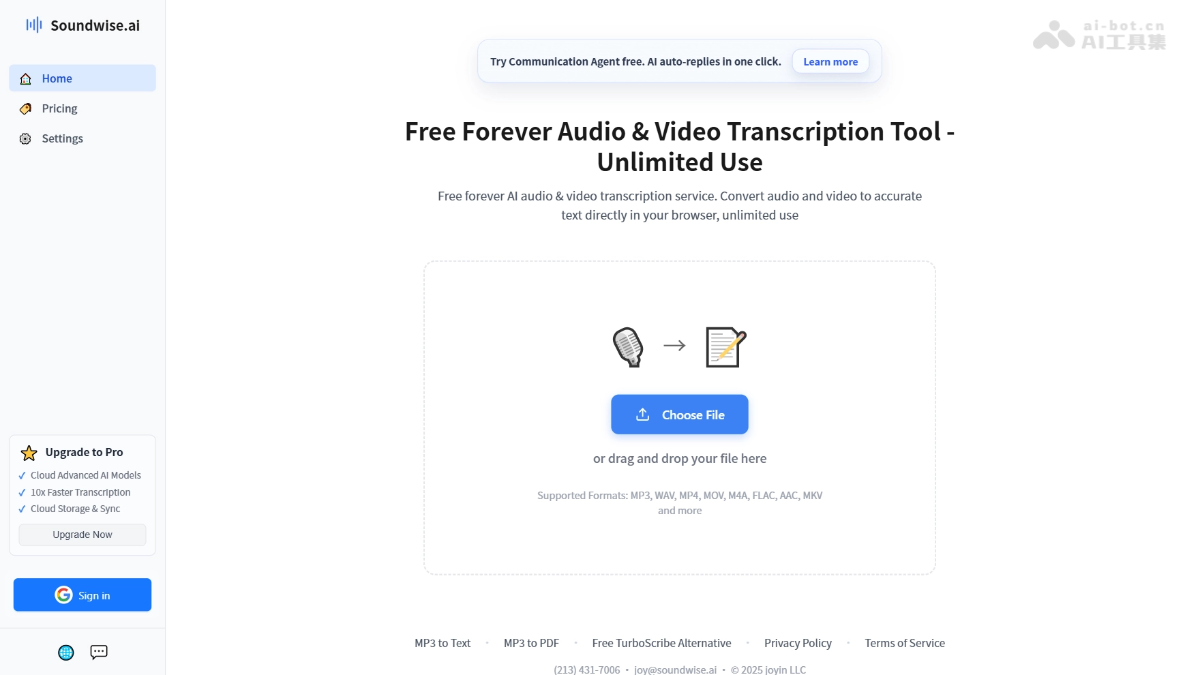
SoundWise is a freeAI audio and video transcription tool, which can directly upload files in the browser to complete speech-to-text. The platform uses a local AI model to run, files are not uploaded to a server, protecting privacy, and it supports recognition of 98 languages, speaker diarization, and word-by-word timestamps. Interactive proofreading supports synchronized jumping between text and audio.
SoundWise's main features
- Multi-format audio and video support: Compatible with mainstream audio and video formats such as MP3, WAV, FLAC, AAC, M4A, MP4, MOV, MKV, etc., with no need for prior encoding conversion.
- Multilingual speech recognition: Supports more than 98 mainstream global languages, covering English, Chinese, Japanese, French, etc.
- Speaker recognition and timestamps: Automatically distinguishes different speakers and generates precise word-level timestamps, making it easy to quickly locate key content.
- Interactive text proofreading: Click any word in the transcript, and the player automatically jumps to the corresponding audio position, enabling synchronized proofreading between text and the original recording.
- Multi-format export: Supports export in TXT and PDF formats; DOCX document and SRT subtitle export features are under development.
How to use SoundWise
- Visit the official website: Visit the SoundWise official website https://soundwise.ai/。
- Upload a file: Click the "Choose File" button on the page, or directly drag and drop the audio or video file to the upload area.
- Wait for transcription: The local AI model automatically loads and runs in the browser to complete the speech-to-text recognition process.
- Interactive proofreading: Click any word in the transcript, and the player automatically jumps to the corresponding audio position for synchronized proofreading.
- Export the result: Click the export button and choose TXT or PDF format to download the final transcript.
SoundWise's core advantages
- Permanently free and unlimited: The free version has no per-minute billing and no total transcription duration limit for individual users, enabling zero-cost processing of large amounts of content over the long term.
- Privacy-first local processing: The AI model runs directly in the user's browser, and audio and video files do not need to be uploaded to any server, fundamentally eliminating the risk of sensitive data leakage.
- Zero barrier, ready to use immediately: No need to download or install software, no need to register an account, just open the browser and visit the official website to directly upload files and start transcription.
- Synchronized text-audio proofreading: Click any word in the transcript, and the player automatically jumps to the corresponding audio position, greatly reducing efficiency loss in the traditional proofreading process.
Comparison of SoundWise with similar competitors
| Dimension | SoundWise | Otter.ai |
|---|---|---|
| Pricing model | Free version offers permanent unlimited local transcription; Pro is $20 per month / $10 per year | Free version offers 300 minutes per month; paid version starts at $16.99 per month |
| Privacy mechanism | Runs locally in the browser, files are not uploaded to a server | Cloud processing, data is uploaded to a server |
| Processing speed | About 6x real-time locally; about 120x real-time in the cloud | Real-time transcription |
| Language support | 98 languages | Primarily English, supports some other languages |
| Speaker recognition | Supported | Supported |
| Registration requirements | No registration required, ready to use upon opening | Account registration required |
| Export formats | TXT, PDF (DOCX/SRT in development) | TXT, PDF, DOCX, SRT, etc. |
SoundWise use cases
- Podcast production: Quickly generate podcast subtitles and complete transcripts, facilitating content distribution, SEO optimization, and multi-platform reposting.
- News interviews: Journalists organize interview recordings, using speaker recognition and word-by-word timestamps to quickly locate key content and quotes.
- Online education: Convert classroom recordings and lecture videos into study notes, support multilingual course subtitle generation, and improve learning accessibility.
- Enterprise meetings: Record remote meetings and seminar content, converting them into searchable, shareable knowledge bases and action item documents.
- Video creation: Generate subtitle files for short videos, long videos, and livestream replays, accelerating post-production editing and multilingual localization workflows.