What is iSlide AI
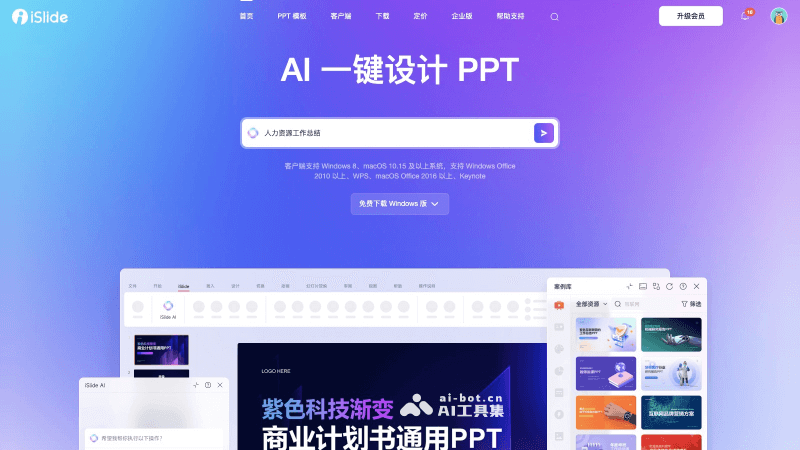
iSlide AI is an AI PPT generation and design toollaunched by the well-known PPT add-in tool and template platform iSlide, designed to help users create and optimize PPT presentations faster and more efficiently. The tool leverages artificial intelligence technology to provide a series of features that simplify and accelerate the PPT creation process while enhancing the professionalism and appeal of presentations.
Main features of iSlide AI
- Generate PPT outline: After the user enters a topic, iSlide AI can automatically analyze and generate a logically clear and structurally complete PPT outline, helping users quickly plan presentation content.
- Generate single-page content: When adding new content to an existing PPT, users can enter relevant content and let iSlide AI quickly generate complete single-page content.
- Replace single page: If users are not satisfied with the layout style of an AI-generated PPT page, they can select the target page and use iSlide AI's replacement feature to quickly adjust the content layout style.
- AI text processing: iSlide AI provides text expansion, polishing, splitting, and condensing features to help users optimize the copy in PPTs, making it richer, smoother, and easier to read.
- Design optimization: iSlide provides tools such as quick filtering in the online resource library, quick alignment, text box design, and quick shape insertion, which can help users quickly find suitable design elements and perform precise layout.
- AI one-click skin change: Users can choose different theme styles, and iSlide AI will automatically apply them to the entire PPT, achieving unified and standardized theme design.
- File export: iSlide AI supports exporting PPTs as full-image PPTs, images, videos, and other formats, making it convenient for users to use on different occasions.
- Multilingual translation: For PPTs that need to be presented in multiple languages, iSlide AI provides translation features and supports translating text content into multiple target languages.
How to use iSlide AI to generate PPTs
- Visit iSlide's official website (islide.cc), click in the upper right corner to log in or register
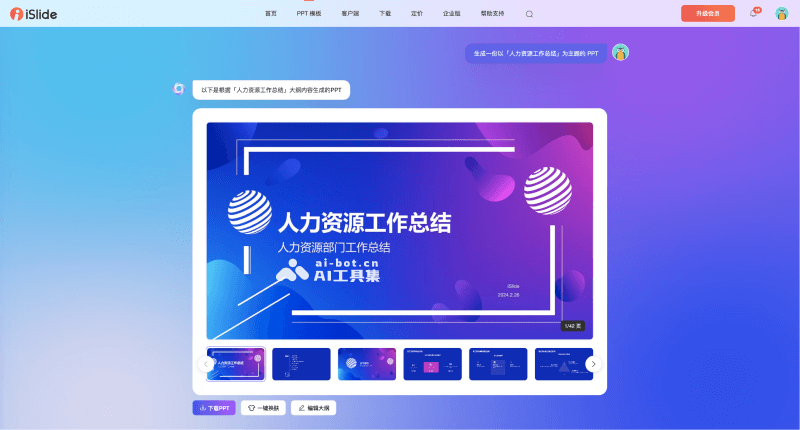
- Then enter the PPT topic and click send, and wait for the PPT outline to be generated
- After the outline is generated, you can modify, add, or delete content, and then click Generate PPT
- The generated PPT can be skinned with one click and downloaded for editing
- In addition, you can also install the iSlide add-in for Microsoft Office and WPS to use iSlide AI
iSlide AI product pricing
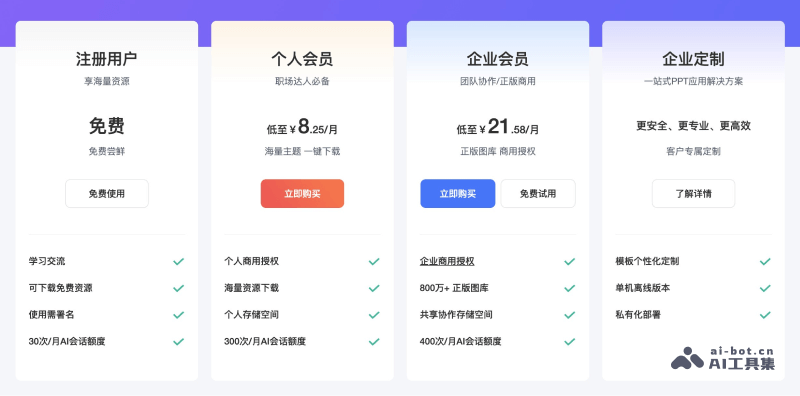
- Free version: After registering, users can use 30 AI conversation credits per month, can download free resources, and use requires attribution
- Personal membership: 29 yuan/month, 99 yuan/year, 189 yuan/two years. You can use 300 AI conversation credits per month, 300,000+ CC0 royalty-free materials, 100,000+ original premium templates, personal commercial authorization, template/material uploads, 500M personal storage space, and other benefits
- Enterprise membership: 1-year version (259 yuan/person/year), 2-year version (239 yuan/person/year), 3-year version (199 yuan/person/year). You can use 400 AI conversation credits per month, 8 million+ Visual China image library, unlock all materials in 9 major resource libraries, 5G public storage space, user management backend, enterprise material management backend, enterprise commercial authorization, and other benefits