What is Quivr?
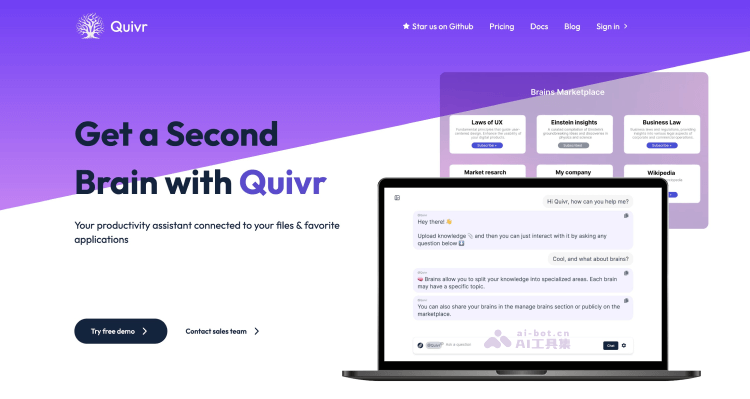
Quivr AI is an open-source local knowledge base building solution designed to use large models and generative AI to help users store and retrieve unstructured information, building a "second brain" for user knowledge. This tool allows users to upload various types of files, such as text, Markdown, PDFs, audio, and video, and stores these files in vectorized form in the cloud. Users can ask Quivr questions through natural language conversation to obtain information related to the uploaded files.
Quivr's main features
- File upload and storage: Users can upload various types of files to Quivr, including text files, Markdown, PDFs, audio, and video. These files are vectorized for subsequent retrieval and analysis.
- Natural language question answering: Quivr supports natural language processing (NLP), allowing users to ask Quivr questions directly in natural language, and the AI generates answers based on the content of the uploaded files.
- Information retrieval: Quivr can understand and retrieve information from uploaded files, helping users quickly find the data they need without manually searching or sifting through large numbers of documents.
- Integrations and API: Quivr provides an API interface, allowing third-party applications and services to integrate with Quivr, thereby extending its functionality and use cases.
- Multi-model support: Quivr supports integration with OpenAI's GPT-3/4, Anthropic's Claude models, and open-source large language models connected through Ollama to provide accurate question-answering services.
- Open source and local deployment: As an open-source project, Quivr's source code can be found on GitHub, and users can choose to deploy Quivr locally for better control over data privacy and security.
- Data security and privacy: Quivr emphasizes the security of user data, ensuring that uploaded data will not be used to train AI models unless the user explicitly agrees. In addition, Quivr provides data encryption and secure storage measures.
- History and analysis: Quivr saves the history of users' questions and the AI's answers, allowing users to review and analyze these conversations to further explore the information in the knowledge base.
How to use Quivr AI
1. Use the online hosted version
- Visit Quivr's official website (quivr.app), click Try free demo to register and log in
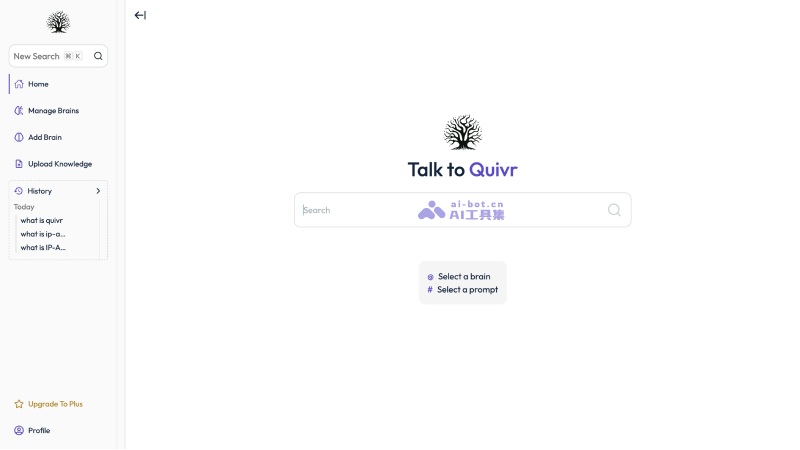
- Select Add Brain to add a "brain" (i.e., knowledge base), and choose the brain type (document or App)
- Set the brain name and description, then upload files or add webpage URLs
- Then enter the relevant question in the search interface to conduct conversational retrieval with the brain you have built
2. Locally deploy the open-source version
- Visit Quivr's GitHub open-source code repositoryhttps://github.com/StanGirard/quivr, set up Supabase according to the instructions, and deploy using Docker
Quivr AI product pricing
- Open-source version: Free open-source version; users can deploy the code provided on GitHub locally or in the cloud themselves
- Online version:
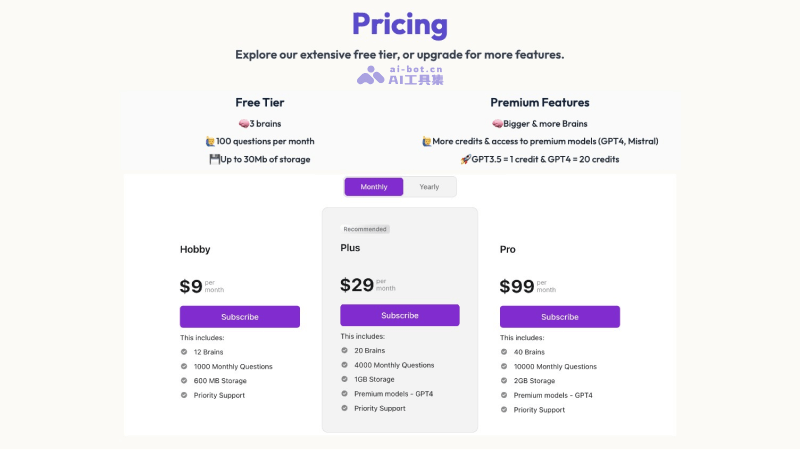
- Free version: 3 knowledge bases, 100 questions per month, 30 MB storage space
- Hobby version: $9 per month, build 12 knowledge bases, 1,000 questions per month, 600 MB storage space
- Plus version: $29 per month, build 20 knowledge bases, 4,000 questions per month, 1 GB storage space, GPT-4 model
- Pro version: $99 per month, build 40 knowledge bases, 10,000 questions per month, 2GB storage, GPT-4 model