
What is Ximi AI
Ximi AI is an AI pattern extraction tool built specifically for the printing industry. It is core-adapted to the daily pattern processing needs of practitioners in apparel, home textiles, digital printing, and other fields, and is a one-stop printing AI solution developed specifically for the needs of various POD printing industries such as apparel, phone cases, curtains, blankets, and throw pillows. Batch replication and tracing of printing patterns; one-click generation of original and derivative AI printing designs.
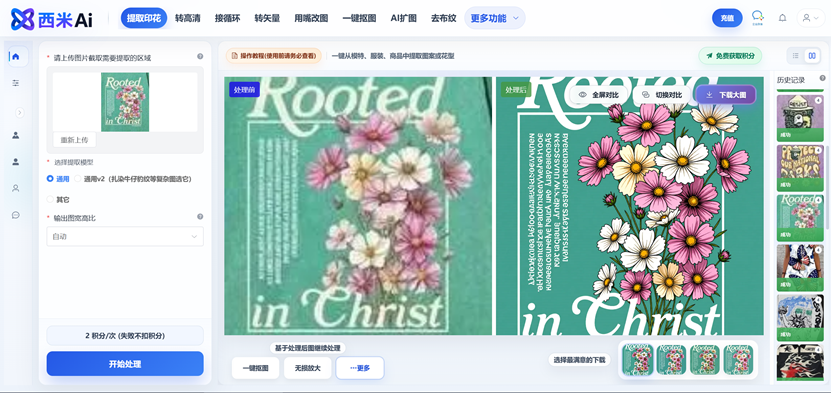
Main features of Ximi AI
- Extract printing: Extract printing patterns from various carriers, complete missing parts, and restore them in high definition.
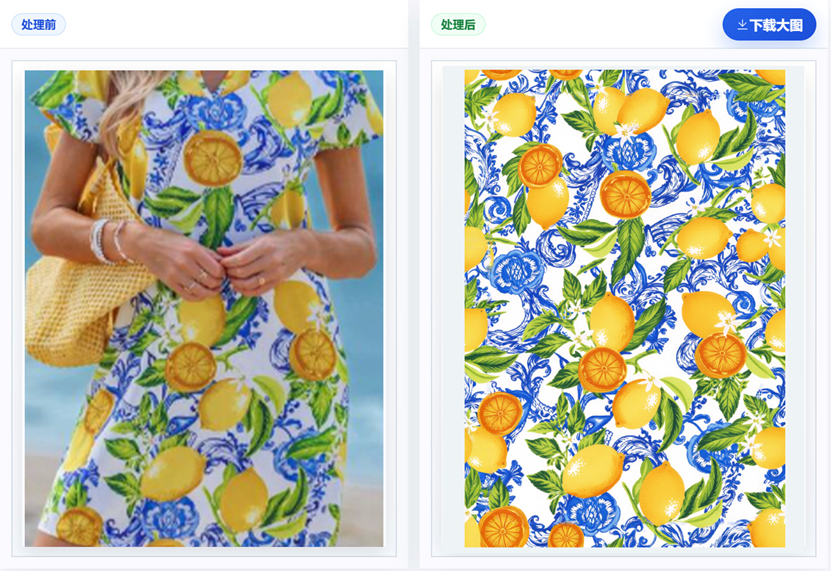
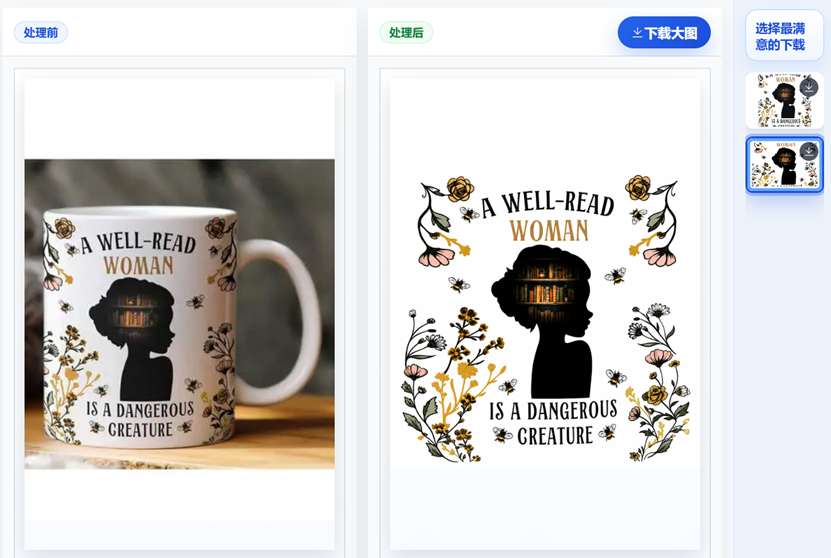
- One-click cutout: Based on the extracted printing pattern, cut out a transparent background image.
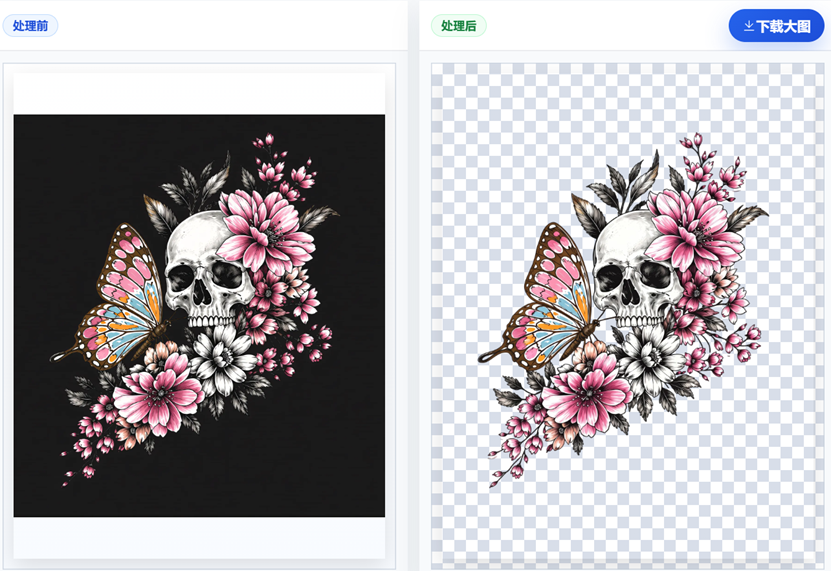
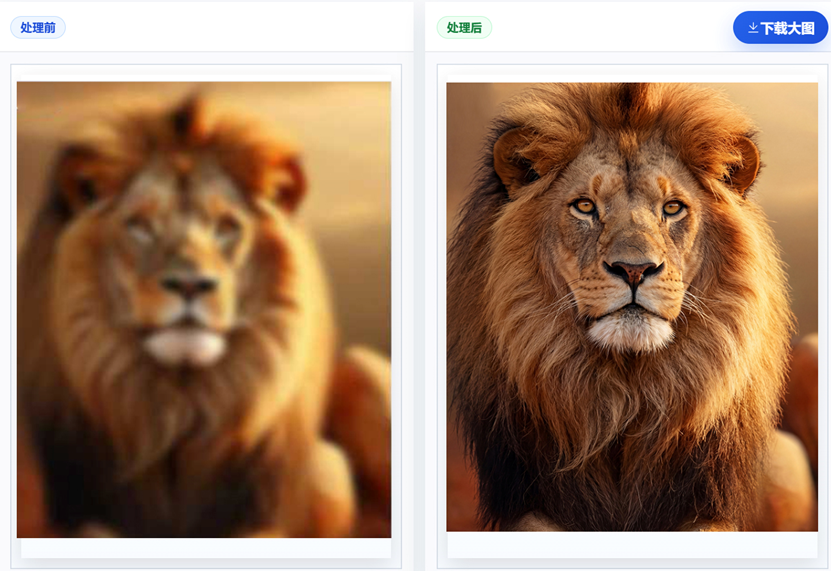
- Blurry to HD: Convert blurry images into high-definition 4K large images, and redraw and repair missing details.
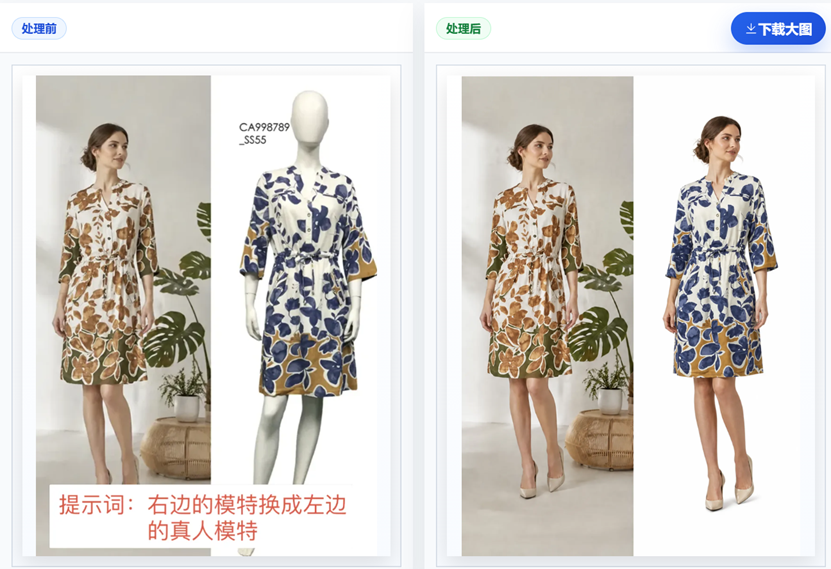
- Edit images by talking: Edit and modify images with one sentence
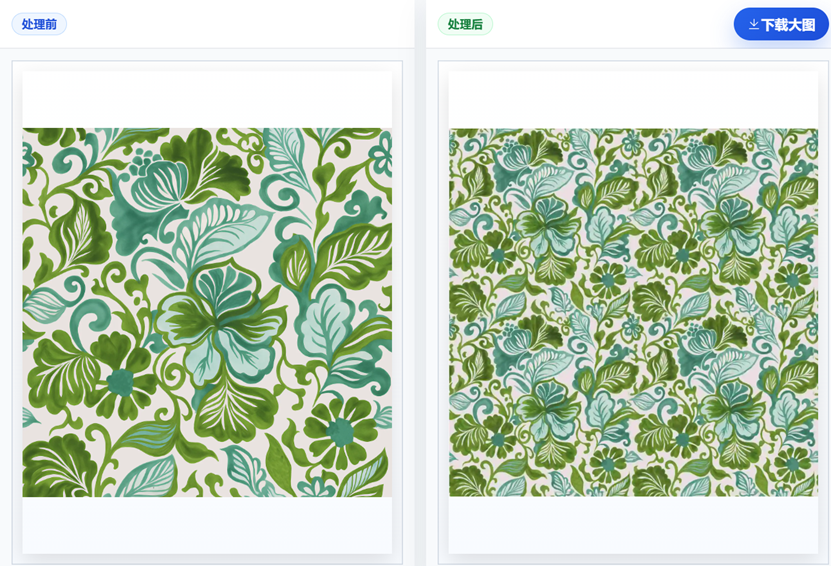
- Seamless repeat: Generate seamless four-way continuous patterns with one click.
- Bitmap to vector: Convert bitmaps to vector images with one click
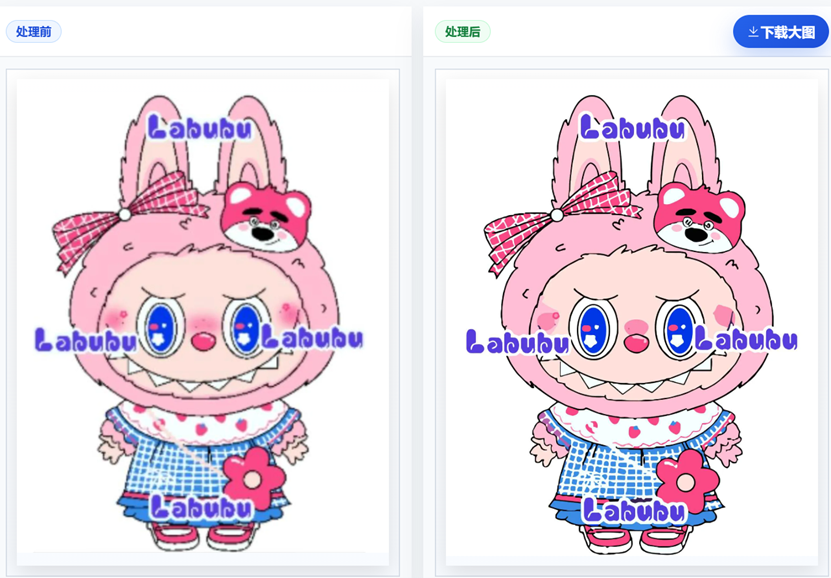
- Remove watermark: Remove watermarks from images with one click
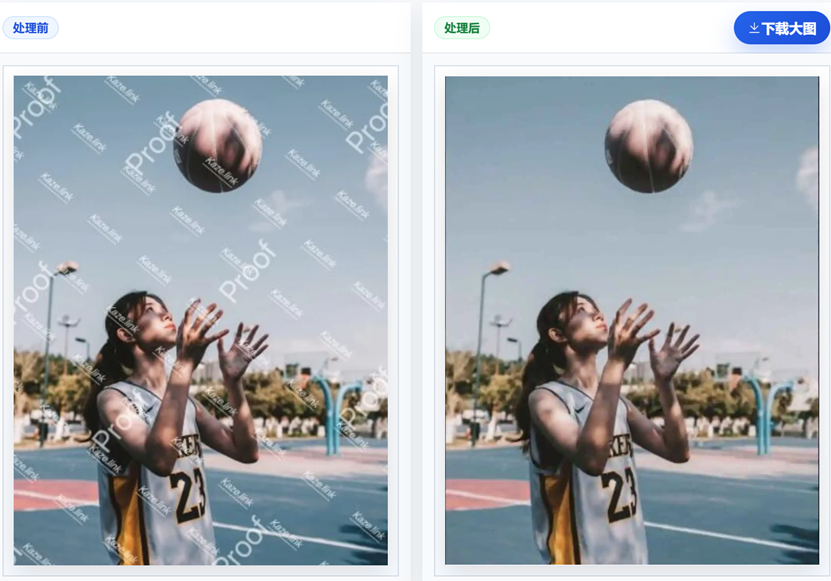
- Remove fabric texture: Remove fabric texture from scans with one click
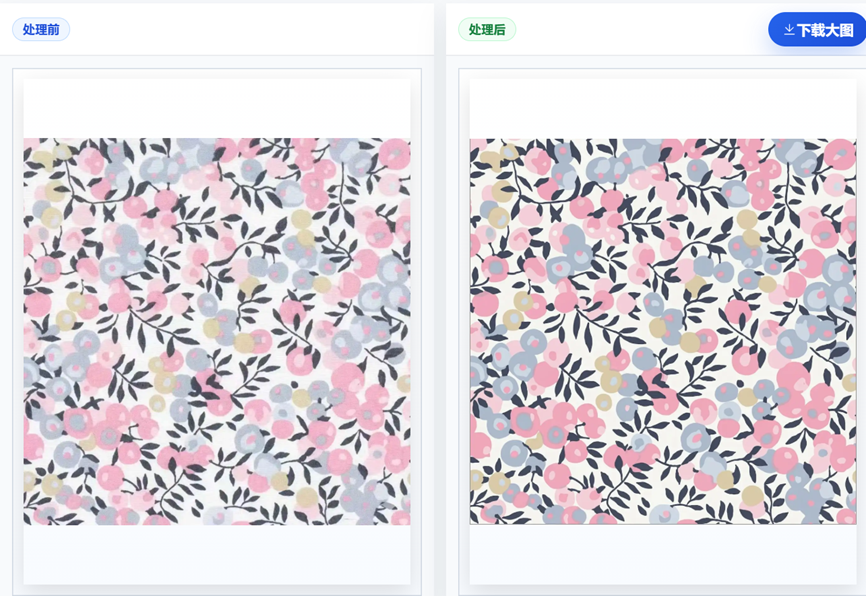
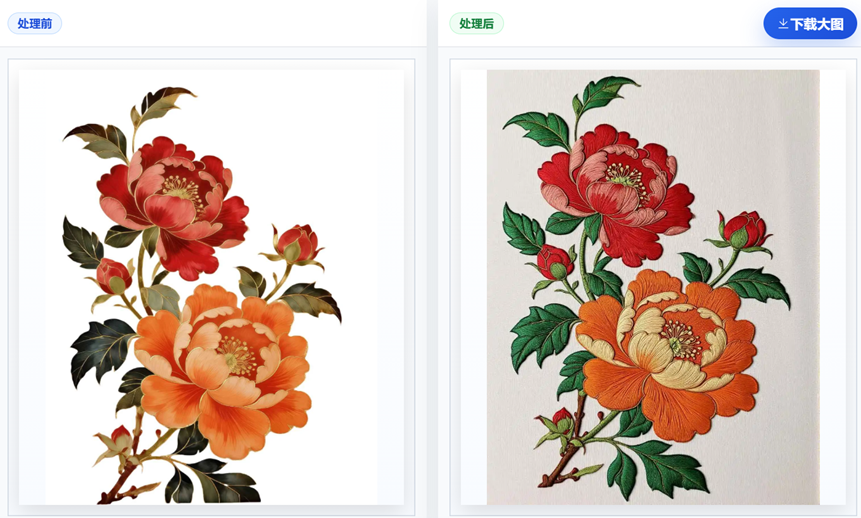
- Convert style: Convert patterns and designs into other styles with one click (such as 3D/embroidery/watercolor/oil painting)
How to use Ximi AI
-
Visit the official website and register: Open the Ximi AI official website https://ximixiang.com/ , free trial code: 9961, complete account registration and log in.
-
Upload image materials: Supports directly dragging images to the webpage, or pressing
Ctrl+Vto paste screenshots. Only JPG/PNG formats are supported, with a maximum of 10MB per image, and the longest side not exceeding 4096 pixels. -
Select AI processing function: Choose the corresponding tool according to your needs, such as extract printing, convert to HD, seamless repeat, convert to vector, one-click cutout, AI outpainting, remove fabric texture, remove watermark, or edit images by talking.
-
Enter instructions or adjust parameters: For semantic tools such as "edit images by talking", directly describe the modification request in natural language; for other functions, you can set parameters such as repeat size, magnification factor, and output format.
-
Preview and download results: After processing is complete, preview the effect online. If satisfied, download the high-definition finished image, or continue using other tools for secondary processing.
Application scenarios of Ximi AI
-
Apparel printing design and development: Designers can extract printing patterns with one click from online inspiration images, model outfit photos, or physical samples. AI automatically removes background interference and converts them to HD, then generates four-way continuous repeat textures, quickly outputting high-definition pattern files that can be directly used for digital printing production.
-
Batch processing for digital printing factories: After factories receive customer samples, they can complete the entire workflow of "extract pattern -> remove fabric texture -> convert to HD -> seamless repeat -> convert to vector" in batches, compressing traditional retouching work that takes hours into minutes and greatly shortening the proofing cycle.
-
Pattern digitization for fabric suppliers: Perform fabric texture removal processing on scanned images or photos of traditional physical fabrics, extract clean patterns, and then use AI HD upscaling and vector conversion to generate digital pattern assets that can be used for secondary development or licensed transactions.
-
Rapid production of e-commerce product images: After the seller uploads product photos, one-click cutout and background replacement, AI-powered smart image expansion to adapt to different platform sizes, and removal of watermarks or logos from the original images quickly generate high-definition display images that comply with e-commerce platform specifications.
-
Interior/Architectural Design Rendering: Through the AI Toolbox's ComfyUI workflow, CAD floor plans or hand-drawn line art are converted into colored floor plan renderings with one click, or the line art undergoes super high-definition upscaling and local repainting, enhancing the quality of proposal presentations.
-
Pattern Vectorization Processing and Pre-Press Preparation: Convert JPG/PNG bitmap patterns provided by customers into SVG/EPS/AI vector formats to ensure clear edges and accurate colors when patterns are enlarged for printing, meeting the process requirements of screen printing, heat transfer printing, and more.


