

Pixian.AI is an artificial intelligence-basedonline background removal tool, specifically designed for automatically removing image backgrounds. The tool uses advanced machine learning technology to identify and separate foreground objects from the background in images, thereby generating images with transparent backgrounds, helping users efficiently and conveniently separate products, people, or other objects from complex backgrounds for use in design, advertising, or other visual projects.
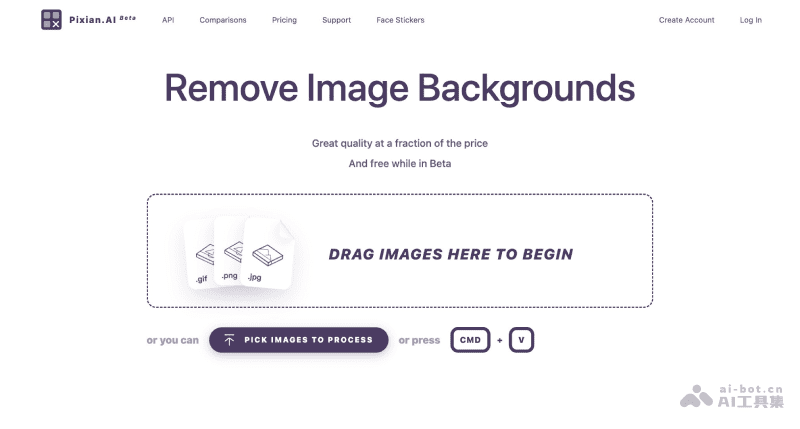
Features of Pixian.AI
- Automatic Background Removal: After users upload an image, Pixian.AI's AI technology automatically analyzes the image content, identifies and removes the background, and retains the main subject in the image.
- Support for Multiple Image Formats: Supports uploading multiple image formats, including JPEG, PNG, BMP, GIF, and WebP, to accommodate different user needs.
- Output Options: Provides output options for transparent backgrounds (PNG) and opaque backgrounds (JPEG or PNG), allowing users to choose the appropriate format as needed.
- Image Optimization: Users can optimize uploaded images, such as adjusting image size and cropping edges, to ensure the final result meets expectations.
- Preview and Download: After image processing is complete, users can preview the result and download the processed image if satisfied.
- API Access: For developers, Pixian.AI provides an API that can integrate background removal functionality into their own applications or services to achieve automated processing.
- Data Privacy Protection: Only part of the data from uploaded images and processing results is retained, but it will be permanently deleted within 24 hours to protect user privacy.
How to Use Pixian AI
- Visit the Pixian.AI official website and select the image from which you want to remove the background
- Drag and drop the image onto the web page, or use the file selector to upload the image
- Adjust the image cropping, size, and alignment settings as needed
- Wait for the server to process your image
- View the preview, and if you are satisfied with the result, you can download the processed image
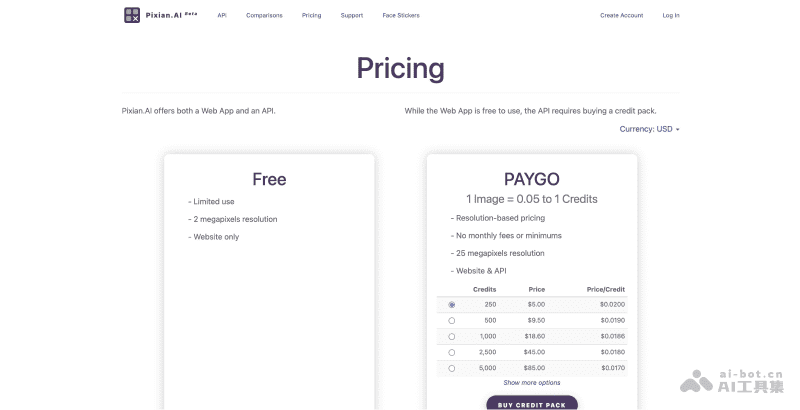
Pixian.AI Product Pricing
- Pixian.AI is currently in Beta public testing, and web version users can use it for free, with the ability to process images up to two million pixels
- Payment is only required if you need API access, and the specific billing is based on the pixel size and number of images processed
Who Pixian.AI Is For
- Designers: Graphic designers, web designers, UI/UX designers, etc., who can quickly separate products or elements from backgrounds for use in different design projects.
- Photographers: Professional photographers or enthusiasts who remove image backgrounds to better showcase the subject, or add new backgrounds to images.
- E-commerce Sellers: Owners or operators of online stores who remove backgrounds from product images for use on websites, stores, or advertisements.
- Content Creators: Such as bloggers, video producers, podcast hosts, etc., who create high-quality images to enhance the appeal of their content.
- Marketers: Helps marketing teams responsible for creating advertisements and promotional materials process images quickly and with high quality to improve marketing effectiveness.
- Software DevelopersDevelopers who develop applications or websites can leverage API image processing to integrate into software, removing backgrounds and simplifying the development process.


