
What is UniScribe
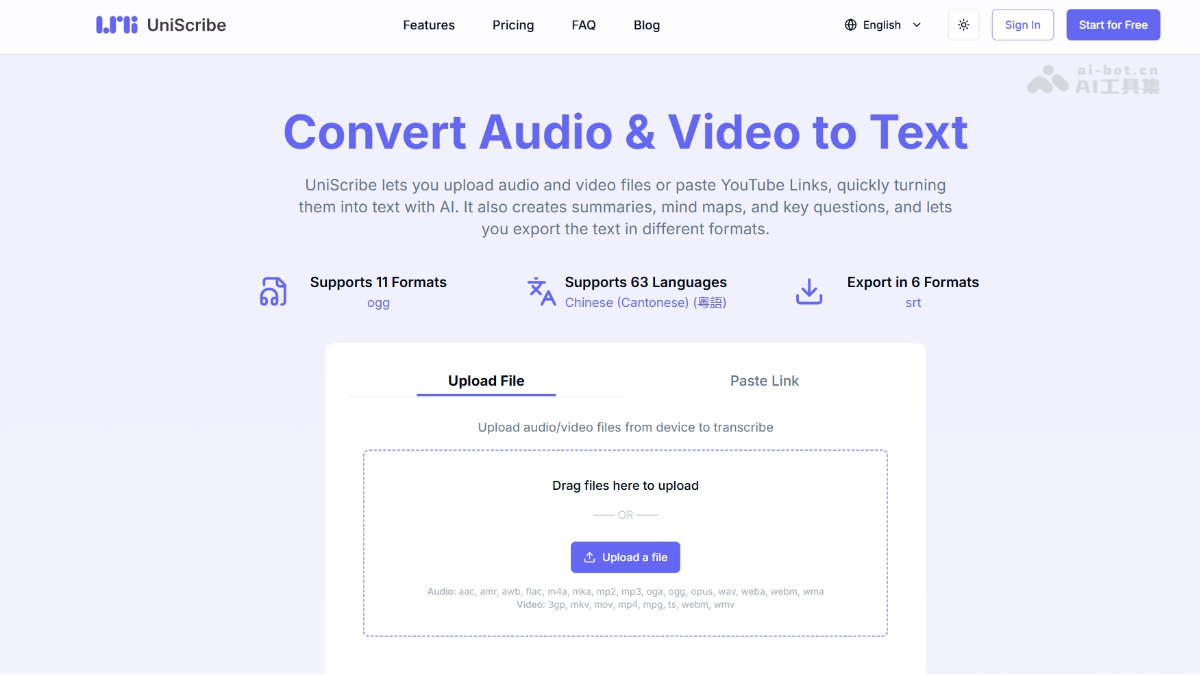
UniScribe is an AI free online audio and video to text platform that supports uploading local files or pasting YouTube links, can quickly transcribe audio/video into text, and automatically generates content summaries, mind maps, and key Q&A. UniScribe supports recognition of 98 languages and provides multiple export formats such as TXT, DOCX, PDF, SRT, VTT, and CSV. It is suitable for content creators, journalists, researchers, and other scenarios that require efficient processing of audio and video information.
Main features of UniScribe
- AI audio and video transcription: Upload local audio/video files or paste YouTube links, and AI automatically recognizes speech and converts it into a timestamped transcript.
- Intelligent content extraction: Automatically generates text summaries, visual mind maps, and key Q&A to help users quickly grasp the core information without reading the full text.
- Multi-format export and sharing: Supports export to TXT, DOCX, PDF, SRT, VTT, CSV, and other formats, and can generate share links for others to view directly.
- Speaker recognition and batch processing: The paid version supports automatically distinguishing different speakers and can upload 50 files in batches for simultaneous processing, with a single file up to 10 hours/5GB.
- AI translation: Transcription results can be translated with one click, supporting mutual translation among 98 languages, making cross-language content processing convenient.
How to use UniScribe
- Visit the official website: Visit the UniScribe official website https://www.uniscribe.co/ to complete account registration and login.
- Upload or paste a link: Drag local audio/video files into the upload area, or paste a YouTube video link.
- Start transcription: Click the "Transcribe" button and wait for AI processing.
- View and edit: View the timestamped transcript online and browse the automatically generated summary, mind map, and key Q&A.
- Export or share: Choose the desired format to download the file, or copy the share link and send it directly to others.
Core advantages of UniScribe
-
Low free barrier: Register to get 120 minutes of free transcription per month, supporting 98 languages.
-
Fast speed: 1 hour of audio is usually transcribed in 1 minute, far more efficient than manual work.
-
One-stop extraction: Automatically generates summaries, mind maps, and Q&A, reducing secondary organization.
-
Comprehensive formats: Covers full-scenario export needs such as subtitles (SRT/VTT), documents (DOCX/PDF/TXT), and spreadsheets (CSV).
-
Large-file friendly: The paid version supports 10 hours/5GB per file, meeting the needs of processing long meetings and long podcasts.
Comparison of UniScribe with similar competitors
| Comparison dimension | UniScribe | Otter.ai |
|---|---|---|
| Product positioning | AI audio and video transcription + content extraction (summary/mind map) | AI real-time transcription + collaborative meeting notes |
| Free quota | 120 minutes/month, 30 minutes per file, 3 files per day | 300 minutes/month, 30 minutes per session, up to 3 files |
| Supported languages | 98 languages | Mainly English, with support for some multilingual languages (about 20+) |
| Input methods | Local upload + YouTube link paste | Local upload + real-time recording + calendar-synced auto-join |
| Core highlights | Automatically generate mind maps, key Q&A, AI translation | Real-time meeting transcription, team collaboration space, automatic sharing of meeting minutes |
| Speaker recognition | Supported in paid version | Supported in all versions (also supported in the free version) |
| Export formats | TXT/DOCX/PDF/SRT/VTT/CSV | TXT/PDF/DOCX/SRT |
UniScribe use cases
-
Podcasts and content creation: Quickly convert recorded podcasts and interviews into transcripts, and generate summaries and subtitle files.
-
News interviews: Journalists upload interview recordings to obtain complete transcripts and extract key Q&A.
-
Academic research: Convert lecture and seminar videos into text, and generate mind maps to assist with note organization.
-
Meeting notes: Upload meeting recordings to automatically identify speakers and generate structured meeting minutes.
-
Multilingual content localization: After transcription, use the AI translation feature to generate multilingual subtitles or documents.


