

What is ClickPrompt
ClickPrompt is an online tool designed specifically for AI prompt writers, helping users generate and optimize prompts for AI models more efficiently. It supports a variety of popular AI applications, such as Stable Diffusion (AI drawing), ChatGPT (AI conversation), and GitHub Copilot (code assistance). Users can easily create, view, share, and run prompts for AI models. They can enter keywords or descriptions according to their needs, and the system will automatically generate optimized Prompts, helping users obtain more accurate AI output results. ClickPrompt provides learning resources to help users better master Prompt writing skills.
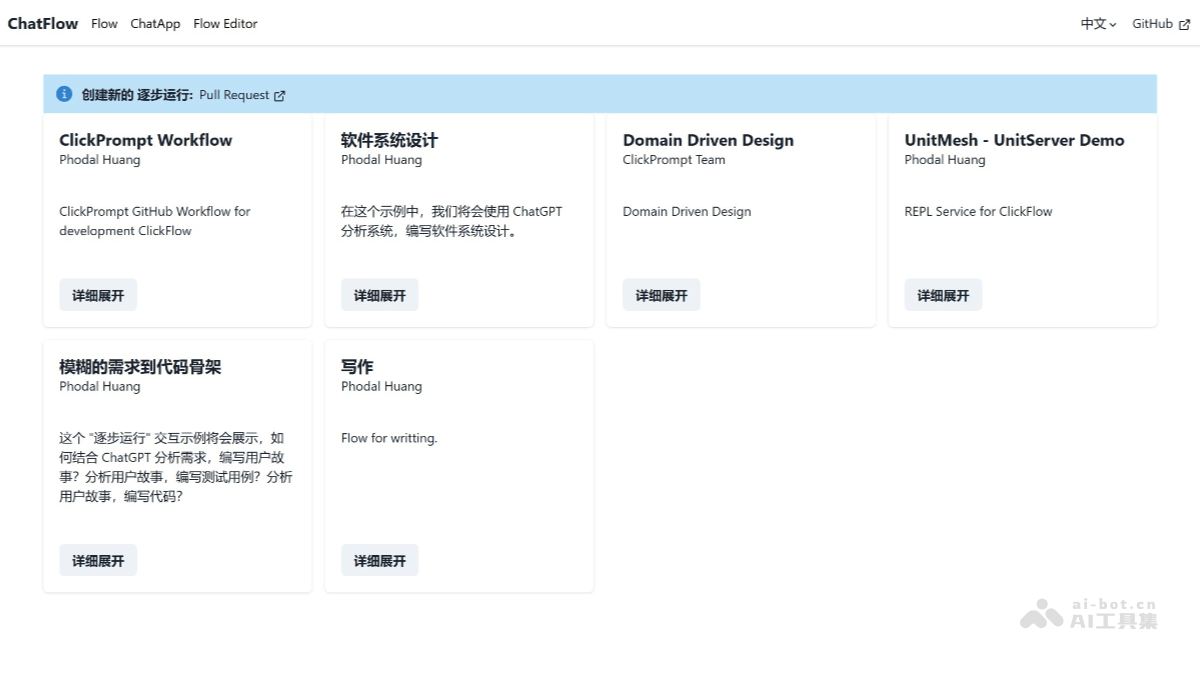
Main Features of ClickPrompt
-
Prompt Generator: Provides an online Prompt generator, allowing users to easily create Prompts that meet their requirements and generate high-quality prompts through built-in patterns or custom content.
-
One-click Model Execution: Supports a variety of popular AI applications, allowing users to run these models with one click and quickly obtain results.
-
Prompt Sharing and Viewing: Users can view, share, and use Prompts created by others, facilitating collaboration and communication, and can draw inspiration from the community.
-
Learning Materials and Examples: Provides a wealth of learning materials and Prompt examples to help users learn how to write more effective Prompts.
-
Visualization and Optimization: Some versions support visual analysis tools to help users better understand the running results of Prompts and optimize them.
-
Open Source Community Support: ClickPrompt is an open source project, and users can participate in community discussions, contribute code, and access rich documentation and tutorials.
How to Use ClickPrompt
- Visit the Official Website: Open the ClickPrompt official website.
- Use the Prompt Generator: Find the ClickPrompt generator feature in the website interface. Enter descriptive text or select a built-in Prompt template according to your needs. For example, if you need to generate an image, enter the relevant scene description. Click the generate button, and the system will generate the corresponding Prompt based on the input content.
- Run the AI Model: After creating the Prompt, select the AI model to run (such as Stable Diffusion, ChatGPT, etc.). Click the run button, and the system will automatically call the selected AI model and generate results.
- View and Share Prompts: Users can view the generated Prompts and running results. Share Prompts with others through sharing links or community features for easy collaboration and communication.
- Learning and Reference: In ClickPrompt, users can browse and learn from a large number of Prompt examples and learning materials. View Prompts shared by other users in the community to get inspiration.
Application Scenarios of ClickPrompt
- AI Writing: In AI writing, users can use ClickPrompt's online generator to create Prompts that meet specific style, plot, and other requirements, guiding AI to generate high-quality text content such as novels and articles.
- AI Development: For AI developers, ClickPrompt supports multiple models, and developers can quickly view and run models, use the generator to create Prompts for testing, and improve development efficiency. It supports automatic adjustment of Prompt parameters, helping developers find the best configuration faster.
- Content Creation: Content creators can use ClickPrompt to generate and share Prompts, increasing the interactivity and accessibility of the content.
- Dialogue Systems: When building chatbots or dialogue systems, ClickPrompt can help users quickly build Prompts that meet specific needs, improving the accuracy of the dialogue system and the user experience.
- Code Generation and Assisted Programming: When using GitHub Copilot for code generation, ClickPrompt can optimize Prompts so that users get more accurate code suggestions.


