
What is Stitch
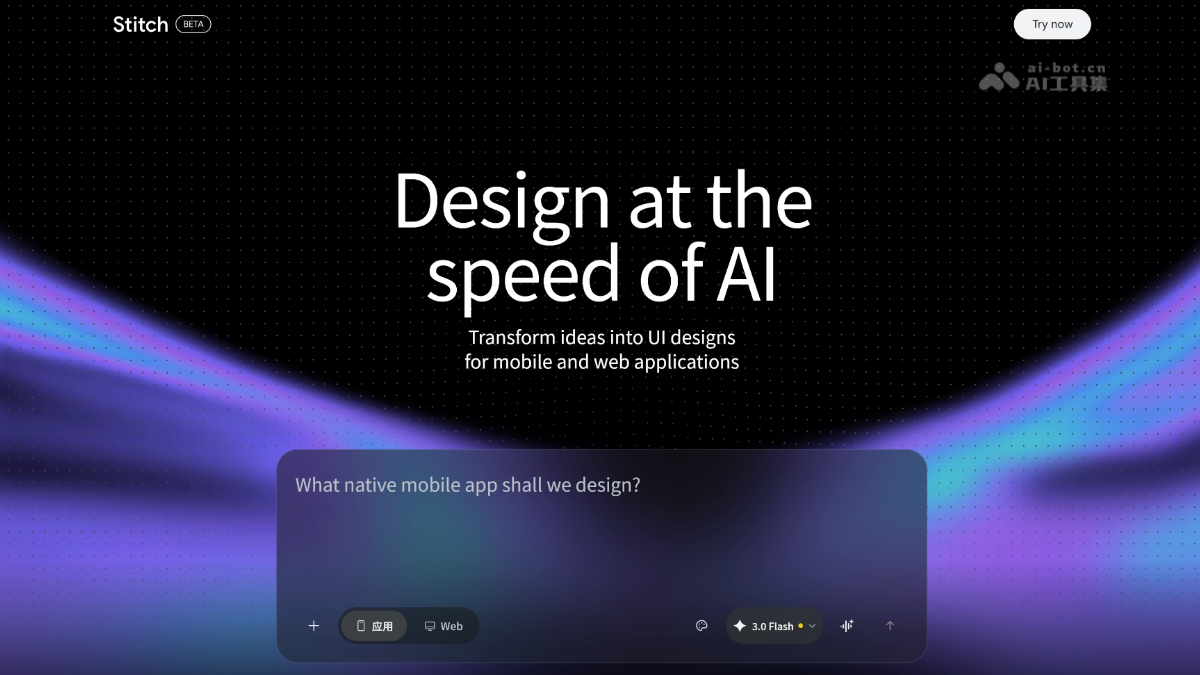
Stitch is launched by Google Labs AI-native design tool, positioned as a "vibe design partner". Through AI Agent, voice interaction, and an infinite canvas, Stitch transforms images, documents, and code into high-fidelity interactive prototypes. Users can describe their needs in natural language, and AI automatically completes UI design, supporting real-time collaboration, cross-platform adaptation, and instant prototype generation. Stitch introduces the DESIGN.md design system document, enabling AI to follow unified visual specifications and realize an intelligent design experience of "talking instead of doing", completely eliminating the gap between design and development.
Stitch's main features
- AI-native canvas: A node-based infinite canvas that can simultaneously handle images, code, and PRD documents, allowing users to use various materials as "creative seeds" for spatial creation.
- Agent manager: The manager supports users in advancing multiple creative solutions in parallel, helping maintain order amid messy inspiration.
- Context-aware design: The AI design agent has full-canvas awareness, can understand the context of the entire project, and execute precise instructions such as replacing the Logo and generating product briefs.
- Design interview: AI can converse with users like a product manager, helping sort out design ideas for new pages through an interview format.
- Cross-platform hybrid design: Supports mixing mobile and desktop solutions on the same canvas, generating corresponding cross-platform versions with one click.
- Voice interaction: Supports multimodal perception; users can point at the screen and speak commands, and can also conduct real-time design reviews and fully voice-based navigation.
- Instant prototype: Uses AI's understanding of interaction logic to quickly transform design drafts on the canvas into interactive dynamic prototypes.
- DESIGN.md: A design system document for AI agents to read, ensuring that every generated page follows unified visual rules and keeps the UI style consistent.
Stitch's key information and usage requirements
- Product positioning: An AI-native collaborative design platform, positioned as a "Vibe Design Partner", aiming to eliminate the gap between design and development through natural language interaction.
- Core capabilities: Based on AI Agent, voice interaction, and an infinite canvas, it transforms images, documents, and code into high-fidelity interactive prototypes, realizing a design experience of "talking instead of doing".
- Latest version: A major update released in March 2026, introducing a brand-new infinite canvas, fully aware design agent, voice mode, instant prototype, and DESIGN.md design system.
- Supported materials: Can upload PDF, image, and text files, with a single file size limit of 50MB.
Stitch's core advantages
- Full-process AI-driven: From requirement understanding to design generation and then prototype output, the entire process is completed by AI agents, with no need to manually draw interfaces or write code.
- Multimodal input understanding: Simultaneously processes text, images, code, and PRD documents, allowing AI to "understand" all the materials provided by the user and integrate them into the design.
- Continuous Context Awareness: Unlike traditional tools that only handle a single layer, Stitch understands the entire project context and can execute complex instructions across pages and devices.
- Natural Language Interaction: Users can generate designs simply by describing their needs through conversation or voice, greatly lowering the learning barrier of professional design tools.
- Design Consistency Assurance: The DESIGN.md mechanism makes AI strictly follow brand guidelines, avoiding repeated manual adjustments to details such as color values and fonts.
- Instant Validation and Iteration: Design drafts can be turned into interactive prototypes with one click, shortening the cycle from concept to demo and speeding up decision-making efficiency.
How to Use Stitch
- Access and Application: Visit the Stitch official website https://stitch.withgoogle.com/ and log in to your account to enter the workspace.
- Create a Project: In the input box on the homepage, describe the app you want to design in natural language, for example, "design an AI knowledge base mobile interface," select App or Web type, and click generate.
- Create with the Canvas: Drag images, PDFs, code, or PRD documents into the infinite canvas as "creative seeds," and AI will automatically parse these materials and generate the corresponding interfaces.
- Collaborate with AI Agents: Converse with AI through the bottom input box or voice commands. You can ask it to modify the color scheme, replace the Logo, generate new pages, or conduct design interviews to organize ideas.
- Manage the Design System:Write the DESIGN.md document in the right panel to define colors, fonts, and component specifications, ensuring that all pages generated by AI maintain visual consistency.
- Preview and Export: Use the instant prototype feature to turn design drafts into interactive demos, and export the final design assets after confirmation.
Comparison of Stitch with Similar Competitors
| Product | Core Positioning | Main Advantages | Relative Disadvantages |
|---|---|---|---|
| Stitch | AI-native collaborative design platform | Full-canvas awareness, voice interaction, DESIGN.md dynamic design system | Currently in Beta testing, requires permission application |
|
v0.app |
AI-generated React component code | Code can be deployed directly, developer-friendly | Weak design editing capabilities, no canvas collaboration |
| Galileo AI | Text-generated high-fidelity UI design | Fast generation speed, high visual quality | Lacks context awareness and voice interaction |
| Uizard | Sketch/text to editable prototype | Low barrier to entry, suitable for non-designers to quickly produce visuals | Limited intelligence, insufficient support for complex projects |
Stitch's application scenarios
- Rapid prototyping validation: Entrepreneurs or product managers use natural language to describe ideas and generate interactive high-fidelity prototypes within minutes, for early user testing and investment presentations.
- Design system construction: Teams write DESIGN.md documents to have AI uniformly generate a complete set of interfaces that conform to brand specifications, ensuring visual consistency across multiple pages.
- Cross-platform adaptation: The same project outputs both mobile and desktop designs simultaneously, with AI automatically handling layout differences and reducing repetitive work.
- Agile iterative development: Designers and developers collaborate on the same canvas, and AI directly generates the corresponding interface after understanding the code and PRD, shortening the handoff cycle from design to development.
- Creation by non-designers: People without a professional design background can independently complete application interface design through voice or text instructions, lowering the skill barrier.


