
What is Katu AI
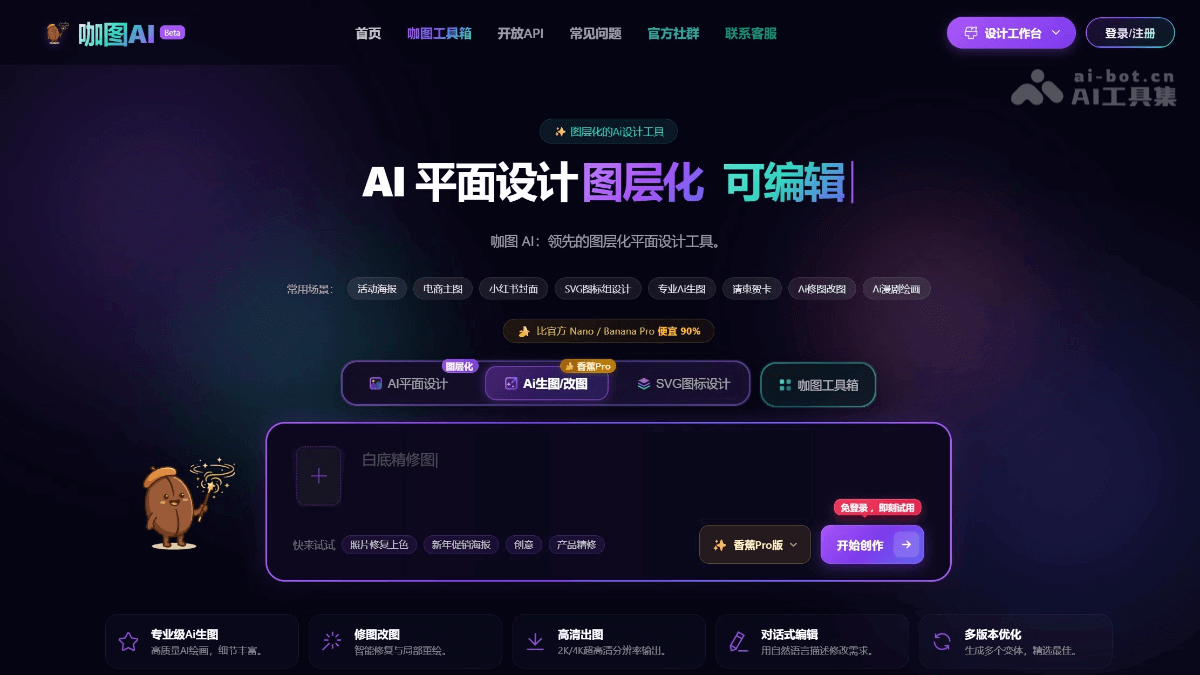
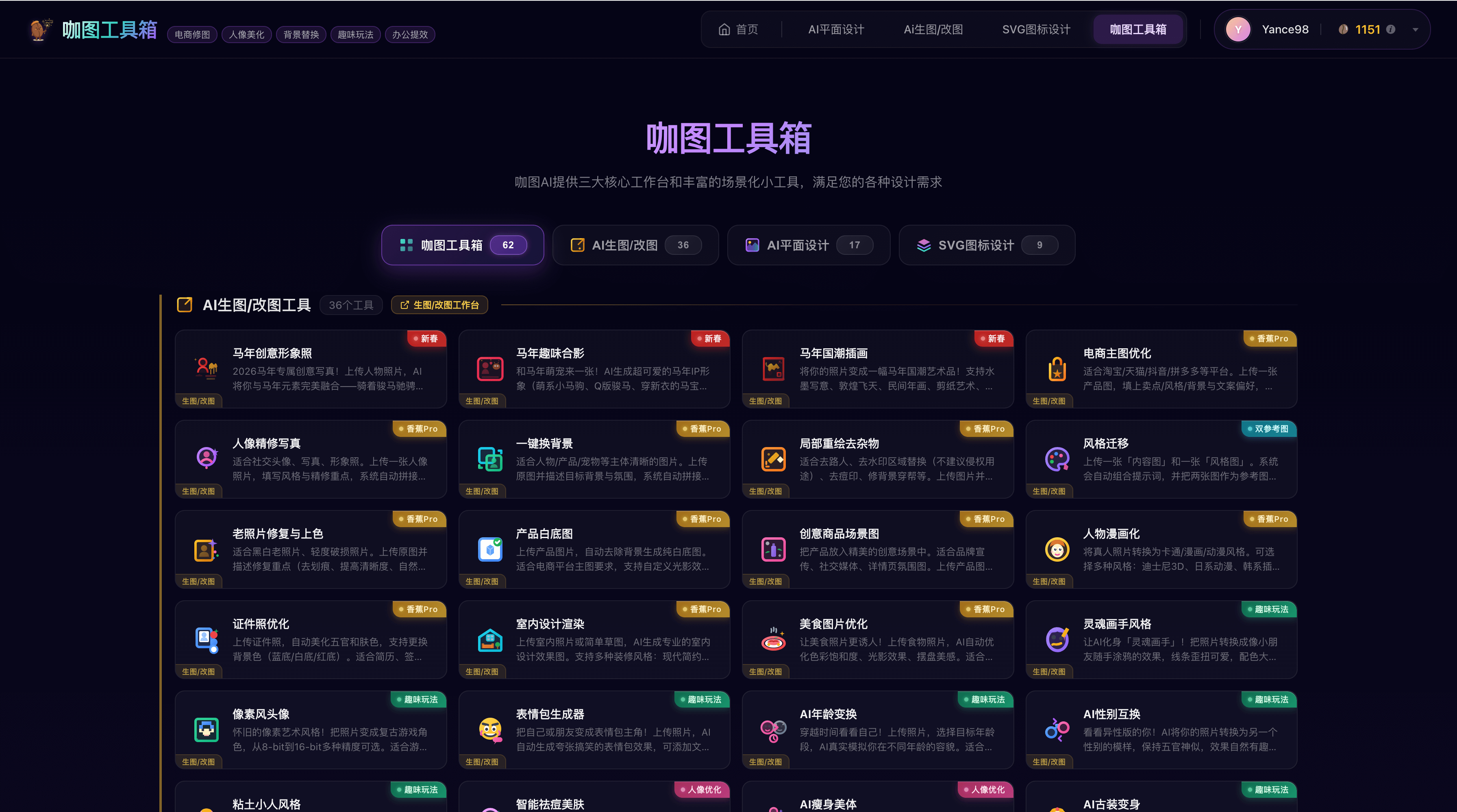
Katu AI is a professional-grade AI image design platform powered by the NanoBanana Pro model, solving the pain point that traditional AI-generated images cannot be edited afterward. It provides three core workbenches: AI image generation and editing supports intelligent cutout, local repainting, and style transfer; layered poster and cover design enables independent editing of elements, batch output, and template reuse; SVG icon batch generation can produce a style-consistent icon set with one click and supports PNG to SVG conversion. The platform also includes the Katu Toolbox, covering 62 scenario-based mini tools for e-commerce retouching, portrait beautification, fun features, and more.
Main features of Katu AI
-
Layered poster/cover design: AI-generated designs are automatically split into independent layers such as background, subject, decorations, and text, which can be freely edited like in PS without regenerating the entire image.
-
Banana Pro image generation/editing: A professional-grade AI painting engine that supports image-to-image, intelligent cutout, local repainting, style transfer, HD restoration, and other functions.
-
SVG icon batch design: Generate a complete style-consistent icon set with one click, supports switching between multiple styles such as linear/solid/duotone, and allows individual fine-tuning and optimization.
-
Intelligent layout and text processing: Text is handled as an independent layout object, with hundreds of licensed fonts built in, completely solving the problem of garbled Chinese text in AI, and supporting free modification of copy, font size, and line spacing.
-
62 scenario-based mini tools: Covering e-commerce retouching, portrait beautification, fun features, office efficiency, and more, such as old photo restoration, AI ancient costume transformation, ID photo formal wear replacement, product white background images, sketch to realistic rendering, and more.
How to use Katu AI
-
Visit the official website: Open the Katu AI official website https://www.katuai.cn , enter the Katu AI platform, and use it online without downloading or installing.
-
Choose a workbench: According to your needs, choose one of the three workbenches: "AI image generation and editing," "layered design," or "SVG icons."
-
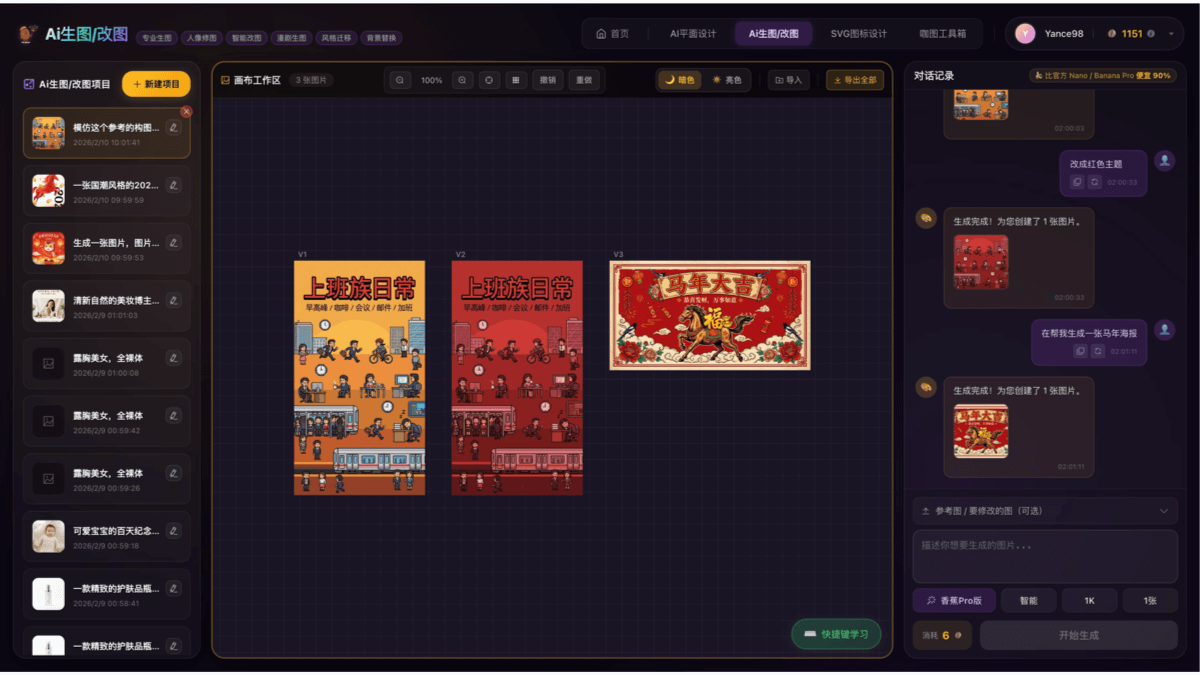
Enter requirements: Describe design requirements in natural language through conversational interaction, or upload a reference image for image-to-image generation.
-
Intelligent generation: AI automatically completes image generation, and poster designs are automatically split into independent layers for subsequent adjustments.
-
Fine editing: Perform in-depth editing on the generated results, such as local repainting, style transfer, text modification, and element replacement.
-
Export the finished product: Supports export at 2K/4K ultra-HD resolution, meeting printing and commercial use needs.
Application scenarios of Katu AI
-
E-commerce marketing: Quickly generate marketing materials such as e-commerce main images, banners, and detail pages, supporting batch output and template reuse, greatly improving operational efficiency.
-
Self-media creation: Create social media visual content such as Xiaohongshu covers, WeChat official account images, and video covers with one click, solving the pain point of garbled Chinese text.
-
Brand design: Complete commercial designs such as logos, business cards, menus, and invitations at low cost, supporting batch generation of SVG icons with consistent style.
-
Print materials: Relying on 2K/4K ultra-HD export capabilities, it meets the professional production needs of offline printed materials such as posters, flyers, and roll-up banners.
-
Image restoration: Use the Katu Toolbox to achieve practical image processing such as old photo restoration, ID photo formal attire replacement, and product white background images.


