

What is Taskade
Taskade is a powerful AI-driven productivity tool that boosts the work efficiency of teams and individuals based on multi-agent AI technology. Taskade supports features such as task automation, project management, real-time collaboration, and AI chat, helping users quickly turn ideas into action. Taskade provides high-aesthetic AI mind map generation and supports multiple visualization methods, such as lists, kanban boards, tables, and calendars. Taskade supports multi-platform synchronization (including Web, mobile devices, and desktop applications) and provides unlimited sharing and collaboration features, making it suitable for personal task management, team project collaboration, and enterprise-level applications. Taskade's AI agents can learn, adapt, and automate repetitive tasks, helping users save time and spark creativity.
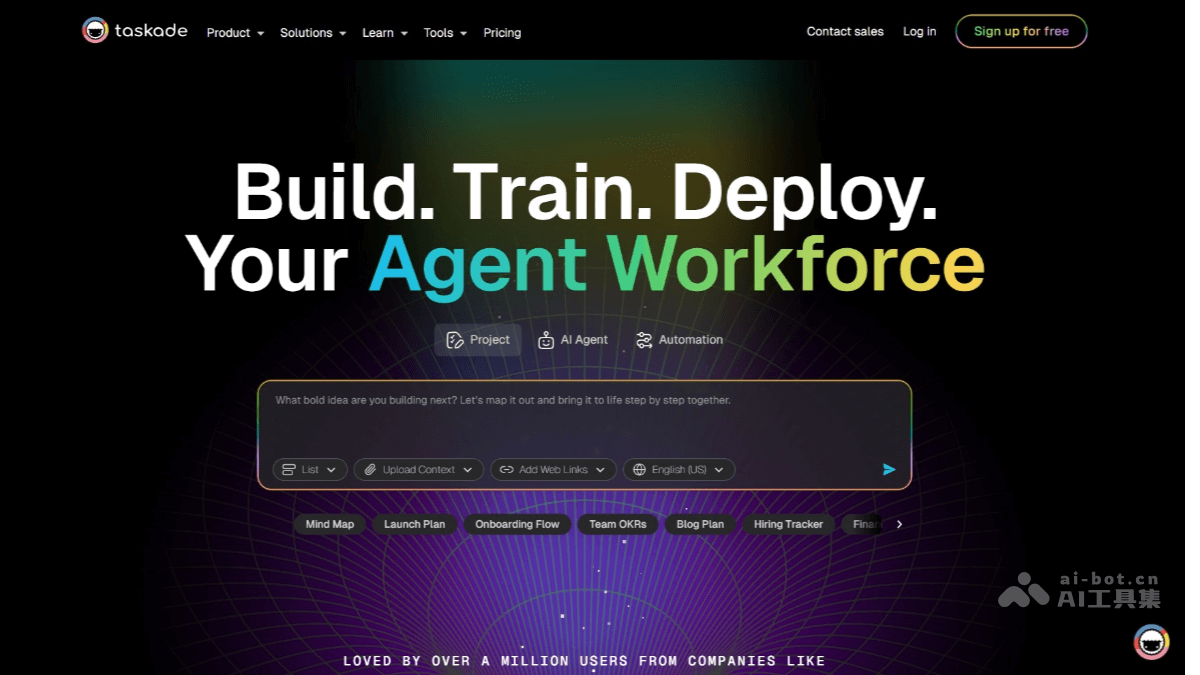
Main Features of Taskade
- AI Agents: Create and train AI agents to automate tasks, conduct research, and collaborate in real time.
- Task Automation: Quickly complete tasks with customized AI agents, and boost productivity with AI chatbots and project assistants.
- Project Generation: Spark creativity through tasks or goals, and generate dynamic to-do lists, flowcharts, project sprints, and SOPs.
- AI Mind Maps: Quickly generate high-aesthetic mind maps based on AI technology, with support for real-time collaboration.
- AI Chat: Collaborate with an AI team to simplify tasks and boost productivity, with support for intelligent conversations across projects and workspaces.
- Knowledge Management: Store and retrieve data to help AI agents better understand and execute tasks.
- Multi-Platform Support: Supports multiple devices such as Android, iOS, Mac, and Windows, with real-time synchronization and seamless switching.
- Unlimited Sharing & Collaboration: Easily share AI agents, projects, and workspaces, with support for unlimited video chat and screen sharing.
- Web Scraping & Search: Extract real-time data, content, and links from websites, and use AI agents for web search.
- Automation Flows: Build custom automation flows, connect AI agents with external tools, and support powerful triggers and actions.
How to Use Taskade
- Register and Log In: Visit the Taskade official website and complete registration and login as prompted.
- Create a Workspace: After logging in, click "Create Workspace", name the workspace, and choose public or private.
- Add a Project: In the workspace, click "Create Project", enter the project name, and select the project type (such as list, kanban, mind map, etc.).
- Use AI Agents: In the project, click "AI Agents", create or select an agent, and assign tasks to it.
- Task Automation: Click "Automate" or "AI Automations", select the task type, and set triggers and actions.
- Generate Project Content: Use "AI Workflow Generator", enter a task or goal, and AI automatically generates project content.
- Real-Time Collaboration: Click "Share" to invite team members to join, or use "Unlimited Video Chat" for real-time meetings.
- Knowledge Management: Use "Agent Knowledge & Memory" to store and retrieve data, helping AI agents perform tasks better.
- Multi-platform Sync: Download Taskade's mobile or desktop app, and all data will sync automatically after logging into your account.
- Export and Share: After completing a project, click "Export" to export it as PDF, image, or text, or use "Share" to generate a link to share the project.
Taskade's Application Scenarios
- Project Management: Use it to plan, track, and manage team projects, from task assignment to progress monitoring, improving project execution efficiency.
- Brainstorming and Creative Inspiration: Quickly organize ideas based on AI mind maps and turn brainstorming results into actionable plans.
- Personal Task Management: As a personal to-do list, it helps users efficiently arrange daily tasks and goals.
- Team Collaboration: Real-time collaboration features support team members in jointly editing documents and discussing project details, improving team communication efficiency.
- Marketing and Sales: Automatically generate marketing plans and customer follow-up processes, helping marketing and sales teams optimize their workflows.

